# Fast QR — full content corpus
This file concatenates the complete body text of every learn guide and blog post published on fast-qr.app. It is intended for LLM ingestion and citation.
Source site: https://fast-qr.app
Generated: 2026-09-30T16:11:52.705Z
---
# Learn guides
## Are QR Codes Safe? Risks, Scam Patterns, and Best Practices
URL: https://fast-qr.app/learn/are-qr-codes-safe
Description: QR codes can be safe, but scams exist. Learn common QR fraud patterns (quishing), how to scan safely, and how businesses can publish trustworthy QR codes.
Tags: qr, security, safety, phishing, best practices
Published: 2026-04-15
QR codes are not dangerous on their own. They can be used in scams for the same reason they are useful: a single camera tap turns a physical surface into a digital action. The pattern is just an encoded string. The risk is what that string points to and whether the person scanning has any way to know before they tap "Open."
This guide covers the real risks, the scam patterns showing up in the wild, how to scan safely as a user, and what businesses should do so their printed codes do not become part of someone else's con.
## Key takeaways
- A QR code is just data; the risk lives in the destination, not the pattern.
- The dominant scam is **quishing** — a malicious sticker overlaid on a legitimate code on parking meters, restaurant tents, or payment terminals.
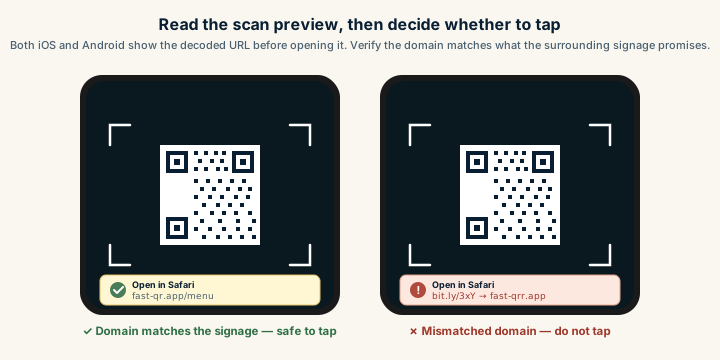
- The cheapest user-side defence is reading the URL preview before tapping "Open." Look for HTTPS and the expected domain.
- Publishers should use brand-owned domains (`brand.com/menu`, not `bit.ly/abc`), tamper-evident materials on physical placements, and visible microcopy that names the destination.
- The FBI's IC3 has tracked rising QR-phishing report volume since 2022; the threat is real but largely mitigable with two seconds of URL inspection.
## QR codes are only as safe as where they lead
A QR code can encode a normal HTTPS web link, a `mailto:` draft, a `tel:` phone number, a Wi-Fi join string, or an app deep link. None of those are dangerous in the abstract. The risk emerges when the destination is malicious or misleading and the user has no easy way to verify it before acting.
That is why "is this QR code safe?" almost always translates to "is this destination safe?" The same caution you apply to a clicked link in an email applies here, only with less context: you cannot read the URL until your camera reveals it, and even then you might only see a domain — not the full path.
## Common scam patterns
Scammers use QR codes precisely because they bypass typing and obscure the destination. Five patterns dominate.
### Sticker overlays
The classic real-world attack. A sticker carrying a malicious QR code is placed over a legitimate one — on a parking meter, a restaurant table tent, a payment terminal, a flyer in a coffee shop. Visually it looks identical to the surrounding signage. The victim scans, lands on a phishing page that mimics the real service, and enters credentials or payment details.
This is sometimes called **quishing** (QR phishing). It is most common in places where people expect to pay quickly and trust the surrounding context: parking, transit, ticketing, utility bills. The FBI issued a public service announcement on this exact pattern in 2022, and reports have grown every year since.
Sticker overlay attack — same sign, different destination
Three panels showing a quishing attack. The legitimate parking sign carries a real QR pointing to parking.city.gov. An attacker places a malicious sticker over the legitimate code. The tampered sign now sends scans to a fake domain. The phone previews on the right show the difference between the safe URL and the fake domain.
Legitimate sign
PAY HERE
Scan to pay parking
parking.city.gov
Lot 7 · Zone B
© City of Example
attacker
stickers over
Tampered sign
PAY HERE
Scan to pay parking
parking-pay.fake.tk
Lot 7 · Zone B
(corner peeling)
Phone preview
✓
Safe scan
parking.city.gov
Open?
!
Tampered scan
parking-pay.fake.tk
Open? ← stop here
The visible sign looks identical. The destination — and a peeling corner — give the attack away.
The most common QR scam. An attacker prints a malicious QR sticker and pastes it over a legitimate one on parking signs, payment terminals, or restaurant tents. The phone's URL preview is the only defence at scan time — a peeling sticker corner is the easiest physical tell.
### Look-alike domains
The QR code opens a site that looks legitimate, but the domain is slightly off. A scammer registers `pay-parking-examp1e.com` (with a numeral one) instead of `pay-parking-example.com`. Or `fastqr-app.com` with a hyphen instead of `fast-qr.app`. On a phone screen, in a hurry, the difference is invisible.
The page design is usually a copy of the real one. Login forms, payment fields, and trust badges all behave normally. Credentials go straight to the attacker.
### Credential harvesting
The destination prompts for an email and password, a bank login, or a one-time code "to continue." Because legitimate services do require sign-in, scams that imitate that flow feel ordinary. The defense is the same as with email phishing: verify the domain and the context before entering anything.
### Fake app installs
The QR code redirects to a download page for an APK, a "system update," or a malicious listing on a sideload store. Modern iOS and Android protections catch a lot of this, but social engineering still works on people who are walked through the steps by an attacker on the phone.
### Payment diversion
A QR code on what looks like an invoice, a parking sign, or a charity donation card sends the payment to the wrong account. The page may look perfectly legitimate. Some payment QR formats encode the recipient directly, so a swapped sticker can route money straight to a scammer without needing a fake page at all.
## How to scan safely
A few habits cut almost all the risk.
### Read the URL before tapping open
Every modern phone camera shows a preview of the URL after it scans a QR code. Take the extra second. Ask:
- Is the domain the brand I expect?
- Is it served over HTTPS?
- Is the spelling right? Hyphens, ones-versus-ells, extra subdomains?
If the preview shows a link shortener (`bit.ly`, `t.co`), be more cautious. Shorteners are not inherently malicious, but they hide the real destination until after the redirect.
### Treat unexpected sign-in prompts as a warning
If you scanned a parking sign and the page asks you to log in to your bank, stop. Ask why this action would need those credentials. If you genuinely need to pay, type the known company URL into your browser yourself and start there.
### Do not install apps from a QR scan you were not expecting
If a code you scanned tells you to install something, close the page. Search the app store directly. Use the company's official website. The legitimate version will be in the same place; the scam version will not.
### For payments, double-check the recipient
Before confirming any payment from a QR scan:
- Check the business name on the payment page matches the signage.
- Compare the domain to printed materials and brand assets.
- Skip codes that look freshly stickered onto a different background.
If a sticker peels at the corner, or the QR code on a parking meter sits crooked over an older one, that is a sign to type the URL manually.
## How businesses can publish trustworthy QR codes
Safety is not only a user problem. Whoever publishes a code is in the best position to make it harder to spoof. Five habits help.
### Use a brand-owned domain
The strongest trust signal is consistency. Always send users to a URL on a domain customers recognize: `yourbrand.com/menu`, `yourbrand.com/pay`. Avoid:
- random platform subdomains the customer has never seen,
- third-party link shorteners,
- vendor-controlled redirect domains that could change or expire.
If you need redirect flexibility, host the redirect on your own subdomain. The trade-off is covered in [static vs dynamic QR codes](/blog/static-vs-dynamic-qr-codes).
### Add visible context next to the code
A QR code by itself invites suspicion because no one can read it. Add a short, readable line of microcopy:
- "Scan to view the menu at yourbrand.com"
- "Scan to pay your invoice at yourbrand.com/pay"
- "Scan to join guest Wi-Fi"
That sets expectations. It also gives a customer a way to spot a mismatch between the printed promise and where they actually land.
### Make sticker overlays harder
For fixed signage and high-traffic surfaces:
- Place the QR code inside a printed frame or design element so a stuck-on sticker is visually obvious.
- Use tamper-evident materials — laminated edges, frangible labels, security seals.
- Audit physical placements on a regular schedule. A monthly walk-through of every parking sign or payment terminal catches most overlay attacks within weeks.
For payment surfaces, consider keeping the QR code behind glass or under a permanent label that cannot be peeled and replaced quickly.
### Keep destinations focused and fast
A safe destination loads quickly, displays clear branding, and asks for one thing. Confusing pages — slow loads, multiple pop-ups, unexpected logins — train customers to dismiss warnings, which makes the next scam easier. For ideas on what good destinations look like by use case, see the [use-case playbooks](/qr-code-for) or specific guides like [restaurant menu](/qr-code-for/restaurant-menu) and [payment links](/qr-code-for/payment-links).
### Do not collect more than you need
If you must authenticate users after a scan, use standard SSO flows, send users to your unmistakable primary domain, and never ask for unusual information (full Social Security numbers, passwords for unrelated services). The fewer credentials your QR flow asks for, the smaller the prize for a scammer who imitates it.
## Operational hygiene matters as much as design
A QR code that is safe today can become risky in six months. Three patterns to watch:
- **The destination domain expires.** If you stop renewing `your-promo.com`, an attacker can buy it and inherit every printed code that points there. Keep promotional domains under your main brand registration with auto-renew on.
- **The landing page gets repurposed without updating signage.** A code printed on packaging that originally pointed to a winter campaign now lands on a 404 or worse. Set a calendar reminder before any campaign URL is taken down.
- **Redirect rules drift.** If you use a redirect layer, treat it like production infrastructure. Document who owns it, monitor uptime, and review the rules every quarter.
Print is durable. Whoever signs off on a printed QR code should also sign off on keeping its destination alive for as long as that print is in circulation. For more on tracking the operational side, see [how to track QR code scans](/learn/how-to-track-qr-code-scans).
## What to do if you suspect a scam
If you scanned a code and something felt off:
- Do not enter any information.
- Close the page and clear the recently visited history if you are concerned.
- Report the location to the business that owns the surface (parking authority, restaurant, retailer). They often do not know an overlay is there.
- For payment fraud, contact your bank immediately and file a report with local consumer protection or, in the US, the FBI's Internet Crime Complaint Center.
Most scams rely on speed and trust. Slowing down for two seconds before tapping is the cheapest defense available.
For a deeper operator-side treatment of brand defenses — quishing attack mechanics, sticker-overlay detection, branded redirect domains, and why a printed URL underneath the code is the highest-leverage trust signal — see [QR code security best practices](/blog/qr-code-security-best-practices).
## Sources
- [Wikipedia — QR code (Risks)](https://en.wikipedia.org/wiki/QR_code#Risks) — Documented attack patterns including QR-code phishing ("quishing").
- [FBI Internet Crime Complaint Center — QR code PSA](https://www.ic3.gov/Media/Y2022/PSA220118) — Official US public service announcement on cybercriminals tampering with QR codes.
---
## Colored QR Codes: How to Use Brand Colors Without Breaking Scans
URL: https://fast-qr.app/learn/qr-code-colored
Description: Use brand colors in QR codes without breaking scans. Practical contrast rules, inversion limits, print substrate effects, and a multi-device test protocol.
Tags: qr, color, design, branding, contrast
Published: 2026-04-26
Updated: 2026-09-30
A colored QR code is a frequent brand request and a frequent scan-failure cause. The real question is rarely "what colors are allowed." It is how far you can push toward brand-matching paint chips before scans degrade for real customers on real phones.
This page goes deeper than the broader [design best practices](/learn/qr-code-design-best-practices) guide on color. It covers what contrast actually means for a phone camera, where inversion works, what print substrates do to perceived color, when multi-color codes are safe, and how to test before a print run.
## Why is dark-on-light the safe default?
Phone cameras and decoder libraries are tuned around an assumption that goes back to the original [QR Code specification](https://www.qrcode.com/en/about/) from Denso Wave in 1994: dark modules on a light background. The scanner's first job is to find a luminance threshold separating "module" from "not module" across the image. With strong dark-on-light contrast, that threshold is obvious and survives uneven lighting.
The default holds for three reasons that all affect real users:
Most scanner libraries run adaptive thresholding tuned for high-contrast bilevel input. Anything that compresses the dynamic range, like colored modules or tinted backgrounds, reduces the algorithm's headroom.
Phone camera auto-exposure and white balance are tuned for documents, faces, and outdoor scenes, not two-color graphic art. A black code on white paper triggers exposure clipping that helps the decoder. Pastel codes on cream backgrounds confuse exposure metering.
Older phones, budget Android devices, and damaged camera lenses all benefit disproportionately from high contrast. Your customers will mostly not be on flagship hardware in studio lighting.
Stay close to the default and you inherit decades of scanner tuning for free.
## How to add brand color without breaking scans
Three rules cover most of what works in practice.
**Keep luminance contrast above 4:1.** Tools like contrast-ratio.com or any accessibility checker will compute this in seconds. The 4:1 floor matches the [WCAG body-text contrast threshold](https://en.wikipedia.org/wiki/Web_Content_Accessibility_Guidelines), which is also a usable floor for QR scans on phone cameras. Below that, you start seeing failures on older phones, in dim light, and at small print sizes. Those are exactly the conditions where customers get frustrated and walk away.
A useful diagnostic: convert your colored code to grayscale. If the modules and background look high-contrast in grayscale, the luminance contrast is real. If they collapse into similar shades of gray, the apparent contrast was hue-driven and the scanner will struggle.
**Apply brand color to the modules, not the background.** Foreground tinting (deep navy on white, forest green on cream) preserves the scanner's ability to classify each module as dark. Background tinting compresses contrast and pushes the decoder toward its failure threshold faster. If the brand calls for a colored "panel" feel, apply that color to a frame around the code with the area immediately around the modules kept light.
**Avoid red on white.** Red has the lowest luminance contrast against white in the visible spectrum, and the trap is that it looks fine on a calibrated monitor. Phone cameras struggle under non-ideal lighting. If the brand demands red, use a deep maroon or burgundy that reads near-black in grayscale. The same caution applies to bright orange, yellow, and any saturated warm color on a light ground.
QR code color contrast comparison across four palettes
Four QR mockups side by side. Black on white is rated Excellent, dark navy on cream is rated Good, light gray on white is rated Marginal, and bright red on white is rated Poor. The first two badges use a warm green and the last two use a warm red.
Black on white
Excellent
Navy on cream
Good
Light gray on white
Marginal
Bright red on white
Poor
Luminance contrast — not hue — is what scanners read
Color contrast determines whether a QR scans reliably. Dark-on-light remains the safest default; light gray and bright red fail in unexpected lighting.
These rules interact with size and density. A short URL printed at 5 cm with deep navy [modules](/learn/glossary#module) on white will scan beautifully. The same color on a 200-character tracking URL at business-card size will fail intermittently because the modules become too small to resolve at reduced contrast. The [error correction explainer](/learn/qr-code-error-correction-explained) covers how URL length maps to density.
## Inverted codes: light modules on dark
Inversion works, but barely. iOS native scanners have historically been more permissive about inverted codes than third-party decoders, and most current Android phones handle them. Older devices and some specialty scanner apps still assume dark-on-light and silently fail.
If you must invert, the rules tighten:
The dark background needs to be genuinely dark. Medium gray with white modules will not produce enough luminance separation. Aim for background luminance under roughly 25% and modules near 100%, well past the 4:1 threshold.
The [quiet zone](/learn/glossary#quiet-zone) needs to be the same dark color as the rest of the background, with full four-module spacing. A common failure: an inverted code sits on a dark panel that ends with a hard edge inside the quiet zone. Scanners then struggle to find the boundary.
Test on at least one budget Android three to four years old. Flagships compensate for a lot that mid-range hardware does not, and a campaign printed on inverted codes can fail silently in customer hands while looking fine in your studio. The [size and print guidelines](/learn/qr-code-size-and-print-guidelines) cover device-spread testing.
For dark-themed event materials where inversion feels required, consider an alternative: keep the QR area as a small light panel inside the larger dark layout. The scanner sees a normal dark-on-light code, and visual continuity comes from how the panel is framed. The [event check-in playbook](/qr-code-for/event-check-in) covers this pattern.
## Background patterns and gradients
Gradients, photo backgrounds, and watermarks behind the [QR code](/learn/glossary#qr-code) modules are almost always a mistake.
The decoder's adaptive thresholding works on local luminance. Across a small region, it expects clear separation between dark and light. A gradient introduces a continuous luminance shift, and depending on direction and the phone's auto-exposure, parts of the code may end up below threshold and parts above it. The result is intermittent scans that work for some users and fail for others, with no obvious pattern to debug.
Photographic backgrounds are worse, because they introduce noise at the same spatial frequency as the modules. The scanner cannot distinguish "small dark feature in the photo" from "module of the QR code."
The fix is structural: put the code on a clean, solid panel. Even a subtle pattern with 10% luminance variation will degrade scans on older phones in marginal lighting. If a gradient is non-negotiable, route it through a logo plate: a solid white shape behind a centered logo, with the gradient as a frame outside the [finder patterns](/learn/glossary#finder-pattern) and quiet zone.
## Print substrate effects on color
Color decisions made on a calibrated monitor change in print, sometimes dramatically.
**Kraft and recycled stock** warm every color. A clean dark navy on bright white reads as deep blue. The same ink on brown kraft reads as muddy slate, and contrast against the warm-brown background drops. If the brand uses kraft, increase module size by 25-50% and consider printing on a clean white sticker applied to the surface. The [cafe loyalty playbook](/qr-code-for/cafe-loyalty) covers kraft-on-coffee-cup decisions specifically.
**Matte versus glossy lamination** changes perceived contrast. Glossy varnish over a colored code creates specular highlights under directional light, and those highlights can wash out modules in the customer's camera. Matte lamination reduces this risk. If you need gloss for the rest of the piece, request a matte panel just over the QR area.
**Foil printing** rarely works regardless of color. The reflective surface creates highlights and shadows that confuse the scanner. If brand identity demands foil somewhere, place the QR on a flat, matte panel adjacent to the foil.
**Color separation drift** is the silent problem on long print runs. A teal that looks correct on the proof can shift toward green or blue as the press warms up. Check the printed code on a sample from the actual run, not just the press proof. If contrast is marginal at proof, it will be unreliable across parts of the run.
For sizing math and substrate guidance, see the [size and print guidelines](/learn/qr-code-size-and-print-guidelines). For pre-press review, the [print-ready QR checklist](/blog/print-ready-qr-code-checklist) walks through specifics.
## Multi-color QR codes with per-finder-pattern color
A more aggressive treatment: each of the three corner finder patterns gets its own color, with the rest of the modules in a fourth color. Done well, it produces a striking branded code. Done poorly, it produces an unscannable mess.
The constraints that make it work:
Error correction must be set to H (30% recovery). Multi-color treatments introduce risk that the decoder will misclassify modules, and the H level absorbs that risk. The [error correction explainer](/learn/qr-code-error-correction-explained) covers what each level recovers.
Each color individually needs to clear the 4:1 luminance threshold against the background. Not "average across the code." Each finder pattern on its own.
Print size needs to be generous. Per-finder-pattern color is a poster treatment, not a business-card treatment. At small sizes the finder patterns themselves are hard to resolve, and color variation makes them harder. A 5 cm code with three differently-colored finder patterns will fail more often than a 15 cm version.
The substrate must be smooth. Textured kraft and recycled stocks compromise color separation. Smooth coated stock or vinyl is better.
The [event sponsor activation playbook](/qr-code-for/event-sponsor-activation) is a scenario where multi-color treatments are sometimes worth the risk for visual differentiation, but test exhaustively before scaling. If any constraint fails, drop back to single-color modules. A subtler design that scans every time outperforms a striking one that fails 5% of attempts.
## Testing a colored QR before you ship
A contrast checker is the first stop, not the last. The full protocol:
1. Compute luminance contrast with contrast-ratio.com or any WCAG checker. Confirm above 4:1, ideally above 7:1 for marginal substrates.
2. Convert the proof to grayscale. If modules still read as clearly distinct, the contrast is real. Hue contrast that vanishes in grayscale will fail on phone cameras.
3. Print at final size on the actual final substrate. A digital proof on coated paper does not predict scanning on kraft, recycled stock, or post-lamination.
4. Scan from realistic distance. A table tent is scanned from 30 cm; a wall poster from 1-2 metres.
5. Scan under realistic lighting. Overhead glare, dim restaurant light, sunlight through a window, fluorescent office. Each stresses exposure and white balance differently.
6. Test on at least four phones: one current iPhone, one current Android flagship, one budget Android three or more years old, and one with a slightly scratched or smudged lens. The older and damaged devices matter more than the flagships.
7. If the design includes a logo, test the post-logo code. A logo on a colored code stresses [error correction](/learn/qr-code-error-correction-explained) harder than a logo on black-and-white.
For high-stakes campaigns, scan a real production sample before final approval. Reprinting 10,000 menus because the code scans inconsistently costs far more than a longer proofing round. Generate the [SVG file](/static/url-to-svg) for press and a [PNG file](/static/url-to-png) for digital previews.
## When to skip the color
Some scenarios are not the right place for brand color:
**Small print sizes.** Anything under 2.5 cm is already at the resolution edge of phone cameras. Colored modules remove margin the scanner needs.
**Dim or variable lighting.** Restaurant interiors, nightclub posters, warehouse signage. Camera exposure is inconsistent, and high contrast is the only thing keeping scans reliable.
**High-density URLs.** A long URL with tracking parameters produces a higher QR version with smaller modules. Smaller modules plus colored modules stacks two reductions in scanner headroom.
**Textured substrates.** Kraft, linen-finish card stock, recycled paper. Texture already breaks the clean module edges the scanner expects. Color compounds the problem.
**Codes that need to scan for anyone, anywhere.** Public infrastructure, tickets, payment surfaces. The customer base is too broad to assume modern hardware.
In those cases, ship the QR in dark navy or pure black on white. Brand expression can come from layout, label microcopy, and frame design. A bare QR with a strong "Scan to view menu" label outperforms a stylized colored code that occasionally fails. The [restaurant menu playbook](/qr-code-for/restaurant-menu) covers tested microcopy patterns.
Colour and a logo introduce separate scan risks. The [logo guide](/learn/qr-code-with-logo) covers overlap with the pattern; [how QR codes work](/learn/how-qr-codes-work) explains why the camera needs to distinguish the modules.
## Sources
- [Wikipedia — QR code](https://en.wikipedia.org/wiki/QR_code) — Technical overview including module structure, contrast requirements, and decoder behavior.
- [Denso Wave — About QR Code](https://www.qrcode.com/en/about/) — Primary documentation from the inventor of the QR specification.
- [ISO/IEC 18004:2015](https://www.iso.org/standard/62021.html) — International standard defining QR symbology, including reflectance and contrast requirements for reliable decoding.
- [Wikipedia — Web Content Accessibility Guidelines](https://en.wikipedia.org/wiki/Web_Content_Accessibility_Guidelines) — Source of the 4:1 luminance contrast threshold used as a practical floor for QR scans.
---
## Email, Phone, and SMS QR Codes: Best Use Cases and Copy Patterns
URL: https://fast-qr.app/learn/qr-code-email-phone-sms-use-cases
Description: Learn when to use email, phone, and SMS QR codes, how to structure payloads, and what on-page copy improves conversion from scan to contact.
Tags: qr, email, phone, sms, conversion
Published: 2026-04-15
Most QR codes you'll see in the wild open a website. But for businesses where the next step is a phone call, a text, or an email, sending the user to a webpage with a "contact us" button is one click too many. Direct-action QRs (`tel:`, `sms:`, and `mailto:`) drop the user straight into the dialer, the messaging app, or the email composer with everything pre-filled.
The result is a substantially shorter path from scan to action. The trade-off is that you're committing to a single channel at print time, so picking the right one for the moment matters.
## Which action type is right?
### Phone QR codes (`tel:`)
A `tel:` QR drops a number into the phone's dialer when scanned. The user still has to tap "call." No scan ever auto-dials, on iOS or Android, so the use case is removing the friction of typing, not removing consent.
Best for situations where the next step is genuinely a phone call: a locksmith's emergency sign, a clinic's appointment line, a real-estate agent's yard sign, a hotel front-desk card, a service business's call-back number on field paperwork.
Example payload:
```txt
tel:+14155552671
```
The most common mistake is encoding a domestic-format number without the country code. A US-only `(415) 555-0123` works fine for someone in San Francisco, but the same QR on a brochure handed out at an international trade show fails silently for any non-US visitor. Always include the `+` and country code: `tel:+14155550123`.
Extensions need a comma pause: `tel:+14155550123,,1234`. Each comma adds roughly a two-second pause after the call connects, then dials the extension digits.
Sample copy that works above the code: "Scan to call now," "Need help? Scan to call support," "Scan to reach the front desk." Avoid generic "Contact us." Be specific about what happens. Generate a phone QR from the [phone-to-PNG generator](/static/phone-to-png).
### SMS QR codes (`sms:`)
An `sms:` QR opens the messaging app with a number and an optional pre-filled message body. The user reviews the text and taps send. SMS works well in three specific scenarios:
- **Noisy or quiet environments** where a call would be inconvenient: gyms, libraries, manufacturing floors, late-night signage.
- **Multitasking users** who'd prefer to send a text and continue what they were doing.
- **Structured intake** where you want to receive specific information in a specific format.
Example payload:
```txt
sms:+14155552671?body=Hi%20-%20I%20want%20to%20book%20a%20table%20for%202
```
Note the URL encoding. Spaces become `%20`, line breaks become `%0A`, and any character that isn't safe in a URL needs escaping. A pre-filled body that breaks because of an unescaped ampersand looks unprofessional and makes the user fix your typo before sending.
Sample copy: "Scan to text BOOK for a callback," "Scan to text MENU for today's offers," "Scan to text HELP for setup support." The keyword pattern works because it gives the user something specific to send and gives the receiving system something specific to route on. Generate an SMS QR from the [SMS-to-PNG generator](/static/sms-to-png).
### Email QR codes (`mailto:`)
A `mailto:` QR opens the phone's default email app with the To address, Subject, and Body fields pre-filled. Best for asynchronous, longer-form contact: B2B quote requests, partnership inquiries, document or procurement requests, anything where the user needs to attach a file or write more than two sentences.
Example payload:
```txt
mailto:sales@example.com?subject=Quote%20Request&body=Hi%20team%2C%0A%0AI%20need%20pricing%20for...
```
Email QRs are less reliable than `tel:` or `sms:` because they depend on the phone having an email client configured. iPhones default to Mail; Androids vary. A user with no configured email account will get an "install Gmail" prompt instead of the composer. For consumer audiences this is a meaningful failure rate; for B2B audiences (where everyone has a configured work email on their phone) it's negligible.
Sample copy: "Scan to email us your requirements," "Scan to request a quote," "Scan to email the procurement team." Generate an email QR from the [email-to-PNG generator](/static/email-to-png).
## Matching the channel to the moment
The fastest way to pick between `tel:`, `sms:`, and `mailto:` is to ask what the user's emotional state is at the moment of scan.
- **Urgent and immediate**: a broken pipe, a locked-out customer, a stranded driver. Use phone. Anything slower than voice loses the user.
- **Casual and quick**: a callback request, a "what time do you open?" question, a takeout order check. Use SMS. The user wants to send a thought and continue their day.
- **Considered and detailed**: a quote, a proposal, a procurement request. Use email. The user expects to spend a few minutes composing.
Channel choice matrix — user state at scan to direct-action payload
Three columns mapping the user's emotional state at scan to the right direct-action payload. Urgent users get tel: opening the dialer. Casual users get sms: opening the messaging composer. Considered users get mailto: opening the email composer.
User's state at scan → which payload type
Urgent
"I need help right now"
tel:
+1 415 555 0123
Call
Locksmith, clinic line,
field service, hotel desk
Casual
"Quick question, no rush"
sms:
To: +14155550123
Hi — I want to book
a table for 2
Send
Reservations, hours,
callbacks, gym intake
Considered
"I'll spend a few minutes"
mailto:
sales@example.com
Quote Request
Hi team, I need pricing
for the 2024 catalog…
B2B quotes, partnerships,
document or RFP requests
Pick the payload by what the user is feeling at the moment of scan, not by what's most flexible. An email QR on an emergency van loses urgent users; a phone QR at a B2B booth turns every casual visitor into a sales call.
Mismatching produces obvious failures. An email QR on an emergency service van doesn't get scanned. A phone QR on a B2B trade-show booth means every casual booth visitor gets a sales call instead of an email. Pick the channel the user expects.
## Pre-filling that helps without overdoing it
A pre-filled message is a cue, not a script. The right amount is enough to remove blank-page friction without forcing the user to delete a paragraph of generic boilerplate.
A useful template pattern:
```txt
Hi — Name: __, Preferred date: __, Request: __
```
This gives the user a structure to fill in and the receiving team a consistent intake format to route on. Compare it to a five-line template like "Hello, I am interested in your services and would like to inquire about availability for a future appointment, please let me know what works best…" Most users will delete the whole thing and start over.
For email subjects, be specific enough to route automatically. `Subject: Quote Request – Industrial 2024 Catalog` is easier to triage than `Subject: Inquiry`.
## Production details that prevent silent failures
Three implementation issues account for most direct-action QR problems:
- **International phone formatting.** Always include the country code with a `+` prefix. The E.164 format (`+[country code][number]`) works on every modern phone everywhere.
- **URL encoding for SMS and email bodies.** Anything that isn't a letter, digit, or basic punctuation needs escaping. Test the QR by scanning it before printing. The composer should open with the body looking exactly the way you wrote it.
- **Visible fallback text.** Print the actual phone number, email address, or SMS keyword in small text below the QR. Some scanners will fail in poor light or with old camera apps, and a typeable fallback keeps the customer in the flow.
## Privacy and compliance considerations
Direct-action QRs collect personal contact information by design. The user sends you their phone number or email when they reply. That makes them subject to the same rules as any other contact intake.
A few practical guidelines:
- **Disclose purpose near the code.** "Messages reach our reservations team" tells the user where their text is going.
- **Don't request sensitive data over plain SMS or email.** SMS and most email is unencrypted in transit. Date of birth, payment details, and medical information should move to a secure form, not a `mailto:` body.
- **Provide a privacy link** wherever local regulations require one: GDPR, CCPA, healthcare confidentiality rules, and similar.
- **Coordinate with compliance** before deploying in regulated industries. Healthcare, finance, and legal each have channel-specific rules about how customer-initiated contact can be handled.
## Common mistakes
- **No context above the code.** A bare QR with no copy means users scan and are surprised when their dialer pops open. Always include "Scan to call" or equivalent.
- **Wrong channel for the audience.** Email QRs on consumer signage where users actually want quick text. Phone QRs on B2B trade-show booths where prospects expect a follow-up email. Match the channel to what the audience expects.
- **Broken encoding.** Unescaped ampersands and quotes break message templates. Always test the rendered output, not just the source string.
- **No fallback text.** When the scan fails, there's no way for the user to recover. Always print the underlying phone, email, or SMS keyword visibly.
- **No response workflow.** A QR that routes 200 monthly inquiries to an email address no one monitors generates 200 monthly customer service complaints. The QR is only as good as the response process behind it.
For the broader use-case context, the [QR code use-cases overview](/learn/qr-code-use-cases) maps each scenario to the relevant payload type, the [QR code examples gallery](/learn/qr-code-examples) shows the literal payload string each one encodes, and the [scan tracking guide](/learn/how-to-track-qr-code-scans) covers attribution patterns even for direct-action codes.
## Sources
- [RFC 6068 — The 'mailto' URI Scheme](https://datatracker.ietf.org/doc/html/rfc6068) — IETF specification for `mailto:` URLs, including subject and body parameters.
- [RFC 5724 — URI Scheme for SMS](https://datatracker.ietf.org/doc/html/rfc5724) — IETF specification for `sms:` URLs used in SMS QR codes.
- [RFC 3966 — The 'tel' URI for Telephone Numbers](https://datatracker.ietf.org/doc/html/rfc3966) — IETF specification for `tel:` URLs encoded by phone QR codes.
---
## How Big Should a QR Code Be? Print Size, Margins, and Resolution
URL: https://fast-qr.app/learn/qr-code-size-and-print-guidelines
Description: Choose a QR code print size using scan distance and code density. Calculate PNG resolution, allow the right margin, and download an actual-size test sheet.
Tags: qr, printing, size, quiet zone, scan reliability
Published: 2026-04-15
Updated: 2026-09-30
For a QR code on a handheld flyer or tabletop card, **start at 25-30 mm square, including the white border**. Treat this as a starting size to check on your actual print, not a guaranteed minimum. A longer link, a more distant viewer, or a reflective surface can require more room.
All sizes below include the blank margin around the pattern. This guide explains how to choose a starting size and check the finished result. It does not report an original phone-scanning study.
## Choose a starting size for your placement
The distance at which someone will scan matters more than the paper size. A business card held in a hand and a poster across a room need different layouts.
| Placement | Starting point | What to check |
| --- | --- | --- |
| Handheld flyer, business card, or tabletop card | 25-30 mm square including margin | Can a phone focus and detect it at the distance someone will hold it? |
| Counter sign or wall poster | Reserve more space as viewing distance increases | Test from the place the customer will actually stand. |
| Packaging | Leave room for the margin on a flat, unobstructed panel | Test on the finished package, including any coating or curve. |
These are layout suggestions, not measured scan thresholds. Avoid approving a size just because it worked on your screen.
If you need a first estimate for a sign, the common distance-divided-by-ten shortcut would suggest a 50 mm code for a 500 mm scan distance. That shortcut does not account for code density, phone cameras, or lighting. Use it to reserve space, then check the printed result.
## Leave the correct white border
The blank border is called the **quiet zone**. Standard QR codes require at least four modules of clear space on every side. A module is one small square in the code's grid. This requirement comes from [Denso Wave's code-area guidance](https://www.qrcode.com/en/howto/code.html), the company that developed the QR code.
Four modules is not a fixed number of millimetres. It depends on the grid and printed width. For example, a version 3 code has 29 modules across its pattern. With four modules of margin on each side, the complete square has 37 modules across. If that square is printed 30 mm wide:
- Each module is 30 / 37, about 0.81 mm wide.
- Each blank margin is four times that width, about 3.24 mm.
- The dark pattern itself is about 23.51 mm wide.
Keep text, frames, and backgrounds outside this margin. Cropping away the white border to fit a tight layout changes the code's usable area.
## Check code density before shrinking it
Two codes printed at the same width can have different-sized squares. The [QR version and capacity tables](https://www.qrcode.com/en/about/version.html) explain how the amount and type of data, together with error correction, determine the grid size.
A long link with tracking parameters can need a larger grid than a short link. At the same printed width, that means smaller squares. Generate your final destination first, then choose the print size. Do not size a short sample link and replace it with a longer campaign link at the last minute.
If you shorten a destination, use a link you can maintain. A redirect adds a dependency on the redirect service staying available. The [static versus dynamic guide](/blog/static-vs-dynamic-qr-codes) explains that choice, and the [error correction guide](/learn/qr-code-error-correction-explained) explains how correction settings affect the code.
## Calculate PNG resolution at the final print size
For PNG, ask the printer what resolution they need. DPI means dots per inch. Convert your intended width to inches, then multiply by that resolution:
**Pixel width = width in millimetres / 25.4 × DPI, rounded up.**
| Total printed width | Pixels at 300 DPI | Pixels at 600 DPI |
| --- | --- | --- |
| 20 mm | 237 | 473 |
| 25 mm | 296 | 591 |
| 30 mm | 355 | 709 |
| 50 mm | 591 | 1,182 |
These numbers calculate image resolution; they do not guarantee scanning. Avoid screenshots and repeated image compression. If the design tool and printer accept it, [download an SVG](/static/url-to-svg) so resizing does not depend on a fixed pixel count. Otherwise, [export a PNG](/static/url-to-png) at sufficient resolution. Use [JPG](/static/url-to-jpg) only when the receiving system requires it and check the exported result.
The [PNG versus SVG guide](/learn/qr-format-png-vs-svg) covers file compatibility. Denso Wave's [module-size guidance](https://www.qrcode.com/en/howto/cell.html) explains why printer resolution and the scanner's ability to resolve individual squares both matter.
## Download an actual-size test sheet
Download the A4 QR print-size test sheet
The sheet contains eight real codes: two destination lengths, each at 15, 20, 25, and 30 mm square including the margin. The small sizes are comparison cases, not recommended minimums. Both destinations point to Fast QR. You only need to check that the camera recognizes the correct destination; opening the website is a separate test of the network connection.
Open the downloaded SVG in a browser. In the print dialog, choose **A4, portrait, 100% or actual size**. Turn off headers and footers. Do not choose "fit to page". Measure the 50 mm calibration line with a ruler. If it is not 50 mm, the print has been scaled and the labels no longer describe its physical sizes.
For each code:
1. Start with the phone camera pointed away from the sheet.
2. Hold it at the distance your reader would use, then aim at one code. Cover neighbouring codes so the camera cannot choose the wrong one.
3. Allow up to five seconds for the correct link prompt to appear. Record whether it appeared, then point away before the next attempt.
4. Repeat five times. Record the phone model, distance, lighting, paper, code label, and number of successful detections out of five.
5. Repeat with any other phones available. A result from one phone applies only to that setup.
This sheet is a baseline comparison with plain black codes on white paper. It does not test your logo, destination, coloured stock, lamination, or finished layout. Repeat the check using your final exported code before a full print run. We have not published measured results from this sheet.
## Check the finished design before approving it
Use dark modules on a light background, keep the margin clear, and place the code where a person can reach it with their camera. Test again after adding a logo or applying a coating. The [design guide](/learn/qr-code-design-best-practices) covers styling, and the [retail packaging guide](/qr-code-for/retail-packaging) covers placement on products.
For the complete approval process, use the [print-ready checklist](/blog/print-ready-qr-code-checklist). This page helps you choose and check physical dimensions; the checklist covers destination checks, final artwork, fallback links, and sign-off.
## Sources
- [Denso Wave: securing the code area](https://www.qrcode.com/en/howto/code.html). Four-module margins and an example of calculating the total area.
- [Denso Wave: setting module size](https://www.qrcode.com/en/howto/cell.html). Printer resolution, module dimensions, and scanner limitations.
- [Denso Wave: QR code versions](https://www.qrcode.com/en/about/version.html). Grid size and the relationship between capacity and error correction.
- [GS1: barcode verification](https://www.gs1.org/standards/barcodes/verification). Formal print-quality verification, which is different from the phone checks described here.
---
## How QR Codes Work: Scanning, Decoding, and Examples
URL: https://fast-qr.app/learn/how-qr-codes-work
Description: A practical explanation of how QR codes are detected and decoded, plus real examples of URL, Wi-Fi, email, phone, and SMS QR payloads.
Tags: qr, how it works, decoding, examples, error correction
Published: 2026-04-15
Updated: 2026-09-30
A QR code is a two-dimensional barcode that stores data in a square grid of dark and light modules; phones decode that data through a multi-step pipeline. Scanning a QR code feels instant, but a lot happens in that fraction of a second. The camera finds a square pattern in a moving image, corrects for the angle you're holding the phone at, reads thousands of dark and light cells, repairs whatever is missing or smudged, and finally turns the bytes into something the phone can act on, like a URL or a Wi-Fi join request.
Understanding the pipeline is useful because it explains why some codes scan beautifully on a designer's monitor and fail on a printed menu. Most failures aren't about encoding. They're about something earlier in the chain breaking before decoding can even start.
This guide walks through the full flow from camera frame to action, then shows the literal payload strings for each common QR type, then explains where things go wrong in the real world.
## Key takeaways
- A QR scan is a two-stage process: computer vision (find the code, square it up, sample the module grid) then data decoding (Reed–Solomon error correction, payload parsing).
- Most printed-code failures happen in the first stage — too small, too low-contrast, missing quiet zone — before error correction ever runs.
- The four error-correction levels (L 7%, M 15%, Q 25%, H 30%) determine how much of the pattern can be damaged or covered before scanning fails.
- Common payloads are URL, Wi-Fi (`WIFI:` string), `tel:`, `sms:`, and `mailto:` — each has a specific format the phone OS recognizes and acts on.
- Stylized codes (gradients, rounded modules, photographic backgrounds) interfere with the scanner's threshold detection and fail more often in real-world conditions.
## How does the scan pipeline work?
When you point a phone at a QR code, the scanner runs through these steps in sequence:
1. **Capture frames.** The camera streams images at 30 to 60 frames per second. Each frame is a candidate.
2. **Detect candidates.** The scanner searches for high-contrast square-like regions that resemble finder patterns.
3. **Confirm QR geometry.** It verifies three finder patterns at the right relative positions. If only two appear, or the spacing is off, it skips the frame.
4. **Correct perspective.** It computes a transformation that unwarps the code into a square, even if you're scanning at an angle.
5. **Sample the grid.** It estimates module size and reads each cell as dark or light.
6. **Decode format and version.** It reads small reserved regions that describe the error correction level, mask pattern, and version.
7. **Apply error correction.** It runs Reed-Solomon decoding to repair missing or incorrect modules using redundancy data.
8. **Parse the payload.** It converts the recovered bytes into a recognized type — URL, Wi-Fi string, `mailto:`, `tel:`, plain text.
9. **Present the action.** The phone shows a preview ("Open website") or hands off directly to a system app.
QR scan pipeline — nine steps from camera frame to action
A flowchart showing the nine-step QR scanning pipeline arranged in three rows. Steps one through nine: capture frames, detect candidates, confirm geometry, correct perspective, sample the grid, decode format, error correction, parse payload, and present action.
1
Capture frames
Camera streams 30–60
candidate fps
2
Detect candidates
Find high-contrast
squarish regions
3
Confirm geometry
Three finder patterns
at the right positions
4
Correct perspective
Unwarp into a clean
square frame
5
Sample the grid
Read each module as
dark or light
6
Decode format
Mask, version, error
correction level
7
Error correction
Reed–Solomon repairs
missing or wrong bits
8
Parse payload
URL, Wi-Fi, tel:, sms:,
mailto:, plain text
9
Present action
Phone offers Open,
Join, Dial, or Send
Steps 1–6 are computer vision; step 7 is data recovery; steps 8–9 are payload handling. Failures cluster in 1–3.
The nine-step QR scan pipeline. The first three steps are pure computer vision — they fail when the print is too small, too low-contrast, or missing its quiet zone. Error correction at step 7 only kicks in once a code has already been located and sampled.
The big idea: a QR scanner does both computer vision (finding and squaring up the code) and data decoding (interpreting the bitstream). A printed code that survives the first job but breaks the second is rare. The reverse — passing decoding in clean lab conditions but failing computer vision under fluorescent lights — is common.
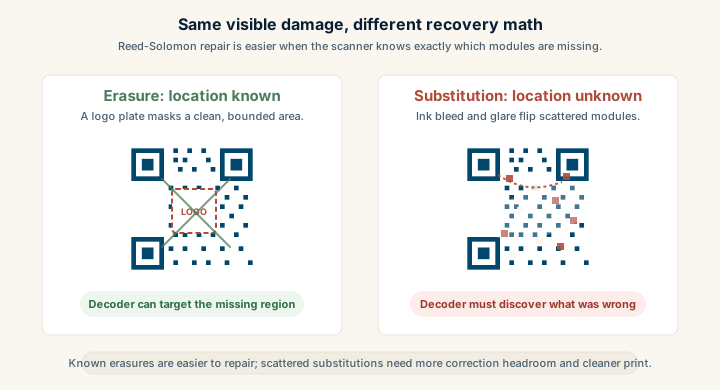
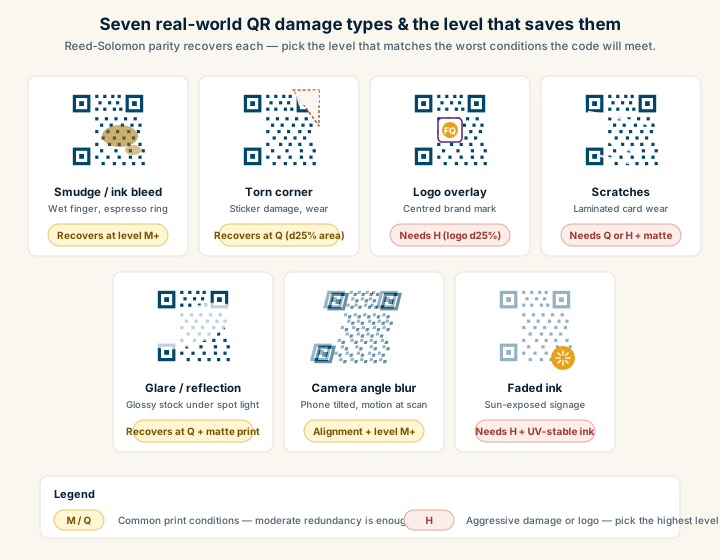
## Why damaged codes still scan
QR codes carry redundancy. The pattern doesn't only store your payload; it also stores parity data calculated with Reed-Solomon error correction. The encoder picks one of four levels:
- **L (Low).** Recovers up to roughly 7% of damaged modules.
- **M (Medium).** Up to ~15%.
- **Q (Quartile).** Up to ~25%.
- **H (High).** Up to ~30%.
That's how a code keeps working when:
- A corner gets scratched off a sticker on a delivery box.
- A coffee ring blots part of a menu.
- A logo sits on top of the center.
- The print run had inconsistent ink coverage.
Higher levels of error correction add more parity, which means a denser grid for the same payload. If you embed a logo, bump the level up to Q or H so the redundancy can absorb what the logo covers. For more on tradeoffs, see [QR code error correction explained](/learn/qr-code-error-correction-explained).
Redundancy is not a free pass. If the code is too small, low-contrast, or missing the [quiet zone](/learn/glossary#quiet-zone), the scanner gives up before error correction even runs. Error correction repairs decoded data; it doesn't rescue a code the camera couldn't lock onto in the first place.
## How your data becomes modules
When a generator builds a QR code from your input, it goes through these steps:
1. **Pick an encoding mode.** Numeric, alphanumeric, byte, or kanji. URLs and most modern payloads use byte mode.
2. **Convert to bits.** The payload becomes a bitstream.
3. **Add metadata headers.** A short prefix declares the mode and the length of the payload.
4. **Compute error correction.** Reed-Solomon parity bytes are calculated and interleaved with the data.
5. **Place bits into the grid.** Bits map to module positions in a defined zigzag pattern around the reserved regions.
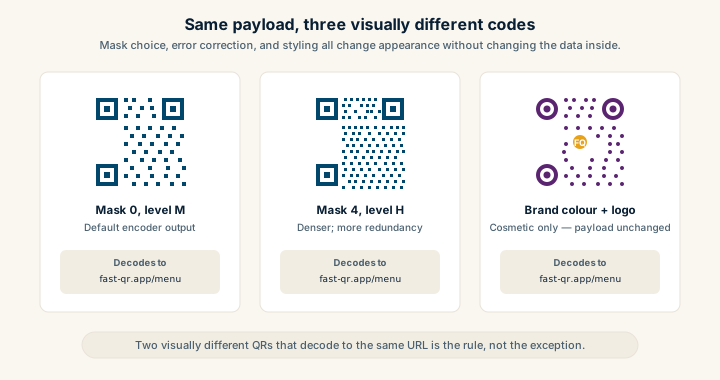
6. **Apply a mask.** One of eight masking patterns gets XORed onto the data area to break up large blocks of same-color modules. The encoder picks whichever mask scores best on standardized scan-friendliness rules.
You don't need to memorize the encoder to publish QR codes, but the mask step matters in practice. It explains why two codes carrying the same URL can look completely different yet scan identically. It also explains why "stylized" codes with rounded modules or heavy gradients can break: they interfere with the scanner's ability to cleanly classify cells as dark or light, which is exactly what masking was designed to optimize.
## Real payload examples
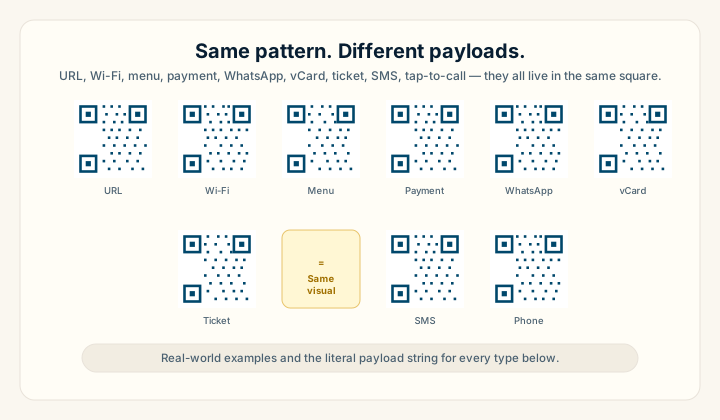
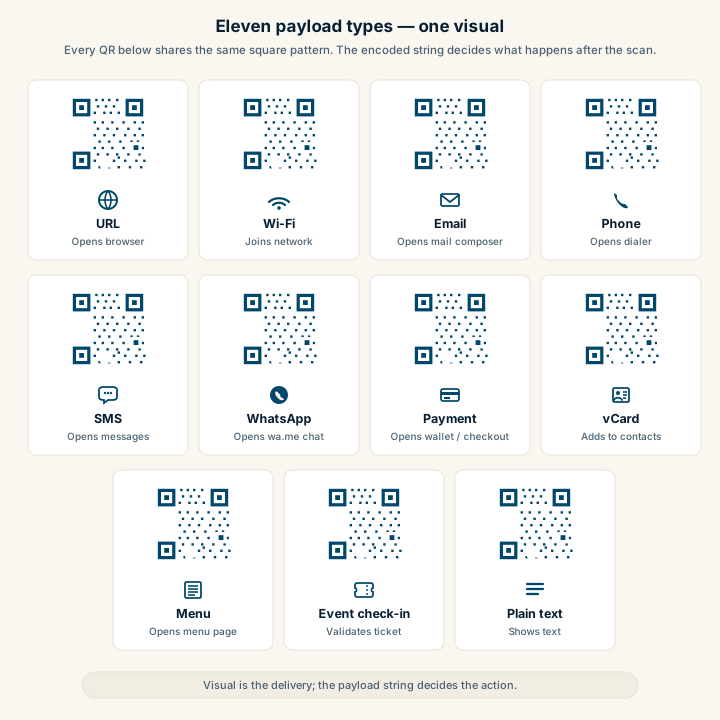
The same QR visual format can carry completely different data. Here's what gets encoded for each common type, plus the practical notes that matter when you generate one.
### URL QR codes
```txt
https://example.com/sale?utm_source=poster&utm_medium=qr&utm_campaign=spring
```
Use HTTPS — modern phones flag plain HTTP and some browsers warn the user. Keep query strings short and stable. If you need per-location tracking, use a different URL per placement rather than appending more parameters to one bloated string. Generate one with the [URL-to-PNG generator](/static/url-to-png) or scalable [URL-to-SVG version](/static/url-to-svg).
### Wi-Fi QR codes
```txt
WIFI:T:WPA;S:MyGuestNetwork;P:my-guest-password;H:false;;
```
The fields are:
- **`T`** — encryption type: `WPA`, `WEP`, or `nopass`.
- **`S`** — SSID, the network name.
- **`P`** — the password.
- **`H`** — whether the network is hidden, `true` or `false`.
Special characters in the SSID or password (semicolons, colons, commas, backslashes) need escaping with a backslash. Generate one with the [Wi-Fi-to-PNG generator](/static/wifi-to-png) and avoid the typo problem. For deployment tips, see [QR code Wi-Fi best practices](/learn/qr-code-wifi-best-practices).
### Phone tap-to-call
```txt
tel:+14155552671
```
Always use full international format with the country code and a leading plus sign. The [phone-to-PNG generator](/static/phone-to-png) handles the formatting.
### SMS with pre-filled message
```txt
sms:+14155552671?body=Hi%20I%20need%20help%20with%20my%20order
```
The body has to be URL-encoded — spaces become `%20`, newlines become `%0A`. The [SMS-to-PNG generator](/static/sms-to-png) handles encoding automatically.
### Email mailto
```txt
mailto:sales@example.com?subject=Quote%20request&body=Hi%20team%2C%20I%20need%20pricing%20for...
```
Same URL-encoding rules as SMS. Useful for "request a quote" buttons on print collateral. Build one with the [email-to-PNG generator](/static/email-to-png). For a side-by-side gallery of every common payload type including WhatsApp, vCard, payment, and event check-in formats, see [QR code examples](/learn/qr-code-examples).
### Plain text
```txt
Wi-Fi password: ask staff for the code (do not print passwords in public areas)
```
Plain text is fine for internal operations or back-of-house notes. For public signage it usually creates friction because the user still has to act on the message manually.
## Why some codes fail in the real world
Codes that pass tests in the office sometimes fail on actual signage. The cause is rarely the encoder. It's the environment around the printed code:
- **Too small for the scan distance.** A code printed at 1.5 cm is fine on a business card and useless on a wall poster six feet from the viewer. Module size needs to be roughly 1/10th of the scan distance for reliable reads.
- **No quiet zone.** When the code abuts a colored border or body copy, the scanner can't isolate the pattern.
- **Low contrast.** Pale gray on cream looks elegant in the brand guide and disappears under glare.
- **Glossy reflections.** Laminated menus and acrylic signs catch overhead light and wash out modules.
- **Motion blur.** Anyone scanning while walking past gets blurred frames the camera throws away.
- **Oversized logos.** A logo covering more than ~20% of the data area exceeds error correction capacity and the decode fails.
- **Bad printing.** Cheap inkjet printers smear modules. Always test the actual printed output, not the digital file.
A QR code that scans flawlessly on your monitor at arm's length might still fail on a shop window at night, or on a menu under warm tungsten lighting at a corner table. Test the code where customers will actually use it.
## What makes a code scan fast
The codes that scan in under half a second tend to share these properties:
- **Large, crisp modules.** Generous physical size, sharp edges, no compression artifacts.
- **Strong contrast.** Pure black on pure white is the gold standard. Colored codes are fine if the color is dark enough.
- **Clean quiet zone.** Four modules minimum, more if design space allows.
- **Minimal distortion.** Flat surface beats curved every time.
- **Short payload.** A lower QR version means fewer, bigger modules. Trim the URL.
This is why the most reliable QR codes look boring. The flashy ones with rounded modules, gradients, and full-bleed backgrounds usually scan just slowly enough that some users give up. For a print-ready checklist, see the [print-ready QR code checklist](/blog/print-ready-qr-code-checklist).
For a side-by-side view of one-dimensional and two-dimensional labels, see [QR codes versus barcodes](/learn/qr-code-vs-barcode). The [benefits guide](/learn/qr-code-benefits) connects the encoding mechanism to practical uses.
## Sources
- [Wikipedia — QR code (Encoding)](https://en.wikipedia.org/wiki/QR_code#Encoding) — Module structure, finder/timing/alignment patterns, and encoding modes.
- [Denso Wave — How a QR Code is structured](https://www.qrcode.com/en/about/) — Original technical reference from Denso Wave.
- [ISO/IEC 18004:2015](https://www.iso.org/standard/62021.html) — Formal specification of QR module geometry and decoding procedure.
---
## How to Track QR Code Scans (Without Guesswork)
URL: https://fast-qr.app/learn/how-to-track-qr-code-scans
Description: Learn practical ways to track QR code scans by placement using unique URLs, UTM tags, redirects, and analytics—plus what to measure beyond raw scan counts.
Tags: qr, analytics, tracking, utm, measurement
Published: 2026-04-15
Tracking QR code scans is not magic. It is measurement design. A scan is just a website visit triggered by a camera tap, so the same rules that apply to any other marketing funnel apply here: define the event you want to learn about, tag the source, and watch what happens after the visit.
This guide walks through four ways to track QR scans, when to choose each one, what to measure beyond the scan count, and the naming and privacy habits that keep your data usable as your program grows.
## Start with the question, not the tool
Before picking a tracking method, decide what you actually want to learn. The methods differ in cost and complexity, and choosing the wrong one because it has a nicer dashboard wastes weeks.
Useful questions to answer:
- Which **placement** drives the most scans? Window poster versus checkout counter, table tent versus menu insert.
- Which **location** performs best? Store 12 versus store 27, downtown versus suburban.
- Which **creative** wins? Headline A versus headline B, different QR placements within the same poster design.
- Do scans **convert**? Does anyone actually buy, book, sign up, or join the Wi-Fi after scanning?
If you only track raw scans, you can run a campaign that produces thousands of scans and zero business outcomes without ever noticing. The interesting metric is almost never the count of scans. It is what those scans did next.
Four ways to attribute a QR scan
Four methods compared side by side: unique landing-page URLs, UTM parameters on a shared landing page, an own-domain redirect layer, and a vendor-managed dynamic QR platform. Each card shows the URL pattern and the trade-offs.
Four ways to attribute a QR scan
1. Unique URLs
brand.com/
poster-a
Different path
per placement
+ no third party
+ survives sharing
– many pages to manage
no platform · low ops
2. UTM parameters
brand.com/sale
?utm_source=poster
One page, query
params per code
+ scales easily
+ A/B-test ready
– long URL → dense QR
no platform · cheap
3. Own redirect
go.brand.com/
window-a
→ 302 → /sale
Server logs every
scan; URL stays short
+ small QR + analytics
+ destination editable
– must keep host alive
your domain · your data
4. Vendor QR
qrly.co/
a8f3xZ
→ vendor → /sale
Vendor owns the
redirect domain
+ instant dashboard
– vendor lock-in
– sub lapse breaks codes
subscription · convenience
The four mainstream attribution methods. Methods 1 and 2 cost nothing extra and have no third-party dependency. Methods 3 and 4 add a server hop in exchange for shorter QR payloads and built-in analytics — at the cost of operational responsibility or vendor risk.
## Method 1: Unique landing-page URLs per placement
The cleanest tracking method is one QR code, one URL.
Examples:
- Window poster → `https://example.com/spring-sale-window`
- Checkout counter → `https://example.com/spring-sale-checkout`
- Table tent → `https://example.com/spring-sale-table`
Each URL records its own pageview in any analytics tool. Attribution is by URL path, which means it survives ad blockers, query-string strippers, and link sharing.
**Pros**
- Clear attribution by URL path, no extra tagging required.
- Survives sharing — if someone forwards the link to a friend, the placement attribution stays.
- Easy to audit a year later. The URL itself documents the placement.
- Works with any analytics tool, including ones that ignore UTM parameters.
**Cons**
- You need to create and maintain multiple landing pages or path aliases.
- For dozens of placements, the management overhead grows.
This is excellent for businesses with full control of their website that want stable, long-term measurement. Generate the codes for each unique URL with [URL to PNG](/static/url-to-png) or [URL to SVG](/static/url-to-svg) for print.
## Method 2: UTM parameters on a shared landing page
UTM parameters are query-string tags appended to a URL. Analytics tools recognize them and break out traffic by source, medium, campaign, and content. This lets you point many QR codes at the same landing page and still see them as distinct sources.
Example payload encoded in the QR code:
```txt
https://example.com/spring-sale?utm_source=poster&utm_medium=qr&utm_campaign=spring_2026&utm_content=window_a
```
Recommended UTM fields for QR codes:
- **`utm_source`** — the physical channel: `poster`, `packaging`, `receipt`, `table_tent`, `parking_sign`.
- **`utm_medium`** — use `qr` consistently across every QR campaign so you can filter all QR traffic in one report.
- **`utm_campaign`** — the campaign name: `spring_2026`, `brand_launch_q2`.
- **`utm_content`** — placement-level identifier: `window_a`, `checkout_b`, `store12_table_3`.
**Pros**
- No extra landing pages to manage.
- Works with GA4, Plausible, Fathom, Matomo, and almost everything else.
- Great for A/B tests of creative or placement.
- Easy to deploy at scale once a naming convention is in place.
**Cons**
- Long query strings make denser QR codes. A 200-character URL is harder to print small than a 30-character one. See [error correction explained](/learn/qr-code-error-correction-explained) for what density costs you.
- Some apps and platforms occasionally strip parameters when sharing.
- Requires discipline. UTMs that drift in naming become useless data.
Keep UTMs short and consistent. The best tracking system is the one your team will actually use the same way every time.
## Method 3: A redirect layer you control
The third option encodes a short URL that points to a redirect service you run, which logs the hit and forwards the user to the final destination.
The QR code carries:
```txt
https://go.example.com/spring-window-a
```
Your redirect service logs the request and issues a 302 to:
```txt
https://example.com/spring-sale?utm_source=poster&utm_medium=qr&utm_campaign=spring_2026&utm_content=window_a
```
**Pros**
- Short payloads mean simpler, more reliable QR patterns at small print sizes.
- Server-side logging captures every hit, including users with aggressive ad blockers.
- Central place to manage analytics and link health.
- You can change the destination later without reprinting, as long as the short link itself stays the same.
**Cons**
- Operational responsibility. `go.example.com` has to keep working for as long as printed codes exist. That can mean years.
- More infrastructure or a vendor dependency.
- If the domain ownership changes hands, every printed code is at risk.
If you choose this method, treat the redirect domain like critical product infrastructure. Monitor uptime. Auto-renew the domain. Document who owns the rules. The trade-offs are covered in detail in [static vs dynamic QR codes](/blog/static-vs-dynamic-qr-codes).
## Method 4: Vendor-managed dynamic QR platforms
Many QR platforms offer dynamic codes where the platform owns the redirect domain, hosts the analytics dashboard, and manages the link rules. You pay a subscription, you get a dashboard, you avoid building anything.
**Pros**
- Quick setup, often a few minutes.
- Built-in dashboards with location, device, and time-of-scan data.
- Easy to demo to a non-technical stakeholder.
**Cons**
- Vendor lock-in. Printed codes depend on the vendor's redirect domain. Stop paying and the codes stop working.
- Limited control over data retention, privacy, or analytics granularity.
- Migration is hard. Moving a hundred printed codes to a new vendor means reprinting everything.
For short-lived campaigns, vendor platforms are fine. For packaging or long-lived signage, the operational continuity question matters more than the dashboard convenience. Domain ownership wins on a long enough timescale.
## Measure outcomes, not just scans
Scans are an input. They tell you whether the physical placement got eyeballs. Outcomes are what tell you whether the campaign actually worked.
Track:
- **Landing page views** — confirms the scan turned into a real session.
- **Primary conversion** — whatever the QR code is meant to drive. Purchase, signup, booking, form submit, click-to-call, [Wi-Fi join](/qr-code-for/guest-wifi).
- **Drop-off rate** — bounces and quick exits. A high scan count with 90% bounces means the landing page is wrong, not that the QR code is winning.
- **Time to first meaningful action** — a slow page is the most common reason scans do not convert.
- **Device mix** — iOS versus Android. Useful for debugging compatibility problems and for understanding your audience.
For multi-placement campaigns, the most valuable comparison is **scan-to-conversion rate by placement**, not raw scans. A poster that gets 1,000 scans and 10 conversions is worse than one that gets 200 scans and 40.
## A solid tracking setup for most teams
If you want something reliable without building infrastructure:
1. Use your normal website URLs over HTTPS. No redirect layer required.
2. Append UTM parameters with a consistent naming convention.
3. In GA4 (or your analytics tool of choice), build a report comparing `session_source`, `session_medium`, `campaign`, and `content`.
4. Define conversion events on the landing page — form submits, checkout, click-to-call, button taps.
5. Review the report weekly during the campaign. Compare placements on conversion rate, not scan count.
For a small team, this covers maybe 80% of QR measurement needs. The remaining 20% — server-side capture, vendor analytics, complex routing — are real but rare.
## Naming conventions that scale
Once you have more than ten placements, naming discipline is the difference between data you can use and data nobody trusts. A useful schema:
- **`utm_source`** — physical channel, lowercase, underscores: `poster`, `packaging`, `receipt`, `table_tent`, `sign`, `business_card`.
- **`utm_medium`** — always `qr` for QR campaigns. Filter on this to pull every QR scan in one query.
- **`utm_campaign`** — `{theme}_{period}`: `spring_sale_2026`, `brand_launch_q2_2026`.
- **`utm_content`** — `{location}_{placement}_{variant}`: `store12_window_a`, `nyc_lobby_b`.
Write the rules down. Put them in a shared doc. Make new codes follow the same shape every time. The first time someone deploys `Spring Sale 2026!` with capital letters and a space, your reports start splitting traffic across three near-duplicates.
## Privacy, briefly
QR tracking should focus on:
- placement performance,
- landing-page behavior,
- conversion outcomes.
It should not focus on identifying individual scanners. Avoid fingerprinting, cross-site tracking, or asking for personal information just to count a scan. Privacy-first measurement keeps user trust higher, especially with QR codes in public spaces where the scanner did not opt in to anything beyond a single page visit.
For most businesses, "did this poster drive sales" is the question. You do not need to know who scanned it to answer that. For a deeper look at the trust side, see [are QR codes safe?](/learn/are-qr-codes-safe).
For a strategy-layer take on QR measurement — what each layer of the funnel actually sees, why scan counts alone are misleading, and how iOS and Android attribution differ — see [QR code analytics and tracking](/blog/qr-code-analytics-and-tracking).
## Sources
- [Wikipedia — UTM parameters](https://en.wikipedia.org/wiki/UTM_parameters) — Background on the URL-tagging convention used to attribute traffic.
- [Google Analytics — Campaign URL builder](https://ga-dev-tools.google/campaign-url-builder/) — Official tool for constructing UTM-tagged URLs.
---
## QR Code Benefits for Business and Personal Use
URL: https://fast-qr.app/learn/qr-code-benefits
Description: Understand the practical benefits of QR codes for businesses and individuals, from reducing friction in customer journeys to sharing Wi-Fi securely.
Tags: qr, benefits, business, personal, marketing
Published: 2026-04-16
A QR code is a two-dimensional barcode you can print on any surface and scan with a phone camera. QR codes solve one specific problem well: they shorten the path between someone noticing something physical and acting on it digitally. A poster, a menu, a shipping label, a business card — any printed surface becomes a one-tap link to a URL, a Wi-Fi join, a phone call, or an email draft. The friction of typing, searching, or remembering goes away.
Generating one costs nothing. The tools are free, no account or subscription required, and a static QR code works forever as long as its destination stays alive. That combination makes QR a useful tool for businesses tracking conversions and for individuals just trying to share their guest Wi-Fi without spelling out a password.
This guide walks through the practical benefits, organized by audience, and ends with the static-versus-dynamic decision that comes up for almost everyone.
## Benefits for business
### Turn offline attention into online action
Most marketing budgets fund attention in physical spaces — packaging, in-store signage, vehicle wraps, event booths, printed receipts, direct mail. The hard part has always been converting that attention into something measurable online. A QR code closes the loop. A customer interested in your offer points their phone, lands on a page you control, and you've turned a passive impression into a tracked session.
That matters more than it sounds. Without a scan-friendly bridge, you're hoping people remember your brand long enough to type it into Google later. With one, the path is one tap.
### Reduce friction in the customer journey
Typing a URL on a phone is annoying. Searching for a brand and picking the right result is worse, especially when competitors buy ads on your name. A scan skips both steps. The phone goes directly to the page you want — a booking flow, a menu, a sign-up form, a product detail.
Fewer steps generally means higher conversion. For example, a restaurant putting a QR code on table tents to drive Google reviews almost always sees more reviews than asking customers to "search for us on Google" in a thank-you note. The 30 seconds of typing was the entire barrier. See [customer reviews](/qr-code-for/customer-reviews) for a deeper playbook.
### Support campaign measurement
Even with static QR codes — no fancy redirect infrastructure — you can measure what's working. The trick is using different destination URLs for different placements, or appending UTM parameters that your analytics tool reads.
Print 500 posters at three locations. Give each location a unique tracked URL. Now you know which neighborhood or store drove the most scans. Same idea for direct mail batches, trade-show booths, and seasonal campaigns. For deeper measurement, see [how to track QR code scans](/learn/how-to-track-qr-code-scans).
### Fit more information into less space
A 60-character URL on a business card looks awful and nobody types it. A small QR code in the corner holds the same destination and leaves the layout clean. Designers get their breathing room, the page hierarchy stays focused on the offer, and the action is one scan away.
Same logic applies to packaging, where surface area is finite and brand teams want every square inch for product copy and visual identity.
### Use one format across many touchpoints
Once you've worked out a reliable QR workflow — sizing, contrast, file format, destination structure — the same approach scales across menus, business cards, in-store displays, package inserts, trade-show booths, and direct mail. There's no per-channel reinvention. A code that scans on a 4x6 postcard scans on a 12-foot trade-show banner if you size the modules correctly.
For sizing rules by medium, see the [size and print guidelines](/learn/qr-code-size-and-print-guidelines).
### Make repeatable processes easy
After a team has produced a few campaigns, the workflow becomes routine: brand template, tested print sizes, vetted destination patterns. New codes ship in minutes, not days. That repeatability matters most for businesses running constant campaigns — restaurant chains rotating seasonal menus, retailers refreshing displays each month, event organizers handling weekly check-ins.
## Benefits for personal use
### Share details without typing
A QR code passes along a website, email, phone number, or Wi-Fi network without anyone spelling things out. Useful at gatherings, coworking spaces, in-laws' kitchens, and anywhere meeting new people involves exchanging information. Generate a quick contact code for your phone with the [phone-to-PNG generator](/static/phone-to-png) or an email link with the [email-to-PNG generator](/static/email-to-png) — the [email, phone, and SMS QR use cases](/learn/qr-code-email-phone-sms-use-cases) guide covers when each direct-action payload outperforms a website link.
### Make guest Wi-Fi sharing painless
A printed Wi-Fi QR code beats reciting a 16-character random password every time a guest visits. The guest opens their camera, points it at the code, and the phone joins automatically. No typos, no apologetic re-reading of `correct-horse-battery-staple-7`, no quietly hoping nobody asks again.
Use the [Wi-Fi-to-PNG generator](/static/wifi-to-png) to make one for the kitchen counter or the guest room. For the security and placement details, see [QR code Wi-Fi best practices](/learn/qr-code-wifi-best-practices).
### Lower the chance of input mistakes
Long URLs with tracking parameters, phone numbers with country codes, Wi-Fi passwords with mixed case and symbols — all easy to mistype. A scan eliminates the typo. Useful when accuracy matters: support call routing, exact URLs for forms, login codes that have to match.
### Keep what you share appropriate
Only encode what people genuinely need. A QR code on public signage shouldn't carry private account details, personal phone numbers, or anything you wouldn't otherwise broadcast. The pattern itself isn't encrypted, so anyone scanning sees the same thing. Match the payload to the venue.
### Verify before opening unfamiliar codes
Modern phones show a preview of the destination URL before opening it. Take half a second to check. Watch for tampered stickers slapped over legitimate codes (a known scam pattern in parking lots and on parking meters). Stick to codes from sources you trust, and treat anything unexpected with the same caution as an unsolicited link in a text message. For a fuller safety primer, see [are QR codes safe](/learn/are-qr-codes-safe).
### Help guests and family in seconds
Personal QR codes earn their keep at home: home Wi-Fi for visitors, a shared family photo album link, an event RSVP form, a contact card for a school directory. Print one, tape it to the fridge, and watch the same questions stop coming up.
## Which is right: static or dynamic?
This is the decision almost every QR project hits eventually: encode the destination directly, or route through a redirect you can change later?
**Static QR codes** carry the destination directly inside the pattern. Free to generate, private (no third-party server in the loop), and they last forever. The catch: once printed, the destination is locked. If the URL changes, every printed copy is dead.
Static is the right choice for personal use, one-off business materials, and anything where the destination is genuinely stable — a homepage, a long-lived support article, a Google review URL, a Wi-Fi network you don't plan to rename.
**Dynamic QR codes** encode a redirect URL that you (or a vendor) own. The redirect can be repointed anytime without changing the printed code, and most dynamic services include scan analytics like timestamps, locations, and device types. Useful for long-running campaigns, A/B tests, and any printed material where the destination might evolve.
The catch with dynamic: you've added an operational dependency. If the redirect domain lapses or the vendor's service shuts down, every code breaks. Vendor short links are particularly risky for materials with multi-year lifespans like vehicle wraps, building signage, or product packaging on the shelf for years.
For a deeper treatment of the tradeoffs, see [static vs dynamic QR codes](/blog/static-vs-dynamic-qr-codes).
Fast QR generates static codes today. Editable redirects with scan analytics are on the roadmap.
## Sources
- [Wikipedia — QR code](https://en.wikipedia.org/wiki/QR_code) — Adoption history and where QR codes are used today.
- [Denso Wave — QR Code applications](https://www.qrcode.com/en/codes/) — Examples of QR usage across industries from the original inventor.
---
## QR Code Design Best Practices (Colors, Logos, and Reliability)
URL: https://fast-qr.app/learn/qr-code-design-best-practices
Description: Make QR codes look on-brand without breaking scans. Learn safe design rules for colors, logos, shapes, frames, quiet zones, and how to test for reliability before publishing.
Tags: qr, design, logo, colors, scan reliability
Published: 2026-04-15
Updated: 2026-09-30
QR code design is the practice of customizing a QR code's color, module shape, frame, or center logo without compromising its ability to scan reliably. Designing a QR code is a balancing act. You want it to match your brand, but you also need it to scan instantly on real phones under real lighting. Most "stylish" QR codes fail because design decisions blur the module grid, eat into the quiet zone, or push contrast below what phone cameras can handle.
This guide explains what you can customize safely, what to avoid, and how to test before you commit to a print run or a sticker order.
## Scan reliability beats aesthetics
A beautifully designed QR code that fails to scan is worse than a plain one that works. If a customer tries once and nothing happens, most won't try again. Treat QR reliability the way you'd treat checkout reliability on a website: it's a conversion surface, and every failed scan is lost intent.
When you customize, keep these priorities in order, and treat each one as a gate the next has to pass through:
1. **Contrast** between modules and background.
2. **Quiet zone** intact on all four sides.
3. **Module clarity** with clean square edges, no blur.
4. **Logo size** small enough that error correction can recover.
5. Styling (rounded modules, frames, gradients) only after the four above still hold.
QR design priority pyramid
A five-layer pyramid of design priorities for reliable QR codes. From bottom (foundation) to top (cosmetic): contrast, quiet zone, module clarity, logo size, then styling.
Reliability hierarchy — earn each layer before the next
5. Styling
rounded modules · frames · color
4. Logo
≤ 25 % area · error correction H
3. Module clarity
sharp square edges, no compression blur
2. Quiet zone
≥ 4 modules every side, never invaded by frames
1. Contrast
Dark on light · luminance ratio ≥ 4 : 1
cosmetic
foundation
A styling decision that breaks any layer below it loses.
Design priorities for reliable QR codes. Each layer depends on every layer below it being solid first — a stylized colour treatment that compresses contrast or eats the quiet zone fails before it earns the styling layer.
If a styling decision pushes any of the first four into the danger zone, that decision loses.
## Color: stay close to dark-on-light
The default of black modules on a white background is the default for a reason. Phone cameras are tuned for it, decoding libraries assume it, and the human eye reads it instantly. Anything that moves away from that baseline costs you scan reliability somewhere, and the cost shows up first on older phones, in dim light, and at small print sizes.
That said, brand colors are a real constraint. A few moves work without breaking things:
**Keep contrast above 4:1.** Tools like contrast-ratio.com check this in seconds. Below 4:1 you start to see scan failures on older phones, in low light, and at small print sizes. Those are exactly the conditions where a real customer is trying to scan and getting frustrated.
**Apply brand color to the modules, not the background.** Foreground tinting (dark blue modules on white, dark green on cream) preserves the scanner's ability to classify dark vs light. Background tinting tends to compress contrast.
**Inversion (light modules on dark) works, but barely.** Some camera apps still assume dark-on-light and silently fail. If you must invert, test on at least one iOS device and one Android budget phone before printing.
**Red on white is the most common failure mode.** It looks fine on a monitor, but red has the lowest luminance contrast against white in the visible spectrum. Phone cameras struggle. Use a dark red, a dark blue, or near-black instead, and verify with a contrast checker.
Patterned, photographic, or gradient backgrounds behind the modules are almost always a mistake. The scanner has to find a clean light/dark threshold, and a textured background gives it noise. The dedicated [colored QR code guide](/learn/qr-code-colored) goes deeper on contrast ratios, inversion limits, and print-substrate effects.
## Logos without breaking scans
A centered logo is the most common QR customization, and it works reliably if you respect a few constraints. The QR spec includes error correction precisely so codes can survive missing data, which is what a logo is from the scanner's perspective.
Logos work best when:
- Error correction is set to H (30% recovery, the highest level).
- The logo is centered, not floating off to one side.
- The logo doesn't cover the three corner finder patterns or the alignment pattern.
- The logo size stays under roughly 20-25% of the total code area.
Practical guidelines that follow from those constraints:
**Use a small "logo plate" behind the artwork.** A clean white circle or rounded rectangle behind the logo gives the scanner a sharp boundary instead of asking it to interpret module-on-logo edges. Five to eight pixels of padding is usually enough.
**Avoid logos with thin lines or fine type.** Thin strokes blend into the module grid and confuse decoders. Solid shapes, simple wordmarks, and high-contrast monograms work better than detailed illustrations.
**Test against the version of the code you'll actually ship.** A logo that looks fine on a low-density code (Version 2-3) can wreck scanning on a high-density code (Version 8+) because the modules behind it are smaller and more numerous.
A logo blocks data modules. Error correction recovers some of that loss, but not all of it. If you're already pushing other constraints (small size, brand color, glossy substrate), keep the logo conservative.
## Rounded modules and stylized eyes
Rounded modules and custom finder-pattern shapes can work if the code remains high-contrast, with clean edges, at adequate size. Larger codes tolerate styling far better than small ones, so a stylized poster QR is much safer than a stylized business card QR.
These styles fail most often in two scenarios. First, when modules become too small. A dense URL printed at business-card size with rounded modules pushes the geometry into ambiguity, and budget phone cameras start to miss it. Second, when the styling reduces the "square-ness" of modules so far that the sampling algorithm can't lock onto the grid.
If you want rounded styles, test on older phones explicitly. High-end iPhone and Pixel cameras compensate for a lot more than mid-range Android devices, and your customers are more likely to be on the latter.
## Frames and call-to-action labels
Frames around the QR code can actually increase scan rate, because they communicate intent. A box that says "Scan me" or "Scan to view menu" gives the user a reason to pull out their phone, which a bare QR code doesn't. The frame itself isn't the problem.
The problem is when frames break scanning. That happens when they invade the quiet zone, when decorative borders sit too close to the code, or when the frame introduces a low-contrast background behind the modules.
Safe frame rules:
- Keep the quiet zone fully clear; frame elements live outside it, never inside.
- Place label text below or beside the code, not overlapping the QR boundary.
- If the frame has a colored background, keep the area immediately around the code white or near-white.
A frame that says "Scan me" with an arrow pointing at the code will outperform a bare QR almost every time, but only if it doesn't compromise the code itself.
## Quiet zone is part of the code
Designers often treat the QR like a logo-shaped element that can be cropped tight against other content. That's the single most common reliability mistake.
The quiet zone, the blank margin of at least 4 modules on every side, is part of the machine-readable boundary. Without it, scanners struggle to detect where the code ends and the surrounding artwork begins. You'll notice it most on phones held at an angle or in low light, where the algorithm needs every advantage it can get.
If a layout feels too loose around the code, don't shrink the quiet zone. Place the code on a clean card, a colored block, or a defined background area so the margin reads as intentional whitespace.
## Which file format should you use?
Reliability is partly about how you export and where:
- **SVG** is best for print, signage, and any design tool that supports vector. It scales without blur regardless of final size.
- **PNG** is the right general-purpose raster: web pages, slide decks, social posts, and quick sharing.
- **JPG** is acceptable when a platform requires it, but compression artifacts can blur module edges and reduce reliability. Generate at maximum quality if you have to use it.
Generate each format directly: [SVG](/static/url-to-svg), [PNG](/static/url-to-png), or [JPG](/static/url-to-jpg). For Wi-Fi codes, the [Wi-Fi to PNG generator](/static/wifi-to-png) handles SSID and password formatting for you.
## Microcopy that earns scans
A QR code with no explanation is often ignored. People won't pull out their phone unless they know what they're scanning into. A single line of microcopy near the code can dramatically lift scan rates and reduce hesitation:
- "Scan to view the menu (no app needed)"
- "Scan to pay securely on example.com"
- "Scan to join guest Wi-Fi"
- "Scan to register in 30 seconds"
Microcopy also helps with safety. It sets expectations, so users can spot suspicious behavior (like an unexpected login screen) before they hand over information. The [are QR codes safe](/learn/are-qr-codes-safe) guide covers user-side safety in more depth.
For specific scenarios, the [restaurant menu](/qr-code-for/restaurant-menu), [guest Wi-Fi](/qr-code-for/guest-wifi), and [payment links](/qr-code-for/payment-links) playbooks include tested microcopy patterns.
## Testing is the only sign-off that counts
You cannot approve a QR code design from a perfect vector preview on a 27-inch monitor. Real scans happen at real sizes under real lighting on real phones, and that's where reliability either holds or doesn't.
Test before you ship:
1. **At actual size.** Print the proof, or display at intended screen size, then scan.
2. **Under real lighting.** Overhead glare, dim restaurant lighting, outdoor sunlight, fluorescent office light. Each one stresses the camera differently.
3. **From realistic distance.** A table tent is scanned from 30 cm; a wall poster from 1-2 metres. Test from where your customer will actually stand.
4. **On multiple phones.** At minimum, one iOS and one Android, with at least one budget or older device in the mix.
5. **After a finish is applied.** Lamination, gloss varnish, or shrink-wrap can introduce reflections that change scan behavior. Test the final substrate, not the unfinished proof.
For large print runs, do at least one full physical proof scan before final production. The cost of reprinting 10,000 menus because the QR codes are slightly off is much higher than the cost of an extra proofing round.
The [print-ready QR code checklist](/blog/print-ready-qr-code-checklist) walks through pre-press review in more detail, and the [size and print guidelines](/learn/qr-code-size-and-print-guidelines) cover sizing math.
## Customizing without breaking scans
If you want an on-brand QR code with minimal risk, work in this order:
1. Start with a standard black-on-white code at the size you intend to ship.
2. Increase size until scans feel instant on a budget Android.
3. Add brand color to the modules while keeping the background light.
4. Add a small centered logo on a clean plate, with error correction set to H.
5. Add microcopy nearby explaining the action and destination.
6. Re-test on multiple phones, distances, and lighting conditions.
If scan performance drops at any step, revert that step before continuing. The cost of one revert is small. The cost of a campaign with a broken code is not.
For an opinionated walk-through of the same trade-offs — error correction, module shapes, frame design, when it's safe to break the rules — see [QR code design principles](/blog/qr-code-design-principles). For accessibility-driven design choices (sizing for low-vision users, contrast beyond the WCAG minimum, fallback URL patterns), see [accessible QR code design](/blog/accessible-qr-code-design).
For branding choices, read [QR codes with logos](/learn/qr-code-with-logo). Before handing artwork to a printer, compare [PNG and SVG formats](/learn/qr-format-png-vs-svg) so the file matches the final size.
## Sources
- [Wikipedia — QR code (Design)](https://en.wikipedia.org/wiki/QR_code#Design) — Module patterns, finder pattern requirements, and stylization considerations.
- [Denso Wave — QR Code variants](https://www.qrcode.com/en/codes/) — Variants and design choices supported by the QR specification.
---
## QR Code Error Correction Levels: Types, Meaning, and Safe Defaults
URL: https://fast-qr.app/learn/qr-code-error-correction-explained
Description: QR code error correction explained: the error types it handles (scratches, smudges, logos), what each level (L/M/Q/H) means, and the safe default for most printed codes.
Tags: qr, error correction, error types, printing, logo, reliability
Published: 2026-04-15
Updated: 2026-09-30
A QR code on a coffee bag survives a smudge of espresso. A poster gets a torn corner and still scans. A logo sits in the middle of an event ticket and the camera reads through it. None of that is luck. It's **error correction** — extra redundancy baked into the QR pattern that lets a scanner reconstruct missing or corrupted data.
If you print QR codes, embed logos, or rely on long-lived signage, this is the setting that matters most. Pick the right level and your code shrugs off scratches. Pick the wrong one and a scuffed corner takes the whole thing offline.
## What "QR code error" actually means
When QR documentation talks about an "error", it almost never means an on-screen error message. It means a **lost or corrupted module** in the printed code — a single dark or light cell the camera could not read clearly. A smudge wipes out a dozen modules. A logo blocks a few hundred. A scratch nicks a corner. Each is an "error" the way Reed–Solomon coding theory uses the word: a symbol that disagrees with what the encoder originally wrote.
Error correction is how the QR specification turns that loss into something recoverable. The encoder writes redundant parity alongside the data so a scanner with most of the modules can rebuild the rest. The meaning is operational, not user-facing: it is the spec's way of saying "this code can lose up to X% of its modules before it stops working."
## What error correction actually does
Error correction is not a vague quality boost. It is specific redundancy calculated from your payload using a method called **Reed-Solomon error correction**, the same family used in CDs, DVDs, and deep-space communications. The generator splits your data into blocks, calculates parity bytes for each block, and weaves both into the QR pattern. When some modules are unreadable, the scanner uses the parity to rebuild the original.
In practice, error correction helps when:
- a corner is smudged, scratched, or torn,
- the code is printed on textured material like cardboard or fabric,
- the camera reads at an angle and some modules blur,
- a logo or icon blocks part of the data area,
- glare washes out a strip of the code.
What it does not help with: a missing quiet zone, low contrast between modules and background, or a damaged finder pattern in the corner. Those break scanning before error correction even gets a chance to work. For a refresher on the parts that have to stay intact, see [how QR codes work](/learn/how-qr-codes-work).
## Types of QR code errors error correction handles
The QR spec recognises two broad **error types** in a printed code, and the Reed–Solomon decoder treats them differently:
- **Erasures** — modules the scanner knows it cannot read. The location is known, the value is not. Typical causes: a torn corner, a sticker peeled off, a logo plate masking part of the data area.
- **Substitution errors** — modules the scanner reads as the wrong value without knowing it was wrong. Typical causes: ink bleed darkening a light module, a glare spot whitening a dark one, motion blur smearing one cell into the next.
The decoder can repair **roughly twice as many erasures as substitution errors** at the same correction level, because knowing where the damage is makes the math easier. That is why level H (≈30% recoverable) handles a logo (an erasure with a known boundary) more reliably than it handles a uniformly ink-bled scan of the whole code (a substitution error scattered everywhere).
Erasures versus substitution errors. A logo or torn patch has a known boundary, so the decoder knows where to rebuild. Ink bleed, glare, and blur are harder because some modules look valid but are wrong.
In day-to-day terms, the error types that show up on real-world QR codes are:
| Error type | Cause | Recovers at |
| --- | --- | --- |
| Smudge / ink bleed | Wet finger, espresso ring, low-quality print | M or higher |
| Torn corner | Sticker damage, packaging wear | Q if torn area ≤ 25% |
| Logo overlay | Centred brand mark on the data area | H, with logo ≤ 25% of area |
| Scratches | Laminated cards on busy reception desks | Q or H, plus matte lamination |
| Glare / reflection | Glossy stock under overhead light | Q, plus matte print |
| Camera angle blur | Phone tilted, motion at scan time | Alignment patterns + M or higher |
| Faded ink | Sun-exposed signage over months | H, plus UV-stable ink |
The one type error correction **cannot** recover from: damage to the three corner **finder patterns** or the surrounding **quiet zone**. Those are what the scanner uses to locate the code in the first place; if they fail, the decoder never gets called. Always design layouts so the corners stay clean and the four-module quiet zone is preserved — see [the QR anatomy walkthrough](/learn/what-is-a-qr-code) for which regions are reserved.
## The four levels: L, M, Q, H
Every QR generator lets you choose one of four error correction levels:
- **L (Low)** — about 7% of codewords can be recovered
- **M (Medium)** — about 15%
- **Q (Quartile)** — about 25%
- **H (High)** — about 30%
Error correction levels L M Q H — recoverable damage area
Four identical QR codes side by side, each marked with a translucent red region showing the share of code area that error correction can recover from. Level L recovers about seven percent of the area, M about fifteen, Q about twenty-five, and H about thirty.
L
Low
~7%
recoverable
M
Medium
~15%
recoverable
Q
Quartile
~25%
recoverable
H
High
~30%
recoverable
Higher correction recovers more data, but encodes the same payload in a denser grid.
Error correction levels L through H. The red overlay marks how much of the data area each level can recover from — higher levels survive more obstruction (logos, smudges, scratches), but pack the same payload into a denser grid. Finder and timing patterns must stay intact at every level.
These percentages refer to the share of the data that can be reconstructed if it is unreadable. They are not promises. Real-world scan success depends on print quality, lighting, camera, and which parts of the code are damaged. A code with 25% of its area destroyed in one big chunk near a finder pattern will fail at any level. The same 25% scattered across the data area is recoverable at H.
Most generators default to M because it covers the typical print case without bloating the pattern. Fast QR exposes the level on every generator so you can match it to the job: see [URL to PNG](/static/url-to-png), [URL to SVG](/static/url-to-svg), or [URL to JPG](/static/url-to-jpg).
## Higher correction means denser codes
Here is the trade-off everyone forgets. More redundancy means more bytes in the pattern. More bytes mean a higher QR **version** (a larger grid of modules) for the same payload. At a fixed printed size, a higher version means smaller individual modules. Smaller modules are harder for a phone camera to resolve, especially in low light or from a distance.
So "always use H" is not a free upgrade. The right level depends on:
- payload length (a 30-character URL versus a 200-character URL),
- final printed size,
- whether you are adding a logo,
- viewing distance and lighting,
- and the worst phone camera you expect to encounter.
A short URL printed at 5 cm on a clean menu can use H without trouble. The same payload at H, shrunk to a 1 cm square on a foil pouch, will struggle. The fix is usually shorter payload or larger print, not lower correction.
## Safe default error correction levels by use case
The "safe" level — the one that handles the average production deployment without forcing you to think about it — is **M for most printed codes and H whenever a logo is involved.** That single rule covers maybe 80% of jobs. The rest is matching the level to the worst conditions the code is expected to meet:
- **No logo, large print, controlled environment** — M is plenty. Restaurant menus, business cards, posters indoors.
- **Small print, harsh lighting, or outdoor exposure** — Q or H. Packaging, parking signs, stickers on metal.
- **Logo in the center** — H, paired with a code that is large enough that the remaining modules stay crisp.
- **Digital screens only, never printed, payload very long** — L can be acceptable. Damage is not a risk and you save module density.
If your printed surface lives in a rough environment — kitchens, warehouses, outdoors — bump correction up *and* increase physical size. The two together cost you nothing once the print is set up.
## How logos interact with error correction
When you drop a logo in the middle of a QR code, you are deliberately blocking modules. The scanner can still recover the data if three things hold:
- the blocked area is within what your error correction level can recover,
- the quiet zone and the three finder patterns in the corners stay untouched,
- and the surrounding modules remain crisp and high contrast.
Some practical logo guidance:
- **Keep the logo around 20-25% of the code area at most.** H tolerates up to 30% damage in theory, but you want headroom for print imperfections.
- **Use a solid plate behind the logo.** A white circle or square stops the logo from visually merging with surrounding modules and confusing the scanner.
- **Never cover finder patterns or alignment patterns.** The big squares in three corners and the small squares on the grid are how the scanner orients itself. Damage them and the code fails before error correction is consulted.
- **Test on cheap phones.** Newer iPhones and Pixels are very forgiving. A five-year-old budget Android is the real test.
For more on visual design without breaking scans, see [QR code design best practices](/learn/qr-code-design-best-practices).
## What makes codes denser (and how to fight back)
A dense QR pattern has more, smaller modules. Density goes up when:
- payloads are long, especially URLs with tracking parameters,
- correction is high,
- you encode raw text instead of linking to a hosted page.
If your code feels too dense to print small, the most effective fix is almost always the payload, not the correction level. Three things to try:
1. **Shorten the URL.** Drop unnecessary query parameters. Use a short canonical path on your own domain.
2. **Use a redirect on a domain you control.** A path like `go.brand.com/menu` is short, stable, and editable. See [static vs dynamic QR codes](/blog/static-vs-dynamic-qr-codes) for the trade-offs.
3. **Link, don't embed.** A QR code carrying a 500-character paragraph of text will be huge. The same code carrying a URL to a page with that paragraph is tiny.
In real deployments, shortening the payload moves the needle far more than tweaking error correction.
## Error correction is not a substitute for good print
Even with H, a code still needs:
- a clean **quiet zone** of at least four modules around all edges,
- high contrast between modules and background (dark on light, please),
- enough physical size for the scan distance you expect,
- and a format that preserves edges. Vector [SVG](/static/url-to-svg) for print, high-quality [PNG](/static/url-to-png) for screens.
If a QR code is tiny, low contrast, and crammed against the edge of a label, error correction will not save it. For exact size guidance, see [QR code size and print guidelines](/learn/qr-code-size-and-print-guidelines), and the [colored QR code guide](/learn/qr-code-colored) for the contrast ratios that keep brand-coloured codes scannable in the first place.
## A quick test before you commit to a level
If you are unsure, do not guess. Run a five-minute test:
1. Generate the same payload at M and at H.
2. Print both at the smallest size you plan to deploy.
3. Scan each from arm's length on at least three phones, including one older Android.
4. Try in dim light, with a slight angle, and at the maximum expected distance.
5. If H scans noticeably slower because it is denser, increase the printed size or shorten the payload — do not drop to L.
The goal is not maximum redundancy. The goal is fast, consistent scanning across the messy conditions your code will actually meet.
Read [how QR codes work](/learn/how-qr-codes-work) for the encoding and decoding sequence. If you are placing a mark over the pattern, the [QR code with logo guide](/learn/qr-code-with-logo) explains the design checks.
## Sources
- [Wikipedia — QR code (Error correction)](https://en.wikipedia.org/wiki/QR_code#Error_correction) — Levels L/M/Q/H, capacity trade-offs, and recovery percentages.
- [Wikipedia — Reed–Solomon error correction](https://en.wikipedia.org/wiki/Reed%E2%80%93Solomon_error_correction) — The mathematical algorithm behind QR error correction.
- [Denso Wave — Error correction feature](https://www.qrcode.com/en/about/error_correction.html) — Inventor's overview of error correction in QR.
---
## QR Code Examples: What They Look Like and What Data They Hold
URL: https://fast-qr.app/learn/qr-code-examples
Description: Real QR code examples with raw payloads for URL, Wi-Fi, email, phone, SMS, WhatsApp, payment, business card, menu, and event check-in use cases.
Tags: qr, examples, payload, url, wifi, menu, vcard, whatsapp
Published: 2026-05-26
QR codes are everywhere on menus, receipts, packaging, and posters, but most people have never seen what the inside of one actually looks like. The pattern is the visible part. The payload — the string of characters the camera decodes — is the part that decides what happens after the scan. A URL opens a browser. A Wi-Fi string joins a network. A `tel:` link opens the dialer. The visual is the same square grid of dark and light modules either way.
This guide collects real, working examples of every common QR code type. Each example shows what the code looks like, the literal encoded payload, the generator route on Fast QR that creates one, and the practical notes that decide whether to ship PNG or SVG, where to place it, and what failure modes to watch for. If you have ever wondered "what does a QR code look like" or "what information is inside a QR code," this is the visual reference.
## Key takeaways
- **A QR code is a square grid plus three corner squares.** The three large nested squares are finder patterns that orient the scanner; everything else carries data and Reed-Solomon parity. The visual is independent of the payload — a URL QR and a Wi-Fi QR look identical to the eye.
- **Eleven payload types cover almost every business use case.** URL, Wi-Fi, email, phone, SMS, WhatsApp, payment link, vCard business card, restaurant menu, event check-in, and plain text are the patterns you will actually encounter.
- **Two codes can look different and decode to the same data.** Eight masking patterns, four error correction levels, color choices, module shapes, and embedded logos all change appearance without changing the payload.
- **PNG is fine for digital and small print; SVG scales to billboards.** The decision is about output medium, not about the QR data inside.
## What every QR code has in common
Before the type-by-type examples, here is the structural template every QR code follows. Once you can spot these regions in any code, the differences between use cases become obvious.
QR code visual anatomy with reading order
A labelled QR code with the three corner finder patterns highlighted in red, the timing patterns highlighted in green, the alignment pattern highlighted in yellow, the quiet zone marked around the edge, and the central data area in dark blue. Numbered call-outs show the four-step reading order: detect finders, square the grid, sample modules, repair via parity.
Anatomy a scanner sees — regardless of payload
Finder patterns (×3)
Camera locks onto these first
Quiet zone
≥4-module blank margin — required
Timing patterns
Set module spacing
Alignment pattern
Corrects tilt and curve
Data + parity
Payload plus Reed–Solomon recovery
All QR codes share this layout.
Only the data + parity region changes between examples below.
Every QR code carries the same structural skeleton — finder, timing, and alignment patterns, plus a quiet zone. The payload-specific section is the data + parity area in the middle. Once you can spot the shared parts, every example below is just a different payload string in the centre.
For a deeper walkthrough of why each region exists, see [what is a QR code](/learn/what-is-a-qr-code) for the anatomy diagram and [how QR codes work](/learn/how-qr-codes-work) for the decode pipeline. The payload examples below assume the basic structure and focus on what is encoded.
## URL QR code example
The most common payload by a wide margin. Around 80% of QR codes in business use carry a plain HTTPS URL. Posters, packaging, business cards, restaurant menus, and product labels almost always fall back to URL once you trace what is actually encoded.
**What you see:** a regular black-on-white QR code, usually 2-5 cm on print, sometimes with a small centered logo.
**What it encodes:**
```txt
https://example.com/sale?utm_source=poster&utm_medium=qr&utm_campaign=spring
```
**Generator route:** [`/static/url-to-png`](/static/url-to-png) for a PNG suitable for digital and small print, or [`/static/url-to-svg`](/static/url-to-svg) for scalable print files. Both pages handle the encoding and let you embed a logo without breaking scans.
**PNG vs SVG:** ship PNG for slide decks, social posts, in-app images, and small flyers up to A5. Ship SVG for posters larger than A5, signage, banners, or anything heading to a designer's InDesign file. SVG also keeps the file size tiny when you scale up.
**Operational notes:**
- Always use HTTPS. Modern phones flag plain HTTP and some browsers warn the user.
- Keep query strings short — long URLs force the encoder to a higher QR version with smaller modules, which scan less reliably.
- If you may want to repoint the destination later without reprinting, route through a short URL or branded redirect domain you control. The [static vs dynamic QR codes](/blog/static-vs-dynamic-qr-codes) comparison covers the trade-off.
## Wi-Fi QR code example
A Wi-Fi QR joins the device to a network without anyone typing the password. iOS 11+ and Android 10+ recognize the format natively and prompt the user with a "Join Network?" sheet.
**What you see:** identical visual to a URL QR. There is no way to tell from the pattern alone that this is a Wi-Fi code.
**What it encodes:**
```txt
WIFI:T:WPA;S:GuestNetwork;P:correct-horse-battery-staple;H:false;;
```
The structured fields are:
- **`T`** — encryption type: `WPA` (covers WPA2/WPA3), `WEP`, or `nopass` for open networks.
- **`S`** — SSID, the network name.
- **`P`** — the password (omit for `nopass` networks).
- **`H`** — `true` if the network is hidden, `false` for broadcast SSIDs.
Special characters in the SSID or password (semicolons, colons, commas, backslashes, quotes) need escaping with a backslash. The [Wi-Fi-to-PNG generator](/static/wifi-to-png) handles the encoding and escaping automatically.
**PNG vs SVG:** PNG for table tents, lobby signs, and laminated cards. SVG for window decals, large counter signs, and anything printed bigger than A4.
**Operational notes:**
- Always use a guest network, never your operational network. A printed Wi-Fi QR is publicly readable by definition.
- Avoid open (`nopass`) networks — modern phones warn users about "unsecured network" and scare non-technical guests off.
- Verify the SSID and password character-for-character before printing. A wrong character means every scan fails silently. See [Wi-Fi QR code best practices](/learn/qr-code-wifi-best-practices) for the full security and operational checklist.
## Email QR code example
A `mailto:` QR pre-fills the recipient, subject line, and body in the device's default mail app. Useful for "request a quote" or "report an issue" prompts on flyers, support stickers, and trade-show one-pagers.
**What it encodes:**
```txt
mailto:sales@example.com?subject=Quote%20request&body=Hi%20team%2C%20I%20saw%20your%20booth%20at%20SaaStr%20and%20would%20like%20pricing%20for...
```
The subject and body are URL-encoded — spaces become `%20`, commas become `%2C`, newlines become `%0A`. The [email-to-PNG generator](/static/email-to-png) handles the encoding and gives you separate fields for recipient, subject, and body.
**Operational notes:**
- Pre-fill the source in the subject ("Quote request — Manchester showroom flyer") so inbound triage knows which placement worked.
- Keep the body short — a 2,000-character pre-fill works on most phones but breaks some Android mail clients.
- For higher-intent inbound, an [SMS QR](/static/sms-to-png) or [WhatsApp QR](/static/whatsapp-to-png) usually outperforms email because reply latency is lower.
## Phone tap-to-call QR code example
A `tel:` QR opens the device dialer with the number pre-filled. The user taps once to call. Useful for service-business signage, emergency contacts, and restaurant reservation cards.
**What it encodes:**
```txt
tel:+14155552671
```
Always use full international format with the country code and a leading plus sign — `+1` for US/Canada, `+44` for UK, `+91` for India, `+55` for Brazil. The [phone-to-PNG generator](/static/phone-to-png) handles formatting.
**Operational notes:**
- The leading plus sign matters. `tel:14155552671` works for some Android devices but iPhones may refuse to dial.
- For businesses with multiple regional numbers, print per-region codes. Routing one number across regions adds latency and call-quality issues.
- Pair the QR with the phone number printed in human-readable form. Some users prefer typing, some prefer the scan, and you want to capture both.
## SMS QR code example
An `sms:` QR opens the messaging app with the recipient and body pre-filled. The user taps Send to deliver. Common for lead capture, support shortcut prompts, and one-tap event confirmations.
**What it encodes:**
```txt
sms:+14155552671?body=Hi%20I%20saw%20the%20flyer%20at%20the%20Manchester%20showroom%20and%20want%20a%20quote%20on%20the%20Cedar%20package
```
The body is URL-encoded the same way as email. The [SMS-to-PNG generator](/static/sms-to-png) handles encoding and lets you preview the message before generating the code.
**Operational notes:**
- For US contexts, SMS usually beats WhatsApp because adoption is mixed. For Latin America, India, the EU, and most of the rest of the world, WhatsApp wins.
- Identify the source in the prefill so your CRM can route the lead to the right team automatically.
## WhatsApp lead QR code example
A `wa.me` QR opens WhatsApp pre-filled with a message and the business number ready. WhatsApp lead QRs are the highest-intent inbound channel for any market where WhatsApp is the dominant messaging app — India, Brazil, Mexico, Spain, Argentina, Germany, Indonesia, and dozens more.
**What it encodes:**
```txt
https://wa.me/15551234567?text=Hi%20I%20saw%20the%20flyer%20at%20the%20Manchester%20showroom%20and%20want%20a%20quote%20on%20the%20Cedar%20package
```
Spaces become `%20`, apostrophes become `%27`. The [WhatsApp-to-PNG generator](/static/whatsapp-to-png) handles the encoding and lets you set the phone number and the prefill text separately.
**Operational notes:**
- Identify the source and intent in the prefill. "Hi" tells the agent nothing; "Hi, I scanned the QR at the Manchester showroom and want a quote on the Cedar package" tells the agent the placement, the product, and the action.
- For deeper deployment notes — including the WhatsApp Business app vs API decision, the 24-hour customer service window, and regional tone — see the [WhatsApp leads playbook](/qr-code-for/whatsapp-leads).
## Payment link QR code example
A payment QR can carry one of several payload formats. The simplest is a regular HTTPS URL pointing at a hosted checkout page. Country-specific standards (EMVCo QR in Brazil's PIX, India's UPI, Singapore's PayNow, Hong Kong's FPS) carry merchant-coded payloads that the local payment app recognizes natively.
**What it encodes (URL fallback):**
```txt
https://checkout.example.com/inv/2026-05-26-ACME-7281
```
**What it encodes (UPI example, India):**
```txt
upi://pay?pa=merchant@bank&pn=ACME%20Coffee&am=4.50&cu=INR&tn=Invoice%202026-05-26-7281
```
The fields in a UPI payload are: `pa` payee address, `pn` payee name, `am` amount, `cu` currency, `tn` transaction note.
**Operational notes:**
- For multi-region deployments, the URL approach is the safest default. The hosted checkout page detects the user's location and currency and falls back to a card form if no local wallet is available.
- Trust matters more for payment QRs than any other type. The landing page must clearly display the business name and the actual domain so the user can verify before tapping through. See the [payment links playbook](/qr-code-for/payment-links) for branded checkout patterns.
- QR phishing — fake QR stickers placed over legitimate ones on parking meters, restaurant tables, and EV chargers — is documented and growing. Print the receiving wallet name or domain near the code so customers can verify visually before scanning.
## Business card (vCard) QR code example
A vCard QR encodes a contact in the standard vCard 3.0 format. Scanning prompts the phone to add the contact to the address book in one step.
**What it encodes:**
```txt
BEGIN:VCARD
VERSION:3.0
N:Haider;Rehan;;;
FN:Rehan Haider
ORG:Fast QR
TITLE:Founder
TEL;TYPE=CELL:+14155552671
EMAIL:rehan@example.com
URL:https://fast-qr.app
ADR;TYPE=WORK:;;123 Market St;San Francisco;CA;94103;USA
END:VCARD
```
The fields use the [RFC 6350 vCard specification](https://datatracker.ietf.org/doc/html/rfc6350). Some older Android phones prefer vCard 2.1 over 3.0; if you need cross-version compatibility, encode the minimum set (FN, TEL, EMAIL, URL) and skip the structured address.
**Operational notes:**
- vCard payloads are long. A full card with address, multiple phone numbers, and a photo can push the QR version high enough that modules become hard to scan at business-card print sizes (2-2.5 cm).
- A shorter alternative: encode a URL to a hosted contact page (`https://example.com/me/rehan`). The hosted page can offer "Save to contacts" as a download, while the QR stays low-density and scans reliably. See the [business cards playbook](/qr-code-for/business-cards) for the vCard vs URL trade-off.
## Restaurant menu QR code example
The QR on a restaurant table tent almost always encodes a URL to a mobile-optimized HTML menu page. PDFs scale badly on phones and create pinch-to-zoom friction; restaurants that link to PDFs see lower engagement and more "can I get a paper menu?" requests.
**What it encodes:**
```txt
https://restaurant.example.com/menu?location=manchester
```
**Operational notes:**
- Link to a mobile-first HTML page, never a PDF. The full reasoning is in [menu QR vs PDF menu](/blog/menu-qr-vs-pdf-menu) and the deployment-side detail is in the [restaurant menu playbook](/qr-code-for/restaurant-menu).
- Route through a stable URL you control. Switching menu platforms a year later should not require reprinting 200 table tents.
- Pair the menu QR with a Wi-Fi QR on the same table tent. Dim dining rooms have unreliable cellular, and the most common cause of menu QR failure is a slow page load on weak signal.
## Event check-in QR code example
Event check-in QRs encode a unique ticket identifier that the door staff's scanner validates against the attendee list. The visual is generic; the payload is what matters.
**What it encodes:**
```txt
https://event.example.com/checkin/EV2026-ATT-8472-T-9F3K
```
The trailing path segment is the ticket ID. Some systems sign the ID with HMAC so the QR cannot be forged.
**Operational notes:**
- Print the ticket ID as a backup string next to the QR. When the door scanner inevitably has a hardware issue, manual lookup needs a typeable fallback.
- Generate codes with error correction level Q or H — tickets get folded, crumpled, and pulled out of pockets in low light, and the extra parity buys reliability.
- The [event check-in playbook](/qr-code-for/event-check-in) covers queue management, offline fallback, and badge-vs-ticket placement.
## Plain text QR code example
Plain text payloads are uncommon in business use because the user still has to act on the message manually — there is no protocol prefix to trigger an OS action. They show up occasionally on internal operations signage, back-of-house notes, or simple memorial plaques.
**What it encodes:**
```txt
Wi-Fi password: ask staff for the daily code (do not post passwords in public areas)
```
For public-facing use cases, a URL or `tel:` payload almost always beats plain text. The exception is short, copy-paste-friendly content like a serial number, a coupon code, or a part number.
## Common payload types at a glance
| Payload | Visual | Prefix or format | Action on scan | Generator |
|---|---|---|---|---|
| URL | Square grid | `https://...` | Opens browser | [URL → PNG](/static/url-to-png), [URL → SVG](/static/url-to-svg) |
| Wi-Fi | Square grid | `WIFI:T:...;S:...;P:...;H:...;;` | Joins network | [Wi-Fi → PNG](/static/wifi-to-png) |
| Email | Square grid | `mailto:...?subject=...&body=...` | Opens mail composer | [Email → PNG](/static/email-to-png) |
| Phone | Square grid | `tel:+...` | Opens dialer | [Phone → PNG](/static/phone-to-png) |
| SMS | Square grid | `sms:+...?body=...` | Opens messages | [SMS → PNG](/static/sms-to-png) |
| WhatsApp | Square grid | `https://wa.me/...?text=...` | Opens WhatsApp chat | [WhatsApp → PNG](/static/whatsapp-to-png) |
| Payment | Square grid | URL or EMVCo merchant string | Opens wallet or checkout | [URL → PNG](/static/url-to-png) (URL fallback) |
| vCard | Square grid (denser) | `BEGIN:VCARD ... END:VCARD` | Adds to contacts | [URL → PNG](/static/url-to-png) with vCard string |
| Menu | Square grid | `https://restaurant.../menu` | Opens menu page | [URL → PNG](/static/url-to-png) |
| Event check-in | Square grid | `https://event.../checkin/TICKETID` | Validates ticket | [URL → PNG](/static/url-to-png) |
| Plain text | Square grid | Free-form | Shows text | [URL → PNG](/static/url-to-png) |
The pattern is consistent: the QR visual is the delivery mechanism, the payload string decides the action. For deeper context on which payload fits which use case, the [QR code use cases guide](/learn/qr-code-use-cases) walks through six high-leverage business deployments, and the [email, phone, and SMS use cases guide](/learn/qr-code-email-phone-sms-use-cases) covers contact-action QRs in detail.
## Why two codes can look different but open the same page
Re-encode the same URL with two different generators and you can end up with QRs that look visually different to a human eye but decode identically. Three things explain that:
- **Masking patterns.** The QR specification defines eight masks that get XORed onto the data area to break up long runs of same-color modules. The encoder picks whichever mask scores best on standardized scan-friendliness rules. A different mask choice produces a visually different code from the same payload.
- **Error correction level.** Bumping a code from level L (7% recovery) to level H (30% recovery) adds parity modules, which changes the visual density. Same data, denser-looking code.
- **Cosmetic styling.** Brand colors, rounded modules, embedded logos, frame badges, and custom finder shapes all change the appearance without touching the payload. A blue QR with a centered logo and a turquoise frame is the same code as a black-and-white version with the same URL inside.
This is why your designer's mockup and your generator's output can look different yet both work. It's also why a "stylized" code with heavy gradients and uncommon module shapes can occasionally fail to scan — the visual changes confuse the scanner's threshold detection even when the underlying data is intact. The [QR code design best practices](/learn/qr-code-design-best-practices) guide covers the styling choices that hold up versus the ones that look great and fail.
## How to read any QR code's payload
To see what is actually inside a QR code you found in the wild:
1. **Use your phone camera's built-in preview.** Both iOS (11+) and Android (10+) show the decoded URL or string in a banner before launching anything. Do not tap through — just read the preview.
2. **Use a decoder web tool.** Sites like the [ZXing online decoder](https://zxing.org/w/decode.jspx) accept an uploaded image and return the raw payload string.
3. **Use a command-line decoder.** `zbarimg` from the `zbar` package decodes QR codes from image files: `zbarimg --quiet --raw code.png` prints the raw string.
This is the right safety habit before scanning unknown QRs. QR phishing attacks rely on users tapping through the decoded preview without reading what it says. If the destination domain does not match what the surrounding signage promises, do not tap. The [are QR codes safe](/learn/are-qr-codes-safe) guide covers the threat model and prevention patterns.
## Build any of these QR codes
Each generator route below produces a QR from the corresponding payload type, with no signup, no watermark, and no email. Pick the type that matches your example.
- [URL → PNG](/static/url-to-png) and [URL → SVG](/static/url-to-svg) for websites, landing pages, menus, payment pages, and ticket check-in URLs.
- [Wi-Fi → PNG](/static/wifi-to-png) for guest networks, lobby signage, and laminated table tents.
- [Email → PNG](/static/email-to-png) for `mailto:` actions with pre-filled subject and body.
- [Phone → PNG](/static/phone-to-png) for `tel:` tap-to-call.
- [SMS → PNG](/static/sms-to-png) for pre-filled text-message lead capture.
- [WhatsApp → PNG](/static/whatsapp-to-png) for `wa.me` chat openers with prefilled context.
For the full catalog of deployment patterns by industry — restaurants, hotels, retail, healthcare, real estate, events — the [`/qr-code-for` directory](/qr-code-for) maps each scenario to a dedicated playbook.
## Sources
- [Wikipedia — QR code](https://en.wikipedia.org/wiki/QR_code) — Comprehensive technical reference covering payload formats, encoding modes, and visual structure.
- [Denso Wave — Examples of QR Code use](https://www.qrcode.com/en/codes/) — Real-world QR deployments and payload examples documented by the inventor of the QR code.
- [RFC 6350 — vCard format specification](https://datatracker.ietf.org/doc/html/rfc6350) — IETF specification for vCard 3.0 contact payloads encoded inside business-card QR codes.
- [ISO/IEC 18004:2015](https://www.iso.org/standard/62021.html) — International standard that defines QR module geometry, masking patterns, and decoder behavior.
- [EMVCo — QR Code Specifications for Payment Systems](https://www.emvco.com/specifications/) — Standardized merchant payload format used in PIX, UPI, PayNow, and other national payment QR systems.
---
## QR Code Format: PNG vs SVG and When to Use Each
URL: https://fast-qr.app/learn/qr-format-png-vs-svg
Description: PNG vs SVG for QR codes: scaling, file size, print compatibility, web embedding, design tools, and email. Plus why JPG is almost never the right choice.
Tags: qr, png, svg, file-formats, comparison
Published: 2026-04-26
Generating a QR code, you are usually prompted to pick a file format. PNG and SVG produce visually identical codes but behave differently in production. PNG stores the image as a fixed grid of pixels. SVG stores it as geometry that the renderer redraws at any size. Use the wrong one and you get either pixelated print output or a vector file your design tool refuses to import. JPG appears in most export menus too and is almost always the wrong answer for codes, for reasons that come down to how lossy compression treats sharp edges.
This guide walks through where each format wins, where each one breaks, and how to decide quickly without overthinking the choice.
PNG raster versus SVG vector — same QR scaled four times
Two panels comparing the same QR code scaled four times. The PNG panel on the left shows a softened, less-crisp version with blurred module edges. The SVG panel on the right shows the same code scaled with crisp, sharp edges.
Same QR, both files scaled to 4× display size
PNG (raster) — 200 px source
200 px source
×4
module edges soften
SVG (vector) — same file
vector source
×4
edges stay crisp
Soft module edges hurt scan reliability — error correction has to fight the file format itself.
PNG locks the image to a pixel grid at export time, so scaling it up softens module edges (simulated here with a Gaussian blur). SVG redraws the geometry at any size, keeping the dark/light boundary the scanner depends on.
## Quick verdict: which to use
**Use SVG when:**
- The QR code is going to print at any size.
- You want a single file that scales from a 20 mm business card to a 2 m exhibition banner.
- You will load the file into Figma, Adobe Illustrator, InDesign, or another vector design tool.
- Smaller file size matters and the rendering target supports SVG.
**Use PNG when:**
- The QR code is going on a webpage, social post, or email at a fixed display size.
- You need universal compatibility, including older browsers, email clients, and apps that quietly reject SVG.
- You want a single export that "just works" without explaining vector versus raster to anyone.
**Use JPG when:**
- Almost never. The single edge case is a system that refuses anything else, and even then you should push back. Lossy compression hurts scan reliability.
The honest default for most users is PNG for screens and SVG for print. A QR code lives in two worlds — the camera that has to read it, and the design pipeline that has to embed it. Picking the format that matches the destination tool avoids the awkward "scale up the export and pray" moment.
## Side-by-side comparison
| Dimension | PNG | SVG | JPG |
| --- | --- | --- | --- |
| File type | Raster, lossless | Vector, lossless | Raster, lossy |
| Scales without quality loss | Down only | Yes, infinitely | Down only |
| Typical file size for a QR | 5-30 KB at common sizes | 1-5 KB regardless of size | 5-50 KB, plus artifacts |
| Print-shop compatibility | Universal | Most accept it | Universal but risky |
| Web embedding | Universal | Universal in modern browsers | Universal |
| Design-tool support | Universal | Strong in vector tools | Universal |
| Email-client support | Reliable | Inconsistent | Reliable |
| Color editability after export | None without re-export | Can be restyled in code or a vector editor | None without re-export |
| Best at small print sizes | Good at high DPI | Excellent | Poor — artifacts hurt scans |
| Animation or hover effects | None | Possible via CSS or SMIL | None |
The two rows that drive most decisions are "scales without quality loss" and "email-client support." SVG wins the first by definition. PNG wins the second because some major email clients (Outlook on Windows in particular) still treat inline SVG inconsistently. If you are putting a QR code in an email signature, ship a PNG.
## Best choice by scenario
**Posting a QR code on a marketing landing page.** PNG. Pick a size that matches the design (300 to 600 px square is typical) and export at that resolution. Browser support is universal, file size is small, and you do not need vector scaling for a fixed display.
**Sending a QR code in an email newsletter.** PNG. Email clients render SVG unevenly, with Outlook on Windows being the consistent offender. PNG renders identically everywhere.
**Designing a flyer in Figma or Adobe Illustrator.** SVG. The design tool keeps the code crisp at any zoom level and scales correctly when the layout changes from A4 to A5. A raster file would lock you to one print size.
**Printing on a business card at 20 mm square.** SVG, with a 300-DPI PNG fallback for any print shop that asks for raster. Small print is where pixelation hurts most, and SVG sidesteps the issue.
**Printing a QR code on a billboard or trade-show banner.** SVG. The format is the only sensible answer when the print size dwarfs anything you would reasonably export as PNG.
**Building a downloadable badge or embed code.** PNG. Users will paste it wherever, and PNG is the format that survives the most second- and third-hand workflows without requiring vector knowledge.
**Embedding the QR code in a printed book or magazine.** SVG, with the publisher's specified DPI for the PNG fallback. Print pipelines that mix raster photography and vector graphics (which is most of them) handle SVG cleanly.
**Generating QR codes programmatically and serving them at request time.** Either, depending on the consumer. PNG is friendlier to non-technical users; SVG is friendlier to anyone embedding the response into a layout. Many tools, including the [URL to PNG generator](/static/url-to-png) and the [URL to SVG generator](/static/url-to-svg), let users pick at download time.
## Failure modes for each
### Where PNG breaks
**Pixelation when scaled up.** A 200x200 px PNG looks fine at 200 px display size. Stretch it to 800 px and each module turns into a fuzzy square. There is no way to recover sharp edges from a low-resolution raster export — the only fix is to re-export from the source generator at a larger size.
**File-size growth at high resolution.** Exporting a 4000x4000 px PNG to cover any future print scenario produces a file in the hundreds of kilobytes. SVG would have been a few kilobytes regardless of size.
**Print-shop DPI mismatches.** Exporting PNG at screen resolution (72 DPI) and sending it to a print shop that expects 300 DPI looks the same in a preview but prints visibly soft. The fix is exporting at the final print pixel count, which means knowing the print size in advance.
**No editability.** Changing the QR color from black to navy after export means re-rendering from the source. SVG would have been a one-line attribute change.
### Where SVG breaks
**Design-tool import quirks.** Most vector tools handle SVG cleanly, but a small number of older or niche editors reject SVG QR codes outright or import them with grouping issues. The result is a vector image you cannot easily move, scale, or recolor as one unit. Re-exporting from the source generator with a different optimization profile usually fixes the issue.
**Print workflows that require raster.** A minority of print shops, particularly older quick-print operations and some on-demand merchandise platforms, will only accept raster files. Sending them an SVG triggers a request for PNG, which negates the workflow benefit. The pragmatic move is to export both formats up front for any print job.
**Inline SVG in email.** Mail clients diverge on inline SVG support. Outlook on Windows is the most consistent breaker; some webmail clients sanitize SVG attributes that the renderer relied on. A QR code that looked great in Gmail can render as a broken image icon in Outlook for the same recipient. PNG sidesteps this entirely.
**Implicit reliance on the renderer.** Two SVG files describing the same QR code can render slightly differently in two browsers if the SVG includes anti-aliasing hints or non-standard attributes. The differences are rare and almost never affect scannability, but they exist.
### Where JPG breaks
**Compression artifacts at module edges.** JPG smooths color transitions, which is exactly what you do not want at the boundary between a black [module](/learn/glossary#module) and a white one. Even at a quality setting of 95, faint speckle appears around the edges. At common quality settings of 70-80, the artifacts compound and visibly soften the grid.
**Reduced scan reliability under poor conditions.** A JPG QR scans fine in good light at close range. Drop the lighting or pull the camera back, and the artifacts that the eye barely noticed start to confuse the decoder. The error correction in QR codes can compensate for some damage, but it should not have to fight the file format itself.
**Background color shifts.** JPG does not support transparency, and its compression can introduce a faint off-white tint to the supposedly pure-white background. The QR specification assumes a clear contrast between modules and the [quiet zone](/learn/glossary#quiet-zone). Sliding toward grey on either side reduces the contrast ratio that scanners rely on.
JPG exists in QR generators because the format selector is reused from generic image tools. Just pick PNG instead. There is no JPG-specific scenario where it wins.
## How to implement either
### Generate as PNG
Pick a target display size in pixels. Add roughly 10% on top to give yourself headroom. Export at that pixel size, with the highest quality setting. For print, multiply by 300 DPI at the final physical size: a 30 mm square print needs 30 / 25.4 * 300 = 354 px on a side, so export at least 400x400 px. Save the source generator settings so you can re-export later if the print size changes.
If your tool offers a "transparent background" toggle, leave it off for QR codes intended for print on coloured stock — without an explicit white background you can get the QR drawn directly onto whatever colour the page is, which collapses the contrast scanners need.
### Generate as SVG
Open the QR in a vector editor or text editor. The file is small enough to read as plain text. The structure is usually a `` root with a single `` describing all the dark modules. Paste it into Figma, Illustrator, or any design tool that accepts SVG. Resize freely. If you want to change the foreground colour, edit the `fill` attribute on the path. If you embed the SVG inline in HTML, the same colour swap can happen with CSS.
For development pipelines, server-rendered SVG QRs sit naturally inside React components and Astro pages without any image-loading step. The relevant browser specifications are referenced in the [QR code design best practices](/learn/qr-code-design-best-practices) and the [size and print guidelines](/learn/qr-code-size-and-print-guidelines) cover the printable thresholds. Both rest on the same core property: a [QR code](/learn/glossary#qr-code) is a grid of squares, and any format that preserves sharp edges at the target size produces a scannable result.
## Frequently asked questions
**What about WebP or AVIF?** Modern web image formats use lossy compression by default, similar to JPG, so they share the same module-edge problem. Lossless modes work in theory but compatibility is narrower than PNG. Stick with PNG for raster.
**Can I convert a JPG QR code to PNG to fix it?** No. The compression artifacts are baked into the JPG file. Re-exporting as PNG preserves them losslessly. Regenerate the QR from the source data instead.
**Does the file format affect what URL or text the QR encodes?** Not at all. The encoded payload is identical between formats — only the rendering changes. A 300-character URL produces the same module count in PNG, SVG, and JPG output from the same generator.
**Should I always include both PNG and SVG when delivering a QR code to a client?** It is the cheapest insurance available. Both files are small and cover every downstream workflow. Make the SVG the default and the PNG the backup.
## Sources
- [Wikipedia — Portable Network Graphics](https://en.wikipedia.org/wiki/Portable_Network_Graphics) — Background on PNG's lossless raster compression and color handling, the foundation of why PNG works well for QR codes at fixed sizes.
- [Wikipedia — Scalable Vector Graphics](https://en.wikipedia.org/wiki/Scalable_Vector_Graphics) — Background on SVG as an XML-based vector format, including browser support history and design-tool compatibility.
- [Wikipedia — JPEG](https://en.wikipedia.org/wiki/JPEG) — Background on JPG's lossy DCT compression, the reason its artifacts hurt sharp-edged content like QR codes.
- [Denso Wave — About QR Code](https://www.qrcode.com/en/about/) — Original QR specification background from the format's inventor, useful context for why module contrast and quiet zone preservation matter regardless of file format.
---
## QR Code Use Cases: Six Practical Ways to Connect Print to Action
URL: https://fast-qr.app/learn/qr-code-use-cases
Description: Explore the most common QR code use cases across marketing, hospitality, events, packaging, Wi-Fi sharing, and customer support with real-world examples.
Tags: qr, use cases, marketing, business, hospitality
Published: 2026-04-16
Updated: 2026-09-30
A QR code is a printed pattern of dark and light squares that encodes data a phone camera can decode in under a second. The format only earns its place when it shortens the gap between a physical moment and a digital next step. A poster becomes a landing page, a menu becomes an ordering flow, a business card becomes a saved contact. One scan, one fewer thing to type.
The patterns below cover where that swap pays off, where it backfires, and the small implementation details that decide which way it goes.
Six high-leverage QR use cases
A two-by-three grid of cards covering the six most common QR deployments: marketing and landing pages, menus and hospitality, events and check-in, packaging, Wi-Fi and contact, and payments and reviews. Each card carries an icon, a one-line description, and two operational notes.
Six high-leverage QR use cases
Marketing
Posters · packaging · signage
→ landing pages
• Match destination to print copy
• Test load on cellular
Menus & hospitality
Restaurant tents · hotel cards ·
café menus
• Mobile-first HTML, not PDF
• Stable URL via redirect
PASS
Events & check-in
Tickets · badges · sponsor
booths · floor maps
• Cache check-in offline
• Print backup ID
Packaging
Setup guides · support ·
authenticity checks
• Long-lived URLs only
• Plan for years of life
Wi-Fi & contact
Guest networks · vCards ·
tap-to-call
• Guest VLAN only
• WPA2 / WPA3, never WEP
$
Payments · reviews
Invoices · post-service ·
support routers
• Trust signals on landing
• Time the ask <1 hr
Six categories cover almost every QR deployment in the wild. Each one earns its place when the destination matches the physical context — and breaks for category-specific reasons that the operational notes below each card protect against.
## Marketing and landing pages
Flyers, posters, product shelves, and storefront windows all carry one structural problem: the reader has a phone in their pocket and no way to type the URL you want them to visit. A QR code closes that gap. It's the most popular use because the underlying need is universal: converting a printed surface into a tappable link.
The mistake teams usually make is sending every campaign QR to the homepage. That guarantees a wasted scan. Someone interested enough to scan a poster has already self-selected as high-intent; the page they land on should match that intent precisely. A "fall jacket" poster should land on the fall jacket category, not the home page with seventeen other things competing for attention.
A few details that change scan rates more than people expect:
- **Eye level placement**. A QR at knee height on a sandwich board gets a fraction of the scans the same code gets at chest height. People won't crouch.
- **Quiet space around the code**. Other graphics or text touching the QR's outer modules confuse some scanners. A four-module margin on every side is the safe default.
- **A short call-to-action above or below**. "Scan for the fall lookbook" outperforms a naked QR by a wide margin because most readers won't scan a code with no stated reward.
- **Print-size testing**. A QR that scans cleanly on a designer's monitor at 200% zoom can fail at the actual 25mm size on a flyer. Always print a proof and scan it from the distance and lighting the customer will use.
For most campaign work, [generating a PNG from a URL](/static/url-to-png) is the right starting point: full-color preview, no signup, no watermark. The [size and print guidelines](/learn/qr-code-size-and-print-guidelines) cover module sizing for different distances.
## Menus, ordering, and hospitality
Restaurants, cafes, hotels, and bars adopted QR menus during the pandemic and kept them because the math holds up. Reprinting a 12-page menu costs $40-200 per restaurant per change; updating a hosted menu page costs nothing. Even venues that returned to physical menus often keep a QR-accessible version for daily specials, allergens, and translations.
The single biggest quality issue is linking to a PDF. PDFs render painfully on phones, with pinch-zooming through pages of food no one wants to read squinting at. Always link to a mobile-optimized HTML page. If the menu has 80 items, paginate or section-link. The destination should look like a web page, not a print artifact.
Two implementation rules earn their keep:
- **Keep the URL stable**. If the QR is laminated onto 200 table tents, the URL printed in those codes is now part of your operational debt. Switching menu platforms a year later means either reprinting every tent or routing the old URL through a redirect you control. Route through a redirect from day one.
- **Test in the actual lighting**. Restaurants are dim. Codes that scan instantly in office lighting can struggle on a candle-lit table. Increase contrast, raise the [error correction level](/learn/qr-code-error-correction-explained) to M or Q, and test at the actual table.
The [restaurant menu playbook](/qr-code-for/restaurant-menu) and [cafe playbook](/qr-code-for/cafe-loyalty) cover deployment in more depth, and the [hotel playbook](/qr-code-for/hotel-room-service) extends the same patterns to room placards and concierge cards.
## Events and check-in
Events have two distinct QR moments: pre-event (tickets emailed to attendees) and on-site (badges, signage, sponsor booths). They have different failure modes.
Pre-event tickets need to scan from a phone screen at the door. That sounds trivial until you realize that phones at maximum brightness with a fingerprint smudge in dim morning light are harder to scan than printed paper. Three things make it work: dark code on a light background (never the opposite), no busy graphics behind the code, and a backup ticket ID printed below the QR for manual lookup when scanning fails. It will fail occasionally. Plan for it.
On-site signage gets scanned from queues. The code needs to be physically big enough to scan from two or three meters back as people approach: usually 10cm minimum on a printed sign at standing reach, larger if it's mounted high. The [event check-in playbook](/qr-code-for/event-check-in) and the [event organizer playbook](/qr-code-for/event-sponsor-activation) cover both badges and venue signage.
A useful split test for any event: print the code at two sizes on different signs and watch which queue moves faster.
## Packaging and product support
A QR on a product label is doing one of three jobs: setup, support, or authentication. Each has different durability requirements.
**Setup** QR codes get scanned once, in the first week the product is unboxed. They can point to a video, a getting-started guide, or an app deep link. Failure here usually comes from putting the QR somewhere physically awkward: a curved shampoo bottle, a folded box flap, a glossy reflective label. Plan the QR location in the package design phase, not as an afterthought.
**Support** QR codes get scanned years after purchase, when something breaks. The destination URL must remain valid for the product's full lifecycle. A consumer appliance might be in use ten years after manufacture. If the support page moves, every old unit becomes a dead end. The fix is a stable, brand-owned redirect URL, not a third-party shortener that might disappear.
**Authentication** QR codes verify the product is genuine. They typically encode a unique serial number and link to a check page. These need to be tamper-evident; a sticker that peels off cleanly is worse than no sticker at all. The [retail packaging playbook](/qr-code-for/retail-packaging) covers production-grade label design.
For all three, the destination page must load fast on mobile data, sometimes from inside a store with poor signal. Heavy JavaScript bundles and uncompressed images turn a five-second action into a fifteen-second wait.
## Wi-Fi and contact sharing
A Wi-Fi QR is the highest-utility QR you'll ever ship. Typing a 16-character random password into a phone keyboard is genuinely awful, and replacing that with a single scan creates real customer goodwill. The [guest Wi-Fi playbook](/qr-code-for/guest-wifi) and the [Wi-Fi best practices guide](/learn/qr-code-wifi-best-practices) cover the security and operational side.
Three rules:
- **Always use a guest network**, never your operational network. A QR code printed on the wall is publicly accessible by definition.
- **Verify the SSID and password character-for-character** before printing. A wrong character means every scan fails silently and customers blame the network. Generate the QR, scan it with a different phone, and confirm the connection works end-to-end before any reprinting.
- **Use WPA2 or WPA3 encryption**. Open networks trigger "unsecured network" warnings on modern phones, which scares non-technical guests away from connecting.
For contact sharing, [phone-number QRs](/static/phone-to-png), [email QRs](/static/email-to-png), and [SMS QRs](/static/sms-to-png) each suit different scenarios. The [email/phone/SMS guide](/learn/qr-code-email-phone-sms-use-cases) covers each in detail.
## Payments, reviews, and support
These three live together because they share a structural pattern: the QR is presented at a moment of completed action, and the goal is converting that completion into a follow-up step.
**Payments** are the most demanding because trust matters. The page the customer lands on must clearly display the business name and the actual domain. A scan that drops the user on a generic-looking checkout page with no business identity creates real hesitation, and rightly so. Phishing attacks via fake QR stickers are a documented problem. The [payment links playbook](/qr-code-for/payment-links) covers branded checkout flows.
**Review requests** work best in the 30-60 minute window after the service completes. A QR on the receipt of a salon visit, the table-side payment screen of a restaurant, or the discharge paperwork of a clinic catches the customer while the experience is still vivid. Don't print a review QR on something the customer takes home and discovers later. By then the moment has passed. The [customer reviews playbook](/qr-code-for/customer-reviews) covers timing and platform-specific patterns.
**Support QRs** live on equipment, in lobbies, and inside packaging. A help-desk QR on a hotel room placard or a coworking space's printer turns "how do I get help" from a wayfinding problem into a scan. The destination should be a page, not a phone number. Pages can route to chat, FAQ, or a callback form depending on the issue, while a tel: link forces every problem into the same channel.
## Industry-specific playbooks
Beyond the use-case patterns above, each industry has rollout details that don't generalize. The curated playbooks cover the placement, signage, and operational nuance specific to common deployment contexts.
**Hospitality and food service:**
- [Hotel room service and digital concierge](/qr-code-for/hotel-room-service) for in-room signage tied to property-management systems and 24-hour service flows.
- [Cafe loyalty programs](/qr-code-for/cafe-loyalty) for repeat-visit punch-card alternatives and counter-side ordering.
- [Restaurant tableside payment](/qr-code-for/restaurant-tableside-payment) for split-the-check and server-handoff workflows that complement the [restaurant menu playbook](/qr-code-for/restaurant-menu).
- [Salon post-service rebooking](/qr-code-for/salon-rebooking) for the 90-second checkout window when rebooking rates are 4-6x higher than email follow-up.
**Healthcare, education, and member services:**
- [Clinic patient intake](/qr-code-for/clinic-patient-intake) for HIPAA-compliant intake forms, EHR integration patterns, and prescription-refill flows.
- [Gym class booking and equipment QR](/qr-code-for/gym-class-booking) for class signups, equipment-side instruction videos, and locker-room app deep-links.
- [School parent communication](/qr-code-for/school-parent-communication) for event RSVPs, lunch menus, and parent-teacher conference scheduling with district-mandated tools.
**Retail, packaging, and high-asset products:**
- [Retail packaging](/qr-code-for/retail-packaging) for shelf-edge engagement and post-purchase support over multi-year product lifecycles.
- [Auto-dealer vehicle stickers](/qr-code-for/auto-dealer-vehicle-stickers) for per-VIN windshield codes that link to specs, financing pre-approval, and test-drive booking.
- [Business cards](/qr-code-for/business-cards) for vCard or personal-domain QR codes; the [business card QR vs Linktree](/blog/business-card-qr-vs-linktree) comparison covers the trade-offs.
**Workspace and shared venues:**
- [Coworking guest access](/qr-code-for/coworking-access) for member-vs-guest tiered Wi-Fi, room booking, and community-board flows.
- [Real estate flyers](/qr-code-for/real-estate-flyers) for open-house workflows, virtual tours, lead capture, and agent attribution.
**Conversion and lead generation:**
- [Payment links](/qr-code-for/payment-links) for invoice and counter-side payment flows with branded checkout.
- [App downloads](/qr-code-for/app-downloads) for deferred deep linking and platform-aware install routing.
- [WhatsApp lead capture](/qr-code-for/whatsapp-leads) for pre-filled-message lead entry that bypasses form friction.
- [Event check-in](/qr-code-for/event-check-in) for ticket validation and queue management.
- [Event sponsor activation](/qr-code-for/event-sponsor-activation) for sponsor-booth scan-to-lead workflows distinct from gate flow.
For broader context, the [best uses of QR codes in business](/blog/best-uses-of-qr-codes-in-business) guide walks through the eight highest-ROI categories with deployment patterns, and the [QR code statistics](/blog/qr-code-statistics) page covers verified adoption and engagement data behind these scenarios.
## Which payload type is right?
Each use case maps to a specific QR payload:
| Use case | Payload type | Why |
|---|---|---|
| Marketing, menus, events, packaging | **URL** | Opens any web page, including booking flows |
| Network access | **WiFi** | Joins the network without typing the password |
| Direct call | **Phone** (`tel:`) | Opens the dialer with the number pre-filled |
| Pre-filled text | **SMS** (`sms:`) | Opens the messaging app with body and number |
| Email request | **Email** (`mailto:`) | Opens the mail composer with subject and body |
Fast QR generates all five types from dedicated tools: [URL to PNG](/static/url-to-png), [URL to SVG](/static/url-to-svg), [Wi-Fi to PNG](/static/wifi-to-png), [phone to PNG](/static/phone-to-png), [SMS to PNG](/static/sms-to-png), and [email to PNG](/static/email-to-png). For visual examples of every payload type with the literal encoded string each one carries, see the [QR code examples gallery](/learn/qr-code-examples). For the broader catalog of deployment-specific guides, the [use-case index](/qr-code-for) maps each scenario to the relevant playbook.
The [QR code versus barcode comparison](/learn/qr-code-vs-barcode) helps distinguish a phone-facing link from a product-identification label. The [benefits guide](/learn/qr-code-benefits) explains where avoiding manual entry is useful.
## Sources
- [Wikipedia — QR code (Uses)](https://en.wikipedia.org/wiki/QR_code#Uses) — Catalog of common QR applications across consumer and industrial contexts.
- [Denso Wave — Examples of QR Code use](https://www.qrcode.com/en/codes/) — Real-world QR deployments documented by the QR inventor.
---
## QR Code vs Barcode: Differences, Capacity, and Use Cases
URL: https://fast-qr.app/learn/qr-code-vs-barcode
Description: Compare QR codes and traditional barcodes: how they store data, scan behavior, error tolerance, and which format fits retail, operations, and marketing.
Tags: qr, barcode, comparison, retail, operations
Published: 2026-04-15
People use "barcode" as a catch-all, but a QR code and a traditional 1D barcode like the UPC stripe on a cereal box are built for different jobs. They look related and they share a name in casual conversation, but the underlying mechanics, the gear that reads them, and the workflows they fit are nothing alike.
A useful mental model: a 1D barcode stores data along one dimension as varying line widths, and a QR code stores data in two dimensions as a square grid of modules. That single architectural difference cascades into capacity, scanner compatibility, damage tolerance, and which format you should reach for in a given situation.
This guide breaks down where each format earns its keep and how to pick correctly when both are available.
## Key takeaways
- A 1D barcode (UPC/EAN) stores ~13 numeric digits along a single dimension; a 2D QR code stores up to 4,296 alphanumeric characters in a square grid.
- Barcodes are read by laser scanners at retail point-of-sale; QR codes are read by phone cameras anywhere, at any rotation.
- QR codes carry built-in Reed–Solomon error correction (7–30% recovery). Standard 1D barcodes have minimal redundancy and break on minor damage.
- Use a barcode for retail SKU lookup; use a QR code when the goal is opening a URL, joining Wi-Fi, or any phone-camera-driven action.
- Many products carry both — a barcode for checkout, a QR code for post-purchase engagement.
1D barcode versus 2D QR code comparison
A side-by-side comparison. On the left, a 1D barcode (UPC) with vertical lines scanned by a horizontal laser sweep, holding twelve to thirteen digits. On the right, a 2D QR code with a square module grid scanned by a phone camera, holding full URLs with tracking parameters.
1D barcode (UPC)
One dimension — line widths
0 36000 29145 2
Laser sweeps left → right
12–13 digits
A SKU. Looks up the rest in a database.
Best for POS, inventory, warehouses
2D QR code
Two dimensions — square grid
Camera locks onto finder patterns
Up to 4,296 alphanumeric chars
Holds full URL with tracking,
Wi-Fi credentials, vCard contact data
Same family by name; different mechanics, different scanners, different jobs.
1D vs 2D barcodes. The 1D format encodes a short ID for laser scanners sweeping across the bars; the 2D format carries thousands of characters in a grid that any phone camera can decode at any rotation, with built-in error correction.
## What a barcode does well
Traditional 1D barcodes (UPC, EAN, Code 128, ITF-14, and others) are optimized for narrow, well-defined jobs:
- **Fast scanning at checkout and in warehouses.** Laser scanners sweep a line across the bars and decode in milliseconds.
- **Compact product identifiers.** A SKU, GTIN, or carton number — short numeric or alphanumeric strings that act as database keys.
- **Database lookups.** The barcode itself doesn't carry product detail. It points to a row in a system that holds the price, name, weight, and stock level.
Barcodes are not used to encode full URLs or long messages because they have very limited capacity and become physically wider the more characters you stuff in. A 30-character Code 128 barcode is already long enough to be inconvenient on small packaging.
## What a QR code does well
QR codes were designed for different needs and the strengths reflect that:
- **Phone-camera scanning.** No special hardware. Every modern phone has a built-in scanner in the camera app.
- **Multi-angle reads.** Rotation and perspective don't matter much. Three finder patterns let the decoder figure out orientation in any frame.
- **Higher data capacity.** Comfortably enough room for URLs, Wi-Fi credentials, contact information, or short messages.
- **Damage tolerance.** Built-in Reed-Solomon error correction recovers from missing or smudged modules.
The practical use is bridging a physical surface to a digital action: a customer sees something printed, points their phone, and lands somewhere useful. Menu, sign-up form, payment page, support article, Wi-Fi join. For full playbooks by scenario, see the [use-case guides](/qr-code-for).
## Capacity
The directional difference is dramatic, even if exact numbers depend on encoding mode and error correction level:
- **1D barcodes.** Typically tens of characters in practical use. UPC-A holds 12 digits. EAN-13 holds 13. Code 128 stretches further but the symbol gets physically longer with each character.
- **QR codes.** Up to 7,089 numeric digits, 4,296 alphanumeric characters, or 2,953 bytes at maximum capacity. Realistic business payloads sit in the dozens to low hundreds of characters.
A grounded example. A UPC barcode might encode `036000291452`, a product number that the cashier's system uses to look up everything else. A QR code can encode the full destination directly:
```txt
https://example.com/spring-sale?utm_source=poster&utm_medium=qr
```
This is why consumer-facing QR codes work standalone. They carry enough information to trigger an action without a separate database, and without specialized scanning hardware.
## Scanner compatibility
The two formats grew up with different reading hardware:
- **Barcodes.** Designed for laser scanners that sweep a line across the symbol. A retail laser scanner reads a UPC in roughly 100 milliseconds, hundreds of times per minute.
- **QR codes.** Designed for image-based decoding, which fits phone cameras naturally. The whole pattern is captured at once and processed as an image.
Modern retail imaging scanners read both formats interchangeably, and many phones can read 1D barcodes too. But if you're publishing for the general public, phone cameras still favor QR. The finder patterns are easy for a camera to lock onto in a busy frame, while a phone trying to read a 1D barcode usually needs a dedicated app and good alignment.
## Orientation and perspective
Barcodes scan best when the laser line crosses the bars cleanly perpendicular to the lines. That's why barcodes on packaging are placed in a consistent orientation along a face the scanner can reach.
QR codes don't care which way they're rotated. Three finder patterns establish orientation, and the decoder applies perspective correction to handle codes photographed from an angle. That's why QR works on posters, signage, and product labels where the user's phone angle is genuinely unpredictable. A diner taking a picture of a menu wedged between condiment bottles is going to scan at whatever angle works, and a QR code handles it. A 1D barcode wouldn't.
## Damage tolerance
Most 1D barcodes have minimal built-in error correction. A torn corner or a smeared section often kills the read. Some formats (PDF417, GS1 DataBar) include redundancy, but the everyday UPC and EAN do not.
QR codes carry Reed-Solomon error correction, so they keep working when:
- A logo covers part of the data area.
- A corner gets scratched off.
- Print quality varies across a long run.
- A sticker partially peels.
The depth of recovery depends on the error correction level chosen at encode time — between roughly 7% and 30% of damaged modules can be repaired. Detail in [QR code error correction explained](/learn/qr-code-error-correction-explained).
The nuance: error correction handles damage to the data area, but it doesn't rescue codes that fail computer vision. Missing a [quiet zone](/learn/glossary#quiet-zone), low contrast, or print too small for the scan distance — those failures happen before error correction ever runs.
## Which to use
The decision usually comes down to two questions: what hardware will scan it, and what's on the other side?
**Reach for a barcode when** the scan happens at retail point-of-sale or in inventory management, the payload is a short ID into a backend system, and the environment uses dedicated scanners with standardized placement. If you're selling a physical product through grocery, drug, or general retail, you almost certainly need a UPC or EAN regardless of anything else you do.
**Reach for a QR code when** the scan happens on a customer's phone, the goal is a digital action like opening a URL or joining Wi-Fi, and the placement varies — posters, table tents, packaging, business cards, printed receipts. Most consumer marketing and onboarding uses QR.
Many products carry both. The barcode handles checkout. The QR code drives engagement after purchase, like a register-your-product flow, a how-to video, or a review request. See [retail packaging](/qr-code-for/retail-packaging) for a deeper playbook.
## Quick comparison
| Dimension | Barcode (1D) | QR code (2D) |
| --- | --- | --- |
| Typical payload | Short ID like SKU or UPC | URL, Wi-Fi, contact actions, text |
| Data capacity | Low — tens of characters | High — thousands at max |
| Best scanner | Laser or imaging retail scanner | Phone camera with image decoding |
| Rotation tolerance | Lower | Higher |
| Error correction | Limited or none | Built-in, level-selectable |
| Best for | Inventory and checkout | Marketing, onboarding, signage |
| Cost to publish | Standardized but requires GS1 registration for retail | Free to generate, no registration |
## Other 2D codes worth knowing
QR is the dominant 2D format for general use, but it's not the only one:
- **Data Matrix.** Common in manufacturing, parts tracking, and medical devices. Smaller printable footprint than QR for the same payload, useful when you need to mark tiny components. Less consumer recognition.
- **Aztec.** Used on some boarding passes, train tickets, and loyalty cards. Scans well without a large quiet zone, which helps when space is tight.
- **PDF417.** Stacked linear format on driver's licenses and shipping labels in the US. Carries more than a 1D barcode but isn't camera-friendly.
- **MaxiCode.** Used by UPS for parcel sorting. Optimized for high-speed conveyor scanning rather than phone cameras.
For a general-public audience scanning with phones, QR is almost always the right call. Universal recognition, native camera support, and a deep ecosystem of generators and analytics. If your audience is industrial or your placement is millimeters wide, look at Data Matrix instead.
## Sources
- [Wikipedia — Barcode](https://en.wikipedia.org/wiki/Barcode) — Background on 1D barcodes (UPC, EAN, Code 128) for comparison.
- [Wikipedia — QR code](https://en.wikipedia.org/wiki/QR_code) — QR code's encoding capacity and 2D matrix structure.
- [GS1 — Barcodes](https://www.gs1.org/standards/barcodes) — Global standards body for product-identification barcodes.
---
## QR Code with Logo: How to Add Branding Without Breaking Scans
URL: https://fast-qr.app/learn/qr-code-with-logo
Description: How to add a logo to a QR code without breaking scans. Covers error correction, sizing, placement, common failure modes, and a multi-device test plan.
Tags: qr, logo, branding, design, error correction
Published: 2026-04-26
A QR code with a logo is a standard QR code that has a small graphic embedded near its center, made readable by the QR specification's built-in error correction. The question behind almost every "QR code with logo" search is the same: how much branding can I put on this thing before it stops working. Adding a wordmark or icon to a QR code is the single most-requested customization, and it succeeds far more often than people expect. It also fails in predictable ways when designers push too far, place the logo wrong, or skip a real-world test pass.
This guide walks through what makes a logo'd QR code reliable, how big the logo can be, where to put it, what artwork holds up, and the failure modes that turn a beautiful proof into a useless print run. Everything here assumes you want a QR code that scans on a five-year-old budget Android in dim restaurant lighting, not just on your designer's iPhone.
## How error correction makes logos possible
A QR code is not a brittle pixel grid. It is a self-healing data structure built on top of Reed-Solomon error correction, the same coding family that protects data on CDs, DVDs, and deep-space transmissions. Each QR generator weaves redundancy bytes into the modules so that scanners can rebuild the payload even when chunks of the pattern are missing or covered.
That redundancy is what lets a logo sit on top of data modules at all. The logo is functionally a smudge from the scanner's perspective: data is missing from that region, and the decoder reconstructs it from parity bytes elsewhere in the code. The QR specification defines four error correction levels, with the highest one tolerating roughly 30% of codewords being lost. Denso Wave, the inventor of the QR code, summarizes this on its [error correction overview](https://www.qrcode.com/en/about/error_correction.html). The math behind it is the Reed-Solomon code, covered in detail on the [Wikipedia QR code page](https://en.wikipedia.org/wiki/QR_code#Error_correction).
For a centered logo to work, error correction has to be set to H. Levels L, M, and Q simply do not have enough redundancy once you obscure even a small chunk of the data area. The full mechanics, including the trade-off where higher correction means denser codes, sit in the [error correction guide](/learn/qr-code-error-correction-explained).
## How big can a logo actually be?
The widely repeated rule is that level H tolerates 30% loss. The widely ignored caveat is that the 30% includes everything: print imperfections, scratches, bad lighting, glare, the logo, and any other obstruction. If you put a 30% logo on the code and then the print run has a slight smudge, you are out of recoverable headroom and the scan fails.
In practice, plan for the logo to occupy 20-25% of the total QR code area. That gives the error correction roughly five to ten percent of headroom for everything else that goes wrong between the design file and a real phone camera. Measure against the full module grid, not against the printed bounding box plus margin.
A concrete example. On a 5 cm by 5 cm QR code, the total module area is 25 square centimeters. A 25% logo can occupy roughly 6.25 square centimeters, which works out to a square logo of about 2.5 cm on each side. Most wordmarks and icon-style logos look balanced at well under that maximum. If the logo plate, meaning the white shape behind the artwork, is bigger than the logo itself, count the plate, not just the visible artwork.
QR code logo size comparison at 15, 22, and 30 percent coverage
Three QR code mockups side by side showing increasing logo sizes. The first at 15 percent is labeled Conservative, the second at 22 percent is labeled Recommended max, and the third at 30 percent is labeled Risky and outlined in warm red.
15% — Conservative
Safe
22% — Recommended max
Safe with headroom
30% — Risky
May fail in print
Coverage measured against the full module grid
Logo size affects scan reliability. Error correction level H tolerates roughly 30% missing data, but real-world prints, glare, and aging codes need headroom. Stay around 20% in production.
If your printed code will be smaller than 3 cm, drop the logo size proportionally and consider whether the brand mark adds enough value to justify the reliability cost. The [size and print guidelines](/learn/qr-code-size-and-print-guidelines) cover the math by use case.
## What kind of logo works best
Not every logo is equally suited to embedding. The shapes and contrast that work well in a corporate header do not always survive being dropped into a module grid.
Solid shapes outperform thin lines. A monogram with bold strokes, a filled circle holding a letter, or a chunky wordmark all give scanners a clean boundary. Logos with delicate strokes, fine serif type, or hairline outlines tend to blur into the surrounding modules, especially at small print sizes or after JPG compression.
High-contrast wordmarks beat low-contrast badges. A dark logo on a clean white plate inside a black-on-white code reads instantly. A light gray icon on a textured beige plate inside the same code introduces ambiguity at every edge. The same luminance rules apply if you push the modules themselves to a brand colour — see the [colored QR code guide](/learn/qr-code-colored) for the contrast math and inversion limits.
The logo plate trick is worth the extra five minutes. Most reliable logo placements use a small white circle or rounded rectangle behind the artwork, with five to eight pixels of padding around the logo itself. The plate gives the decoder a sharp light region instead of asking it to interpret module-on-logo transitions. It also visually separates the logo from the QR pattern, which makes the whole thing look intentional rather than glitchy.
Avoid full-color photographic logos inside the code. They almost always introduce mid-tone noise that scanners interpret as ambiguous module data. If the brand mark must be a photograph, reduce it to a single high-contrast silhouette before placing it.
## Where should the logo go?
Center is the safe placement, and almost every logo'd QR code in production uses it. The reasons are mechanical, not aesthetic.
The three large nested squares in the corners are finder patterns. A scanner uses them to detect the code, decide which way is up, and estimate the spacing of the module grid. Damaging any one of them breaks scanning before error correction even runs. The asymmetric three-corner layout is what tells the decoder the code is not upside down.
Larger QR codes also include alignment patterns: smaller nested squares used to correct for perspective and curvature. Like finder patterns, they are off-limits. A logo placed in the bottom-right quadrant of a Version 5 code will often clip an alignment pattern and break decoding even though the data area looks fine on screen.
The geometric center of the code, by contrast, is data and error-correction modules with predictable redundancy. Centering keeps the logo away from the special patterns and concentrates the data loss in a region the error correction was designed to recover. The [QR anatomy section](/learn/what-is-a-qr-code) walks through what each pattern does in plain terms.
QR code logo placement zones
A QR code mockup highlighting three corner finder patterns and one alignment pattern as no-go zones outlined in warm red, with the centered data area highlighted as a safe logo zone in green.
Logo zone
≤ 25% area
Don't cover
Don't cover
Don't cover
Alignment — avoid
Logo placement zones: avoid the three finder patterns (corners) and the alignment pattern (lower right). Centered placement in the data area, sized at no more than ~20-25% of the code, is safest.
Off-center placements are not impossible, but they require manually checking that the logo sits clear of finder patterns, alignment patterns, and the thin row of timing modules between the corners. If you want anything other than dead center, you are signing up for code-by-code QA.
## Common failure modes
Most failed logo'd QR codes share a small set of root causes. The pattern repeats often enough that it is worth memorizing.
A too-large logo is the most frequent. Designers measure the logo at 20% in the design file, then add a generous white plate behind it, and the combined obstruction is closer to 35% by the time it prints. Always measure the plate, not just the artwork.
Intricate logos with thin strokes are the second most common. A delicate script logo or a logo with hairline borders tends to blur into the surrounding modules under any imperfect print, and decoders cannot lock onto the boundary. Solid silhouettes are far more forgiving.
Logos placed over a finder pattern fail catastrophically. The code does not even register as a QR code in many camera apps, because the asymmetric three-corner detection fails. This usually happens when a designer manually moves the logo "for visual balance" and clips a corner without realizing what those corner squares do.
Low-contrast logos on busy QR backgrounds blur the boundary even when sizes are reasonable. A pale gold icon on a dark navy code looks elegant in the mockup and loses three out of ten scans on real phones. A high-contrast monochrome silhouette works better than a brand-colored one nearly every time.
Finally, error correction set below H combined with any logo at all is a slow-motion failure. The code might scan when freshly printed in a controlled studio. It will not survive a fingerprint, a scratched menu sleeve, or a poorly-lit room. Always pair logos with H.
## Testing a logo'd QR before you ship
A logo'd QR code passes when it scans instantly on the worst combination of phone, lighting, and print quality your customers will encounter. Anything less than that is a guess.
Build a simple test protocol and run it before any large print run.
1. Print the final design at the actual size you plan to ship. A monitor preview at 200% zoom is not a substitute, because the camera does not see the same thing your eye does on a 27-inch display.
2. Test on at least three phones: one current iPhone, one current mid-range Android, and one older Android (four to five years old). Older budget Android cameras are the floor for real-world reliability. If they fail, your most price-sensitive customers fail too.
3. Vary the lighting. Overhead glare, dim restaurant light, sunlight through a window, and a fluorescent office. Each one stresses the camera differently.
4. Vary the distance and angle. A table tent gets scanned from 30 cm. A wall poster gets scanned from one to two meters. A package label gets scanned at whatever angle the customer happens to be holding it.
5. Test the final substrate. A glossy menu sleeve, a matte vinyl sticker, and a printed business card all interact with light differently. Lamination especially can introduce reflections that change scan behavior.
If any device misses the scan more than once in five attempts, the design is not ready. Either reduce the logo size, increase the printed size of the code, or shorten the URL to lower the QR version (and therefore enlarge each module). The [design best practices guide](/learn/qr-code-design-best-practices) covers broader pre-print checks beyond logos.
## When to skip the logo
Sometimes the right call is to ship the QR code without a logo. The brand mark belongs nearby, on the same card or sign, but not embedded inside the code itself.
Skip the logo when print sizes are very small. A QR code on a 3.5 cm by 5 cm business card has so few square millimeters that any logo eats meaningful module space. A nearby brand wordmark on the card itself works better than an embedded one inside a code that already has tight tolerances. The [business cards playbook](/qr-code-for/business-cards) walks through this trade-off in context.
Skip the logo when the URL is long. Tracking parameters, UTM codes, and session IDs balloon a payload, which forces the encoder to use a higher QR version with smaller modules. At higher versions, the same physical print size leaves each module barely visible, and any obstruction at all degrades scans noticeably. Either drop the logo or shorten the URL via a redirect on a domain you own.
Skip the logo when the color scheme is already inverted or borderline. A light-on-dark QR code is already pushing decoder assumptions, since most camera apps assume dark modules on a light background. Stacking a logo on top of an inverted code compounds the risk. Keep one challenging customization at a time.
Skip the logo on packaging that lives in rough conditions. Outdoor labels, freezer goods, and warehouse stickers experience scratches, fading, and condensation. Reserve every point of error-correction headroom for those insults rather than spending it on branding. The [QR statistics roundup](/blog/qr-code-statistics) shows how scan reliability translates directly to engagement.
When you do ship a logo'd code, export it in a format that preserves edges. Use the [URL to SVG generator](/static/url-to-svg) for print and signage, and the [URL to PNG generator](/static/url-to-png) for digital and quick sharing. The vector path keeps both the modules and the logo crisp at any size.
For the broader set of brand-customization decisions that surround logo placement — module shapes, frame designs, eye styling, color palettes, and when each customization is safe — see [QR code design principles](/blog/qr-code-design-principles).
## Sources
- [Denso Wave — Error correction feature](https://www.qrcode.com/en/about/error_correction.html) — Inventor's overview of the four QR error correction levels and their recovery percentages.
- [Wikipedia — QR code (Error correction)](https://en.wikipedia.org/wiki/QR_code#Error_correction) — Reed-Solomon redundancy, level definitions, and how scanners reconstruct lost modules.
- [ISO/IEC 18004:2015](https://www.iso.org/standard/62021.html) — The international standard that formally defines QR code structure, including the patterns logos must avoid.
---
## What Is a QR Code? Definition, Anatomy, and Real Examples
URL: https://fast-qr.app/learn/what-is-a-qr-code
Description: QR code anatomy and definition: what a QR code is, what each labelled part does (finder, alignment, timing, quiet zone, data), and how to publish one that scans reliably.
Tags: qr, qr code, anatomy, basics, printing, scan reliability
Published: 2026-04-15
Updated: 2026-09-30
A **QR code** (short for **Quick Response**) is a two-dimensional barcode that stores data in a grid of dark and light squares called modules. Point a phone camera at one and the device decodes the pattern, then performs an action: opening a website, joining a Wi-Fi network, dialing a number, or drafting an email. The whole flow takes about a second when the code is well made.
QR codes spread because they solve a tedious problem cleanly. They scan from multiple angles, recover when part of the pattern is damaged, and require nothing more than the camera app already on every modern phone. You see them on menus, posters, packaging, business cards, event tickets, payment terminals, kiosks, and the back of shipping boxes.
This guide covers what a QR code actually is, what shapes inside it do what, and how to publish one that works the first time someone scans it.
## Key takeaways
- A QR code is a two-dimensional barcode that stores data in a square grid of dark and light modules; a phone camera reads the pattern and decodes it in under a second.
- The three corner squares are **finder patterns** — they tell the scanner the code's orientation. The blank margin around them is the **quiet zone**, at least 4 modules wide and mandatory for detection.
- QR codes are versioned 1–40; higher versions hold more data but make modules smaller. Keep payloads short to keep modules large.
- Reed–Solomon **error correction** lets a code keep working when up to 30% of its modules are damaged or covered by a logo.
- Static codes carry the destination URL directly; dynamic codes carry a redirect you can repoint without reprinting.
## What a QR code can contain
In day-to-day use, a QR code usually encodes one of these payload types:
- **A website URL.** By far the most common. Sends the scanner to a landing page, menu, form, or product detail.
- **Wi-Fi credentials.** A specially formatted string with the network name, password, and encryption type. The phone joins automatically.
- **A phone number.** Triggers the dial app pre-filled with the number.
- **An SMS template.** Opens the messaging app with the recipient and body already filled in.
- **An email draft.** A `mailto:` payload with the recipient, subject line, and body pre-populated.
- **Plain text.** Less useful for business because the user still needs a follow-up step, but fine for short notes.
Here's what each looks like as raw data inside the code:
```txt
https://fast-qr.app/qr-code-for
```
```txt
WIFI:T:WPA;S:MyGuestNetwork;P:correct-horse-battery-staple;H:false;;
```
```txt
tel:+14155552671
```
```txt
sms:+14155552671?body=Hi%20I%20want%20to%20book%20a%20table%20for%202
```
```txt
mailto:support@example.com?subject=Order%20help&body=My%20order%20number%20is%20...
```
If you need a code right now, the [URL-to-PNG generator](/static/url-to-png) downloads a print-ready file in seconds. For design work that scales without blurring, use the [SVG version](/static/url-to-svg). Sharing a guest network? Generate one with the [Wi-Fi-to-PNG generator](/static/wifi-to-png) and skip the awkward password dictation. For visual reference of every common payload type and what it encodes — from Wi-Fi to vCard to WhatsApp — see [QR code examples](/learn/qr-code-examples).
## QR code anatomy — the labelled parts of a QR symbol
A QR code is not random squares. The **anatomy of a QR symbol** is fixed by the spec so a scanner can find it, square it up, and decode it in one camera frame. Once you know what each part does, design choices that break scanning become obvious.
The labelled regions in every QR code, big or small:
- **Finder patterns** — the three large nested squares in the corners. The scanner uses them to locate the code and figure out its orientation.
- **Alignment pattern(s)** — smaller nested squares near the opposite corner. They correct for perspective tilt and curved surfaces.
- **Timing patterns** — the alternating dark/light lines running between finders. They tell the scanner the exact module width.
- **Quiet zone** — the blank margin (≥4 modules) around the code. It separates the code from surrounding artwork so the scanner does not get confused.
- **Format and version info** — a thin strip around the finders that encodes the error correction level and the QR version number.
- **Data + error correction modules** — everything else: your payload bytes plus the Reed–Solomon parity that lets the code survive damage.
QR code anatomy with labelled regions
A QR code with each functional region labelled: three corner finder patterns, two timing patterns running between the finders, an alignment pattern in the lower right, the four-module quiet zone margin, and the central data and error-correction modules.
Finder patterns ×3
3 corners — orient the code, find the grid
Quiet zone
≥4-module margin — required, not decorative
Timing patterns
Alternating modules set grid spacing
Alignment pattern
Corrects perspective on tilt and curves
Data + error correction
Payload bits + Reed–Solomon parity
Reading order
1. Camera locks onto finder patterns
2. Samples timing grid for spacing
3. Reads each module dark / light
4. Repairs damage via parity bytes
Reserved regions are the same in every QR code regardless of payload or version
QR code anatomy. Finder, timing, and alignment patterns are reserved regions a scanner needs to lock onto the grid; the quiet zone keeps surrounding artwork from confusing detection; everything else carries data and Reed–Solomon parity.
### Finder patterns
The three large nested squares in three corners are finder patterns. They do most of the heavy lifting before any data gets read. A camera looking at a busy scene uses them to:
- Detect that something in the frame is a QR code at all.
- Establish the code's orientation, even if it's rotated 90, 180, or 270 degrees.
- Estimate the module grid spacing so the scanner knows where each cell sits.
Three corners (not four) is intentional. The asymmetry tells the decoder which way is up.
### Alignment patterns
Larger QR codes include one or more smaller nested squares, typically near the bottom-right. These alignment patterns help the scanner correct for:
- **Perspective distortion** when the code is viewed at an angle, like a menu on a tilted table.
- **Curved or warped surfaces** such as bottles, takeaway cups, or flexible packaging.
- **Print variation** from low-resolution printers or ink bleed.
The smallest QR codes (Version 1) skip alignment patterns because the grid is small enough not to need them.
### Timing patterns
Between the finder patterns run thin lines of alternating dark and light modules. These timing patterns let the scanner measure exactly how wide one module is in the captured image, so it samples each cell at the right pixel coordinates. Without timing patterns, sampling drift would compound across a large grid.
### The quiet zone
A QR code needs blank padding around it called the quiet zone. This is not visual breathing room. It's a functional requirement.
The quiet zone keeps the scanner from confusing nearby text, borders, or graphics as part of the pattern. Specs call for at least four modules of blank space on every side. Crowding the margin is the single most common reason printed codes fail in the real world. If a QR code sits inside a colored frame or wedged against body copy with no padding, expect customer complaints. See the [glossary entry for quiet zone](/learn/glossary#quiet-zone) for the exact measurements.
### Data and error correction modules
Everything else in the grid carries either your payload or redundancy data. Reed-Solomon error correction lets the code decode even if part of it is missing or covered. That's how a small logo in the center can sit on top of data modules without breaking the scan, and how a scuffed corner on a sticker still works.
For more on how that recovery actually works, see [QR code error correction explained](/learn/qr-code-error-correction-explained).
## QR versions and why size matters
QR codes come in versions numbered 1 through 40. Each step up adds modules to the grid, raising capacity but shrinking individual modules at any fixed printed size. A Version 1 code is 21x21 modules. A Version 40 code is 177x177.
Higher capacity sounds appealing until you remember that smaller modules at the same physical size are harder for cameras to resolve under poor lighting, motion blur, or long scan distance. A poster QR with thousands of tiny modules might look fine on your monitor and fail on the wall.
The reliable move: keep your payload short so the encoder picks a low version. A clean 30-character URL fits comfortably at Version 2 or 3. A 200-character URL with tracking parameters can push you to Version 7 or higher and noticeably tighten the grid. If the URL is bloated with query strings, shorten the destination or route through a redirect.
For sizing rules by use case, see the [size and print guidelines](/learn/qr-code-size-and-print-guidelines).
## Static vs dynamic codes
Most QR codes you generate are static. The destination is encoded directly into the pattern, so once printed, that pattern always points to the same place. Cheap, private, and they last forever, but if the destination URL changes, every printed code becomes useless.
Dynamic QR codes encode a redirect URL that you (or a vendor) own. The redirect can be repointed anytime without touching the printed code. Useful for long-running campaigns, but it adds an operational dependency: if the redirect domain lapses or the vendor's service shuts down, every code breaks. Vendor short links are especially risky for materials with a multi-year life.
For a deeper comparison, including when each makes sense, see [static vs dynamic QR codes](/blog/static-vs-dynamic-qr-codes).
## Before you print
A few sanity checks save expensive reprints later.
**Lock the destination.** Temporary campaign pages disappear; if the URL changes after print, every code is dead. If flexibility matters, route through a redirect on a domain you control.
**Pick high contrast.** Dark modules on a light background scan faster than the reverse, especially in the dim restaurant or warehouse lighting where most QR codes actually get scanned. Avoid pale gray on white, no matter how stylish it looks in the mockup.
**Preserve the quiet zone.** Leave at least four modules of blank space on every side. If your design crowds the code, redesign the layout, not the code.
**Test on multiple devices.** Try iPhone, Android, and at least one older phone. Scan from a typical user distance, not from six inches away.
**Match the file format to the medium.** Use SVG when the code lives in design software or scales for large-format print. Use PNG for digital displays, slide decks, and email. The [URL-to-SVG generator](/static/url-to-svg) and [URL-to-PNG generator](/static/url-to-png) cover both.
For full rollout playbooks by scenario, see the [use-case guides](/qr-code-for): [guest Wi-Fi](/qr-code-for/guest-wifi), [restaurant menus](/qr-code-for/restaurant-menu), [retail packaging](/qr-code-for/retail-packaging), and [customer reviews](/qr-code-for/customer-reviews) are good starting points.
To choose between label formats, read the [QR code versus barcode comparison](/learn/qr-code-vs-barcode). For the mechanism behind the pattern, see [how QR codes work](/learn/how-qr-codes-work), and for practical reasons to use one, see [QR code benefits](/learn/qr-code-benefits).
## Sources
- [Wikipedia — QR code](https://en.wikipedia.org/wiki/QR_code) — Comprehensive technical overview, history, and global adoption notes.
- [Denso Wave — About QR Code](https://www.qrcode.com/en/about/) — Primary documentation from the inventor of the QR code.
- [ISO/IEC 18004:2015](https://www.iso.org/standard/62021.html) — The international standard that formally defines the QR format and decoder behavior.
---
## Wi-Fi QR Code Best Practices and Security Tips for Guest Networks
URL: https://fast-qr.app/learn/qr-code-wifi-best-practices
Description: Wi-Fi QR code security tips, setup patterns, and placement strategy for offices, cafes, hotels, and homes — plus a troubleshooting checklist for guest-network onboarding.
Tags: qr, wifi, guest network, security, security tips, hospitality
Published: 2026-04-15
Updated: 2026-05-27
A Wi-Fi QR code replaces "let me find the password and you'll type it character by character" with a single scan and a "Join Network?" prompt. For guest experience, it's one of the highest-utility QRs you'll ever ship. For security, it's a deployment decision that needs more thought than most people give it.
This guide covers the operational patterns that make Wi-Fi QRs reliable, the security model you should be working from, and the troubleshooting checklist for when something goes wrong.
## How a Wi-Fi QR code works
A Wi-Fi QR encodes a structured string that the phone's OS recognizes and acts on:
```txt
WIFI:T:WPA;S:MyGuestNetwork;P:my-guest-password;H:false;;
```
WIFI string format anatomy
Breakdown of the standard WIFI string used by Wi-Fi QR codes, with each segment colour-coded: header, encryption type, SSID, password, and hidden flag, plus the resulting "Join Network?" prompt that appears on a phone after the scan.
WIFI: payload — what every Wi-Fi QR encodes
WIFI:
T:WPA;
S:MyGuestNetwork;
P:my-guest-password;
H:false;;
Header
Required prefix
tells phone "Wi-Fi"
Encryption (T)
WPA / WEP /
nopass for open
SSID (S)
Network name —
case-sensitive
Password (P)
Escape : ; , \
with backslash
Hidden (H)
true if SSID
does not broadcast
✓
Join "MyGuestNetwork"?
Native iOS 11+ / Android 10+ — no app required
The WIFI: string. Phones recognise the prefix, parse the four fields, and present a one-tap join prompt — no typing required, no third-party app.
When a phone scans this, the camera or scanner app presents a "Join MyGuestNetwork?" prompt. Tap join, and the OS handles authentication. iOS 11+ and Android 10+ both support this natively without third-party apps.
The fields:
- **`T`**: encryption type. `WPA` (covers WPA, WPA2, and WPA3), `WEP`, or `nopass` for open networks.
- **`S`**: the SSID, the network name as broadcast.
- **`P`**: the password.
- **`H`**: whether the SSID is hidden. `true` if the network doesn't broadcast its name, `false` (or omitted) for normal networks.
Special characters in the SSID or password (`\`, `;`, `,`, `:`, `"`) need to be escaped with a backslash. Most generators handle this for you. The Fast QR [Wi-Fi to PNG generator](/static/wifi-to-png) escapes correctly by default; use [Wi-Fi to SVG](/static/wifi-to-svg) for large-format print.
## Always use a guest network
If a Wi-Fi QR ends up in any space a non-employee can see (a lobby, a cafe table, a hotel placard, a window decal), the password is now public. The same way printing the password on a chalkboard would be public. Treat the QR with the same security model.
Three rules follow from this:
- **The QR network must be a guest network**, isolated from operational systems. Guests should not have layer-2 access to printers, POS terminals, kitchen displays, video cameras, NAS storage, or admin panels. Most modern routers support a "guest network" toggle that handles isolation; for prosumer setups (UniFi, Aruba Instant On, Meraki), configure a separate VLAN.
- **Rotate guest credentials on a schedule.** Once printed, assume the credentials will eventually circulate beyond your intended audience. Quarterly rotation is a reasonable default for cafes; monthly for higher-traffic venues; per-event for conference spaces.
- **Never share your operational network this way.** Even at home, run a separate guest SSID for the QR. Your laptop, your file server, and your security cameras shouldn't be on the same broadcast domain as random scanned phones.
For businesses this is non-negotiable. For homes it's strongly recommended; almost every router from the last five years supports it.
## Placement strategy by venue type
### Cafes and restaurants
Place codes near the ordering counter, the entrance, and any seating area where customers settle in to work or wait. Use one consistent SSID across all signs in the venue. Customers will scan, fail, walk to a different table, and try again. They should land on the same network every time.
Pair the QR with a short, friendly call-to-action: "Scan to join Guest Wi-Fi." The [cafe playbook](/qr-code-for/cafe-loyalty) covers the wider customer-experience patterns; the [restaurant menu playbook](/qr-code-for/restaurant-menu) covers the menu-plus-Wi-Fi combination on table tents.
### Offices and coworking spaces
Place codes at reception, in meeting rooms, and on the visitor-side of any conference room display. Add a short policy line: "Guest network only. Internal systems require a different network." This sets the right expectation before a visitor wonders why they can't reach the office printer.
For larger offices with multiple floors or buildings, separate guest QRs per zone help with both bandwidth management and incident response. If a guest QR's credentials get widely shared, you can rotate one zone without disrupting the rest. The [coworking playbook](/qr-code-for/coworking-access) covers community-space deployment in more depth.
### Hotels and events
Hotel guests scan from check-in placards, room key sleeves, room phone cards, and lobby signage. The Wi-Fi QR is often the second thing a guest does after dropping their bag, so reliability matters disproportionately. Build redundancy into the signage. Placard plus key sleeve plus a small in-room insert means a single missing piece of paper doesn't break onboarding.
For events, credentials usually rotate per event. Print an effective date on the signage so attendees know the QR is current: "Wi-Fi for [Event Name], Apr 15-17." The [hotel playbook](/qr-code-for/hotel-room-service) covers room-by-room signage, and the [event organizer playbook](/qr-code-for/event-sponsor-activation) covers conference-scale deployment.
### Homes and short-term rentals
Place the code somewhere a guest will encounter it within the first few minutes: inside the front door, on the kitchen counter, on a fridge magnet. Avoid placing it within line of sight of windows or in any photo-friendly Instagram spot, because the QR is the password.
For short-term rentals, treat the Wi-Fi credentials as part of turnover: rotate the password seasonally and reprint the QR. Vacation rental management apps usually support a "Wi-Fi info" field per booking; pair the QR with a small note in the listing's welcome message.
### Clinics and waiting rooms
Healthcare waiting rooms are a strong fit for Wi-Fi QRs because patients often spend 20-40 minutes there, and a smooth onboarding sets the tone. Pair the QR with clear policy text: "Guest network. Do not use for transmitting personal health information." The [clinic playbook](/qr-code-for/clinic-patient-intake) covers the broader patient-facing Wi-Fi pattern.
### Gyms
Gym Wi-Fi QRs typically live at reception, in changing rooms, and on workout area signage. The [gym playbook](/qr-code-for/gym-class-booking) covers placement around equipment and member-only zones.
## Wi-Fi QR code security tips
A few baseline **security tips** keep a publicly displayed Wi-Fi QR from becoming a liability. These are the things to verify before any QR sticker, placard, or table tent goes out the door:
- **Isolate guest clients from internal systems.** No layer-2 visibility into printers, file shares, admin panels, security cameras, or POS terminals. Most consumer routers do this automatically with the "Guest Network" toggle; verify by attempting to reach an internal IP from a guest-connected device.
- **Use modern encryption.** WPA2 is the minimum acceptable; WPA3 is preferred. Avoid WEP entirely. It's been broken for over a decade and modern phones flag it as insecure. Open networks can work for cafes that prefer the simplest possible onboarding, but they trigger "unsecured network" warnings on iOS and Android.
- **Apply rate-limiting and bandwidth caps.** A guest streaming 4K video shouldn't degrade the network for everyone else. Most business routers support per-client or aggregate caps on the guest VLAN.
- **Block known-bad outbound traffic.** Even on a guest network, DNS-level filtering of malware command-and-control domains and phishing infrastructure protects guests as much as it protects you.
- **Document who owns the rotation.** If the IT lead leaves and no one knows the new guest password, you'll discover the gap at exactly the wrong moment. Write down the credential rotation schedule and the staff member responsible.
## Reducing support tickets with better signage
Wi-Fi QRs that fail in the field usually fail for non-technical reasons. A few signage details that reduce the support load:
- **Explicit instructions**, like "Open your camera and point at the code, then tap Join."
- **Plain-text fallback.** Print the SSID and password in small type below the QR. Some older phones or third-party camera apps don't recognize the WIFI: scheme, and a fallback gets the user connected anyway.
- **A staff contact line.** "Trouble connecting? Ask at reception" is better than a frustrated guest giving up.
- **Effective date on rotating credentials.** For events or quarterly-rotating guest networks, a date prevents staff from wondering whether a sign is still current.
## Troubleshooting common failures
### Scans, but doesn't connect
The scan succeeds and the prompt appears, but joining fails. Likely causes:
- **Stale saved profile.** The phone has the SSID saved with an old password. The fix is to forget the network in Wi-Fi settings, then rescan.
- **Captive portal.** Some networks present a "click to accept terms" page after joining. The phone connects to the access point but has no internet access until the portal is acknowledged. Add a "complete the welcome page in your browser" line to signage.
- **Weak signal at the sign.** The QR is in the lobby but the access point is two walls away. The phone joins, then drops. Move the AP or move the sign.
- **Password mismatch.** The QR was generated against an old password and the network has been rotated. Audit physical signage and reprint.
### Some phones scan, others don't
The QR works for most users but specific phones have trouble:
- **Camera app variation.** Default iOS Camera and Google's camera handle the WIFI: scheme natively. Some third-party scanner apps don't. Suggest the native camera app on signage.
- **Print contrast too low.** Light-on-light or low-contrast color schemes scan in office light but fail in dim restaurant lighting. Use solid black on white for any guest-facing Wi-Fi QR.
- **Glossy lamination glare.** Overhead lighting reflects off the lamination and washes out part of the code. Switch to matte lamination or change the angle of the placement.
- **Worn or scratched signage.** A laminated card on a busy reception desk gets handled hundreds of times; eventually the surface scratches enough to break the QR. Replace damaged signs as part of routine cleaning.
### Guests keep joining the wrong network
The QR points at "Guest_VenueName" but customers connect to "VenueName-5G" or a stale SSID with a similar name:
- **Simplify SSID naming.** Avoid having multiple similar names broadcasting in the same space. If you must broadcast multiple networks, make the guest one obviously different: "GuestWiFi" rather than "VenueName-Guest."
- **Audit old signage.** A guest scans an old card from last year, the SSID still exists, the password doesn't. Pull old signs immediately when credentials rotate.
- **Watch for neighbor networks.** In dense urban environments, a neighboring business's Wi-Fi might have a similar name and be broadcasting at higher signal strength. The fix is mostly cosmetic: clearer naming and clearer signage.
## Pre-launch checklist
Before printing and deploying Wi-Fi QRs at any scale, verify:
- Guest network exists, is broadcasting, and is isolated from operational systems
- QR has been tested on at least one iPhone and one Android phone
- Print signage includes the SSID and password in plain text as a fallback
- Print signage includes a "scan with your camera" instruction line
- Password rotation schedule is documented and assigned to a specific person
- Inventory of every location where the QR is displayed exists, so signs can be pulled when credentials rotate
- A "trouble connecting?" contact (email, phone, or staff member) is listed
For a broader view of the deployment scenarios, the [guest Wi-Fi playbook](/qr-code-for/guest-wifi) covers venue-specific patterns. The [QR use-cases overview](/learn/qr-code-use-cases) puts Wi-Fi QRs alongside the other common payload types, and the [security and safety guide](/learn/are-qr-codes-safe) covers the broader QR threat model.
## Sources
- [Wikipedia — QR code (Wi-Fi network login)](https://en.wikipedia.org/wiki/QR_code#Wi-Fi_network_login) — Standard format for Wi-Fi credentials encoded in a QR code.
- [ZXing — Barcode formats reference](https://github.com/zxing/zxing/wiki/Barcode-Contents) — Reference encoding format used by Wi-Fi QR codes (`WIFI:T:...`).
---
# Blog posts
## Accessible QR Code Design for Low Vision, Color Blindness, and Motor Limits
URL: https://fast-qr.app/blog/accessible-qr-code-design
Description: Design QR experiences that work for low-vision, color-blind, motor-limited, and low-tech-comfort users. Sizing, contrast, fallbacks, placement, and screen-reader patterns.
Author: Rehan Haider
Tags: accessibility, inclusive design, qr basics, design
Published: 2026-05-09
Most QR code articles assume the scanner is an able-bodied adult with a new phone, steady hands, and good light. In production that assumption breaks for a meaningful share of every audience. The World Health Organization estimates 2.2 billion people globally have a near or distance vision impairment, the World Bank puts the share of people living with some form of disability at roughly 16 percent worldwide, and a much larger group ages into mild vision, motor, or comfort-with-tech limits over a lifetime. A QR experience that excludes them is leaving real users at the entry door.
This post is the playbook I use when accessibility is in scope. It covers the seven decisions that change scan rates for users with low vision, color blindness, motor difficulties, or low tech-comfort, plus the screen-reader pattern for QR codes embedded on web pages. Most of these are small changes. None of them cost much. The combined effect on real-world scan rates is large.
## Size for hands and eyes that don't cooperate
The standard sizing rule is one-tenth of the expected scan distance. A 10 cm code reads cleanly from one metre. That math assumes a user who can hold the phone steady at the optimal range and frame the code on the first try.
For accessible deployments, raise that floor by 30 to 50 percent. The reason is mechanical, not optical. Low-vision users hold the phone much closer to the surface, often two to ten centimetres away. At that distance, a code printed for one-metre viewing fills the frame and gets cropped at the edges. The scanner needs to see all four corners and the surrounding quiet zone in one capture. A bigger code gives a bigger margin of error before the corners go off-screen.
Hand tremor adds the same pressure from the motor side. A user with mild Parkinson's, essential tremor, or arthritis cannot hold a phone perfectly still at 30 cm. The code has to tolerate motion blur and slight angle drift. Larger modules are more forgiving of both.
A practical floor I use:
- Table-distance scan: minimum 4.5 cm (versus 3 cm for general).
- Counter sign: minimum 14 cm (versus 10 cm).
- Wall poster: minimum 28 cm (versus 20 cm).
The full sizing math is in the [size and print guidelines](/learn/qr-code-size-and-print-guidelines); use this post's numbers when accessibility is on the requirement list.
Scan distance and print size for low-vision users versus general users
A diagram showing two scanning triangles. The general user holds the phone at 30 to 100 centimetres and a 10 centimetre code is enough. The low-vision user holds the phone 5 to 15 centimetres from the surface and needs a 14 to 15 centimetre code so the camera can still capture all four corners.
Distance × code size — why low-vision users need a larger print
General user — phone 30–100 cm away
~50 cm
Code prints fine at 10 cm
all four corners visible
Low-vision user — phone 5–15 cm away
~10 cm
Code must be 14–15 cm
so all corners still fit the camera frame
Closer phones see a smaller area. The code has to grow to keep all four finder patterns inside one frame.
Add 30–50% to the standard one-tenth-of-distance rule when low-vision users are in scope.
Hand tremor and slight angle drift compound the same problem — bigger modules tolerate both.
Low-vision users hold the phone much closer to the surface than the standard 30–100 cm range. The camera frame at that distance is small, so the code itself must be larger for every corner to stay inside the capture.
## Hold contrast above the WCAG floor
WCAG 2.2 sets minimum contrast ratios for text and graphical objects. Normal text needs 4.5 to 1; large text and meaningful non-text objects need 3 to 1. A QR code's modules are graphical objects that must be readable for the design to function, so the safe operating point is 4.5 to 1 between the dark and light modules.
Black on white is 21 to 1, the comfortable maximum. Most brand-color treatments fall well below that. A navy on cream like the Fast QR palette runs around 12 to 1, still safe. A mid-grey on light cream runs closer to 4 to 1 and is borderline. Anything below 4 to 1 is unsafe regardless of how good it looks on a perfect monitor in your office.
Two specific traps to avoid:
- **Color-blindness equivalence.** A red-on-green code looks high-contrast to a typical viewer and almost invisible to a deuteranope or protanope. Roughly one in twelve men have a form of red-green color blindness. The fix is to design the code on the lightness axis, not the hue axis. If the modules and background have the same luminance, no color filter or assistive lens recovers them.
- **Reverse-contrast codes.** Light modules on a dark background still scan when the contrast ratio is high enough, but many older scanner apps and assistive camera modes assume dark-on-light. The safer default is dark modules on a light background, then verify reverse-contrast variants on at least three devices including one older budget phone.
The [print-ready QR checklist](/blog/print-ready-qr-code-checklist) covers contrast at the production-quality level. Use that for general scan reliability and use the 4.5 to 1 floor here when accessibility is on the requirement list.
## Print the destination URL as a typed fallback
The single highest-leverage accessibility addition is a short typed URL near the code. Something like `example.com/menu` or `exmp.co/sp1`.
This recovers users whose camera is broken or restricted, whose hand tremor makes aiming impractical, who use a screen reader on a separate device and can read the URL aloud, who want to type the address on a desktop to keep the link, or who simply do not trust QR codes after years of phishing-overlay news. The fallback is also the single best defense against the printed-QR sticker overlay attack, because a guest who notices the URL doesn't match the brand will hesitate before scanning.
For the URL to be typed, it needs to be short and human-readable. A 60-character tracking URL is unusable. A custom short domain (`yourbrand.link/menu`) or a clean path on the main site (`yourbrand.com/qr/menu`) is what makes the fallback real. Tracking can ride underneath via a server-side redirect.
For [dynamic QR setups](/blog/static-vs-dynamic-qr-codes) the same short URL becomes the canonical form; the long tracking URL never has to appear on the print.
## Pair the code with an NFC tag where the surface allows
For users who cannot aim a camera, a tap-based fallback removes the hardest motor barrier in the QR scan flow. NFC tags read at one to four centimetres with no aiming, no light, and no framing decisions. A user with low vision, a tremor, or limited fine motor control can hover the phone within a few centimetres of the surface and trigger the URL.
The cost is the chip itself, $0.10 to $1 per unit, plus the encoding workflow. For high-touch surfaces — a hotel room card, a museum exhibit, a clinic check-in pad — that cost is small relative to the inclusion benefit. The pattern is QR primary, NFC secondary, both pointing at the same destination URL. Users who can aim a camera scan; users who can't tap.
The [QR vs NFC comparison](/blog/qr-vs-nfc) covers the full trade-off matrix. For accessibility specifically, NFC is rarely the only carrier — it's the second carrier added on surfaces where the audience benefits.
## Place codes within reach for wheelchair and short-standing users
Vertical placement on a wall, kiosk, or counter has to work for a seated user, a standing user, and a child. The US ADA Standards for Accessible Design specify a forward-approach reach range of roughly 38 to 122 cm above the finished floor (15 to 48 inches). For QR codes specifically, the safe target is the centre of the code at 100 to 120 cm above the floor.
Two corollaries that get missed:
- **Don't place codes above 140 cm on a vertical surface.** A wheelchair user cannot reach to aim their phone at that height, and a tall person aiming downward usually catches glare from overhead lighting.
- **Don't place codes that require leaning over a counter.** A user with limited mobility cannot lean. The code should be on the front face of the counter at standing-eye level, not on the horizontal countertop.
For seated-table deployments (restaurants, clinics), table-tent codes work well because they're already in the optimal reach range when the user sits down. For walk-up surfaces, the placement decision is where most accessibility audits find regressions.
## Use high error correction when adding a logo or stylized art
QR codes use Reed-Solomon error correction, which lets the scanner recover the original data even when part of the code is damaged or occluded. The four levels are L (7 percent), M (15 percent), Q (25 percent), and H (30 percent). The number is the share of modules that can be lost before decoding fails.
Two scenarios where error correction protects accessibility:
- **Hand tremor and partial framing.** A user with shaky hands often catches only three of the four finder patterns in any given camera frame. Some scanner apps stitch frames; others wait for a clean single frame. Higher error correction means a single imperfect frame is more likely to decode anyway.
- **Logos and stylized art.** A centred logo occludes a chunk of modules. At level L, even a small logo risks tipping the code below the recoverable threshold. At level H, a logo covering up to 25 percent of the code still scans reliably. The [error correction explainer](/learn/qr-code-error-correction-explained) covers the math.
The trade-off is that higher error correction increases module density (more modules per code), which means a slightly larger print to keep individual modules above the minimum size. For accessibility, that compromise is worth it. The combination is: level H, larger overall print, larger modules at the same data length. Each pass helps the user with motor or vision difficulty.
## Set screen-reader patterns for QR codes on web pages
When the QR code lives on a webpage — a confirmation page, a ticket, a shipping notice — assistive technology has to convey what scanning will do. Three patterns:
- **Alt text describes the action, not the pattern.** The right alt text is `QR code linking to your boarding pass at example.com/bp/AB12`, not `square pattern of black and white squares`. The user wants to know where the code goes, not what it looks like.
- **Pair the QR image with a real anchor link.** The screen-reader user does not need the image; they need the destination. Render the destination URL as a real `` link near the image, with descriptive link text (`Open boarding pass`). The QR is for the sighted in-person user; the anchor is for everyone else.
- **Don't use the QR as the only way to access the action.** A button or link to the same destination, on the same page, removes the QR from the critical accessibility path entirely. The QR becomes a convenience for the user who wants to hand the page to a phone; the action remains reachable for the user who is already on the device.
For embedded codes generated client-side, set `role="img"` and `aria-label` on the SVG with the action description. Don't leave a screen reader to announce dozens of `` elements as graphics.
## Translate the destination page
A printed QR in a multilingual environment is only as inclusive as its destination. A guest who scans a French QR and lands on an English-only page has been excluded by the destination, not the code. The accessibility solution is on the web side: a destination that detects browser language and serves a translated version, or a clearly-marked language switcher above the fold.
For a use case like a [restaurant menu](/qr-code-for/restaurant-menu) or an [event check-in](/qr-code-for/event-check-in), the audience often spans multiple languages. The QR code itself doesn't change. The destination needs to.
The same logic applies to plain-language reading levels. Many users with cognitive differences, lower literacy, or simply less tech comfort benefit from short sentences, larger type, and a clear next action above the fold. A 1,200-word marketing page with the action buried at the bottom fails them silently.
## Wrap-up
Accessibility on QR codes lives at three layers: the print itself (size, contrast, error correction), the surface (placement, fallback URL, optional NFC tag), and the destination (alt text, language, plain language). None of the seven decisions in this post are expensive. Together they recover a meaningful share of users that an able-bodied test pass would have written off.
The honest test is not whether the code scans for you on a new phone in good light. It's whether it scans for the user with low vision holding the phone five centimetres from the surface, the user with essential tremor framing the code on the third try, the user in a wheelchair reaching up at 130 cm, and the user who would rather type the URL than touch a camera. Design for those users and the rest of the audience benefits too.
## Sources
- [Web Content Accessibility Guidelines (WCAG) 2.2](https://www.w3.org/TR/WCAG22/) — Minimum contrast ratios for text and non-text content; the 4.5:1 and 3:1 thresholds referenced in this post.
- [WHO — Vision impairment and blindness](https://www.who.int/news-room/fact-sheets/detail/blindness-and-visual-impairment) — Global estimate of 2.2 billion people living with near or distance vision impairment.
- [World Bank — Disability inclusion](https://www.worldbank.org/en/topic/disability) — Background on the share of the global population living with some form of disability.
- [ADA Standards for Accessible Design — Reach ranges](https://www.access-board.gov/ada/) — Forward and side reach ranges for wheelchair users; the source for the 38–122 cm placement recommendation.
- [ISO/IEC 18004:2015](https://www.iso.org/standard/62021.html) — QR code error-correction levels and the module-recovery thresholds (7/15/25/30 percent) referenced for logo placement decisions.
---
## AI and QR Codes in 2026: Where the Hype Stops and Real Value Starts
URL: https://fast-qr.app/blog/ai-and-qr-codes-2026
Description: AI is reshaping QR code marketing in real ways and overhyped ways. A 2026 take on personalisation, dynamic routing, and the parts that don't matter yet.
Author: Rehan Haider
Tags: qr, ai, marketing, trends, 2026
Published: 2026-05-09
The "AI plus QR codes" headline is everywhere in 2026. Most of it is either wishful thinking, a rebrand of features that already worked without AI, or a niche cosmetic trick presented as a paradigm shift. Some of it is real, useful, and quietly reshaping how dynamic codes get deployed at scale. This post separates the two.
I'm writing this from the perspective of someone who builds QR code tooling for a living and has watched a year's worth of "AI-powered QR" pitches arrive in my inbox. The sorting hat below reflects what's actually in production at scale, what's experimental but plausible, and what's marketing copy.
How AI routing actually changes a dynamic QR scan
A three-stage flow showing a phone scanning a QR code on the left, an AI routing decision box in the middle that weighs device, geo, time, and placement signals, and three different destination cards on the right for iOS landing, Android deep link, and tablet variant.
How AI routing actually changes a dynamic QR scan
1. Scan
Encoded URL is
stable & boring
2. AI routing layer
decide() at scan time
model picks destination
device
geo
time
placement
signals weighed per scan
3. Destination
iOS landing
App Store fallback, ATT-aware
Android deep link
Intent URL, Play Store fallback
Tablet variant
Wider layout, in-store geo
The encoded URL stays the same on every scan; the AI routing layer reads device, geo, time, and placement signals to pick the right destination per visitor. Smart routing is the part of "AI plus QR" that's actually in production at scale.
## What's actually working: smart routing
The most concrete shift is that dynamic QR platforms have started routing scans through ML-driven decision layers rather than static redirect rules. The encoded URL is still a redirect — the boring part hasn't changed — but the redirect destination is now picked at scan time based on signals like:
- **Device type and OS** (iOS vs Android, mobile vs tablet, app deep-link vs web).
- **Approximate geolocation** (country, city tier, sometimes neighbourhood).
- **Time of day and day of week** (lunch menu vs dinner menu, weekday vs weekend offer).
- **Referring placement** (was this code on a poster, a packaging insert, a magazine ad?).
- **Historical scan behaviour** for that specific code.
None of this is fundamentally new — rule-based routing existed long before "AI" became the marketing word for it. What changed is the cost of orchestrating dozens of rules without manual upkeep. A model that watches scan outcomes and adjusts routing weights is genuinely cheaper to operate than a hand-tuned rule tree, and it surfaces patterns operators wouldn't have written rules for.
The practical implication for anyone running QR campaigns: if you have enough scan volume to be measuring conversion seriously (low thousands of scans per code per month), routing intelligence is now the highest-leverage place to spend dynamic-platform budget. Not "AI design," not "AI analytics dashboards," just routing.
## What's actually working: anomaly detection on scan traffic
The second area where AI is doing real work is on the analytics side, post-scan. Scan traffic is bursty and noisy — a campaign launches, scans spike, weather changes, a placement is replaced, a viral mention happens. Distinguishing "interesting signal" from "normal noise" used to require an analyst with patience.
Modern dynamic QR platforms now ship anomaly detection by default: automatic flags for codes whose scan rate dropped suddenly (often the first sign of physical damage or a destination outage), codes with unusual geographic spread (often the first sign of a print run leaking into an unexpected channel), and codes whose user-agent distribution shifted (often the first sign of a bot or a scanner-app update breaking compatibility).
This is the kind of work AI is well-suited to: noticing patterns in continuous data and flagging the unusual. It's already changing what an "operations dashboard" looks like for high-volume campaigns. The same shift is showing up in [the broader QR analytics tooling space](/learn/how-to-track-qr-code-scans).
## What's plausible but immature: AI-generated destination pages
Generative AI can produce a landing page from a prompt in seconds. Two questions: does it actually convert, and is it safe to ship without review?
Where it works: A/B test variants where the marginal cost of generating ten variations versus one is dramatic. Micro-segmented destinations where the per-segment investment couldn't justify a human writer (a code on a regional flyer, a code on a niche product variant). Bootstrapping copy that a human will then edit.
Where it fails: shipping unedited generative copy as a primary brand surface. AI prose still has a recognisable "blandness" — generic structure, hedge words everywhere, no opinions, no surprising specifics. Conversion rates on un-edited AI landing copy consistently underperform human-written equivalents in the tests I've seen. Use AI to draft, not to publish.
There's a related angle worth flagging: AI-generated *images* on the destination page are rapidly becoming acceptable. A generative hero image is no longer obviously AI-generated to most users, and the quality threshold has crossed the line where it stops hurting trust. Generative copy hasn't quite crossed that line yet, in 2026.
## What's mostly cosmetic: AI-generated artistic QR codes
You've seen them: a QR code that's also a portrait, a landscape, a product photo. The technique uses a diffusion model to generate an image whose dark/light pattern matches a scannable QR matrix. They're visually impressive and they do scan, mostly.
The catch: they require error-correction level H by default, the generation pipeline is finicky, scan reliability is consistently lower than a conventional QR, and the style constraints often conflict with brand identity. They work best as one-off marketing artefacts (a magazine cover, a launch poster) where the novelty is the point and a small percentage of failed scans is acceptable cost.
I would not put one on production packaging. I would not put one on a payment-link QR. I would not use one as the primary scan path for any campaign where conversion economics matter. The fundamentals about [QR design and scan reliability](/learn/qr-code-design-best-practices) still apply, and artistic codes operate uncomfortably close to the edge of what's reliable.
## What's overhyped: "AI personalisation" pitched as transformative
A lot of vendor pitches in the past year have presented "AI-personalised QR codes" as a category-defining shift. The reality, as far as I can tell:
- The "personalisation" is almost always device + location routing, which existed before AI and didn't require it.
- The "AI" layer is mostly an A/B test orchestrator running on top of dynamic redirects.
- The "transformative" part is marketing language; the actual lift in conversion rates is in the single digits in most cases I've seen.
Useful, sometimes worth paying for, not a category shift. If a vendor's AI pitch can be summarised as "we route scans to different pages based on signals," they're describing what dynamic QR platforms have always done with a glossier wrapper.
## The security angle: AI lowers the cost of QR phishing
The one place AI is making things measurably worse is on the attacker side. AI lowers the cost of producing convincing phishing destinations — fake login pages that closely mimic specific brands, branded landing pages with believable copy, dynamic content that adapts to the user's geography and language. A QR code remains a generic delivery mechanism, but the *thing it delivers to* is cheaper and more convincing than it was two years ago.
Defences haven't fundamentally changed: domain reputation services, HTTPS, link-preview features in modern phone camera apps that show the URL before opening it. What has changed is volume — QR phishing email reports are climbing. The recent data is summarised in [the QR statistics post](/blog/qr-code-statistics) under the security section.
For users: the practical defence is still to look at the URL preview before tapping through, and to be more suspicious of QR codes in unsolicited emails, mailers, and unusual physical locations (a fresh sticker on top of an existing code is a classic pattern).
For operators: the most important AI-era hygiene is **never** running a QR campaign through a redirect domain that an attacker could realistically clone. Use your own brand domain for dynamic redirects whenever possible — `brand.com/r/spring` is harder to spoof than `bit.ly/AbcDef`.
## What I'd actually invest in if I had a 2026 QR budget
In rough order of bang-for-buck:
1. **Routing intelligence** on dynamic codes — device, geo, time-based destination selection. Pays back in conversion lift across nearly any campaign with enough scan volume to measure.
2. **Anomaly detection on scan traffic** — saves operations time and catches outages early.
3. **AI-drafted A/B variants** for landing copy and hero images, with a human reviewing before each variant goes live.
4. **Branded redirect domain** for all dynamic codes — security hygiene that compounds over time.
5. (Distant fifth) **Artistic QR codes** for one-off launch moments where novelty is the point.
What I'd skip: vendor pitches that lead with "AI" and don't have a concrete story for one of the above; "AI dashboards" that are just renamed analytics charts; any product that proposes generative content for primary scan destinations without a human-edit step.
For the longer-term forecast on where the QR space is going, see [QR code trends worth watching in 2026](/blog/qr-code-trends-2026). The trend post is forward-looking; this post is grounded in what's actually shipping right now. And if you're tightening up the codes you've already deployed, [the 12 most common QR code mistakes](/blog/common-qr-code-mistakes) and [why some QR codes don't scan](/blog/why-qr-codes-fail-to-scan) cover the field-level fundamentals that AI can't paper over. For one specific high-value use case — using QR on professional networking surfaces — see [the LinkedIn QR codes post](/blog/linkedin-qr-codes).
## Sources
- [FBI Internet Crime Complaint Center](https://www.ic3.gov) — Authoritative tracking of QR phishing (quishing) report volume in the US, the data source underpinning the rising-attack-volume claim in the security section.
- [Wikipedia — QR code](https://en.wikipedia.org/wiki/QR_code) — Background on the QR code's redirect/encoding mechanics that smart routing layers sit above, and the security section that frames the AI-lowers-phishing-cost argument.
- [Denso Wave — QR Code applications](https://www.qrcode.com/en/codes/) — Reference for the conventional QR code structure that artistic / generative codes deviate from, relevant to the "What's mostly cosmetic" section on AI-generated artistic QR codes.
---
## The 12 QR Code Mistakes I See Most Often (and How to Avoid Them)
URL: https://fast-qr.app/blog/common-qr-code-mistakes
Description: Twelve QR code mistakes I keep seeing in production: tiny modules, broken redirects, weak contrast, and the ones nobody catches until print runs ship.
Author: Rehan Haider
Tags: qr, design, scan reliability, operations, lessons learned
Published: 2026-05-09
I've reviewed enough QR code campaigns at this point — restaurants, packaging, conferences, healthcare intake — to notice the same handful of mistakes showing up over and over, across teams that should know better. None of them are exotic. They're the boring kind of failure: small enough to slip past a designer's eye, big enough to cost a campaign once a print run is in the wild.
This post catalogues the twelve I see most often. Each one comes with how it shows up in production, why it's hard to catch, and the cheapest fix that actually works. If you ship printed codes, working through this list before your next press file is the most leverage you'll get for an hour of effort.
## Key takeaways
- Roughly half of QR scan failures trace to one cause: **the code is physically too small** for the intended scan distance.
- Low contrast (anything below ~4.5:1 modules-vs-background) is the second most common failure; pastel and inverted codes both push this limit.
- A four-module **quiet zone** is non-negotiable; tight design frames are the most common reliability mistake.
- Logos larger than ~25% of code area exceed Reed–Solomon recovery and produce intermittent failures — worse than consistent ones, because nobody catches them in QA.
- Test a printed proof on at least three real phones (one older Android) before any production run; the design-tool preview is not a substitute.
QR code mistakes by frequency in production
Horizontal bar chart ranking six causes of QR campaign failure. Code physically too small dominates at fifty percent, followed by low contrast at twenty, missing quiet zone at ten, oversized logo at eight, broken destination URL at seven, and other at five.
QR code mistakes by frequency in production
Share of failures observed across reviewed campaigns
Code physically too small
50%
Low contrast
20%
Tight or missing quiet zone
10%
Logo too big for error correction
8%
Broken or stale destination URL
7%
Other
5%
Print size dominates the failure mix by a wide margin. Fix sizing first; the rest of the list is meaningfully cheaper to address once the code is large enough to scan.
## 1. The code is physically too small
This is the most common production failure I see, full stop. A QR code looks fine in a layout file, scans fine on the designer's phone from 15 cm away, and then ends up at 1.5 cm wide on a flyer that someone is supposed to scan from arm's length.
The rule of thumb worth memorising: **a QR code needs roughly 1 cm of physical width for every 10 cm of intended scan distance**, with a hard floor around 2 cm even for tabletop reads. A poster meant to be scanned from across a room (3-5 metres away) needs a code in the 30-50 cm range. A table tent? 2-3 cm. A business card? 1.5-2 cm minimum, and only because the user is holding it.
There's a deeper guide on physical sizing in [the QR code size and print guidelines post](/learn/qr-code-size-and-print-guidelines). Read it before sizing any code that's going to print.
## 2. The contrast ratio is too soft
Modern phone cameras are good but not magical. They need a clean step-function between the dark modules and the lighter background, and the moment that step softens, scan rates fall off a cliff. Brand teams keep wanting to use grey-on-grey or a dark-blue-on-charcoal combination because it matches the visual identity. It will scan in the studio. It will not scan reliably in a dim room or at a glancing angle.
The minimum contrast ratio that holds up in the wild is roughly **4.5:1, modules darker than background**. Anything below that is rolling dice on every scan. There's a separate question — covered in [the colored QR code post on /learn](/learn/qr-code-colored) — about which colour combinations are safe and which are accident-prone.
Inverted codes (light modules on a dark background) are the spicier version of this same problem. They work on most modern iPhones and recent Android devices. They still fail on a meaningful share of older Android scanners that assume modules-dark-on-light. Don't ship inverted codes unless you've tested them on three or four real phones across both platforms.
## 3. The quiet zone is missing or too thin
The "quiet zone" is the unprinted margin around a QR code. The ISO/IEC 18004 standard requires it to be at least four modules wide on every side, and that's not aesthetic guidance — it's the area scanners use to lock onto the finder patterns. Without enough quiet zone, a scanner can't tell where the code ends and the rest of the world begins.
What I see: designers crop the QR code right up to the edge of a card or sticker because the layout feels tight. The code scans on a clean white sheet but starts failing the moment it's surrounded by other ink. The fix is mechanical — leave a four-module margin minimum, and treat that margin as part of the code, not as wasted space.
## 4. The destination URL hard-codes a staging or campaign URL that will change
This is the failure that hurts the most because nobody catches it until launch. Marketing approves a campaign with `https://staging.brand.com/spring-promo`. The agency generates a static QR code from that URL. The flyers print. The campaign goes live. Now every scan goes to a 404.
The fix is structural. Either:
- Use a stable, production-grade URL on the printed asset (not staging, not an environment that's temporary), and freeze the slug for the lifetime of the campaign.
- Use a dynamic redirect so the printed code is `https://yourdomain.com/r/spring` and the destination can be repointed without a reprint.
The trade-off between those two approaches is the entire subject of [static vs dynamic QR codes](/blog/static-vs-dynamic-qr-codes). The relevant point here: if there's any chance the URL will change post-launch, the cost of a redirect service is trivial compared to the cost of a reprint.
## 5. The redirect chain is two or three hops deep
When teams *do* use dynamic codes, the failure mode flips. Now the code points at `bit.ly/abc`, which 301s to `tracker.brand.com/x123`, which 302s to `brand.com/landing?utm_source=qr`, which then 301s again to `brand.com/landing/`. Each hop costs a network round-trip, and on weak cellular each one is a chance to time out.
I've seen restaurant menu QR codes take 6-8 seconds to load on a busy Friday night because the redirect chain was four hops deep over flaky in-restaurant Wi-Fi. The user closes the page before the menu appears. From the operator's view: scan rates are fine, conversion rates are mysteriously terrible.
The fix: keep your redirect chain to **at most one hop**. The code should hit your tracker, the tracker should 301 directly to the destination, end of story. Audit periodically with a tool like `curl -ILs ` to count the hops.
## 6. The logo is too big for the chosen error-correction level
Adding a logo to the centre of a QR is fine — within limits. The QR code's [error-correction level](/learn/qr-code-error-correction-explained) determines how much of the matrix can be obscured before scans start failing. Level L tolerates ~7%, M ~15%, Q ~25%, H ~30%.
What goes wrong: the brand insists on a big logo, the designer cranks the logo size up to 35-40% of the code area, and the code is generated at level M because nobody told them to switch. Now the code scans intermittently — sometimes on a clean phone, sometimes not, depending on how aggressively the scanner re-tries. That intermittent behaviour is the worst possible failure mode because it survives QA and only breaks for real users.
The rule: **logo at most 25-30% of code area, at error-correction level Q or H, and always re-tested after the logo is composited in**. The full pattern is documented in [the QR code with logo guide](/learn/qr-code-with-logo).
## 7. The QR is rasterised at low resolution before print
Designers download a QR code as a 300×300 pixel PNG, drop it into InDesign, and scale it up to 80 mm wide on the press file. The press RIP interpolates the pixels and the module edges blur. At 300 DPI the modules are no longer crisp — they have soft, fuzzy edges that look fine on screen but confuse some phone cameras.
Use [SVG instead of PNG](/learn/qr-format-png-vs-svg) for any code that's going to print. SVG renders perfectly at any size and the file is usually smaller. If your printer requires raster, generate the PNG at the final printed size at 600 DPI minimum, never at a smaller size and then scaled up.
## 8. The proof is checked on the designer's phone instead of a printed sample
This is methodology, not design. The designer scans the code in their layout software on their iPhone 15 Pro at 30 cm in perfect light, and signs off. They have not tested:
- An older Android device.
- A weak cellular connection.
- Glossy stock that creates glare.
- A scan distance closer to what the actual user will attempt.
- A printed proof — they tested the on-screen layout.
Add a step to the workflow: print a one-off proof on the actual stock, hand it to three colleagues with different phones, ask them to scan from the distance the customer will scan from. Most failures get caught right there.
There's a longer pre-press checklist in [the print-ready QR code checklist](/blog/print-ready-qr-code-checklist) that codifies this exact workflow.
## 9. The destination page isn't mobile-optimised
The QR scans fine, the redirect resolves, and now the user lands on a page that requires horizontal scrolling, takes 8 seconds to render the hero image, or pops a cookie banner that covers the call to action. The QR code did its job; the destination page killed the conversion.
Treat the QR-scan landing page like any other mobile-first page:
- Page weight under 500 KB total, ideally.
- Above-the-fold action visible without scrolling.
- No interstitials, no auto-play video, no full-screen modal on first paint.
- Tested on a throttled "Slow 3G" Lighthouse profile.
If you can't deliver that, the QR code is just a fancier way to lose customers.
## 10. Tracking parameters are missing or inconsistent
Marketing teams push for analytics on every campaign, then skip the actual tracking parameters when generating the QR. The code goes to `https://brand.com/landing` instead of `https://brand.com/landing?utm_source=poster&utm_medium=qr&utm_campaign=spring2026`, and now there's no way to attribute scans back to the placement.
Worse: each placement uses a slightly different parameter scheme. The cinema poster has `utm_source=cinema` while the bus shelter has `utm_source=outdoor_bus`. By the time analytics tries to roll up the campaign, the data is unjoinable.
The fix is operational: define a UTM scheme before any code is generated, document it, and stick to it. There's a longer take on this in [how to track QR code scans](/learn/how-to-track-qr-code-scans).
## 11. The code is positioned where nobody can scan it
Physical placement matters as much as the code itself. I've seen QR codes printed on:
- The inside fold of a brochure that opens vertically (you have to hold the brochure overhead).
- The back of a chair, where the customer would have to stand up and turn around.
- A wall behind a counter, four metres away, at a 1.5 cm size.
- A glossy magazine page facing a window, where reflections wash out the code.
A scannable code is one a customer can physically reach with their phone, in good light, without contorting themselves. Walk the placement before you ship.
## 12. There's no analogue fallback for users who can't or won't scan
A QR code is not a universal access mechanism. Some users can't scan because of the device they own, the lighting they're in, the connectivity they have, or the friction of opening their camera. Designing as if 100% of users will scan is a planning error.
Always pair a QR code with:
- A short URL printed in human-readable text alongside it (`brand.com/menu`).
- Optionally a vanity number or NFC tap for users who prefer those routes.
This is a small accessibility/UX investment that prevents your QR-driven campaign from accidentally excluding a meaningful slice of customers.
## What to do next
If you ship printed QR codes, run this twelve-item checklist on your next campaign before the press file goes out. Most failures get caught at items 1-5 alone, but every item on the list has cost someone a campaign at some point.
If you've launched a code that's now failing in production, jump to the diagnostic walkthrough in [why some QR codes don't scan](/blog/why-qr-codes-fail-to-scan) — it's the field-tested order I run through when triaging a failing code in the wild.
For a forward-looking view on how the QR landscape is shifting (and which mistakes will matter more in the next year or two), see [QR code trends worth watching in 2026](/blog/qr-code-trends-2026) and the take on [AI and QR codes in 2026](/blog/ai-and-qr-codes-2026). And if you're putting a QR code on professional collateral specifically, [the LinkedIn / professional networking QR post](/blog/linkedin-qr-codes) covers the placement and format choices that matter for that surface.
## Sources
- [ISO/IEC 18004:2015](https://www.iso.org/standard/62021.html) — The international QR code standard; specifies the four-module quiet zone and L/M/Q/H error-correction tolerances referenced in mistakes #3 and #6.
- [Denso Wave — QR Code Applications](https://www.qrcode.com/en/codes/) — Reference from the QR inventor for Reed-Solomon error correction, module-density tables, and the conventional code structure that the rasterisation and logo-coverage failure modes deviate from.
- [Wikipedia — QR code](https://en.wikipedia.org/wiki/QR_code) — Background on scanner behaviour, contrast handling, and the practical sizing constraints behind the printed-size failure mode (mistake #1).
---
## QR Codes for LinkedIn and Professional Networking: What Actually Works
URL: https://fast-qr.app/blog/linkedin-qr-codes
Description: Should you put a QR code on your LinkedIn profile, business card, or speaker badge? A practical comparison of native QR vs vCard vs custom vanity links.
Author: Rehan Haider
Tags: qr, linkedin, networking, professional, comparison
Published: 2026-05-09
QR codes on professional surfaces — business cards, conference badges, speaker decks, LinkedIn banners — are one of those small choices that operators consistently get slightly wrong. The format you pick determines whether the scan actually accomplishes what you want it to accomplish, and the defaults that "feel right" often aren't.
This post is a working comparison of the three main QR formats you'll consider for professional networking, when each one is the right answer, and the placement choices that actually move the needle. It's grounded in what I've personally A/B-tested across a few years of conferences, my own business cards, and watching what works for the operators in my network.
Three QR formats for professional networking
Three side-by-side cards comparing QR format options for networking. Each card shows a small QR icon, the scan destination, and the use case where that format wins.
Three QR formats for professional networking
Native LinkedIn QR
WHAT THE SCAN DOES
Opens your LinkedIn profile
BEST WHEN
Default — simple ask
vCard QR
WHAT THE SCAN DOES
Adds you to contacts
BEST WHEN
Event handoff
Custom vanity QR
WHAT THE SCAN DOES
Opens your hub page
BEST WHEN
Multi-action / analytics
The three QR formats that matter for professional networking. Each one points somewhere different and wins in a different context — the rest of this post is about picking correctly between them.
## The three formats that matter
For professional networking specifically, almost every reasonable QR code falls into one of three categories:
- **Native LinkedIn QR** — the QR code LinkedIn generates inside its mobile app. Points directly at your LinkedIn profile.
- **vCard QR** — a QR encoding RFC 6350 structured contact data. Scanning offers to add you to the contacts app.
- **Custom vanity QR** — a QR pointing to a URL you control (your personal site, a Linktree-style profile, a booking page).
Each one has a different shape of "what happens next" after the scan. That's the dimension that matters most, and it's the question to answer first.
## When the native LinkedIn QR is right
LinkedIn ships a native QR code in the mobile app. Open the app, tap the search bar, tap the small QR icon to the right, and you get a code that points at your profile. Anyone scanning it — with the LinkedIn app or just the iPhone Camera — lands on your profile.
It's the right default when:
- The goal of the scan is "follow me on LinkedIn" as the primary action.
- You don't run a personal site, booking page, or other surface you'd want to direct people to first.
- You want zero setup, zero maintenance, and a code that updates itself if you change your profile slug.
It's the wrong default when:
- LinkedIn is *one* of multiple things you want the user to do next (visit my work, book a call, see my talks).
- You want any analytics on who scanned and when.
- You want the scan to land on something LinkedIn doesn't control — which means anything, eventually, if LinkedIn changes a layout, a feature, or a policy.
For most individual contributors at established companies, the native QR is enough — your LinkedIn profile is your professional landing page and the native QR is the lowest-friction way to get people there.
## When a vCard QR is right
A vCard QR encodes a structured contact entry using the [vCard format](/learn/glossary). When someone scans it, their phone offers to add the contact to their address book directly — no typing, no copy-paste, no manual entry.
It's the right format when:
- The scan happens in person and the goal is "get my contact info into your phone."
- The relationship is going to live in their contacts app first and on a social network second.
- You want phone, email, company, and title all transferred at once.
The format has a few quirks worth knowing about. Some scanners parse non-standard line endings inconsistently, so use a generator that produces clean RFC 6350 output. Don't pack the vCard with too many optional fields — keep it to name, title, company, email, phone, and one URL. The more fields you stuff in, the bigger the code becomes and the harder it scans at small sizes.
The fast-qr.app [QR code generator on the homepage](/) outputs clean RFC 6350 vCard payloads at sensible defaults — pick the "Contact" input type and fill in the fields. Most "free vCard QR" tools online silently inject tracking parameters, off-spec fields, or vendor-specific extensions that misbehave on a meaningful percentage of scanners.
## When a custom vanity QR is right
A custom QR points at a URL you fully control — typically your personal site, a hub page that links to multiple destinations, or a booking page for a specific call-to-action.
It's the right format when:
- LinkedIn is one of several next-actions you want to offer.
- You want analytics on scan volume, geography, and conversion.
- The destination needs to evolve over time (you launch a new product, the booking page URL changes, a campaign ends).
- You want the URL preview that shows up before tapping to be on your domain — a meaningful trust signal compared to a generic short URL.
For consultants, founders, freelancers, speakers, and anyone whose professional identity isn't fully captured by a single LinkedIn profile, custom vanity QRs are usually the right call. The trade-off compared to a native LinkedIn QR is one of setup cost: you need a URL, ideally a hub page that lists what you want people to do next, and (if you want analytics) a [dynamic code with tracking](/learn/how-to-track-qr-code-scans) rather than a static one.
There's a deeper take on the related "should I use a hub link or a direct link" question in [business card QR vs Linktree](/blog/business-card-qr-vs-linktree). The core argument: a hub page that's optimised, fast, and on your own domain consistently outperforms a generic Linktree-style aggregator on conversion.
## Where to put the code (and where not to)
Format aside, placement determines whether the code ever gets scanned. A few patterns I've seen work and a few that consistently don't:
**Business cards** — back of the card, 1.5-2 cm square, in the corner with adequate quiet zone. Pair it with the human-readable URL right next to it. People who don't want to scan should still know what the destination is. The deeper sizing argument is in [the QR code size and print guidelines](/learn/qr-code-size-and-print-guidelines).
**Conference badges** — works well if the badge is large enough for the code to be 2 cm+ and if the lanyard angle isn't constantly twisting the badge sideways. Goes badly when the badge is small, the code is at the bottom edge that gets covered by the wearer's hands, or when the lanyard rotates the code to landscape orientation.
**Speaker slide decks** — final slide, large QR (5-10 cm on screen), with the URL printed in human-readable text alongside. Scan-from-the-back-of-the-room is the use case; physical size matters more than visual elegance.
**LinkedIn banner image** — usually a poor use of space. Most LinkedIn views happen on mobile where the banner is small enough that an embedded QR is unreadable. The native LinkedIn QR (in-app) is more discoverable than a visual one in the banner image.
**LinkedIn profile photo** — never. The circular crop removes the corners of any embedded QR, which destroys the [finder patterns](/learn/glossary) and breaks scanning.
**Conference name badges that double as event tickets** — a third-party use case worth flagging. Codes for ticket scanning at the door should be high-density payment-grade codes, not the same code as your "follow me" QR. Mixing them creates ambiguity at the scan.
## A small specific recommendation
For most professionals reading this:
- **Default to the native LinkedIn QR** for situations where you're handing out cards or being scanned ad-hoc and "follow me on LinkedIn" is what you actually want.
- **Use a vCard QR** at events where in-person contact exchange is the format and you'll likely never see the person on LinkedIn anyway.
- **Use a custom vanity QR pointing to a personal hub page** if you have one — and if you don't, build one. A simple page with your name, what you do, and three links (LinkedIn, contact, current project) outperforms every aggregator I've tested.
The shape of the page that the QR points at matters more than the QR itself. The codes I've seen perform best are the ones that lead to a destination the operator actually maintains and cares about — not a default profile, not an off-the-shelf link tree, just an opinionated single page.
For more on the underlying QR design choices, see [the QR code design best practices guide](/learn/qr-code-design-best-practices). For the trade-off between static and dynamic codes (which determines whether you get analytics on these scans), [static vs dynamic QR codes](/blog/static-vs-dynamic-qr-codes) is the deeper read. And for the field-level fundamentals that apply to any QR code regardless of format, [the 12 most common QR code mistakes](/blog/common-qr-code-mistakes) is the pre-print checklist worth running before any business-card press file ships. If you're putting QR codes on mission-driven or fundraising surfaces specifically, [QR codes for nonprofits](/blog/qr-codes-for-nonprofits) walks through that adjacent set of decisions, and [the AI and QR codes piece](/blog/ai-and-qr-codes-2026) covers what the next generation of dynamic platforms are starting to offer for personalised destinations.
## Sources
- [IETF RFC 6350 — vCard format specification](https://datatracker.ietf.org/doc/html/rfc6350) — The standards-track structured-contact format used by vCard QR codes; defines the fields and line-ending rules that decide whether a scan imports cleanly into the phone's contacts app.
- [Wikipedia — vCard](https://en.wikipedia.org/wiki/VCard) — Background on vCard versioning, MIME type, and how iOS and Android detect and handle the format at scan time.
- [Wikipedia — QR code](https://en.wikipedia.org/wiki/QR_code) — Reference for the URL and contact payload formats and the physical sizing constraints discussed in the business-card placement section.
---
## QR Code Analytics and Tracking: Measuring What Actually Matters
URL: https://fast-qr.app/blog/qr-code-analytics-and-tracking
Description: Scan counts lie. Real QR measurement is the funnel from scan to landing to conversion — UTM conventions, attribution gotchas, and what each analytics layer actually sees.
Author: Rehan Haider
Tags: analytics, measurement, marketing, attribution
Published: 2026-05-09
Scan counts are the most popular QR metric and the most misleading. A QR provider tells you a code was scanned five hundred times last month, the report looks healthy, the team feels productive, and nobody notices that only twelve people made it to the form. The honest measurement question for a QR code is the same as for any other marketing surface: how does scan turn into landing, and how does landing turn into a conversion. This post covers the funnel, the analytics layers that see it, the attribution traps that distort the numbers, and what to do when you cannot use a dynamic redirect at all.
## Why scan count alone is misleading
A scan event tells you exactly one thing: a camera decoded the symbol and the phone resolved the URL. It does not tell you whether the page loaded, whether the user stayed past the first second, whether the layout rendered, whether the offer matched intent, or whether anyone converted. Scan count is the top of a multi-step funnel, and treating it as the funnel collapses every interesting question into a single vanity number.
A more useful frame: scan is the same kind of metric as ad impression. It is a necessary first step that proves placement reaches an audience. It is not, by itself, evidence of business outcome.
The funnel I look for in production:
1. **Scan event** — a camera resolved the symbol. Captured by the platform-level redirect or, in static-code workflows, inferred from landing-page hits.
2. **Landing-page session** — the destination page loaded and the analytics tag fired. GA4, Plausible, or server logs can see this.
3. **Engagement signal** — scroll depth, time on page, secondary navigation. Tells you the page held attention past the bounce window.
4. **Conversion event** — the action you defined as success: sign-up, purchase, menu order, download, form submission. Defined in your analytics platform as a goal or event.
5. **Downstream value** — revenue, lifetime value, retention. Lives in your CRM or product analytics, not the campaign dashboard.
A campaign that shows ten thousand scans and forty conversions has a 0.4 percent funnel. That is the diagnostic question, not "did people scan."
## The two analytics layers and what each one sees
QR measurement gets confused because two different systems are running, and each sees a different slice of the journey. Knowing which layer sees what saves a lot of "why don't these numbers match" arguments.
**Platform-level redirect analytics.** This is what dynamic-QR vendors and short-URL services capture. When the user scans, the phone hits the vendor's redirect endpoint before the destination loads. The vendor logs the request — timestamp, user agent, IP-derived approximate location, sometimes referrer. Then the redirect fires and the user lands on the destination. This layer sees every scan that completes the redirect, including scans where the user closes the tab before the destination renders. It does not see anything that happens on the destination page.
**Landing-page analytics.** This is GA4, Plausible, Fathom, or your own server logs. The tag or log fires when the destination page loads in the browser. This layer sees everything on the page — referrer, UTMs, scroll, clicks, conversions — but only for users who actually reached the page. Anyone who scanned but bounced before the page rendered is invisible here.
The two layers will never produce identical numbers, and that is fine. The platform layer is upstream and over-counts the audience that landing-page analytics will see. Reconciling the gap (usually 5-20 percent depending on connection quality and bounce behaviour) is one of the cleanest diagnostics for whether a campaign has a placement problem or a page problem.
What each analytics layer sees in the QR funnel
A four-stage funnel diagram showing the scan-to-conversion journey: phone scan, vendor redirect server, destination landing page, and conversion event. Two horizontal bars indicate which analytics layer captures which stages — platform redirect analytics covers the scan and redirect steps, and landing-page analytics covers the page load and conversion steps. The overlap region in the middle is highlighted, with annotations explaining that the gap between the two layers is the bounce-before-paint cohort.
What each analytics layer sees
scan
camera resolves URL
redirect
vendor server
302
brand.com/spring
landing page
conversion
platform redirect analytics
scan, user agent, approx. location, time
landing-page analytics (GA4 / Plausible / logs)
UTMs, referrer, scroll, clicks, conversion
The gap between the two layers
Platform sees more scans than landing-page analytics sees sessions. The delta is the
bounce-before-paint cohort: users who scanned but closed the tab before the page rendered.
A 5–20% gap is normal on mobile. A 50%+ gap means a slow page, a redirect loop, or a broken UTM.
Diagnostic shortcut
If platform scans = 10,000 and GA4 sessions = 9,200 → healthy 8% gap, page is doing its job.
If platform scans = 10,000 and GA4 sessions = 3,400 → either the page is broken or UTMs are stripped on redirect.
The two analytics layers see overlapping but non-identical slices of the same journey. Reconciling the gap is one of the cleanest diagnostics in the toolkit — a healthy delta is single-digit; a large delta points at the page or the redirect, not the placement.
## UTM conventions per surface
UTM parameters are still the lingua franca of campaign attribution because GA4 and most other analytics tools key off them automatically. The convention I use, after watching too many teams reinvent it badly:
- **`utm_source`** — the surface or medium-specific origin. `poster`, `packaging`, `flyer`, `business-card`, `tradeshow`, `tv-ad`. Granular enough to distinguish channels of similar type.
- **`utm_medium`** — always `qr` for scan-originated traffic. Keeping this stable means a single GA4 segment ("medium = qr") instantly shows the entire QR portfolio across surfaces.
- **`utm_campaign`** — the campaign or initiative, slugged consistently. `spring-2026-launch`, `menu-refresh-q2`. Not the same string as the page slug — it should outlive the URL.
- **`utm_content`** — placement-level detail. `citymall-poster`, `pkg-back-label`, `event-tabletent-3`. This is where per-placement tagging lives.
- **`utm_term`** — rarely useful for QR. Reserve for paid-search-style keyword data if your stack uses it.
A full URL example for a poster placement:
```
https://brand.com/spring?utm_source=poster&utm_medium=qr&utm_campaign=spring-2026-launch&utm_content=citymall
```
Two implementation rules that catch most bugs:
1. Lowercase, hyphenated values everywhere. GA4 treats `Poster` and `poster` as different sources, which fragments reports.
2. Test the full encoded URL by scanning the printed proof, not just the digital file. Some redirect chains strip query strings; some printers' QR test tools regenerate the symbol with a different URL.
Refer to the [official GA4 UTM documentation](https://support.google.com/analytics/answer/10917952) for the exact parameter names and how Google's auto-tagging interacts with manual UTMs.
## Per-placement tagging conventions
The single biggest determinant of whether you learn anything from a campaign is whether you tagged each placement uniquely. Two posters with identical UTMs are indistinguishable in the dashboard. Five franchise locations with the same code on the counter is a single line in the report. Per-placement tagging is the cheapest way to get signal granular enough to act on.
The patterns that work in production:
- **Per-placement `utm_content`.** Keep `utm_source`, `utm_medium`, `utm_campaign` shared across placements within a campaign; vary `utm_content` per physical or logical placement (`citymall`, `airport-t2`, `franchise-001`).
- **Per-placement short-URL slugs.** `brand.link/spring-citymall`, `brand.link/spring-airport`. Slug-level slicing is sometimes cleaner than UTM slicing because the redirect-vendor dashboard groups by slug natively.
- **Per-placement clean paths.** `brand.com/p/spring/citymall` instead of UTMs. Useful when you control the destination domain and want server-log-friendly URLs without query strings. Keeps cleaner referrer behaviour through some redirects.
I default to `utm_content` for digital-adjacent surfaces and clean slugs for permanent print where I want the URL itself to be human-readable. The mechanism matters less than the consistency.
For a deeper read on the redirect mechanic and when each code type fits, see [static vs dynamic QR codes](/blog/static-vs-dynamic-qr-codes); for the broader trade-offs between QR and short URLs, see [QR vs short URL](/blog/qr-vs-short-url).
## Attribution gotchas that distort the numbers
Several real-world quirks make scan attribution noisier than it should be. Knowing them up front saves the "why don't iOS and Android numbers match" debate.
**iOS Mail Privacy Protection.** Apple's MPP, [introduced in iOS 15](https://support.apple.com/en-us/HT102648), pre-fetches images and links in Mail under specific conditions. For QR codes specifically, the impact is indirect — it affects email-side first-touch attribution more than scan logs — but if your campaign uses email as a follow-up to a scanned action, expect inflated open data and obscured first-click signal on iOS users.
**Safari Intelligent Tracking Prevention.** ITP shortens cookie lifetimes for cross-site tracking and limits third-party cookies. This affects multi-touch attribution windows on iOS more than first-party scan logging. If your dashboard expects a 30-day cookie window and Safari is silently giving you 7 days for cross-site cookies, your iOS conversion data looks lower than reality.
**Walled-garden in-app browsers.** Scans from within Instagram, Facebook, TikTok, and similar in-app browsers route through that platform's own user agent and referrer rules. Some pass standard `Referer` headers, some do not, and some sandbox cookies into the in-app browser context. Scans from these contexts often look like direct/unknown traffic in landing-page analytics even when the QR was clearly the source — UTMs in the encoded URL are the reliable fallback.
**Universal Links and app-redirect handoffs.** iOS Universal Links and Android App Links can intercept a scanned URL and open the corresponding native app instead of a browser. The user reaches the right surface, but landing-page analytics never fires because the page never loads. Test on a clean device with the relevant apps both installed and uninstalled.
**IP-based location is approximate.** Platform-redirect analytics shows location by IP geolocation. Mobile carrier traffic often resolves to the carrier's regional gateway, not the user's actual location. A scan from a city park might log as the carrier datacenter two hundred kilometres away. Treat platform-level location as a coarse signal, not a heatmap.
The pattern across all these: real scans usually happen, the user often gets where they are going, but the attribution chain has gaps. Build the funnel measurement to handle missing data gracefully and reconcile the two analytics layers explicitly rather than treating either as ground truth.
## When you can't use a dynamic redirect
Sometimes a dynamic redirect is not on the table — privacy policy, vendor lock-in concerns, no budget, no operational owner, or print volumes too high to risk a future vendor shutdown. The good news is that static QR codes can carry full UTM tracking, because the tracking lives in the URL the code encodes.
The constraint is that you bake the tagging in at print time and cannot change it after the code ships. The strategies that work:
- **Encode the destination with full UTMs.** `https://brand.com/spring?utm_source=poster&utm_medium=qr&utm_campaign=spring-2026&utm_content=citymall`. Keep parameter values short — long URLs raise QR module density and hurt scannability at small print sizes. See the [size and print guidelines](/learn/qr-code-size-and-print-guidelines) for the relationship between URL length and minimum print size.
- **Use clean per-placement paths.** `brand.com/p/spring-citymall`. Cleaner-looking, no query string to strip on redirect, but requires you to set up the path on your own domain so the destination resolves. Server logs and any analytics platform that segments by path can do per-placement attribution this way.
- **Pre-decide the URL structure for the entire campaign.** A static-only campaign cannot fix tagging mistakes after launch. Spend the planning time at the brief stage, not after the print run.
Static codes are not "untrackable" — they are just less forgiving. Plan the URL once, get it right, and you have full attribution without any platform dependency.
For a stat roundup on adoption and scanning behaviour, [QR code statistics](/blog/qr-code-statistics) covers the broader market context (Mordor Intelligence projects the QR labels market reaching $4.42B by 2030 from ~$3.20B in 2025).
## Wrap-up
The whole point of analytics is to make the next decision better than the last. Scan count alone does not let you do that. Build measurement around the funnel — scan, landing, engagement, conversion — and accept that the platform-redirect layer and the landing-page layer will always show slightly different numbers. The gap between them is information, not error. Tag every placement separately, lowercase your UTMs, and validate the full URL on a real device before the print run goes out. If a campaign is dynamic, use the redirect editing for what it is good at: rotating offers behind the same code. If it is static, plan the URL once and ship it; the tracking still works.
## Sources
- [Google Analytics Help — Set up campaign data](https://support.google.com/analytics/answer/10917952) — Official GA4 documentation for UTM parameter names, semantics, and reporting behaviour.
- [Apple Support — iOS Mail Privacy Protection](https://support.apple.com/en-us/HT102648) — Apple's official explanation of Mail Privacy Protection, image pre-fetching, and what it conceals from senders.
- [Mordor Intelligence — QR Labels Market](https://www.mordorintelligence.com/industry-reports/qr-labels-market) — Market sizing and adoption data for QR-based labelling and tracking surfaces.
- [Wikipedia — UTM parameters](https://en.wikipedia.org/wiki/UTM_parameters) — Reference for UTM history, naming conventions, and analytics-platform interoperability.
---
## QR Code Design Principles That Stay On-Brand and Still Scan
URL: https://fast-qr.app/blog/qr-code-design-principles
Description: How to design QR codes that look on-brand and scan reliably: error correction trade-offs, module shapes, eye styling, logos, color, and frame rules.
Author: Rehan Haider
Tags: design, branding, qr basics, scan reliability
Published: 2026-05-09
A QR code is one of the few brand surfaces where the design has to satisfy a machine before it satisfies a human. The phone camera doesn't care that the modules are rounded into elegant little dots and the eyes are softened to match the wordmark. It cares that the dark-light threshold is unambiguous, the finder patterns are intact, and enough of the data area survives whatever damage, occlusion, or print noise the symbol picks up between the artboard and the customer's hand.
Most of the QR designs that fail in production fail because the design team optimised for the human side first and verified the machine side last. The principles below run the other way: start with the constraints the QR specification (ISO/IEC 18004) actually imposes, then layer brand on top inside the room those constraints leave you. For pre-press details on contrast and quiet zone, the [print-ready checklist](/blog/print-ready-qr-code-checklist) goes deeper; this post is about what happens before you reach the printer.
## Error correction is the first design decision, not the last
Every QR code carries Reed-Solomon redundancy so it can be recovered from physical damage. ISO/IEC 18004 defines four levels:
- **L (Low)** restores about 7% of the symbol.
- **M (Medium)** restores about 15%.
- **Q (Quartile)** restores about 25%.
- **H (High)** restores about 30%.
The trade-off the marketing copy never explains: that redundancy is encoded as extra modules. At a fixed payload, L produces the smallest, lowest-density symbol; H produces the largest, densest one. At a fixed physical size, L gives you headroom to encode a longer URL; H forces a shorter URL or a denser module grid.
In practice, the decision tree is shorter than people think:
- **No logo, clean digital placement.** Use M. It absorbs minor compression and screen-rendering artifacts without inflating the symbol.
- **No logo, printed material.** M for clean substrates (uncoated paper, vinyl), Q if you expect wear, scuffing, or outdoor exposure.
- **Logo embedded.** H, every time. The logo masks data modules; the recovery budget has to cover that masking plus normal print noise.
- **Industrial or harsh environment.** H. Heat, abrasion, sun bleaching, and label peeling all eat into the symbol. The extra redundancy is what keeps it readable in year three.
The honest comparison is below. Each level can lose roughly the indicated fraction of the symbol and still decode, which is why the H-level code can carry a logo where the L-level one can't.
Error correction recovery levels L M Q H
Four QR symbols in a row, labelled L (7%), M (15%), Q (25%), and H (30%). Each shows a tinted occlusion patch sized to the proportion of the symbol that error correction can recover. The L symbol has a small patch in one corner; the H symbol has a large patch covering the centre, illustrating why a centred logo requires H-level correction.
Error correction — recoverable area at each level
L
≈ 7%
clean digital only
M
≈ 15%
default for print
Q
≈ 25%
outdoor / wear
H
≈ 30%
required for logo
Higher correction = denser module grid at the same physical size. Pick H only when the design or environment needs the headroom.
The recovery percentage is also the maximum fraction of the symbol you can mask, damage, or scuff before decoding fails. A logo in the centre subtracts from that budget, which is why centred logos demand H.
The mistake to avoid is defaulting to H "for safety". H pays a real cost in module density, which makes the code harder to read at small print sizes and on weak cameras. Match the level to the surface, not to the worst-case scenario you can imagine.
## Module shape: square is universal, rounded is fashion
The QR specification doesn't say modules have to be square. It says they have to be distinguishable as dark or light cells on a regular grid. That leaves room for visual styling.
- **Square modules.** Universal. Every scanner ever built handles them. Default unless you have a specific reason to deviate.
- **Rounded squares.** Modern phone cameras handle these without trouble. Some older POS scanners and industrial barcode readers struggle because their thresholding assumes hard cell boundaries.
- **Dot modules (circles).** The biggest risk. Adjacent dots leave a small light gap between them, which some decoders read as a column or row of light modules. iPhones and current Android phones handle dots fine; budget Android scanners and embedded barcode readers don't always.
- **Custom geometric (diamonds, plus signs, leaf shapes).** Cosmetic and unpredictable. Test before committing.
The rule of thumb is straightforward: the broader the audience and the older the device fleet, the more conservative the module shape. A consumer-facing menu QR can run rounded modules safely. A QR on a manufacturing parts label that gets scanned by a fixed-mount industrial reader should stay square.
## Eye and finder pattern customisation
The three large squares in the corners of every QR code are the finder patterns. The decoder uses them to locate, orient, and de-skew the symbol before reading the data. They are the most important visual elements in the code, and the most over-customised.
What's safe:
- **Rounding the outer ring.** A subtle radius on the outer 7×7 frame is almost always fine. Modern decoders find the pattern by detecting the distinctive 1:1:3:1:1 dark-light ratio across the centre, not by recognising the corners.
- **Rounding the inner pupil.** Same logic — the ratio is what matters, not the geometry.
- **Mismatched eyes.** Three different eye styles (one square, one rounded, one circular) will scan on most phones but increasingly look like a design experiment. Stay consistent unless brand requires otherwise.
What's risky:
- **Hollow eyes (outer ring only, no centre dot).** Breaks the 1:1:3:1:1 ratio. Many decoders fail.
- **Eyes filled with a logo or icon.** Same problem. The finder pattern is no longer a finder pattern.
- **Eyes the wrong colour.** Light eyes on a dark module field invert the contrast the decoder expects. Some scanners cope; many don't.
If the design system pushes for radically reshaped eyes, the safe path is to test on at least five phones spanning three years of hardware before committing the design to print.
## Embedded logos: position, size, and the H-level requirement
Centred logos are the single most common brand customisation, and the one most likely to break a code that worked in the artboard.
Three rules cover almost every case:
1. **Logo size capped at ~20% of QR width.** This is the design target. 25% is the absolute maximum at H-level correction. Past 30%, even H stops being enough.
2. **Always centred, never near the corners.** The finder patterns occupy the three corners. A logo that bleeds into a corner masks a finder pattern, and no error correction level recovers a missing finder pattern.
3. **Error correction H is mandatory.** The 30% recovery budget is what lets the decoder reconstruct the modules the logo masks. At any lower level, the masking exceeds the recovery and the code fails.
A subtler point: the logo should be opaque, not semi-transparent. A semi-transparent logo lets the dark modules underneath show through faintly, which confuses the decoder's threshold step. Either fully cover the modules with a clean shape, or don't add a logo at all. The same applies to drop shadows and glow effects around the logo — they leak greyscale into the binary grid the decoder expects.
For codes that need both a logo and a smaller physical size, increase the printed size before lowering the error correction level. A larger H-level code outperforms a smaller M-level code in almost every real environment.
## Colour palettes that maintain contrast
The QR specification was written assuming dark-on-light. Most decoders enforce that. Designs that flip the polarity (light modules on dark background) work on iPhones running iOS 11 and later, fail on a noticeable share of Android decoders, and fail outright on most fixed-mount scanners. Inversion is not in the spec; treat it as unsupported unless your audience is exclusively modern iPhones.
Inside the dark-on-light constraint, you have meaningful room:
- **Dark navy, deep green, burgundy, dark brown, charcoal.** All work as foreground colours when paired with a true white or warm cream background.
- **Brand red and orange.** Tend to fail contrast checks because they read as mid-tone to a camera. Test before approving.
- **Pure black on pure white.** The safest, most boring, most reliable choice. Pick this when the surface matters more than the brand expression.
Measure with a contrast tool, not by eye. WCAG 4:1 is the minimum I'd accept for any printed code; 7:1 is what I'd target for outdoor or rough-surface placements. Camera sensors lose dynamic range in low light, and a 4:1 ratio in your design tool can become 2.5:1 on a phone in a dim restaurant. The [pre-press contrast checks](/blog/print-ready-qr-code-checklist) cover the verification workflow.
## Gradients are a trap
Gradient-filled QR codes are the design trend that fails most predictably in production. The decoder thresholds the image into binary modules. A gradient that runs from dark navy to bright cyan crosses the dark-light threshold somewhere in the middle of the symbol. Modules on the dark side of the gradient register as dark; modules on the light side register as light. The data flips.
If a gradient is a non-negotiable brand requirement:
- **Keep both endpoints firmly on the dark side of the threshold.** Navy to slightly lighter navy is fine. Navy to teal is not.
- **Run the gradient diagonally, not edge-to-edge in one axis.** A diagonal gradient distributes the lightening more evenly across the modules.
- **Test the printed result on three phones before scaling.** The print process compresses dynamic range further; what looks safe on screen may not survive the press.
In almost every case, a flat dark colour outperforms a gradient and the brand penalty is smaller than the design team expects. Save the gradient for the background art around the QR, not the symbol itself.
## Frames, calls-to-action, and the quiet zone
The quiet zone is the four-module-wide blank margin around every QR code. It's part of the symbol — the decoder uses the contrast between the modules and that empty margin to find the boundaries. Frames that touch the quiet zone are the second-most common production mistake after gradient codes.
Safe framing patterns:
- **Caption frame outside the quiet zone.** A border or coloured rectangle that sits at least four modules away from the QR's outer edge. Adds the "Scan me" affordance without invading the symbol.
- **Bottom-only label.** A coloured strip below the QR (with the quiet zone preserved) carrying the call-to-action. Works on packaging and table tents.
- **Coloured background filling the quiet zone.** Risky but workable if the colour is light enough to maintain contrast with the dark modules. Treat the entire region inside the frame as part of the quiet zone.
Unsafe patterns:
- **Tight decorative frames hugging the modules.** Eats the quiet zone. Detection slows or fails.
- **Text or icons inside the quiet zone.** Same problem.
- **Drop shadows on the QR itself.** The shadow blends the boundary the decoder needs.
The framing serves a real function: it tells humans "this is a QR code" and gives them a reason to scan. The quiet zone serves a different function: it tells the camera where the code ends. Both have to coexist; the frame lives outside the quiet zone, full stop.
## When to break the rules and when not to
Most of the principles above can be bent for specific surfaces. The bending that works:
- **Premium hospitality (hotel welcome cards, restaurant menus in fine-dining settings).** Soft module shapes, custom eye styling, brand-coloured foreground, embedded wordmark logo at 18% width with H-level correction. The audience scans on modern phones in good light. Aesthetic investment pays off.
- **Outdoor signage and packaging.** Stay conservative. Square modules, square eyes, dark-on-light, no logo, M or Q correction. The variance in scan environment punishes design ambition.
- **Industrial, healthcare, or compliance contexts.** Black on white, square modules, M correction, no customisation. The cost of one failed scan is high enough that brand consistency comes second.
- **Small print sizes (under 2 cm).** Skip the logo and any module shape that softens the boundary. At small sizes, every pixel of the camera's threshold matters.
The principle behind the rules is simple: every customisation is a tax on scan reliability, and you have to know how much tax the surface can afford. A clean restaurant menu can afford the tax. A delivery label can't.
## Sign-off checklist before you ship
Before any branded QR code goes to print or production:
1. Error correction level matches the surface (M for clean print, Q for wear, H for embedded logo).
2. Logo (if present) is centred, opaque, and ≤20% of QR width.
3. Module shape is appropriate for the device fleet (square as default; rounded only if all scanners support it).
4. Eyes preserve the 1:1:3:1:1 ratio; no hollow rings, no inset icons.
5. Foreground is dark, background is light, contrast measured ≥4:1.
6. Quiet zone is at least four modules clear; no frames, copy, or shadows inside it.
7. Final design tested on at least three phones spanning two generations of camera hardware.
A QR code that satisfies all seven looks unambiguously branded and scans on the first try. One that skips any of them is gambling on the next batch of customers.
## Wrap-up
QR design works because the constraints are knowable. Error correction is a budget, not a setting. Module shape and eye styling are licenses the audience's hardware grants you, not preferences. Logos work at H-level correction and 20% width; everywhere else they don't. Colour and gradient choices live or die at the threshold step. The quiet zone is part of the symbol, not the layout. Stay inside those lines and the code can wear the brand without losing the function it exists to perform.
## Sources
- [ISO/IEC 18004:2015](https://www.iso.org/standard/62021.html) — The QR code symbology specification, including the four error correction levels (L/M/Q/H), Reed-Solomon recovery percentages, and finder pattern requirements.
- [Denso Wave — About QR Code](https://www.qrcode.com/en/about/) — The original QR code developer's reference for module structure, error correction, and version capacity tables.
- [Wikipedia — QR code](https://en.wikipedia.org/wiki/QR_code) — Background on QR structure, error correction levels, and module/version capacity that informs the design trade-offs in this post.
---
## QR Code Marketing Guide for 2026: Strategy, Placement, and Attribution
URL: https://fast-qr.app/blog/qr-code-marketing-guide-2026
Description: A founder's playbook for running a QR campaign in 2026 — picking objectives, placement surfaces, creative, attribution, and channel mix without wasting print budget.
Author: Rehan Haider
Tags: marketing, campaign planning, strategy, 2026
Published: 2026-05-09
A QR code on a poster is a budget line. The campaign is the system around it: the objective, the surface, the creative, the destination, and the attribution loop. Most first campaigns I see fail not because the print is bad but because two or three of those pieces were never decided — the team picked a placement, generated a code, and called it a campaign. This guide walks the planning sequence I'd run for a marketer shipping their first or second real QR campaign, with the trade-offs that matter at each step.
## Key takeaways
- Pick one campaign objective before picking the surface — direct response, lead capture, or awareness — and resist multi-objective briefs.
- Match placement to intent: high-intent surfaces (shelf talkers, table tents, packaging) tolerate weaker offers; low-intent surfaces (billboards) need exceptional hooks.
- Default to **dynamic** QR codes with one redirect per placement so you can fix typos, swap destinations, and attribute scans by surface.
- Wire up UTM-tagged short links and a single named conversion event in analytics **before** the print file ships — retrofitting attribution loses data.
- Pair print with a digital channel that shares the audience signal (retargeting, email capture, SMS); standalone QR campaigns are top-of-funnel only.
QR campaign flow — placement to scan to tracked landing to conversion
A four-stage horizontal flow showing how a printed QR code becomes a measured outcome. Stage one is the placement surface (a poster). Stage two is the scan moment with a phone. Stage three is the tracked landing page on the phone. Stage four is the conversion event recorded in analytics. Arrows connect each stage and a feedback loop returns from analytics to placement.
From printed surface to tracked outcome
1. Placement
POSTER
UTM-tagged URL
2. Scan
Camera
redirect resolves
3. Landing
CTA
single primary action
4. Convert
analytics event
attributed to
surface #1
feedback loop — re-allocate budget to surfaces that converted
A QR campaign is a four-stage system. The first three stages produce a scan; the fourth produces the data that lets you decide what to print more of next quarter. Skipping stage four is how teams burn budget without learning anything.
## Set the objective before you set the surface
Every campaign I've seen waste money started with a placement decision instead of an objective. "We're printing posters" is not a campaign objective. The objective is the action you want a person to take, measurably, after they scan.
Three objective shapes that work, in order of measurement difficulty:
- **Direct response.** A purchase, a booking, a signup, a payment. The conversion event is server-side, the attribution is clean, and the ROI math is straightforward.
- **Lead capture.** An email, a phone number, a form completion. The conversion event is mid-funnel and the close happens later in CRM. Attribution requires you to carry the source through to the deal.
- **Awareness or education.** A video view, a content read, a newsletter signup. The hardest to value because the downstream conversion is not directly attributable, so you have to commit to a leading metric before launch.
Pick one. Multi-objective campaigns are how single posters end up with three competing CTAs and zero conversions. If the brief truly has two objectives, run two campaigns with two codes on two surfaces.
The objective also dictates how aggressive the offer needs to be. Direct-response campaigns can lean on a discount or a free trial because the conversion is immediate and the unit economics absorb the cost. Awareness campaigns can't — a 20%-off coupon on a "follow our newsletter" CTA is wasted margin because the conversion path doesn't tie back to revenue. Match the offer cost to the conversion's measurable value, not to whatever feels generous in the brief.
## Pick the placement surface for the intent
The [eight high-ROI business uses](/blog/best-uses-of-qr-codes-in-business) post covers the surface taxonomy in depth. For marketing-led campaigns, four placement archetypes do most of the work:
- **High-intent point-of-decision.** Shelf talkers, table tents, packaging inserts, fitting-room mirrors. The user is already in buying mode; the QR removes a typing step. Conversion rates are high; the constraint is physical real estate.
- **Mid-intent in-venue.** In-store posters, lobby signage, event banners, transit-platform displays. The user is browsing or waiting. Conversion rates are middle; creative and CTA copy do most of the work.
- **Low-intent broad reach.** Outdoor billboards, magazine ads, sponsorship banners. Scan rates collapse here unless the offer is exceptional or the audience is already pre-disposed. Treat as awareness, not response.
- **Earned-media print.** Press releases, gift bags, partner co-marketing. The QR rides on someone else's distribution. ROI per scan is high but volume is bounded by the partner's reach.
The trade-off pattern: as intent drops, you need either a stronger offer or a more interesting creative to compensate. A 5%-off coupon works on a shelf talker; a billboard needs a bigger hook.
## Design the creative around scan ergonomics
The print-ready details are in the [print-ready QR code checklist](/blog/print-ready-qr-code-checklist). For the marketing brief, three creative decisions disproportionately drive scan rates:
- **Microcopy near the code.** "Scan to see today's menu" beats "Scan me." Specificity beats curiosity by a wide margin in the campaigns I've measured. State what happens after the scan: what page, what offer, how long.
- **Contrast and quiet zone.** Designers fight for tighter margins; scanners need them. A 4-module quiet zone is the spec; designers routinely ship with 1-2 because it looks cleaner. The fix is a non-negotiable template, not a per-campaign argument.
- **Code size for read distance.** Rule of thumb: code width should be roughly one-tenth of the worst-case scan distance. A 25mm code on a poster mounted three meters away will not scan. The poster looks fine in Figma at 100% zoom and fails in production.
What rarely matters: the brand color of the modules. A custom-tinted QR with poor contrast scans worse than a black-on-white code. Save the creative budget for the destination page.
A second creative principle that's easy to skip: the QR should sit inside the visual hierarchy of the surface, not float as an afterthought. Posters with the QR jammed into the bottom-right corner at 8% of the canvas convert worse than posters where the QR is part of a labelled "Scan here" block at 18-25% of the canvas with breathing room. The code is not decoration — it is the conversion mechanism. Lay it out accordingly.
## Choose static or dynamic before generating anything
The [static vs dynamic comparison](/blog/static-vs-dynamic-qr-codes) covers the trade-offs in depth. For marketing campaigns specifically, I default to dynamic for three reasons:
- **The destination almost always changes.** Pricing updates, product runs end, microsites retire, copy gets revised. A static QR locks you into the URL on day one.
- **Per-surface attribution requires distinct redirects.** A dynamic provider gives you one short link per surface, all pointing at the same canonical landing page, with separate scan analytics per link. A static code shares the URL across surfaces and you lose surface-level attribution.
- **You can fix typos.** Once. The reprint cost on a static campaign with a broken URL is the entire print budget.
The exception is evergreen, single-destination surfaces — a business card, a Wi-Fi sticker, a building plaque — where the URL is stable for years and the surface count is small enough that surface-level attribution doesn't matter. There, a static code with a clean URL is the right answer.
## Wire up attribution before launch, not after
Attribution is the part teams skip and regret. The minimum viable setup:
- **One UTM-tagged short link per placement surface.** `utm_source=poster_lobby`, `utm_source=flyer_takeaway`, etc. The short link redirects to the canonical landing page with the UTMs preserved.
- **Per-surface scan logging.** Most dynamic-QR providers expose this in the dashboard. Pair the scan count with the conversion count from your site analytics; the ratio is your scan-to-conversion rate per surface.
- **A primary conversion event in your analytics tool.** Define it before launch. "Add to cart" or "form submit" or "phone reveal." Whatever it is, it has to be a single named event you can pivot by utm_source.
- **A baseline target.** A scan/day number per surface, set before launch, that tells you whether the campaign is on track. Without a baseline, the only signal you have is "is the dashboard going up," which is not enough to decide whether to extend or kill.
The deeper setup walkthrough is in the [scan tracking guide](/learn/how-to-track-qr-code-scans). For the campaign brief, what matters is that attribution is decided as part of the planning sequence, not bolted on in week three when someone asks which poster worked.
## Channel mix: print and digital are not in opposition
The strongest campaigns I've run pair a printed QR with a digital channel that re-targets the same audience. Three combinations worth running:
- **Print + retargeting.** Scan lands on a page that fires a retargeting pixel. Users who scan but don't convert see a follow-up ad on social. The QR scan is your first-party signal that the user is in-market.
- **Print + email capture.** Scan lands on a short-form lead magnet (a calculator, a PDF, a video). The email captured at the landing page becomes the nurture audience for the next 30 days. The QR is the top of a real funnel rather than a vanity metric.
- **Print + SMS.** The landing page offers a text-back option (`Text MENU to 12345`). The conversion is now a phone number you can re-engage on a lower-cost channel than paid social. This works best for high-frequency surfaces — restaurants, gyms, retail.
What I'd avoid: pairing QR with a channel that has no measurable handoff. "Print posters and run TV" is not a channel mix; it's two parallel campaigns. The mix has to share data — at minimum a UTM, ideally an audience signal.
## Avoid the four common pitfalls
These keep showing up across first campaigns. None are subtle; all are avoidable:
- **Sending scans to the homepage.** A poster says "10% off jeans," the QR lands on the brand's homepage, and the user has to navigate to the jeans category. Every navigation step sheds users. Land on the actual offer page with the discount already applied.
- **Generating one code for the whole campaign.** Reusing the same QR across every surface saves five minutes of generation work and destroys per-surface attribution. Always generate one redirect per surface, even if they all point at the same page.
- **Skipping the cellular load test.** A landing page that's 4MB of unoptimized hero video will not render on the basement of a department store with one bar of LTE. Test the page on cellular at the actual placement before printing 10,000 posters.
- **Reading scan counts as success.** Scans are a vanity metric. The real metric is scans-that-converted. A 30,000-scan campaign with a 0.3% conversion rate is worse than a 3,000-scan campaign at 12%. Always pair the two numbers.
The supporting print-side pitfalls — glare, gloss lamination, sticker overlay attacks — are in the [print-ready checklist](/blog/print-ready-qr-code-checklist) and the [eight business uses post](/blog/best-uses-of-qr-codes-in-business). Don't relitigate them in your campaign brief; treat them as a template to comply with.
## Conclusion
A 2026 QR campaign is not a poster decision; it's an attribution decision wrapped in a print run. The sequence that consistently pays back: pick one objective, pick the surface to match the intent, design creative that respects scan ergonomics, default to dynamic codes with one redirect per surface, wire up attribution before launch, and pair the print with a digital channel that shares the same audience signal. Skip any of those steps and you're back to printing expensive black-and-white squares no one taps. For supporting context, the [QR statistics roundup](/blog/qr-code-statistics) is useful for benchmarking your own scan rates against the wider category, and the [static vs dynamic comparison](/blog/static-vs-dynamic-qr-codes) covers the format choice that anchors the rest of the plan.
## Sources
- [Mordor Intelligence — QR Code Labels Market](https://www.mordorintelligence.com/industry-reports/qr-code-labels-market) — Category sizing and growth context for QR-driven marketing surfaces.
- [DataReportal — Digital 2025 Global Overview](https://datareportal.com/reports/digital-2025-global-overview-report) — Mobile penetration and behaviour data underpinning the assumption that scan-capable devices are effectively universal in 2026.
- [GS1 — Digital Link standard](https://www.gs1.org/standards/gs1-digital-link) — Reference for the URL-encoded data layer that connects packaging QRs to brand-owned redirects.
---
## QR Code Security Best Practices for Scanners and Brands in 2026
URL: https://fast-qr.app/blog/qr-code-security-best-practices
Description: How quishing, sticker overlays, and hijacked redirects actually work — and the practical defenses that protect both the people scanning and the brand printing.
Author: Rehan Haider
Tags: security, qr, best practices, trust
Published: 2026-05-09
QR code security is two problems wearing the same costume. The first is the user holding a phone in a parking lot, deciding whether to scan a sticker on a meter. The second is the brand printing 50,000 menus, deciding how to make a real code recognizable and a fake one obvious. Both problems share a single underlying truth: the QR pattern is just a printed URL, and every defense lives in the destination, the substrate, or the operational habits around them. This post walks both sides — what scanners should do before tapping a link, and what brands should do before sending art to press — with attack mechanics specific enough that the practices stop feeling like generic security advice.
I have left the most-cited statistic — the "X% of QR scans are malicious" figure — out on purpose. Verifiable counts of in-the-wild quishing campaigns exist (the FBI's IC3 alerts, KnowBe4's quarterly phishing rollups, vendor research from Trend Micro and Sophos), but turning them into a single percentage requires assumptions that nobody publishes. The directional reality is enough: quishing is a real and rising vector, and the defense surface is well understood.
## How quishing actually works
Quishing is a delivery-mechanism trick. The actual attack is a phishing page; the QR code only exists to move the victim from a hardened environment to an unhardened one.
A typical campaign looks like this:
1. **Initial delivery.** The attacker sends an email — often spoofed as a Microsoft 365 password expiration notice, a DocuSign request, or a shared invoice. The body has a single QR code as an inline image, often inside a PDF attachment so the URL never appears as plain text in the message body.
2. **Filter evasion.** Corporate mail filters scan text, links, and attachments. A QR rendered as an image, especially nested inside a PDF, is far harder to inspect. Many gateways pass the message through.
3. **Device pivot.** The victim, sitting at a hardened laptop with corporate VPN, anti-phishing, and device-management tooling, scans the code with their personal phone. The personal phone has none of those defenses.
4. **Redirect chain.** The QR points at a short-URL service (often a disposable redirector — see the next section), which forwards to a legitimate-looking domain, which serves a credential-harvesting page styled to look like the spoofed brand.
5. **Credential capture.** The user enters their corporate password on a phone browser where the URL bar is shorter, the favicon is missing or fake, and TLS warnings are easier to ignore. Credentials post to the attacker, then the victim is forwarded to the real login page so the trip feels like a normal "session expired" loop.
Quishing attack flow — from scan to credential capture
A four-stage flow showing a phone scanning a QR code, a redirect chain through a disposable short-URL domain, a fake login page that mimics a real brand, and the credentials posting to the attacker before forwarding the victim to the legitimate site.
Quishing — what happens after the scan
1. Scan
QR in PDF / sticker
on personal phone
2. Redirect chain
tinyXY.cc/a7
go-link.xyz/r
login-ms.app
3 hops obscure
final destination
3. Fake login
login-ms.app
M
email
••••••••
Sign in
spoofed brand,
short URL bar
4. Capture + bounce
credentials → attacker
(POST to webhook)
forward to real site
("session expired")
user feels nothing
went wrong
The QR code is the delivery — not the attack. Every step from hop 2 onward is a normal phishing kit, just with a smaller URL bar.
Quishing succeeds because it pivots the victim from a hardened laptop to an unhardened phone and from corporate filters to an open browser. Each defense lives at the destination URL, not the QR carrier itself.
The defense is not "stop scanning QR codes." That ship sailed when restaurants put them on every table. The defense is to inspect the destination before authenticating, never enter corporate credentials on a personal phone reached via a QR link, and treat any sign-in prompt that appeared after a scan with the same suspicion you would treat one that appeared after an email link.
## Physical sticker overlays on legitimate codes
A second attack class is the cheapest and most local: print a malicious QR sticker, walk into a coffee shop or parking lot, paste it over the real code. Cases reported in San Antonio, Atlanta, and several European cities involved overlays on parking-payment terminals routing drivers to fake payment pages. The tag-tampering surface is covered at a high level in the [QR vs NFC comparison](/blog/qr-vs-nfc); here is what brands can actually do about it.
**For the brand printing the codes:**
- **Print directly onto the substrate.** A code printed onto a menu, lacquered onto a parking sign, or screen-printed onto a counter mat cannot be cleanly overlaid without leaving an obvious raised edge.
- **Use a recognizable visual frame.** A consistent border, brand color, or logo around every legitimate code teaches users what "real" looks like. A sticker overlay that lacks the frame is visibly different.
- **Inspect high-traffic surfaces on a schedule.** Parking meters, payment terminals, and outdoor signage need a weekly walk-through. Service teams should be told what a tamper looks like and how to report one.
- **Print the destination domain in human-readable text below the code.** A sticker overlay that points at a different domain becomes obvious when the user can compare the printed URL to the URL the camera resolves.
**For the user scanning:**
- **Look at the sticker.** A code that lifts at the edge, sits proud of the surface, or has a paper finish different from the surrounding artwork is suspect.
- **Check the URL preview before tapping.** iOS and modern Android show the destination URL as an overlay on the camera viewfinder before launching the browser. Read it. If a parking meter scan resolves to a domain you have never heard of, do not tap.
- **Pay through the parking app, not the QR.** For payment use cases especially, the QR is a convenience, not the only path. Native apps, NFC, or hand-typed URLs all bypass the sticker-overlay risk.
## HTTPS-only, and watch the redirect chain
Every QR destination you control should be HTTPS, no exceptions, including the short-URL hop if you use one. Modern browsers warn on plain HTTP, and a phone browser warning is exactly the friction you want a phishing page to hit. The catch: HTTPS only proves the certificate matches the hostname. It does not prove the hostname is yours.
This is where redirect chains matter. A printed code might point at `qr.brand.com/menu`, which 302s to `track.partner.io/r/abc`, which 302s to the actual menu. Each hop is an opportunity:
- **A compromised partner.** If the redirector domain is owned by a third party (a tracking vendor, a short-URL service), a breach there repoints every code that traverses it.
- **A lapsed domain.** If the redirector domain expires and is re-registered, every printed code is now driving traffic to whoever bought the domain. This has happened to multiple campaigns; the reprint cost dwarfs the renewal fee.
- **An MITM-friendly hop.** Any HTTP hop in the chain is a place a hostile network can intercept and rewrite. Force HTTPS the whole way.
Audit the redirect chain for every printed code before launch. Curl the QR's encoded URL with `-L -v` and read every Location header. You should know exactly which domains the user transits and you should own or trust each one. The [static vs dynamic comparison](/blog/static-vs-dynamic-qr-codes) covers how dynamic redirects work; this post is about why each hop is a security boundary.
## Short URLs and disposable redirector domains
Short URLs are a paradox. They make printed QR payloads denser, easier to type as a fallback, and trivial to update — all wins. They also strip every visible domain signal that lets a user verify the destination, and they create a centralized choke point an attacker can exploit.
The pattern that goes wrong most often: a brand picks a generic disposable shortener for cost, ships printed assets, and a year later the shortener pivots its terms, raises its prices, or quietly shuts down. The links resolve to a parking page or 404. Worst case, the domain expires and is bought by a malicious operator who repoints every link to a phishing page. The brand cannot fix it without a reprint.
Practical defenses:
- **Use a branded short domain** (`go.yourbrand.com`) you own and renew. The visible hostname becomes a trust signal and the kill switch stays in your hands.
- **Avoid short-URL services that allow user-provided redirects without verification.** A free service that lets anyone create a bit.example/x link is also a service an attacker uses to launder the destination of a phishing campaign — and your printed codes share a brand reputation surface with them.
- **Renew the domain on auto-pay with a long horizon.** Five-year registrations, expiry alerts to multiple inboxes, lock the domain at the registrar. The cost is trivial; the failure mode is catastrophic.
The [QR vs short URL comparison](/blog/qr-vs-short-url) covers when short URLs make sense for the QR payload itself; this section is about the trust posture of the redirector domain.
## Hijacked dynamic codes — the platform-account problem
Dynamic QR codes are editable: the printed pattern resolves to a fixed redirector URL, and the destination behind that URL can be updated through a dashboard. This is the feature that makes them survive campaign changes without a reprint. It is also a single point of failure.
If the dashboard account is compromised — phished password, reused password from a breach, no two-factor — an attacker can repoint every code the brand has ever printed at a phishing page or malware download in the time it takes to log in. The codes are still real, the certificate is still valid, the visual frame still matches. The destination is now hostile, and there is no way for a scanner to tell from the QR itself.
Mitigations are mundane but unevenly applied:
- **Two-factor on every dynamic-QR platform account.** This is the single highest-leverage control. Hardware keys for the admin account, app-based 2FA at minimum for any user who can edit destinations.
- **Minimize the number of accounts that can edit destinations.** A marketing team of twelve does not need twelve admin seats.
- **Enable change alerts.** Most dynamic-QR platforms can email or webhook on every destination change. Pipe those to a security inbox and review them weekly. An anomalous change at 3 a.m. on a Sunday is the entire signal.
- **Rotate platform credentials** when staff leave, and audit active sessions periodically.
- **Have a printed kill-switch plan.** If the worst happens and codes are repointed, what do you do? The fastest answer is to revoke the platform's redirector at the DNS level and serve a static "we are aware of an issue" page from your own infrastructure. Pre-write the runbook.
## What to put on a "safe scan" sticker for customers
Brands that want to actively reduce scan-time hesitation can add a small adjacent label that teaches the user what to expect. The goal is two sentences of preview, not a paragraph of legal copy.
A workable pattern:
- **Scan goes to** `yourbrand.com/menu` (printed in human-readable type, large enough to read at scan distance).
- **A short trust statement.** "Direct link to our menu. We will never ask for payment on this page." or "Wi-Fi only. We will never ask for your password."
- **A reporting channel** for tampered codes. "See a sticker over this code? Tell our staff." A QR placed somewhere a user cannot easily flag a problem is one a sticker overlay survives longer on.
The safe-scan sticker is not security theater — it is the user's only easy verification before the scan. A printed URL the user can compare to the URL the camera resolves catches sticker overlays, redirect hijacks, and platform-account compromises in a single glance.
## When to print the URL under the code
Add visible URL text under the code when any of these are true:
- **Payment is involved.** Anything that looks like a payment QR carries enough financial risk that the printed URL pays for itself the first time a user notices a mismatch.
- **The audience is non-technical or older.** Users who are less comfortable with smartphone URL bars benefit most from a typed-out fallback.
- **The placement is hostile to scanning** — backlit windows, deep shadow, glare-bright sun. A typed URL is the fallback when the camera cannot lock on. The [print-ready checklist](/blog/print-ready-qr-code-checklist) covers placement physics.
- **The code is on a high-tamper surface** — parking meters, public-transit kiosks, outdoor posters in unattended locations.
Skip the printed URL when the placement is private (a hotel-room card, a sit-down menu staff hand to the guest), the destination is non-sensitive (Wi-Fi, a video link), and the layout is genuinely tight. The [are QR codes safe explainer](/learn/are-qr-codes-safe) covers the broader user-facing trust question.
## Domain monitoring for the printed surface
The last operational control is invisible to users but matters more than any single sticker design. Brands that print at scale should monitor:
- **Certificate expiry on every QR destination domain**, including redirector hops. A 30-day-before-expiry alert is standard; piping it into the same channel as your printed campaign launches keeps the team aware of the link.
- **DNS changes** to any QR destination zone. An unexpected NS change is a leading indicator of a registrar compromise.
- **WHOIS changes** on partner-owned redirector domains. If the owner of a third-party shortener changes hands, your printed assets just inherited a new trust relationship.
- **Lookalike domain registrations** on the brand. `yourbrand-menu.com`, `yourbrand.app`, IDN homograph variants. A monitoring service flags these as they register; you can act before a sticker campaign uses them.
None of this is QR-specific — it is standard brand-protection hygiene. The reason to call it out in a QR security post is that printed codes have a much longer half-life than a digital ad. A poster from 2023 is still on a wall in 2026, scanning the same domain. The monitoring needs to outlive the campaign.
## A short closing
The honest summary is that QR codes are a printed link with a different attack surface, not a different threat model. Every defense reduces to three: control the destination, protect the platform account that controls the destination, and give the scanner enough visible signal to verify both before they tap. If you are a user, look at the URL preview before scanning anything you did not print yourself. If you are a brand, print the domain under the code where stakes are high, lock the dashboard with two-factor, and inspect your high-traffic surfaces on a schedule. The technology is fine. The operational hygiene is where security actually lives.
## Sources
- [FBI IC3 — Cybercriminals Tampering with QR Codes to Steal Victim Funds](https://www.ic3.gov/PSA/2022/PSA220118) — Public service announcement on physical-tamper QR fraud, the original alert that drove much of the 2022-2024 reporting on the pattern.
- [Trend Micro — QR Code Phishing Trends](https://www.trendmicro.com/en_us/research.html) — Vendor research on enterprise quishing campaigns, including PDF-embedded payloads and gateway-evasion patterns.
- [KnowBe4 — Phishing by Industry Benchmarking Reports](https://www.knowbe4.com/phishing-by-industry-benchmarking-report) — Quarterly aggregate data on phishing click-through rates and the rise of QR-delivered campaigns.
- [Wikipedia — QR code § Risks](https://en.wikipedia.org/wiki/QR_code#Risks) — Background on documented attack classes including malicious URLs, sticker overlays, and authentication-spoofing campaigns.
---
## QR Code Trends Worth Watching in 2026 and Beyond
URL: https://fast-qr.app/blog/qr-code-trends-2026
Description: Eight QR code trends shaping 2026: payments scale, smart routing, accessibility, AI personalisation, and the trends that probably won't matter.
Author: Rehan Haider
Tags: qr, trends, forecast, 2026, industry
Published: 2026-05-09
The QR code space is past the point where you can predict its trajectory by extrapolating consumer adoption. In 2026 the interesting questions are about which segments are absorbing the growth, which use cases are professionalising, and which "next big thing" pitches are going to look ridiculous in eighteen months.
This is my honest read on the eight QR code trends I think will actually matter through 2026 and into 2027, plus a couple I'd quietly bet against. The data points come from the [2026 QR code statistics roundup](/blog/qr-code-statistics) and from what I'm seeing in the wild as a builder in the space.
Where QR code market revenue concentrates in 2025–26
A horizontal stacked bar chart breaking down 2025 QR code market revenue by application: payments at roughly 45 percent, marketing and advertising at 25 percent, retail and consumer goods at 15 percent, and other segments at 15 percent.
Where QR code market revenue concentrates in 2025–26
2025 global QR market revenue, share by application
45.19%
~25%
~15%
~15%
Payments
Wallets, merchant QR, P2P
Marketing
Ads, packaging, posters
Retail / CPG
Loyalty, traceability, recalls
Other
Transit, logistics, health
Source: Mordor Intelligence, 2025 — QR Codes Market share by application.
Payments are the centre of gravity; marketing is no longer the largest slice.
Payments now account for 45.19% of global QR market revenue, more than every other application combined. Trend #1 — payments overtake marketing as the centre of gravity — falls out of this chart at a glance.
## 1. Payments overtake marketing as the centre of gravity
The most concrete trend, and the one most underappreciated outside the payments world: QR codes are now bigger as a payments channel than as a marketing channel. Mordor Intelligence puts payments at 45.19% of total QR market revenue in 2025, ahead of any other application segment. Juniper Research projects 2.2 billion QR payment users globally in 2025, with $3 trillion in payment volume.
What this means structurally: the people who make decisions about QR-code infrastructure are increasingly bank product managers, payment processors, and merchant-acquirer ops teams, not marketing departments. The investment in better dynamic redirect platforms, fraud detection, and routing intelligence is being driven by payments use cases, and marketing benefits as a side effect.
For anyone shipping QR campaigns: the platforms you're using are quietly being rebuilt around payments-grade requirements. That's good for reliability and security; it also means feature roadmaps are increasingly skewed toward payment-adjacent features.
## 2. Scan intensity rises faster than code creation
The second-order data point most people miss: code *creation* has plateaued in growth, while *scans per code* are still rising sharply. Bitly's first-party data shows code creation up low-single-digit to ~7% YoY in most regions, while scan volume on existing codes is up 20-50% YoY.
Translation: the QR ecosystem is past peak-novelty and into peak-utility. Existing codes are being scanned harder, by more people, more often. New codes are still being added but the growth is incremental rather than explosive.
The practical implication is unsexy but important: optimising the codes you already have in production is now higher leverage than minting more codes. Higher-resolution analytics, better destinations, faster page loads, smarter routing — all things that take an existing scan path and squeeze more value out of it. The [scan-tracking guide](/learn/how-to-track-qr-code-scans) walks through the instrumentation side of this.
## 3. Smart routing becomes table stakes for dynamic codes
Through 2024-25, "dynamic QR" mostly meant "the destination URL is editable." In 2026 it increasingly means "the destination URL is automatically chosen at scan time based on signals" — device, geo, time, placement, scan history. This shift is documented in the [AI and QR codes post](/blog/ai-and-qr-codes-2026), but it's worth flagging as a trend on its own.
By 2027 I'd expect routing to be a default feature on any dynamic QR platform, not a premium add-on. Any platform still selling "dynamic redirects" without a routing layer is going to feel dated.
## 4. Branded redirect domains become the security baseline
Phishing volume on QR codes is rising — a problem for the entire QR ecosystem because a single high-profile attack damages trust across the category. The most effective operator-side defence is moving away from generic short-domain providers (`bit.ly`, `tinyurl.com`) toward branded redirect domains under the publisher's own DNS (`brand.com/r/spring`).
Through 2026 I expect this to shift from "best practice" to "table stakes." Major brands have largely moved already; the long tail is catching up. The simplest sign you're behind: any production QR code that resolves to a generic short domain in the user's URL preview before they tap through.
There's a longer take on this trade-off in [QR vs short URL](/blog/qr-vs-short-url), which covers when each format makes sense from the publisher's side.
## 5. Accessibility moves from an afterthought to a default
QR codes are inherently a visual medium that requires a phone with a camera, a working internet connection, sufficient lighting, and the manual dexterity to point and tap. That's a long list of preconditions, and a meaningful percentage of users fail at least one of them.
Through 2026 I expect to see (and want to see):
- **Always-paired text alternatives** — every QR placement also showing the destination URL in human-readable text, plus a vanity number or shortcode for users who can't or won't scan.
- **NFC fallback on high-traffic surfaces** — payment terminals, hospitality check-ins, transit signage. NFC is not a QR replacement, but as a parallel channel it covers a meaningful slice of users who prefer tap to scan.
- **Larger codes by default** — the era of 1.5 cm QRs on flyers should be ending; there's enough field evidence now that small codes underperform across every metric that matters.
The detailed sizing and accessibility argument is in [the print-ready QR code checklist](/blog/print-ready-qr-code-checklist) and the [QR vs NFC comparison](/blog/qr-vs-nfc).
## 6. AI moves into routing and analytics, stays out of cosmetics
I've covered this at length in [the AI and QR codes piece](/blog/ai-and-qr-codes-2026), but worth restating as a forecast: AI's lasting contribution to QR codes will be in the boring middle layer (routing decisions, anomaly detection, A/B test orchestration), not in the headline-grabbing cosmetic layer (artistic generative QRs, AI-personalised landing pages).
The cosmetic stuff will keep generating press but won't change scan economics meaningfully. The infrastructure stuff will quietly compound and reshape what "running QR campaigns" feels like operationally.
## 7. Consolidation in the dynamic QR vendor market
The dynamic QR platform market in 2024-25 was crowded — dozens of vendors of varying quality, lots of feature parity, race-to-the-bottom pricing on entry tiers. Through 2026 I'd expect consolidation: bigger players (Bitly, Uniqode, Beaconstac, the bigger short-URL services) absorbing or out-competing the long tail, with feature differentiation narrowing.
The strategic reading for buyers: lock-in is becoming a more meaningful concern. A printed code that depends on a vendor that disappears in 2027 is a printed code that disappears with them. Branded redirect domains and exportable scan data are the two hedges that matter — pick vendors that don't lock you into either.
## 8. Static QR codes don't go away
Despite all the dynamic-and-AI noise, static QR codes are going to remain the majority of codes by count for the foreseeable future. They're free, they don't depend on any service, they scan forever, and they're sufficient for an enormous range of use cases — packaging that ships in volume, business cards, simple posters, anywhere the destination is stable.
The split is roughly: dynamic captures most of the *revenue* in the QR space (~65% per Mordor); static captures most of the *codes* by count. Both are right answers for different problems. The detailed comparison is in [static vs dynamic QR codes](/blog/static-vs-dynamic-qr-codes) — which I'd argue is becoming more useful as dynamic features expand, not less.
## What I'd quietly bet against
A few "next big things" I think will continue to underperform their hype:
- **Augmented-reality QR launches.** "Scan to launch an AR experience" has been pitched for years and consistently underperforms on engagement. The friction of installing an AR app or holding the phone still through a multi-second AR boot kills the funnel. Mass-market AR-via-QR is not happening in 2026.
- **NFC fully replacing QR.** Keeps being predicted, keeps not happening. NFC is genuinely useful as a parallel channel (see trend #5) but the basic math of "every phone has a camera, not every phone has NFC" has not changed. Predict QR-and-NFC, not NFC-replacing-QR.
- **Wholesale shift to "smart" packaging QR.** GS1 Digital Link and the broader "every product gets a QR for traceability" vision is real and worthwhile but moving slowly. The regulatory and supply-chain coordination required is genuinely hard. Pockets of the consumer-goods world will adopt; full coverage is a 2030+ horizon.
- **AI-generated artistic QR codes as a primary scan path.** Will keep generating viral marketing moments, will not become the default code style. Reliability constraints are too tight.
## Where the long-tail value is going
If I were running a QR-driven product team in 2026, the highest-leverage things to invest in (in rough order):
1. Tightening up the codes you already have in production — bigger, better contrast, faster destinations.
2. Branded redirect domains and migrating off generic short-URLs.
3. Smart routing on dynamic codes for any campaign with enough scan volume to measure.
4. Anomaly detection on scan traffic.
5. Always-paired text alternatives on every printed placement.
The boring list. Most of these have been "best practice" for years and most operators still haven't shipped them. That's the actual story of 2026: the headline trends matter less than how many teams finally close the gap on fundamentals.
For the field-level fundamentals, see [the 12 most common QR code mistakes](/blog/common-qr-code-mistakes) and [why some QR codes don't scan](/blog/why-qr-codes-fail-to-scan). For the niche but interesting use case of QR codes for fundraising and mission-driven organisations, [QR codes for nonprofits](/blog/qr-codes-for-nonprofits) walks through where the medium has unusual leverage. And for putting a QR code on your professional surfaces specifically, [the LinkedIn / professional networking post](/blog/linkedin-qr-codes) covers the format choices that actually matter.
## Sources
- [Mordor Intelligence — QR Codes Market](https://www.mordorintelligence.com/industry-reports/qr-codes-market) — 2025 application-segment revenue split (payments at 45.19%, dynamic vs static at ~65/35) underpinning trends #1 and #8.
- [Bitly — State of QR Code Scans 2026](https://bitly.com/blog/state-of-qr-code-scans-2026/) — First-party scan-volume vs code-creation growth comparisons underpinning trend #2 (scan intensity rising faster than code creation).
- [GS1 — Digital Link standard](https://www.gs1.org/standards/gs1-digital-link) — Specification for the URL-encoded packaging-traceability layer referenced in the "wholesale shift to smart packaging QR" bet-against section.
- [Wikipedia — QR code](https://en.wikipedia.org/wiki/QR_code) — Background on QR adoption history and the static / dynamic split discussed in trend #8.
---
## QR Codes for Nonprofits: Donations, Storytelling, and Volunteer Funnels
URL: https://fast-qr.app/blog/qr-codes-for-nonprofits
Description: How nonprofits use QR codes for donations, storytelling, and volunteer funnels, with the structural mistakes most fundraising teams ship by accident.
Author: Rehan Haider
Tags: qr, nonprofit, fundraising, marketing, use cases
Published: 2026-05-09
QR codes are unusually well-suited to nonprofit work, and unusually well-misused by it. The medium fits naturally with the way fundraising actually happens — emotional moments, physical placements, captive audiences, opportunities for a single decisive action — but the implementation defaults that work for ad-driven commerce don't transfer cleanly to mission-driven contexts. This post is what I'd tell a nonprofit ops team setting up QR-driven fundraising for the first time, with the structural mistakes most teams ship by accident.
I write this as someone who builds QR tooling and has spent meaningful time looking at what fundraising teams of various sizes actually deploy in the wild. The patterns below show up consistently across organisations, regardless of size or cause area.
Where nonprofit donation conversions drop after a QR scan
A four-stage funnel diagram showing donor dropoff from QR scan to completed donation. Each stage is a trapezoid getting narrower, with the lost-conversions count labelled between stages.
Where nonprofit donation conversions drop after a QR scan
Scan QR
100
scans
Land on page
70
visitors
Reach donate
35
engaged
Complete
14
donors
RESULT
14%
end-to-end
conversion
86 donors
lost
−30 lost
slow page
−35 lost
too many fields
−21 lost
payment friction
A QR code is just the first step in a leaky funnel. Most nonprofit donation flows lose more conversions to slow pages, long forms, and payment friction than to anything related to the QR itself.
## Why QR codes work for nonprofit work specifically
Three properties of QR codes line up unusually well with how donations and volunteer signups actually happen:
**Captive-audience moments.** Most major giving happens in moments of high emotional engagement — a fundraising event, a direct-mail appeal opened at the kitchen table, the end of a documentary screening, the closing minutes of a service. QR codes turn those moments into a one-action funnel without making the donor open a laptop or remember a URL.
**Physical-to-digital bridge.** Nonprofits do a lot of physical things — mailers, posters, programmes, plaques. QR codes are the cheapest way to make any printed surface interactive. Compared to NFC (covered in [QR vs NFC](/blog/qr-vs-nfc)), the cost-per-impression is essentially zero.
**Low technical requirements.** Most nonprofit ops teams don't have a developer on staff. A QR pointing at a donation processor's hosted page is a fundraising tool the marketing director can stand up alone, without engineering tickets or vendor procurement.
Those advantages are real. They're also the reason most teams stop thinking once they've put a code on a flyer, and miss the parts that actually determine whether the campaign performs.
## Mistake #1: pointing the QR at the homepage
This is the single most common nonprofit QR misuse pattern. The team puts a QR on a fundraising mailer, scans it for QA, sees it lands on the org's homepage, and ships. The donor scans, lands on a homepage with seventeen things competing for attention, can't find the donate button on mobile, scrolls, gets distracted, closes the tab.
The fix is structural: every QR placement should point at a single-purpose landing page, not the homepage. The page should do exactly one thing — accept a donation — with everything else (mission statements, recent news, board photos) removed or pushed below the fold. The same logic applies to volunteer signup, event RSVP, or any other call-to-action.
If the org's CMS makes single-purpose pages painful to set up, the right answer is to use the donation processor's hosted page directly (Stripe, Donorbox, Razorpay, instamojo — most have hosted pages designed for exactly this). The QR points at the processor's URL, the donor never sees your CMS, the donation processes cleanly.
## Mistake #2: using a static QR code on materials that change
Direct-mail appeals come in waves. Year-end appeals, emergency drives, capital campaigns, regional appeals. Each one ideally lands on a campaign-specific page with imagery and copy matched to the appeal — donors who respond to one campaign convert better when the destination matches the trigger.
Teams that use static QR codes for fundraising are stuck. The code is hardcoded to one URL forever. The team either reuses the same generic donation page across every campaign (losing the conversion lift from campaign-matched destinations) or generates a new code every time (creating a forest of codes that have to be tracked and the printing cost compounds).
Dynamic QR codes solve this cleanly: one code per channel (mailer, poster, programme), repointed per campaign. The trade-offs are covered in [static vs dynamic QR codes](/blog/static-vs-dynamic-qr-codes); for nonprofit fundraising at any scale, dynamic is almost always the right answer.
## Mistake #3: the donation page asks for too much
Donation pages routinely ask for information the donor doesn't need to provide. Address (when the donation isn't tax-deductible). Phone number (when there's no follow-up call planned). "How did you hear about us" (when the QR placement *is* the answer). Account creation (when one-time donors don't want an account).
Every required field cuts completion. The pages that perform best for QR-driven traffic ask for:
- Donation amount (preset chips: $10 / $25 / $50 / $100 / Other).
- One-tap payment method (Apple Pay / Google Pay / UPI / equivalent local rail).
- Optional name and email (only required if a tax receipt is needed).
- Nothing else above the fold.
Address, follow-up preferences, board newsletter signup — all of those can come on a confirmation page after the donation has processed, where the donor's commitment is already locked in.
## Mistake #4: the destination page is slow
Nonprofit websites tend to be heavy. Stock photography, hero videos, embedded social-media widgets, multiple analytics scripts, donor recognition walls. On a desktop with a fast connection, that load is forgivable. On a phone with cellular reception in a venue with weak signal, it's a conversion killer.
Test the QR-destination page on a deliberately throttled connection (Chrome DevTools → Network → "Slow 3G"). If it doesn't render the give button in under three seconds, it needs to be lighter. The patterns are the same as any mobile-first landing page; the difference is that nonprofit teams often don't have engineering capacity to optimise weight, and the donation processor's hosted page becomes the better default for that reason alone.
## Mistake #5: no instrumentation at all
A QR code on a fundraising mailer can be one of the highest-attribution channels a nonprofit operates — if it's instrumented. With per-placement UTM parameters (or per-placement short-link slugs), every donation can be traced back to the specific mailer, event, or poster that drove it.
Without instrumentation, the data simply doesn't exist. The board asks "did the spring appeal work?" and the answer is "we got X dollars in donations during the spring window," which doesn't isolate the mailer's contribution from email outreach, organic giving, or word-of-mouth.
The mechanics of instrumenting QR scans are covered in [how to track QR code scans](/learn/how-to-track-qr-code-scans). For nonprofit work specifically, the minimum viable setup is:
- One QR code per distinct placement (not one universal "donate" QR everywhere).
- Each placement points at the same donation page with a different `?utm_source=...&utm_campaign=...` query string.
- The donation processor captures the parameters and stores them with the donation record.
- A simple report rolls up donations by `utm_source` to show which placements drove what.
That instrumentation is hours of setup work, not weeks. The data it produces compounds across every future campaign.
## Specific use-case patterns that work
Three specific patterns I've seen consistently outperform alternatives for nonprofit deployments:
**Direct-mail appeals.** A QR placed inline with the give-button instructions, sized at 2 cm minimum, pointing at a campaign-specific landing page that visually matches the mailer. Conversion rates of 1-3% on the QR scan are achievable with this pattern; with a generic QR pointing at a homepage, the same mailer might convert at 0.1-0.3%.
**Event programs and giving moments.** A QR on the back of an event programme, with the speaker on stage explicitly directing attendees to scan it during a giving moment. The combination of social proof (everyone in the room is doing it), emotional engagement (the speaker's story is fresh), and one-tap convenience produces conversion rates that mailers can't match. The implementation question is mostly "does the venue have wifi" — if not, the QR should point at a page that loads fast on cellular.
**Volunteer recruitment posters.** Distinct from donations — the conversion event is signing up for a shift, not handing over money. A QR on a poster in a high-relevance location (a community centre, a relevant business, a college campus) that links to a volunteer signup form with the available shifts pre-loaded. Don't make volunteers create an account before they can see what's available; show shifts first, capture identity at signup.
For the specific case of community-event volunteer signups, the [event check-in](/qr-code-for/event-check-in) seoPage and [school parent communication](/qr-code-for/school-parent-communication) seoPage have related implementation patterns.
## A small note on trust and security
QR codes for donations are a high-value target for fraud — physically overlaying a malicious sticker on top of a legitimate donation QR is a known attack pattern, especially in public-facing placements. The defences:
- Use **branded redirect domains** for dynamic QR codes (`yournonprofit.org/give` rather than `bit.ly/abc`). The URL preview that shows up before the donor taps is then visibly on your domain — a meaningful trust signal.
- For high-stakes physical placements (door fundraising, street fundraising, anywhere a sticker could be swapped), use printed-and-laminated codes that are physically harder to overlay, and inspect them periodically.
- Train donors and volunteers to look at the URL preview before tapping through. The few seconds it takes is the most effective defence against overlay attacks.
There's a longer treatment of QR code safety in [are QR codes safe](/learn/are-qr-codes-safe), and the broader threat-landscape data is in [the QR statistics post](/blog/qr-code-statistics).
## What I'd ship if I were starting from zero
For a nonprofit setting up QR-driven fundraising for the first time, in rough order:
1. A clean, fast, mobile-first donation page on a payment-processor's hosted infrastructure. Don't build it in your CMS.
2. Dynamic QR codes (one per placement) on a branded redirect domain.
3. UTM-based per-placement tracking captured in the donation record.
4. A 2 cm minimum code size on every printed surface, paired with a human-readable URL and a "Scan to give" instruction.
5. A reporting habit — monthly or per-campaign — that rolls up donations by placement and feeds the next round of decisions.
That's the boring list. None of it is complicated. None of it requires AI or custom development. Most nonprofits deploying QR for fundraising have shipped item 4 and skipped the rest, which is why the format has a reputation for inconsistent results in the sector — and why the teams that close the gap on items 1, 2, 3, and 5 tend to outperform their peers by margins that compound year over year.
For the field-level fundamentals on QR design and reliability, [the 12 most common QR code mistakes](/blog/common-qr-code-mistakes) and [why some QR codes don't scan](/blog/why-qr-codes-fail-to-scan) cover what to check before any printed asset ships. For the broader trends shaping where QR fundraising is going next, [QR code trends worth watching in 2026](/blog/qr-code-trends-2026) and [AI and QR codes in 2026](/blog/ai-and-qr-codes-2026) are the forward-looking takes. And if some of the QR placements are also professional networking surfaces — a board member's business card, a volunteer coordinator's event badge — [the LinkedIn / professional networking QR post](/blog/linkedin-qr-codes) covers the format choices that fit those adjacent contexts.
## Sources
- [IRS — Charitable Contributions guidance](https://www.irs.gov/charities-non-profits/charitable-contributions) — Reference for the tax-deductible-receipt requirements that decide whether a donation page legitimately needs a name and email field (mistake #3).
- [Wikipedia — Nonprofit organization](https://en.wikipedia.org/wiki/Nonprofit_organization) — Background on the structural constraints (board-driven attribution reporting, restricted vs unrestricted donations) that shape the instrumentation argument in mistake #5.
- [FBI Internet Crime Complaint Center](https://www.ic3.gov) — Authoritative reporting on QR phishing volume; underpins the overlay-attack threat model in the trust-and-security section.
- [Wikipedia — QR code](https://en.wikipedia.org/wiki/QR_code) — Reference for QR adoption history and the security/quishing patterns discussed in the trust-and-security section.
---
## Restaurant QR Menu Playbook: Rollout, Placement, and What Actually Drives Adoption
URL: https://fast-qr.app/blog/restaurant-qr-menu-playbook
Description: A deployment playbook for launching a restaurant QR menu that guests actually use — placement, Wi-Fi prerequisites, server scripts, allergen workflow, and metrics.
Author: Rehan Haider
Tags: hospitality, restaurant, operations, menu
Published: 2026-05-09
A QR menu is not a design problem. The PDF-versus-web question is settled (mostly in favour of web — see [Menu QR vs PDF Menu](/blog/menu-qr-vs-pdf-menu)), the print-ready checks are mechanical ([print-ready QR code checklist](/blog/print-ready-qr-code-checklist)), and the encoders are commodities. What separates restaurants where QR menus work from restaurants where they fail is operational. It's where the code sits on the table, whether the Wi-Fi survives a Friday-night rush, what the host says when a guest arrives, and how the kitchen pushes a price change without phoning the marketing agency. This is a deployment playbook, end-to-end, written for the operator who already knows the menu should be a web page and now has to actually launch it.
QR menu placement zones at a restaurant table — good vs bad
An overhead view of a restaurant table laid for two. A central table tent showing the QR code is highlighted in green as the optimal placement zone. Edge-of-table stickers, printed menu inserts, and placemat-printed codes are highlighted in red as common failure placements, with reasons annotated for each.
Where the QR actually goes — overhead view of a two-top
SCAN TO VIEW MENU
paper menu
on request
Centre table tent
Stays visible after food arrives.
Both diners reach with one motion.
Survives a table reset.
Edge stickers
Awkward scan angle.
Peel after weeks of cleaning.
Hard to read from across the table.
Printed menu insert
Walks off with the napkin.
Coffee-rings ruin the symbol.
Reprints on every spill.
Placemat print
Covered by plates in minutes.
Reprints constantly.
Useless once food arrives.
One placement covers both diners, survives the meal, and signals "table is reset" at a glance.
A centred, weighted table tent is the only placement that survives the full arc of a meal. Stickers peel, inserts walk off, placemats vanish under plates. Pick the placement that's still doing its job at dessert.
## Wi-Fi is the prerequisite, not the afterthought
Every QR menu deployment that fails in production fails in the same place: the page doesn't load. Cellular reception in dim restaurants is unreliable, basement dining rooms are hostile to LTE, and even a guest with full bars on the street can hit a brick wall the moment they sit down. If the page doesn't render in two seconds, the guest puts the phone down and waits for a server. That's the moment the QR menu loses, and it's almost always preventable.
The fix is to put a Wi-Fi QR code beside the menu QR code, on the same table tent or a small companion card. Two codes, clearly labelled, no ambiguity. Guest joins Wi-Fi in five seconds, scans the menu, and the page loads from the wired side of the building. The full Wi-Fi side of this is covered in [Wi-Fi QR code best practices](/learn/qr-code-wifi-best-practices) — read that before printing anything. Three things from there matter most for a restaurant context:
- **Always use a guest SSID, never the staff or POS network.** The moment a Wi-Fi password is on a printed table tent, it's effectively public.
- **Rotate the guest password on a schedule the kitchen can actually keep.** Quarterly is fine for most restaurants. Annual is risky. Monthly is unrealistic unless the signage is digital.
- **Print "Free Wi-Fi for guests, no app needed" beside the code in the languages your room actually speaks.** A two-line label removes the ambiguity that kills first-time scans.
The combined card adds maybe two square inches to the table tent and removes the single biggest cause of QR menu failure. Skip it and the rest of this playbook is decoration.
## Menu URL design — single page, mobile-first, no PDFs
The destination is the product. The QR is just a delivery mechanism. Three rules cover most of what matters at the URL itself:
**One page, not a multi-route site.** The guest scanned to read a menu, not to navigate. Every section (appetisers, mains, drinks, desserts) lives on the same URL, jump-linked from a sticky top nav. Server-rendered, no client-side routing, no skeleton loaders.
**Mobile-first, with a hard cap on initial payload.** Aim for under 200 KB on first paint, under 500 KB total with images lazy-loaded below the fold. The Largest Contentful Paint should land under 2.5 seconds on a slow 3G profile — that's the point at which guests start abandoning. Drop the hero image if it can't survive that budget. The menu is the hero.
**No PDFs as the primary destination.** Whatever a designer says about brand consistency, a PDF on a phone is a 5-15 MB pinch-to-zoom experience for guests over fifty. The full comparison is in [Menu QR vs PDF Menu](/blog/menu-qr-vs-pdf-menu); if you've read that and are still considering PDF for the primary surface, the menu probably doesn't change often enough to justify the QR at all. Print laminated cards instead and save the operational complexity.
A few things that earn their place on the page once the basics are right: an allergen filter (toggle that hides items containing a selected allergen), a language switcher (one URL, multiple translations rendered server-side), and a "spicy / vegetarian / gluten-free" badge row beside each item. These are trivial in HTML and impossible in a PDF. Skip ordering integration, push notifications, app-install prompts, and anything that adds a third-party script — every one of those is a load-time tax and a point of failure.
## Read-only menu vs table-side ordering — pick deliberately
A QR menu has two distinct deployment modes and the choice shapes everything else:
**Read-only menu.** Guest scans, browses, server takes the order. The QR replaces the printed menu and nothing else. Service stays human, table-turn time is unchanged, the kitchen workflow is identical. This is the right default for full-service dining, anything with a sommelier, anywhere the menu is part of a hospitality narrative.
**Table-side ordering.** Guest scans, browses, taps to add items, pays at the table. The QR replaces the menu and the order pad and (often) the bill. Table turns drop by 6-12 minutes per cover in published case studies from Toast and Square; staff costs drop with them; service shifts from order-taking to running food and refilling water.
The mistake is launching read-only when the operation needs ordering, or launching ordering when the dining room expects service. Casual fast-casual, late-night bars, and high-turn lunch spots benefit from table-side ordering. Tasting menus, white-tablecloth rooms, and anywhere the server's job is part of the experience benefit from read-only. The middle ground — a casual dinner room where guests want service but the kitchen needs throughput — usually lands on read-only with a "scan to pay" code at bill time.
Don't try to launch both at once. Pick one mode, run it for at least a quarter, then layer the second if the metrics support it.
## Multilingual rollout — one URL, server-rendered switching
A QR menu that handles four languages is one of the genuine advantages over print. The mechanics are simple if structured correctly:
1. **Single source-of-truth menu file** (JSON, YAML, or a CMS export) with per-item fields for each language.
2. **Server-side language detection** from the `Accept-Language` header, with a manual override switcher in the page header.
3. **All languages on the same URL** with a query parameter or path segment (`?lang=es` or `/es/`), not a separate domain or QR code.
4. **Translation discipline.** Allergens, dietary tags, and prices stay in a fixed schema; only the descriptive copy varies. Otherwise translation drift turns "contains nuts" into a liability.
The wrong move is to print a separate QR per language on the table tent. Guests who speak the third language won't find the third QR, and the table tent loses its visual focus. One QR, server-rendered switching, language detection that respects the phone's locale by default.
Tourist-heavy venues should plan for at least English plus the two most common visitor languages from their POS data. Staff should know which languages the menu supports and be able to point at the switcher when a guest looks confused. That last piece is the cheapest training upgrade with the highest impact on tourist-perceived hospitality.
## Server training and customer hand-off scripts
Adoption is a service problem dressed up as a tech problem. The QR menu lives or dies on the first thirty seconds at the table. Three lines of script, drilled at every pre-shift, cover most of it:
**On seating, before menus:** "Your menu is on the table tent — scan with your camera. Or I can bring you a paper menu, no problem at all."
**If the guest looks confused or stalls:** "Open your camera app and point it at the square — the link pops up at the top. Want me to grab a paper menu while you try?"
**If a guest asks for paper:** "Of course — be right back." No questions, no justification, no upsell of the QR. Paper is not a failure state.
The wrong scripts are easy to spot. Anything that makes the guest feel slow ("the QR is the easy way"), anything that requires the server to defend the technology ("the menu's online, it's just easier"), anything that makes paper feel like an inconvenience. The right script treats the QR as the default and paper as a normal alternative — same energy, no judgment.
National Restaurant Association survey data has shown for several years running that older guests prefer printed menus when given a choice, and younger guests are split roughly evenly. The pragmatic stance: QR is the default because it's faster to update and costs nothing per cover; paper exists because hospitality means meeting the guest where they are.
## Allergen and price update workflow
The operational dividend of a QR menu is the speed of updates. The operational risk is that the workflow drifts and the menu on the table tent points at stale content. Both are downstream of the same question: who edits the menu, and how do they push?
A workable workflow for a single-location restaurant:
1. **Single source of truth.** A structured menu file (Notion database, Google Sheet, headless CMS) that the kitchen team edits directly. No designer in the loop for content changes.
2. **One-click publish.** The website rebuilds from the source on save, or a daily build picks up overnight. Critical changes (an 86'd allergen) trigger a manual rebuild within minutes.
3. **Daily specials lane.** A short "today" section at the top of the menu, edited each morning, that disappears at the end of service.
4. **Allergen audit cadence.** Every recipe change goes through the allergen schema before it reaches the menu file. A new sauce that contains sesame is not a cosmetic edit.
5. **Print-out for the bar.** Yesterday's menu, printed at close, kept behind the bar as the paper fallback for tomorrow's service. Updated daily so the paper menu is never more than 24 hours stale.
Multi-location operations need a tier above this — central content team, location-level overrides, scheduled publishes — but the principle is the same. The kitchen team owns the menu, the website renders it, the QR points at the website, the printed code never changes.
A dynamic QR is essential here. The printed table tent stays valid for years; the destination URL gets repointed in the dashboard the moment a domain changes or the menu moves CMS. Static QR codes hard-encode the URL and force a reprint on every infrastructure change — fine for a stable hotel breakfast room, painful for a restaurant that might rebrand or relocate.
## Accessibility — paper is not optional
A QR-only restaurant is an accessibility failure dressed up as a modernisation. Three minimum standards earn the operational right to call a QR menu hospitable:
- **Paper menus available on request, without judgment, in under sixty seconds.** Stocked behind the bar or at the host stand, refreshed daily, offered proactively to guests who appear to be struggling with the QR.
- **Large-print and high-contrast variants.** A second laminated set with 16-point body text and black-on-white type, kept beside the standard set. The print run takes an afternoon.
- **Screen-reader-clean web menu.** Semantic HTML, real headings, alt text on item images, no decorative SVG that traps keyboard focus. The web menu wins over a PDF on accessibility — but only if it's actually built with accessibility in mind. A designer-driven menu page with hover-only interactions and tap targets under 44 pixels is worse than a paper menu, full stop.
Older diners, guests with low vision, guests with phone-anxiety, and guests whose battery just died all deserve the same welcome as the diner who scans in three seconds. The QR is not the menu — the menu is the menu, and the QR is one of several ways to read it.
## Measuring whether it's working
Three metrics, in this order:
**Scan rate.** Scans per cover, measured weekly. A healthy room runs 60-85 percent — the gap is guests who already know the menu, share a phone, or prefer paper. Below 40 percent and the QR is decorative; above 90 percent and the operation has probably under-stocked paper menus. Dynamic QR providers expose this directly in the dashboard.
**Dwell time on the menu page.** Average session duration from analytics. Under 30 seconds suggests the page isn't loading or guests bounce immediately; 60-180 seconds is the healthy band; over 240 seconds suggests the menu is hard to navigate or the order is taking too long for non-QR-related reasons. Cross-reference with covers per hour to triangulate.
**Return-visit recognition.** Returning device fingerprints across visits, measured monthly. A QR menu that pulls the same phones back week after week is doing its job; a QR menu with a 2 percent return rate is fronting a transient venue or has bigger retention problems than the menu format can fix.
Skip vanity metrics. Total scans, monthly uniques, and session counts are flattering and operationally useless. Scan-rate-per-cover, dwell-time, and return-visit-recognition are the three that actually correlate with whether the deployment is working.
## Wrap-up
A QR menu is not a design project. It's a deployment with a Wi-Fi prerequisite, a placement decision, a service-script change, an editorial workflow, an accessibility commitment, and a small set of metrics that tell you whether any of it worked. Restaurants that nail the rollout treat the QR as boring infrastructure and put the energy into the destination page, the host script, and the paper-menu safety net. The ones that fail spend three weeks picking a designer-friendly QR colour and skip the guest Wi-Fi. The QR is the easy part. The menu and the service around it are the work.
## Sources
- [National Restaurant Association — Restaurant Technology Landscape Report](https://restaurant.org/education-and-resources/resource-library/automated-meal-ordering-and-payment-a-draw-for-customers/) — Survey data on guest willingness to access menus via QR codes, with breakdowns by age cohort and service style.
- [Toast — Restaurant Industry Report](https://pos.toasttab.com/resources/restaurant-trends) — Operator-side data on table-turn impact, mobile ordering adoption, and QR-driven workflow changes in full-service and limited-service segments.
- [Square — Future of Restaurants Report](https://squareup.com/us/en/the-bottom-line/managing-your-finances/future-of-restaurants) — Cross-segment data on contactless ordering, menu update cadence, and operator-reported friction points in QR rollouts.
---
## Retail QR Code Strategies: Packaging, Stores, and Loyalty
URL: https://fast-qr.app/blog/retail-qr-strategies
Description: How retailers actually earn returns from QR codes — packaging deep-links, shelf-edge discovery, omnichannel handoffs, loyalty enrollment, and the GS1 / EU DPP horizon.
Author: Rehan Haider
Tags: retail, ecommerce, marketing, operations, packaging
Published: 2026-05-09
Retail is where QR code economics get interesting. A grocery shelf has 30,000 SKUs competing for one second of attention. A clothing tag has half a square inch of print space and ships into 40 countries. A returns counter pays an hour of labor for every five customers who did not figure out the form online. Each of these is a margin problem, and a QR code well-placed can move the line. The same code badly placed becomes another piece of dead packaging that nobody scans.
This post is the retail-operator view: what to put a code on, what to point it at, and the gotchas that show up the second something changes — a planogram swap, a price-list update, a textile regulation that didn't exist last year.
The retail QR journey from shelf to loyalty conversion
A four-stage horizontal flow showing how a shelf-edge QR scan converts into customer value: stage one, a shopper scans a code on the shelf; stage two, a product page opens with comparison and stock data; stage three, the shopper enrolls in loyalty in a single screen; stage four, the order completes with the loyalty discount applied and an attribution event recorded.
Shelf scan to loyalty conversion — four stages
1
Shelf scan
$24.99
SKU 47213
aisle 14
Considered SKU
electronics, wine,
beauty, appliances
code = GS1 Digital Link
2
Product page
in stock · aisle 14
★★★★☆ 4.6 (812)
vs. competitor: -$8
size guide ▸
2-yr warranty
Add to cart
Comparison + stock
in one screen,
no app install
3
Loyalty enroll
Save $5 today
email
phone (optional)
Join & apply
order ID pre-filled
from receipt QR
One screen,
first reward instant
4
Conversion
Order #84219
subtotal $24.99
loyalty −$5.00
total $19.99
Attribution
scan source = aisle 14
campaign = May SKU
enrolled = yes
CRM event fires
A working retail QR is a four-stage funnel — anything that adds friction at any step compounds the drop-off.
A working retail QR strategy is a single funnel from shelf scan to attributed conversion. The carrier is uniform (a GS1 Digital Link or dynamic redirect); the destination changes per stage of the customer journey. The hard part is keeping every stage on a single screen.
This builds on the broader [eight business uses for QR codes](/blog/best-uses-of-qr-codes-in-business) — retail is one of those eight, and the deepest one. If you want the format trade-offs (camera scan vs tap), the [QR vs NFC comparison](/blog/qr-vs-nfc) covers them; this post assumes camera-scan QR is the carrier and focuses on what to do with it on a retail surface.
## Smart packaging: turn the box into a deep-link
The simplest retail QR is a code on the pack. The hardest one to get right is also a code on the pack. The reason is lifecycle. A poster lives for two weeks. A box of headphones might sit on a customer's shelf for three years before something breaks and they scan the warranty code.
Three packaging plays I see paying back consistently:
- **Setup and instructions.** Replace the multilingual paper booklet with a code that resolves to the manual in the user's locale. The carton gets cheaper, translations get faster, and you can fix a wrong diagram without recalling stock. Apparel and electronics brands do this most aggressively.
- **AR previews and product video.** A code on a cosmetics box that opens a one-tap try-on. A code on a furniture flat-pack that opens the assembly video at the step the customer is on. The constraint is the destination — if your AR experience needs a 40 MB app install, the QR is a dead end. Web-based AR (WebXR, model-viewer) is the threshold.
- **Re-order and warranty registration.** A code on the inside flap that opens a one-screen warranty form pre-filled with the SKU and batch. Registration rates climb when there is no typing.
The non-negotiable on packaging is dynamic redirects. A static code encodes a URL forever. The day the marketing team moves the manual to a new CMS, every printed pack becomes a dead scan, and you have no recourse short of recalling artwork. A dynamic redirect (or a brand-owned `/r/` path you control) lets you swap the destination without touching the carton. The mechanics are covered in the [static vs dynamic comparison](/blog/static-vs-dynamic-qr-codes); for retail, dynamic is the default and static is the exception.
## In-store discovery: shelf-edge and endcap codes
Shelf-edge QR codes work on a narrow set of categories: anything where the customer is *considering* rather than just *picking*. Wine, electronics, beauty, appliances, premium grocery. They do not work on toilet paper.
The mental model is "the code is a salesperson." A good salesperson, on a considered SKU, would tell you: how it compares to the alternative two feet away, what other shoppers thought of it, whether it is in stock in your size, what the warranty covers. A QR that does any one of those at a single tap earns its shelf-talker space. A QR that opens a homepage does not.
What I see working:
- **Comparison cards** on premium electronics: scan to see the spec diff against the next two SKUs in the category.
- **Provenance and reviews** on wine and spirits: scan to see vineyard notes plus aggregated review scores.
- **Size and fit guides** on apparel: scan from the rack to check if the model on the page is the same height as the customer.
- **Stock and aisle locator** on big-box stores: scan to confirm the size is in stock before the customer walks to the fitting room.
The operational gotcha: planogram changes invalidate static codes. Retailers reset shelves every four to twelve weeks. A code printed on a static talker for the SKU that lived in slot 14B is now pointing at an outdated comparison page when 14B becomes a different SKU. Either the talker gets reprinted on every reset (expensive) or the redirect is editable from a dashboard the merchandising team owns (cheap, but you have to design the workflow). I default to the second.
## Online-to-offline handoff: cart abandonment recovery via direct mail
This is the underused one. Customer abandons a cart. The standard recovery is an email five hours later. Open rates run 40 to 60 percent, click-through into the cart far lower. But a sub-segment of those customers — high-AOV abandons with a known shipping address from prior purchase — are worth a $0.80 postcard.
The postcard carries:
- A QR code with a per-recipient redirect that re-hydrates their cart.
- A discount code already applied at the destination.
- A 7-to-14 day expiry.
I have seen this pattern run at high-end fashion and at home-goods brands at conversion rates that easily justify the unit economics. The QR is what makes it work — the customer does not have to type anything; the redirect carries their cart token. Without the QR, the same postcard is a copy-the-code-into-the-website ask, and conversion collapses.
The infrastructure piece: your email/CRM stack already knows the abandoned cart. The retail QR layer just needs an editable per-recipient redirect, a UTM scheme that fires into your attribution pipeline, and a print partner that accepts a per-mailpiece variable QR. The hardest part is usually finance: getting the postcard cost approved as a marketing expense rather than fulfillment.
## Loyalty enrollment: the receipt is the highest-converting surface
Most loyalty programs sign customers up at checkout, by asking the cashier to ask the customer for their phone number. The conversion rate of that flow is poor. The conversion rate of a QR on the receipt — printed at the moment the customer is happiest with the purchase — is several times higher in the data I have seen from CPG and quick-service retail.
What makes the receipt-QR enrollment work:
- **One screen.** Email field, optional phone, a "join and apply" button. No tour, no welcome video, no app install ask. The first reward credits before the customer puts the receipt in their pocket.
- **Pre-filled order ID.** The QR encodes the order so the loyalty backend can credit the purchase that just happened. If the customer has to type their order number, you have already lost half of them.
- **No "create a password."** Magic link by email, or store the loyalty token client-side. Passwords belong on the retention surface, not the acquisition one.
The same pattern adapts to a bag-stuffer flyer in physical retail, an in-box "thank you" card in ecommerce, and the post-checkout confirmation page on a website. The principle is the same: the moment after purchase is the cheapest moment to ask for the email; everything else is more expensive.
## Returns and warranty registration
The returns counter is one of the most expensive square meters in retail. Anything that gets a customer to start the return online before they walk into the store pays back. A QR code on the receipt and on the in-box returns slip that opens a one-screen returns form, pre-filled with the order, the SKU, and the eligible reasons, will deflect a non-trivial share of counter visits.
The same surface works for warranty registration. Most warranty programs run at low single-digit registration rates because typing a serial number into a 7-step web form is awful. A QR on the inside of the packaging that resolves to a form with the serial pre-filled (encoded in the URL via a per-unit code printed under the QR) lifts registration into the 25-50 percent range in deployments I have seen at appliance brands. The data downstream — a clean CRM record per warranty unit — is what funds the next campaign.
## Regulatory horizon: GS1 Digital Link and the EU Digital Product Passport
This is the bit retailers are sleeping on. Two regulatory shifts are converging on the same carrier:
- **GS1 Digital Link** ([specification](https://www.gs1.org/standards/gs1-digital-link)) is a web-URI standard that lets a single QR code carry a GTIN plus optional batch, serial, and expiry, while resolving in any phone's camera to a brand-controlled URL. The same code that scans at the checkout register also opens a product page on a shopper's phone. GS1's stated goal is for Digital Link QR to become the next-generation barcode by the end of the decade, and major grocery retailers in Brazil, Australia, and Germany have publicly piloted it.
- **The EU Digital Product Passport** ([Regulation EU 2024/1781](https://eur-lex.europa.eu/eli/reg/2024/1781/oj)) requires a machine-readable carrier — almost universally a QR code in the proposed delegated acts — on products sold into the EU, linking to structured data on materials, repairability, recyclability, and supply chain. Textiles and batteries are first (2027–2028), with electronics, furniture, and construction following.
The practical implication: the QR code on the pack is shifting from a marketing surface to a **regulatory surface**, and the resolver behind it is shifting from a one-off campaign URL to **a permanent product-data API**. Retailers that ship a generic short URL today will be re-engineering the same packs to a Digital Link resolver in 24 months. Retailers that adopt Digital Link now get the marketing surface and the regulatory carrier in one motion.
The Mordor Intelligence retail QR forecast ([market research](https://www.mordorintelligence.com/industry-reports/qr-codes-market)) puts retail and CPG as the largest application segment of a market on a low-double-digit CAGR through 2030. The DPP is a forcing function on top of that organic growth.
## Operational gotchas that quietly kill retail QR
Five things I have watched go wrong:
- **Planogram changes invalidate static codes.** Covered above. Editable redirects are the fix; static carriers are the trap.
- **Print contrast on metallic and dark substrates.** Foil cosmetics packaging looks gorgeous in a studio and refuses to scan in a fluorescent-lit aisle. Test on three phones before committing to artwork. The [QR design best practices](/learn/qr-code-design-best-practices) cover the contrast and quiet-zone rules.
- **App-install dead ends.** A code that resolves to "open our app to continue" loses 80 percent of scans. The destination has to work in the mobile browser. Apps are a layer above, not a gate.
- **One redirect for every surface.** If the same code is on the pack, the shelf, and the receipt, you cannot tell which surface drove the scan. Use distinct redirects per surface (UTM-tagged or path-segmented) and reconcile in attribution.
- **Cellular dead zones inside stores.** Big-box retail interiors often have one bar of LTE. A 4 MB hero video is a dead scan. Optimize destination pages for sub-2-second LCP on a constrained connection.
## Wrap-up
Retail QR is not a marketing flourish; it is becoming the connective tissue between the physical SKU, the digital product record, and the customer relationship. The brands that ship dynamic redirects today, GS1 Digital Link tomorrow, and per-stage destination pages across the funnel are the ones that will keep their EU shelf access in 2027 and their attribution in working order through every planogram reset between now and then. Start with a single high-intent surface — the receipt, the packaging insert, the shelf-talker on a considered SKU — measure scan-to-conversion at that one surface, then expand. The expensive mistake is shipping a static code on a million packs and discovering, six months in, that the destination has moved.
## Sources
- [GS1 — Digital Link standard](https://www.gs1.org/standards/gs1-digital-link) — Specification for the web-URI carrier expected to replace the linear barcode and underpin the EU DPP.
- [Regulation (EU) 2024/1781 — Ecodesign for Sustainable Products](https://eur-lex.europa.eu/eli/reg/2024/1781/oj) — The EU framework regulation establishing the Digital Product Passport.
- [Mordor Intelligence — QR Codes Market](https://www.mordorintelligence.com/industry-reports/qr-codes-market) — Market sizing and CAGR projections through 2030, with retail and CPG as the largest segment.
- [National Retail Federation — Retail Technology research](https://nrf.com/research) — NRF's ongoing coverage of retail-tech adoption and store-floor digitization.
- [Wikipedia — QR code](https://en.wikipedia.org/wiki/QR_code) — Reference for the underlying QR specification (ISO/IEC 18004).
---
## Why Some QR Codes Don't Scan: A Field Diagnostic Guide
URL: https://fast-qr.app/blog/why-qr-codes-fail-to-scan
Description: When a QR code fails to scan, the cause is almost always one of nine things. Walk through them in order and you'll fix nearly every code that fails.
Author: Rehan Haider
Tags: qr, scan reliability, troubleshooting, diagnostics, operations
Published: 2026-05-09
When a QR code fails to scan, there's a temptation to call it "buggy" and move on. In practice, almost every scan failure I've debugged in the wild traces back to one of nine specific causes, in roughly this order of frequency. This post is the diagnostic walkthrough I run when someone tells me their code "isn't working."
Run through the list in order. The earlier items are cheaper to test and account for the majority of failures. By item six or seven you're into the long tail.
Nine causes of QR scan failure, by category
Three-column diagnostic compass grouping nine causes of QR scan failure. Physical and visual issues sit on the left, network and destination issues in the middle, and device and content issues on the right.
Nine causes of QR scan failure, by category
Start in the column where the symptom lives
Physical / Visual
Too small for distance
Low contrast
Missing quiet zone
Print damage or wear
Network / Destination
Broken destination URL
Slow redirect chain
Code scans, but landing
never resolves
Device / Content
Logo too big for ECC
Phone-specific quirk
Wrong content type
Diagnostic compass: locate your symptom in the matching column first. The Physical column is where the bulk of real-world failures land, so test those before chasing network or device causes.
## 1. The code is too small for the intended scan distance
This accounts for roughly half the failures I diagnose. The code looked fine on a designer's monitor at 300% zoom and ended up at a size the camera physically cannot resolve from the user's hand position.
The check: measure the printed code's width and the typical scan distance. Divide. If the ratio is greater than roughly 1:10 (one centimetre of code per ten centimetres of distance), the code is too small. Common offenders: business cards held at arm's length, restaurant table tents read by guests across a four-top, and posters meant to be scanned from across a room.
The fix: print bigger, or move the code closer to the user. There's no software trick that gets around physics — the camera needs enough modules in its field of view to decode.
## 2. The contrast between modules and background is too low
Phone cameras need a clean step from dark to light to detect modules. Brand-friendly grey-on-grey, dark-blue-on-charcoal, or pastel-on-cream codes regularly fail because the contrast ratio drops below what scanners reliably handle.
The check: load a photo of the code into a contrast-ratio tool (or just eyeball it next to high-contrast reference). Anything below 4.5:1 is a problem; below 3:1 is broken. Modules should be the *darker* element — light-on-dark works on most devices but still fails on a meaningful percentage of older Android scanners.
The fix: increase contrast, or accept the failure rate. There's no in-between. The deeper guidance on safe colour combinations is in [the colored QR code post](/learn/qr-code-colored).
## 3. The quiet zone is too tight or absent
The four-module margin around every QR code isn't decorative. Scanners use it to lock onto the finder patterns, and without it they often can't tell where the code starts. Designers crop quiet zones aggressively to fit tight layouts; the code looks "clean" and stops scanning.
The check: look at the four edges of the printed code. Is there an unprinted margin equivalent to at least four module widths? If you can see other ink — a border, body copy, a brand mark — within that margin, the quiet zone is compromised.
The fix: restore the margin. Treat it as part of the code, not surrounding whitespace. Move neighbouring elements out, even if it means the layout breathes more than the designer wanted.
## 4. The destination URL is broken or has changed
This one I almost forgot to include because it feels too obvious — and yet it's responsible for an enormous share of "not working" reports. The user scans, the camera reads the code, and the resulting URL is dead. From the user's view this is identical to the code "not scanning."
The check: scan the code yourself, copy the resulting URL out of the scanner's preview, and paste it into a desktop browser. If the URL returns a 404, a redirect loop, or a generic "this domain is for sale" page, the QR did its job — the destination broke.
The fix: depends on whether the code is static or dynamic. Static codes can't be edited; the URL has to be brought back into existence on the destination side, or the code has to be reprinted. Dynamic codes can be repointed in the redirect dashboard. This is exactly the trade-off [static vs dynamic QR codes](/blog/static-vs-dynamic-qr-codes) walks through in detail.
## 5. The redirect chain is too long or slow
A code that "doesn't work" might actually scan fine — the camera reads it, the redirect resolves, and then the page takes 12 seconds to render on weak cellular. The user closes the browser before the destination appears and reports that "the QR didn't work."
The check: scan the code on a deliberately throttled mobile connection (Chrome DevTools network throttling to "Slow 3G" is a fair approximation). Time the full path from scan to first meaningful paint. Anything over 4-5 seconds is in failure territory for impatient users.
Also: count the redirect hops with `curl -ILs `. More than one hop between the encoded URL and the final destination is asking for trouble.
The fix: collapse the redirect chain to a single hop, and optimise the destination page weight. The QR code itself isn't the problem; the path it points down is.
## 6. The logo or design overlay is too large
A logo placed in the centre of a QR code obscures modules. The error-correction algorithm can recover some of those obscured modules, but only up to the configured [error-correction level](/learn/qr-code-error-correction-explained) — 7%, 15%, 25%, or 30% depending on the level. A logo larger than the tolerance creates intermittent failures: scans succeed sometimes, fail other times, depending on lighting and angle.
The check: estimate the logo's coverage as a percentage of the code's total area. If it's above 25-30%, the logo is too big. If the code was generated at level L or M (the defaults in many tools), the threshold drops to 7-15% — which most "branded" codes blow past.
The fix: shrink the logo, or regenerate the code at level Q or H with the same logo. The full-fidelity guide is [the QR code with logo post](/learn/qr-code-with-logo).
## 7. Physical damage, dirt, or surface artifacts
Outdoor signage fades. Stickers on packaging get scuffed. Codes printed on glossy stock catch reflections that wash out modules. Codes printed on embossed surfaces (some packaging, leather, textured paper) deform the modules' geometry enough to break detection.
The check: look at the actual physical specimen. Is it faded? Wet? Reflective? Embossed? Has it been outdoors for a season under direct sun?
The fix: usually requires reprinting on better material. Outdoor codes need UV-resistant inks and matte laminates. Codes on packaging that gets handled need a small protective overcoat. Glossy stock should be reserved for codes that won't be scanned in direct light.
## 8. Phone-specific or app-specific behaviour
iOS Camera, Google Lens, and various third-party scanner apps don't all behave identically. The most common edge cases I run into:
- **Inverted codes** (light modules on dark background) work on iOS and modern Android but still fail on some older Android scanners.
- **Very high-density codes** (version 30+) sometimes fail on older phone cameras even when the physical size is correct, because the camera can't resolve individual modules.
- **Codes with very dark backgrounds and very dark modules** fail on iOS more often than Android.
The check: scan the code on at least three devices spanning iOS and Android. If one works and another doesn't, the code is on the edge of what scanners reliably handle, and that edge will move depending on the user's device mix.
The fix: prefer high-contrast, dark-on-light, conventional-format codes for any public-facing campaign. Reserve "creative" formats (inverted, very dense, ultra-stylised) for surfaces where you control or can predict the device mix.
## 9. The code was generated with the wrong content type
Once in a while, the code "scans" but doesn't *do* what was intended. The most common cases:
- A vCard QR encoded with non-standard line endings — most scanners parse it but a few save the contact with mangled fields.
- A Wi-Fi QR with the wrong security flag (`WPA` instead of `WPA2`) — the scan succeeds, the join silently fails on some devices.
- A `mailto:` URL with unencoded special characters in the body parameter — the email opens with a corrupted draft.
The check: scan the code, look at what the phone actually does next. Did it offer to add the contact / join the network / open the email? If yes, the code is functionally correct even if the user didn't notice. If the phone fell back to "open this URL" instead of the expected behaviour, the encoding is wrong.
The fix: regenerate using a tool that emits standards-compliant payloads. The encoding details are documented in the [glossary of QR code types](/learn/glossary).
## A field workflow
When someone tells me a code isn't working, I run this exact sequence:
1. Get a photo of the actual physical code, plus the phone they're using.
2. Try to scan it on my own phone in good light.
3. If my scan fails: items 1, 2, 3, 6, 7 above (physical/visual causes).
4. If my scan succeeds and lands somewhere broken: items 4, 5 (URL/redirect causes).
5. If my scan succeeds, theirs doesn't: item 8 (device-specific behaviour).
6. If everyone scans fine but the resulting action is wrong: item 9 (content type).
Almost every "broken QR code" report resolves within the first three steps. The remainder usually requires a reprint, which is why getting items 1-7 right *before* the press file ships is so important — see [the print-ready QR code checklist](/blog/print-ready-qr-code-checklist) and [the 12 most common QR code mistakes](/blog/common-qr-code-mistakes) for the upstream version of this same workflow.
If you're shipping a lot of codes and want to monitor failures in production, the best leading indicator isn't scan rate (which is hard to baseline) — it's the conversion rate from scan to next action on the destination page. A drop there usually means the code is succeeding at the camera level but failing somewhere downstream. The [scan-tracking guide](/learn/how-to-track-qr-code-scans) covers how to instrument that loop, and [the AI and QR codes piece](/blog/ai-and-qr-codes-2026) has more on how the next generation of dynamic codes are starting to surface those failures automatically.
## Sources
- [ISO/IEC 18004:2015](https://www.iso.org/standard/62021.html) — The international standard that defines the QR symbol structure, including the four-module quiet zone requirement and the L/M/Q/H error-correction levels referenced in causes #3 and #6.
- [Denso Wave — QR Code variants](https://www.qrcode.com/en/codes/) — Reference from the original inventor for the QR code family, error-correction trade-offs, and version-density tables relevant to the high-density failure mode in cause #8.
- [Wikipedia — QR code](https://en.wikipedia.org/wiki/QR_code) — Background on scanner behaviour, contrast tolerance, and the iOS / Android scanner differences flagged in cause #8.
---
## Business Card QR Code vs Linktree: Which Belongs on Your Card
URL: https://fast-qr.app/blog/business-card-qr-vs-linktree
Description: Compare a vCard or personal-site QR code on a business card with a Linktree-style aggregator. Trade-offs in control, durability, brand, and updates.
Author: Rehan Haider
Tags: qr, business-cards, vcard, linktree, comparison
Published: 2026-04-26
Networking events are the test case. You hand someone a card, they pull out their phone, and within a few seconds they need to land somewhere useful. A QR code on the back of a printed business card can encode a vCard so the contact data drops straight into the recipient's phonebook, or a personal site URL, or a Linktree-style page that aggregates several destinations. Each path has different trade-offs around control, durability, and brand. Picking wrong means either reprinting cards, paying for a tier you outgrew, or watching scans dead-end at a domain that lapsed two years ago.
This guide compares the three patterns side by side and recommends the one that survives a job change, a vendor pricing shift, and a designer who wants the back of the card to look right.
## Quick verdict: which to use
**Use a vCard QR code when:**
- The single most useful action after the scan is saving you to the phonebook.
- Your role and contact details are stable enough that a reprint is unlikely soon.
- You want the experience to work without any internet round-trip after the scan.
**Use a Linktree-style aggregator when:**
- You need to point at several destinations (portfolio, LinkedIn, GitHub, calendar, podcast) from one scan.
- You are willing to accept a third-party brand on the landing page.
- You expect to swap which links matter every few months.
**Use your own domain when:**
- The card is part of a professional identity you plan to control for years.
- You want analytics, the ability to update without reprinting, and no third-party logo.
- A small annual domain fee and a single static page are within your tolerance.
The third option is the one most working professionals end up at after their first round of cards. The rest of this guide explains why.
Business-card QR decision tree
A three-way decision flowchart. The root question asks the primary action after scan. Three branches: save contact leads to vCard QR, browse my links leads to a Linktree-style aggregator, build identity leads to an own-domain personal page. Each outcome shows pros and cons.
Picking the QR for your business card
Primary action after scan?
Pick the most likely one
"Save contact"
"Browse my links"
"Build identity"
vCard QR
"static"
+ works offline
+ no vendor risk
+ direct to phone book
– reprint to update
– no scan analytics
Aggregator
Linktree-style
+ many links, one scan
+ instant setup
+ built-in analytics
– vendor brand visible
– platform shutdown risk
Own domain
jane.dev/c
+ full control
+ updateable forever
+ your analytics
– annual renewal
– maintenance drift
Most working professionals settle on the right column after their first reprint.
Three options, one decision. The fork is what the recipient is most likely to do after the scan — save the contact, browse a menu of links, or land on a curated personal page. Each option breaks differently when it does break.
## Side-by-side comparison
| Dimension | vCard QR (static) | Linktree-style aggregator | Own-domain short URL |
| --- | --- | --- | --- |
| Primary action after scan | Add contact to phonebook | Pick from several links | Whatever your page offers |
| Updateable after printing | No | Yes | Yes |
| Works offline after scan | Yes | No | No |
| Analytics on scans | Limited or none | Built-in | Yours, via your host |
| Branding on landing | None — phone UI | Vendor brand visible on free tier | Fully your own |
| Vendor lock-in | None | Significant | Only domain registrar |
| Recurring cost | None | Free or paid tiers | Domain renewal only |
| Failure if vendor changes terms | Not applicable | All cards affected | Not applicable |
The single biggest split is on the "updateable after printing" row. A vCard encoded directly into the QR code is, by design, a [static QR](/blog/static-vs-dynamic-qr-codes) — the contact data lives inside the printed pattern of black-and-white squares and cannot be rewritten without printing a new card. Both URL options sit on a server you can edit. That property cascades into everything else: how a job change feels, whether you can run analytics, and whether a vendor's roadmap can affect you.
## Best choice by scenario
**Sales rep who changes companies every two years.** Use a personal-domain URL pointing to a /contact page. Update the page each role change. Cards from previous employers still resolve to your current details if you keep ownership of the domain.
**Designer or developer with a portfolio, GitHub, and Dribbble.** Use either a personal domain or a Linktree-style page. The aggregator format fits naturally because the audience expects a menu rather than a single contact action. If brand control matters, a personal domain wins.
**Real estate agent with a stable office and listings page.** A vCard QR is fine if the office number and email are durable. Pair it with a printed listings URL and you cover both jobs. Reprints already happen on a normal cycle for new headshots and listings.
**Founder pitching at a conference.** Personal domain. A pitch context rewards control over every pixel of the landing experience and the ability to swap out which deck or product page sits behind the scan as the company evolves.
**Speaker handing out cards after a talk.** Aggregator or personal domain. Audiences expect a follow-up menu — slides, video link, mailing list, social. A bare vCard misses the moment.
**Trades professional such as a plumber, electrician, or contractor.** A vCard QR works well here. The audience scans, saves the number, and calls. A landing page adds friction without a clear benefit.
The pattern in every scenario is the same: pick the option that matches the most likely next action. If that action is "save the number," vCard is the cleanest experience. If that action is "explore a few things," a URL wins.
## Failure modes for each
### Where vCard QR codes break
**Permanence.** The contact data is baked into the printed image. New job, new phone number, new title means every card already in circulation hands out wrong information. Reprints are the only fix.
**Field length.** Comprehensive vCards with multiple addresses, social profile URLs, and an embedded photo balloon the encoded payload, which forces a higher QR version with more [modules](/learn/glossary#module). The code prints denser, becomes harder to scan from a few feet away, and can hit the limit of a standard business-card footprint.
**App inconsistency.** iOS and recent Android camera apps handle vCards cleanly. Older Android camera apps and many third-party scanner apps surface the raw `BEGIN:VCARD` text and ask the user to copy it manually. The drop-off is not catastrophic but it is real.
**No analytics.** A static vCard contains the data itself with no server in the loop. There is nothing to log, so there is no way to know whether the cards you printed are being scanned at all. For most personal use that is fine. For sales attribution it is a problem.
### Where Linktree-style aggregators break
**Vendor lock-in.** Every card you print embeds a third-party domain into the scan. If the platform raises prices, removes a feature, or shuts down, your printed cards inherit the change. There is no way to repoint a printed code.
**Brand and trust.** A linktr.ee subdomain in the corner of the landing page is fine for influencers. For a senior consultant, lawyer, or executive, the third-party brand can read as casual when the audience expected professional polish. Some aggregators offer paid tiers that hide their branding, which adds recurring cost.
**Free-tier ceilings.** Free plans cap link counts, restrict layout choices, and gate analytics behind the paid tier. The card you printed on the free plan may not match what you can actually offer two years in.
**Outage scope.** When the aggregator goes down, every card you printed lands on an error page at the same time. The blast radius is the entire batch.
### Where personal-site QR codes break
**Domain lapse.** If the registration expires or the credit card on file fails, every card prints out a dead destination. This is the failure mode that tends to surprise people years later. Auto-renew on the registrar account is the obvious mitigation.
**Hosting reliability.** A static page on a managed host is close to bulletproof, but a self-hosted server, a misconfigured DNS record, or an SSL certificate that lapsed during a vacation can take the page offline at the worst possible moment.
**Maintenance drift.** A contact page that nobody updates after the first launch ages quickly. Outdated links and stale copy on a personal domain feel worse than the same content on a third-party platform because the audience holds you, not the platform, responsible.
The honest summary: each option breaks differently. The vendor option breaks because of someone else's decisions. The vCard breaks because of permanence. The personal site breaks because of neglect. Choose the failure mode you can manage.
## How to implement either
### vCard QR
A [vCard](/learn/glossary#vcard) is a plain-text format defined in the open VCF specification. The minimum useful payload is a few lines:
```text
BEGIN:VCARD
VERSION:4.0
FN:Jane Doe
ORG:Example Co
TITLE:Senior Engineer
EMAIL:jane@example.com
TEL:+15551234567
URL:https://janedoe.example
END:VCARD
```
Encode that block with any QR generator that accepts free text. Print at a resolution where each module is comfortably wider than the limits in the [size and print guidelines](/learn/qr-code-size-and-print-guidelines), and keep a clean [quiet zone](/learn/glossary#quiet-zone) of four modules around the perimeter. Test the printed card with both an iPhone and a recent Android device before signing off the print run, since rendering quirks differ across decoders.
### Linktree-style aggregator
Sign up, add three to five links, copy the resulting URL, and encode it. The QR code itself is trivial — the work is in the platform configuration and the brand decisions. Keep the link list short. A cluttered aggregator page performs worse than a focused one. If the platform offers analytics, decide upfront whether you trust their counts as your source of truth or whether you also need a redirect on your own domain in front of the aggregator URL for cross-vendor portability.
### Own-domain short URL
Buy a domain. Point it at a static-site host (Cloudflare Pages, Netlify, Vercel, GitHub Pages, Firebase Hosting). Build a single page at a short slug like /c or /me that lists your contact methods and a "save to phone" link to a hosted .vcf file. Encode the resulting URL into the QR code. Add a redirect from the bare domain to the same page. The static page is small enough that an LLM can write it for you in a few minutes; the durable part is owning the domain.
For straight URL-based workflows, the [URL to PNG generator](/static/url-to-png) produces a printable QR code in one step. Pair it with the [tracking guide](/learn/how-to-track-qr-code-scans) if you want analytics, and the [business cards playbook](/qr-code-for/business-cards) for layout patterns that match the typical 85x55 mm card stock.
## Frequently asked questions
**Can I combine a vCard and a Linktree on one card?** Two separate codes on a single card scan poorly because the camera struggles to lock onto either. A better pattern is one QR pointing at your own page that offers both a "save contact" button and a "more links" section.
**What about NFC instead of QR?** NFC works phone-to-phone and avoids the visual real estate a QR code takes. The trade-off is reduced range, no fallback when the recipient's phone has NFC disabled, and a higher cost per card because of the embedded chip. QR is still the safer default for general use.
**Do I need an app to generate the QR code?** No. Any web-based generator that accepts free text or URLs is fine. The output of a free generator is identical to the output of a paid one for the same payload at the same error correction level. The premium tools sell tracking, branding, and management features rather than better codes.
**How do I know if my vCard payload is too long?** If the resulting QR code looks visually dense at business-card size, with hard-to-distinguish modules, the version is too high for the print scale. Drop optional fields (notes, photo, secondary addresses) until the code prints cleanly at 20 mm square.
If most of your business cards land at professional events and your primary call-to-action is "follow me on LinkedIn," [the LinkedIn QR codes post](/blog/linkedin-qr-codes) covers the format choice between native LinkedIn QR, vCard, and custom vanity URLs in more detail.
## Sources
- [Wikipedia — vCard](https://en.wikipedia.org/wiki/VCard) — Background on the VCF format, file extensions, and field structure used by every contact-card QR code.
- [IETF RFC 6350 — vCard 4.0](https://datatracker.ietf.org/doc/html/rfc6350) — Primary specification for the current vCard version, including the exact field names and encoding rules.
- [Denso Wave — About QR Code](https://www.qrcode.com/en/about/) — Original QR specification background from the format's inventor, including capacity and version tables relevant to vCard payload sizing.
---
## Menu QR vs PDF Menu: Which Format Wins on the Table
URL: https://fast-qr.app/blog/menu-qr-vs-pdf-menu
Description: Restaurants face a clear fork between PDF menus and mobile-formatted web menus behind a QR code. Compare load time, readability, updates, and accessibility.
Author: Rehan Haider
Tags: restaurant, menu, qr, comparison, ux
Published: 2026-04-26
A QR code on the table tent is just a delivery mechanism. The decision that actually shapes the dining experience is what sits on the other side: a mobile-formatted web menu or a PDF file. Both work, both scan identically, and both look fine on a designer's mock-up. The split shows up in production. Cellular reception in dim restaurants is unreliable. PDF readers behave differently on iOS and Android. Older guests struggle with pinch-to-zoom. Allergen filters cannot exist inside a static document. This guide compares the two formats across the dimensions that actually matter on a Friday night service, and flags the failure modes each one hides until the wrong evening.
PDF menu vs HTML web menu on a phone
Two phone mockups side by side. The left phone shows a PDF menu rendered tiny with a pinch-to-zoom indicator. The right phone shows a mobile-optimized HTML menu with reflowed sections, clear pricing, and an allergen filter row.
Same menu, two formats — what the diner actually sees
PDF — print page on a phone
APPETIZERS
soup ......... 8
salad ........ 9
tacos ....... 11
wings ....... 12
queso ....... 8
PASTA
linguine .... 18
carbonara .. 19
bolognese .. 20
MAINS
salmon ..... 28
steak ...... 34
chicken .... 24
veg curry .. 19
DESSERTS
tiramisu .... 9
cake ........ 8
sorbet ...... 7
DRINKS
coffee 4 tea 4
wine 12 beer 7
pinch to zoom
5–15 MB · slow
Pinch-to-zoom required.
No allergen filter, no language switch.
HTML — mobile-formatted
Café Olive
All
Veg
GF
APPETIZERS
Soup of the day
$8
tomato basil · GF
House salad
$9
mixed greens · V · GF
Crispy wings
$12
honey-soy · contains gluten
PASTA
Carbonara
$19
guanciale · pecorino
~100 KB · instant
Reflows to phone width.
Allergen filters, sections, languages.
Same QR delivery — the split shows up the second the page loads.
PDF menus drop a print-page layout onto a phone screen. HTML menus reflow to the device, support filters and languages, load incrementally on weak cellular, and let the kitchen edit specials without re-exporting.
## Quick verdict: which to use
**Use a PDF menu when:**
- The menu changes a few times a year and brand-consistent typography matters more than mobile fit.
- The dining room has reliable Wi-Fi and the file stays under about 1 MB.
- The kitchen wants the on-screen menu to look identical to the printed copy guests still receive.
- Allergen filtering, multilingual switching, and live availability are not part of the experience.
**Use a web menu behind a QR code when:**
- The menu changes weekly, daily, or by service period.
- Guests scan over cellular and signal strength varies across the room.
- The menu has more than about 30 items, multiple sections, or filterable allergens.
- Accessibility for screen readers and large-print mode matters.
- Multiple languages are needed without producing a separate file per language.
## Side-by-side comparison
A short version of the trade-off across the dimensions that show up most often in real deployments.
| Dimension | PDF menu | Web menu (HTML) |
| --- | --- | --- |
| Typical file size | 2-15 MB | 50-300 KB initial render |
| First-paint on weak cellular | Slow; full file must download | Fast; HTML and key text render incrementally |
| Mobile readability | Pinch-to-zoom required on most layouts | Reflow to phone width, native font sizing |
| Update workflow | Replace file, repoint dynamic QR or reprint | Edit CMS or HTML and republish |
| Accessibility | Limited; tagged PDFs are rare in restaurants | Full; semantic HTML works with screen readers |
| Allergen and dietary filters | Not possible inside the file | Trivial with HTML, CSS, and a few buttons |
| Multilingual | Separate file per language | Language switcher on a single page |
| Hosting cost | File on any web host or CDN | Same; HTML pages are smaller than PDFs |
| Design control | Pixel-exact, matches print | Constrained by the device width and CSS |
| Search-engine visibility | Indexed weakly | Indexed cleanly; menu items appear in results |
The pattern is consistent. PDF wins when a printed-page layout is the goal and the restaurant has reliable network conditions. Web wins on every dimension that touches phone behavior, accessibility, or update cadence.
## Best choice by scenario
**Fine-dining tasting menu that changes weekly.** Web menu. The guest expects a daily-updated narrative and the kitchen team needs to edit copy without touching a print file. A small static site with a CMS handles this for far less work than reissuing PDFs.
**Pizzeria with a stable 25-item menu and reliable Wi-Fi.** PDF menu is acceptable, but a single-page web menu costs almost the same to build and reads better on a phone. Default to web if there is any chance of seasonal updates.
**Hotel breakfast room with a fixed continental menu.** PDF works well here. The menu rarely changes, the network is reliable, and the layout is a brand asset. Keep the file under 800 KB.
**Café with weekly specials, dietary filters, and tourists who read multiple languages.** Web menu. Allergen filters and a language switcher are impossible in a PDF without producing dozens of versions. A web menu does this with one source of truth.
**Bar with a cocktail list reprinted each season.** Either works. The cocktail list is short, the reprints are deliberate, and pinch-to-zoom on a six-cocktail PDF is fine. Use a web menu only if scan analytics or upsell modules are part of the plan.
**Food truck with a rotating one-page menu.** PDF if the menu format never changes; web if the operator wants to run promotions or capture e-mail signups behind the menu.
## Failure modes for each
Every format breaks somewhere. The honest comparison is where, and how often, each one fails in production.
**PDF menus, where they fall apart:**
- **File size on cellular.** Designers export print-resolution PDFs that land at 5-15 MB. In a dim basement restaurant with one bar of LTE, the file stalls. Guests see a download progress bar where a menu should be. Some put the phone down, some flag the server. Either way, the QR code experience is dead.
- **Pinch-to-zoom on small print.** A two-column print layout shrinks to about a third of a phone screen. Guests over fifty pinch, zoom, scroll horizontally, and miss whole sections. Designers test on their own phones and miss this because they know where every dish lives.
- **Renderer differences.** iOS Safari opens a PDF in a viewer with its own controls. Android Chrome may download the file. Older Android viewers strip embedded fonts. A menu that looks beautiful on the designer's iPhone can ship as Times New Roman on a guest's three-year-old Android.
- **No allergen filters.** A guest with a peanut allergy cannot ask the PDF to hide unsafe items. The server has to take the question. That is fine for a small menu; it is a wait-staff bottleneck for a 90-item bistro.
- **Indexing by search engines.** Restaurant menus are a high-intent local search query. PDFs are indexed weakly compared with HTML pages, and the items inside a PDF rarely show up as direct snippets.
**Web menus, where they fall apart:**
- **Hosting outages.** A PDF on a CDN is one file. A web menu running on a cheap shared host can fail when the database is busy. If every QR code in the dining room points to one URL and that URL returns a 500, every table is blind. Build the page as a static export so it survives database failures, or pick a host with proven uptime.
- **Bad mobile design.** A web menu produced by a designer who never tested on a real phone is worse than a PDF. Tiny tap targets, hover states that do nothing on touch, slow-loading hero images, and modal pop-ups all kill the moment between scan and read. A simple, server-rendered page beats a designer-driven one if the design ignores phones.
- **CMS workflow drift.** The kitchen team edits content in a CMS that staff turnover slowly forgets how to use. After a year, prices on the website and prices on the in-house printout diverge. The fix is operational: a single source of truth that drives both, ideally a structured menu file the CMS reads from.
- **Third-party widgets.** Reservation widgets, ordering platforms, and analytics scripts each add weight and a third-party point of failure. A menu that loaded in 800 ms with the QR code alone can take 6 seconds with three vendor scripts. Each script is one more thing that can go wrong on a guest's flaky cellular.
- **Cookie banners and consent overlays.** EU-targeted restaurants must show a cookie banner. A banner that covers half the screen on phones blocks the menu entirely. The fix is to keep the menu page free of any tracking that triggers the banner, or to design the banner so it dismisses with a single tap.
The headline pattern: PDF menus fail predictably (size, zoom, no filters), web menus fail unpredictably (outages, third-party scripts, design errors). Predictable failure is easier to plan around. Unpredictable failure costs more when it hits.
## How to implement either
Both paths start with the same QR code. A QR code is a square grid of dark and light modules surrounded by a quiet zone, the blank margin a scanner needs to lock onto the finder patterns. What changes between formats is what the QR points at and how the destination is hosted.
**PDF menu, minimum viable workflow.**
1. Export the menu as a web-optimized PDF with embedded fonts. Target under 1 MB.
2. Upload to a stable host (an object store like S3, a static site, or the restaurant's existing website).
3. Generate a [static QR code](/blog/static-vs-dynamic-qr-codes) pointing to the PDF URL, using the [URL-to-PNG generator](/static/url-to-png) for a clean print-ready file.
4. Print the QR at the size the table tent allows, with a clear quiet zone around the symbol.
5. Test the scan on three or four phones, including older Android devices, before any volume printing.
**Web menu, minimum viable workflow.**
1. Build a single-page menu in HTML or a small static site generator. Skip third-party widgets unless they pay for themselves.
2. Compress images, defer non-critical scripts, and lazy-load anything below the fold.
3. Add semantic markup so screen readers can navigate sections.
4. Host on any provider with monitored uptime. A static export removes the database as a failure point.
5. Generate the QR code pointing to the menu URL. Use a dynamic QR provider if the URL might change or if scan analytics matter.
6. Watch the [QR code design best practices](/learn/qr-code-design-best-practices) for module density, error correction, and contrast.
For the print artwork itself, the [URL-to-PNG generator](/static/url-to-png) produces a high-resolution PNG ready for table tents, posters, and printed receipts. Restaurants running multiple QR codes (table tent, takeaway flyer, window sticker) often use a [restaurant menu generator workflow](/qr-code-for/restaurant-menu) that bundles design and tracking. For cafés running loyalty alongside the menu, the [café loyalty playbook](/qr-code-for/cafe-loyalty) covers the linking patterns.
## Frequently asked questions
**Should a PDF menu be linked from the homepage too?** Yes. Whichever format the QR code points to, the same URL belongs in the website's main navigation. Some guests do not scan; some prefer the desktop. A single canonical menu URL makes operations simpler and search-engine indexing cleaner.
**Can the same QR code show different menus by time of day?** Yes, with a dynamic QR. The destination URL is fixed, but the page behind it can detect the time and render breakfast, lunch, or dinner. This works for both web menus and for PDFs swapped on a schedule.
**What happens if the Wi-Fi or cellular fails entirely?** Neither format works without a network. The fallback is a small printed menu kept behind the bar. Some operators print a four-line "scan here, or ask for a menu" card so guests with no signal know to flag the server.
**Are QR-only menus a deterrent for older guests?** They can be. Surveys consistently show older guests prefer printed menus when given a choice. The pragmatic answer is a hybrid: QR code on the table tent for guests who scan, printed menus available on request for guests who do not. Hospitality should never depend on the QR alone.
Once the format question is settled, [the restaurant QR menu playbook](/blog/restaurant-qr-menu-playbook) covers the rollout — placement at the table, server training, allergen workflow, and the operational gotchas that determine whether guests actually adopt the menu QR.
## Sources
- [Wikipedia — QR code](https://en.wikipedia.org/wiki/QR_code) — Background on the QR code format, modules, and error correction relevant to menu deployments.
- [National Restaurant Association — Restaurant Technology Landscape Report 2024](https://restaurant.org/education-and-resources/resource-library/automated-meal-ordering-and-payment-a-draw-for-customers/) — Survey data on customer willingness to access menus via QR codes in limited-service restaurants.
- [Wikipedia — Portable Document Format](https://en.wikipedia.org/wiki/PDF) — Reference for the PDF format, its renderers, and accessibility features.
---
## QR Code Statistics 2026: Adoption, Usage, and Trends
URL: https://fast-qr.app/blog/qr-code-statistics
Description: Verified QR code statistics for 2026: adoption rates, market size, payment volumes, restaurant and retail use, security trends, and where the data still has gaps.
Author: Rehan Haider
Tags: qr, statistics, adoption, data, research
Published: 2026-04-26
QR codes are mainstream consumer behavior in 2026. About [68% of U.S. adults](https://www.teamlewis.com/magazine/research-roundup-consumer-perceptions-of-qr-codes/) used a QR code at least once in the past year, [71% say they are genuinely helpful in daily life](https://www.uniqode.com/unique-angles/playbooks/state-of-qr-codes-2026), and Mordor Intelligence values the global QR code market at [$13.04 billion in 2025](https://www.mordorintelligence.com/industry-reports/qr-codes-market) on its way to $33.14 billion by 2031.
This guide pulls together verified numbers behind QR adoption, payments, retail use, restaurant scanning, and the security threat landscape. Every figure links to its primary source. Where data is thin, dated, or vendor-only, the prose flags it.
## Key takeaways
- ~68% of U.S. adults scanned at least one QR code in the past year (TEAM LEWIS, 2024); 83% of Gen Z and 81% of Millennials.
- Mordor Intelligence values the global QR market at **$13.04 billion in 2025**, on track for $33.14 billion by 2031 — payments alone account for **45.19%** of revenue.
- Scan **intensity** is rising 20–50% YoY in most regions while code creation grows just 0.5–7% (Bitly first-party data) — existing codes are being scanned harder, not just multiplying.
- Per-code averages vary 12× by industry: Transportation 1,300 scans/year, Consumer Services 105 (Uniqode 188-million-scan dataset).
- QR phishing volume is climbing — Keepnet logged ~47K → 249K monthly QR-phishing emails between Aug and Nov 2025 — but only ~0.3% of QR URLs score high-risk in QRLynx's 5M-scan security review.
## How many people are scanning QR codes?
Adoption is wide and frequency is high. A 2024 [TEAM LEWIS survey of 1,000 census-balanced U.S. adults](https://www.teamlewis.com/magazine/research-roundup-consumer-perceptions-of-qr-codes/) found that 68% had used a QR code at least once in the previous twelve months. A separate [Brij survey from 2023](https://brij.it/blog/2023-qr-code-adoption-perception-survey-report) found 94% of respondents were aware of QR codes, 90% of the aware group knew how to scan one, and 66% had scanned a code in the prior month, a tighter window that confirms scanning is recent rather than historical.
Generational skew is sharp. TEAM LEWIS reports [83% of Gen Z and 81% of Millennials](https://www.teamlewis.com/magazine/research-roundup-consumer-perceptions-of-qr-codes/) used a QR code in the past year, and roughly half of each cohort (49% of Gen Z, 51% of Millennials) scan at least weekly. Older cohorts trail meaningfully but are not absent.
Volume forecasts back up the survey reads. eMarketer projects [U.S. smartphone QR scanners to grow from 83.4 million in 2022 to 99.5 million in 2025, reaching 102.6 million in 2026](https://www.uschamber.com/co/good-company/launch-pad/brands-using-qr-codes-to-drive-sales). Globally, the [We Are Social / DataReportal Digital 2023 report](https://scanova.io/blog/qr-code-analytics/) places monthly QR scanning at 44.6% of internet users aged 16-64.
Sentiment matches behavior. Uniqode's [State of QR Codes 2026 survey](https://www.uniqode.com/unique-angles/playbooks/state-of-qr-codes-2026), based on 1,000 U.S. consumers (October 2025) and 188 million scans across 796,000 codes, finds 71% say QR codes are helpful in daily life. The same dataset shows [98% of marketers report a positive impact](https://www.uniqode.com/unique-angles/playbooks/state-of-qr-codes-2026) from QR campaigns, drawn from 524 marketers across retail, hospitality, CPG, financial services, healthcare, and technology. Information is the dominant scan intent: [75% of consumers scan QR codes for information](https://www.uniqode.com/unique-angles/playbooks/state-of-qr-codes-2026), with discounts and payments as secondary motivators. That has practical consequences for landing-page design, covered in the [scan-tracking guide](/learn/how-to-track-qr-code-scans).
## The market: size, payments, and dominant segments
Mordor Intelligence's February 2026 industry report values the global QR code market at [$13.04 billion in 2025, rising to $15.23 billion in 2026 and $33.14 billion by 2031 at a 16.82% CAGR](https://www.mordorintelligence.com/industry-reports/qr-codes-market). The same report breaks the market down by format, region, and end-user application, and the segmentation tells the more interesting story.
| Mordor Intelligence — QR code market | Value |
| --------------------------------------------- | ------------------------------------------------------------------------------------- |
| Market size 2025 | [$13.04 billion](https://www.mordorintelligence.com/industry-reports/qr-codes-market) |
| Market size 2026 | [$15.23 billion](https://www.mordorintelligence.com/industry-reports/qr-codes-market) |
| Market size 2031 (forecast) | [$33.14 billion](https://www.mordorintelligence.com/industry-reports/qr-codes-market) |
| CAGR 2025-2031 | [16.82%](https://www.mordorintelligence.com/industry-reports/qr-codes-market) |
| Dynamic QR share of format revenue (2025) | [64.92%](https://www.mordorintelligence.com/industry-reports/qr-codes-market) |
| Asia-Pacific share of regional revenue (2025) | [37.59%](https://www.mordorintelligence.com/industry-reports/qr-codes-market) |
| Payments share of end-user revenue (2025) | [45.19%](https://www.mordorintelligence.com/industry-reports/qr-codes-market) |
Two segmentation takeaways stand out. First, [dynamic QR codes already hold 64.92% of format revenue](https://www.mordorintelligence.com/industry-reports/qr-codes-market). Static codes still dominate by count, but dynamic codes capture most of the spend because they let publishers repoint destinations, track scans, and run campaigns. The trade-offs between the two are covered in [static vs dynamic QR codes](/blog/static-vs-dynamic-qr-codes).
Second, payments are now the largest single application: [45.19% of QR code market revenue in 2025](https://www.mordorintelligence.com/industry-reports/qr-codes-market) flows through payments and transactions. Mordor's dedicated payments segment alone is valued at [$14.7 billion in 2024, projected to reach $38.2 billion by 2030 at roughly 17% CAGR](https://www.mordorintelligence.com/industry-reports/qr-codes-market). The structural shift from "QR as marketing" to "QR as payments infrastructure" is now visible in the revenue composition.
Juniper Research adds scale to the user count. The firm projects more than [2.2 billion QR payment users globally in 2025, up from 1.5 billion in 2020](https://www.juniperresearch.com/research/fintech-payments/emerging-payments/qr-code-payments-research-report/) (roughly 29% of all mobile users) and [$3 trillion in QR payment value in 2025, up from $2.4 trillion in 2022](https://www.nasdaq.com/press-release/juniper-research:-qr-code-payments-to-reach-$3-trillion-globally-by-2025-with). Both Juniper figures are press-release-cited rather than directly fetched, but they appear consistently across corroborating sources. For businesses publishing [payment links](/qr-code-for/payment-links), this means the operational stack (short URLs, tracking parameters, redirect domains) needs to be solid before a code goes to print.
## Where QR adoption is densest: Asia leads, with Brazil as the outlier
Country-level data confirms what the regional split suggests. India, Japan, China, Indonesia, and Vietnam are running well ahead of most Western markets, both in raw transaction volume and in everyday consumer behavior. Brazil is the major non-Asian counterpart with comparable density.
India's UPI system processed [over 74 billion transactions worth $1.54 trillion in 2022](https://ibef.org/news/upi-is-continuing-to-dominate-digital-payments-all-because-of-a-wide-use-of-qr-codes), with deployed UPI QR codes growing from 152 million in January 2022 to 237.94 million by December 2022, a 65% rise in twelve months. By the end of that year, [54% of UPI transactions by volume and 23% by value were person-to-merchant](https://ibef.org/news/upi-is-continuing-to-dominate-digital-payments-all-because-of-a-wide-use-of-qr-codes), the QR-heavy flow that pulls in small shops and street vendors. PwC's Indian Payments Handbook 2024-2029 documents [over 352 million QR codes deployed by offline merchants in FY2023-24, a 34% year-on-year increase](https://www.pwc.in/assets/pdfs/indian-payment_handbook-2024.pdf), and the [BIS Quarterly Review March 2024](https://www.bis.org/publ/qtrpdf/r_qt2403c.pdf) places India as the world's largest fast-payment market with 48.6 billion fast-payment transactions in 2022. Government broadcaster DD News, citing RBI/NPCI data, reports [UPI QR codes growing 91.5% to 657.9 million in FY2024-25](https://ddnews.gov.in/en/upi-qr-codes-record-91-5-surge-to-657-9-million-credit-card-growth-slows/).
Japan's data shows QR payments crossing into default behavior. Statista counted [around 8.2 billion QR code and barcode payments at physical stores in Japan in 2023](https://www.statista.com/statistics/1458524/japan-in-store-qr-code-payment-transaction-number/). A 2025 [Kufu Holdings survey reported by Nippon.com](https://www.nippon.com/en/japan-data/h02478/) found that 84.2% of respondents use code payments, surpassing the 76.3% who use physical credit cards. The sample skews toward digitally engaged household-budgeting-app users, so it is not nationally representative, but the directional signal is clear. Barkoder, citing Japanese government statistics, reports that [Japan's QR code scans in 2023 reached 26.95 million, a 433% jump over the prior two years](https://barkoder.com/blog/qr-code-payments-in-japan-statistics-and-facts).
China's QR-payment dominance is well-documented but the per-statistic provenance is uneven. The cleanest primary figure is the 2020 China UnionPay annual mobile-payment survey, conducted jointly with 17 commercial banks and payment institutions across about 65,000 respondents: [85% of Chinese mobile-payment users paid by scanning QR codes in 2020](https://global.chinadaily.com.cn/a/202102/02/WS6018c23ea31024ad0baa6b4c.html), up six percentage points from 2019, with 98% naming mobile payments as their primary channel. The [BIS Quarterly Review March 2024](https://www.bis.org/publ/qtrpdf/r_qt2403c.pdf) records 16.6 billion fast-payment transactions in China in 2022. The widely repeated "users scan 10-15 QR codes per day" figure circulates only in vendor blogs without a People's Bank of China primary citation; treat it as anecdotal.
Indonesia's QRIS, the unified QR-payment standard launched by [Bank Indonesia on 17 August 2019](https://www.bi.go.id/en/fungsi-utama/sistem-pembayaran/ritel/kanal-layanan/qris/default.aspx), reached [57 million users and 39.3 million merchants by H1 2025, processing 6.05 billion transactions worth IDR 579 trillion](https://www.bi.go.id/id/publikasi/ruang-media/news-release/Pages/sp_2717025.aspx), with about 93% of those merchants classified as micro, small, or medium enterprises. Bank Indonesia reported [QRIS volume growing 139.45% year-on-year in October 2025](https://www.bi.go.id/en/publikasi/ruang-media/news-release/Pages/sp_2727425.aspx), and cross-border QRIS links are live with Thailand, Malaysia, and Singapore. Worldpay/FIS Global Payments Report data places cash at 77% of point-of-sale spending in Indonesia in 2020 and roughly 38% by 2024, one of the steepest documented cash-displacement trajectories in any major emerging market.
Vietnam is the fastest-growing QR market currently documented. The [State Bank of Vietnam reported QR-code transaction value rising 150.67% year-on-year (volume +61.63%) in the first nine months of 2025](https://en.vietnamplus.vn/digital-payments-surge-qr-code-transactions-jump-over-150-post331573.vnp), with [around 337 million QR transactions worth VND 288 trillion](https://en.vietnamplus.vn/nearly-18-billion-cashless-transactions-recorded-in-nine-months-post332867.vnp) in that window. Cross-border QR links to Thailand, Laos, and Cambodia are operational.
Brazil's Pix is an instant account-to-account system rather than a pure QR scheme, but QR codes are one of its main initiation channels for in-store and merchant flows. The [Banco Central do Brasil's 2024 "O Brasileiro e sua Relação com o Dinheiro" survey](https://www.bcb.gov.br/content/cedulasemoedas/pesquisabrasileirodinheiro/Apresentacao_brasileiro_relacao_dinheiro_2024.pdf) found that 76.4% of Brazil's adult population uses Pix, ahead of debit cards (69.1%) and cash (68.9%). Pix processed roughly 63 billion transactions in 2024 per the [BCB SPI Annual Report](https://www.bcb.gov.br/content/financialstability/spi_annual_reports/SPI_2024.pdf), a 53% year-on-year increase, and the [BIS placed Brazil second in the world for fast-payment per-capita usage at 27 transactions per person per month in 2022](https://www.bis.org/publ/qtrpdf/r_qt2403c.pdf). The "68.7 billion transactions" figure that circulates in some industry reports comes from the Brazilian Banking Federation rather than the central bank; the BCB-canonical number sits closer to 63 billion.
UK data is older but useful as a baseline. Back in 2021, [Ivanti found 96% of UK respondents had scanned a QR code on their mobile in restaurants or retail in the previous six months](https://www.businesswire.com/news/home/20210420005397/en/QR-Codes-Lure-Brits-into-a-False-Sense-of-Security-as-UK-Economy-Unlocks), with 58% having scanned in a bar or restaurant. That captures what UK adoption looked like at the start of the post-pandemic period, not a 2026 reading. Newer UK-specific data with comparable methodology is not yet available.
## How people actually use QR codes
The most common scenarios are concentrated in a handful of categories. The 2024 TEAM LEWIS survey breaks consumer use down by use case:
- [Restaurant menus](/qr-code-for/restaurant-menu): [48%](https://www.teamlewis.com/magazine/research-roundup-consumer-perceptions-of-qr-codes/)
- Mobile app downloads: [47%](https://www.teamlewis.com/magazine/research-roundup-consumer-perceptions-of-qr-codes/)
- Product information: [43%](https://www.teamlewis.com/magazine/research-roundup-consumer-perceptions-of-qr-codes/)
- [Guest Wi-Fi](/qr-code-for/guest-wifi) access: [32%](https://www.teamlewis.com/magazine/research-roundup-consumer-perceptions-of-qr-codes/)
- Event tickets: [31%](https://www.teamlewis.com/magazine/research-roundup-consumer-perceptions-of-qr-codes/)
Most common consumer QR scan scenarios — TEAM LEWIS 2024
Horizontal bar chart of share of US adults who scanned a QR code in each scenario in the past year. Restaurant menus 48 percent, app downloads 47 percent, product info 43 percent, guest Wi-Fi 32 percent, event tickets 31 percent.
U.S. consumers — most common QR scan scenarios
TEAM LEWIS 2024 · 1,000 census-balanced U.S. adults
Restaurant menus
48%
App downloads
47%
Product info
43%
Guest Wi-Fi
32%
Event tickets
31%
Hospitality and app installs lead; Wi-Fi and tickets are the strong second tier.
Where U.S. consumers actually scanned QR codes in the past twelve months. The top three scenarios all sit above 40% — restaurants, app installs, and product information dominate the consumer surface.
Retail and packaging draw heavy engagement. 1WorldSync's 2024 consumer benchmark reports that [64% of consumers have scanned a QR code while shopping in-store](https://1worldsync.com/resource-center/blog/consumer-survey-data-the-growing-impact-of-qr-codes-and-ai-on-in-store-shopping-experiences/) and [61% have scanned a code on a product after purchasing it](https://1worldsync.com/resource-center/blog/consumer-survey-data-the-growing-impact-of-qr-codes-and-ai-on-in-store-shopping-experiences/). Among frequent online grocery shoppers, [75% scan QR codes during in-store visits](https://1worldsync.com/resource-center/blog/consumer-survey-data-the-growing-impact-of-qr-codes-and-ai-on-in-store-shopping-experiences/). The 1WorldSync URL now redirects to a Syndigo navigation page after acquisition, but the figures appear corroborated by Bitly's QR statistics blog citing the same underlying study.
GS1 US data on packaging is even more direct about willingness-to-pay. Their 2025 consumer survey found that [79% of consumers are more likely to purchase products with scannable QR codes that provide additional information, 77% say product information is important to a purchase decision, and 62% are willing to spend more for products with detailed information](https://www.gs1us.org/industries-and-insights/by-topic/sunrise-2027). For brands shipping [retail packaging](/qr-code-for/retail-packaging), the implication is that QR codes are not auxiliary decoration. They shape purchase intent and unlock pricing room.
Restaurants are a category of their own. The [National Restaurant Association's Technology Landscape Report 2024](https://restaurant.org/education-and-resources/resource-library/automated-meal-ordering-and-payment-a-draw-for-customers/) found 57% of limited-service customers said they would access menus via a smartphone QR code, 70% would use an app to place an order, and 65% would use an app to pay. Platform analytics from [Menu.Miami across more than 850 restaurants](https://menu.miami/blog/qr-code-usage-patterns-how-restaurants-are-using-digital-menus-in-2025/) show 60% of all scans come from table-mounted codes, 25% from sticker codes, 10% from digital LED displays, and 5% from promotional materials. Table-side codes are central, not fringe.
The [Wi-Fi best practices guide](/learn/qr-code-wifi-best-practices) and [restaurant menu playbook](/qr-code-for/restaurant-menu) cover the operational specifics. Both depend on the choices in [QR code design best practices](/learn/qr-code-design-best-practices).
## What scan-rate data actually shows
Adoption surveys ask whether people would scan; behavioral telemetry measures whether they did. Both views matter, but the behavioral data is where the most actionable benchmarks live. The two largest publicly-disclosed first-party QR datasets are Bitly's and Uniqode's, and they tell consistent stories about scan-volume direction and per-code intensity.
### Regional scan growth (Bitly first-party, 2024-2025)
Bitly's [State of QR Code Scans 2026 report](https://bitly.com/blog/state-of-qr-code-scans-2026/) (published 10 March 2026) measures scan volume across their platform globally:
| Region | YoY scan growth | YoY code-creation growth |
| ------------------ | ----------------------------------- | ------------------------ |
| Europe | +42% (codes from same period: +53%) | as low as +7% |
| Latin America | +40% (codes from same period: +41%) | as low as +0.5% |
| Asia-Pacific | +21% | not disclosed |
| MENA | +18% | not disclosed |
| Sub-Saharan Africa | +10% | not disclosed |
| North America | +8% | not disclosed |
The signal in that table is the gap between code creation and scan growth. Bitly summarizes it as "in most markets, QR Code creation grew as little as 0.5-7%, while scans jumped 20-50% or more." Existing codes are being scanned harder, not just multiplying. Behavior is intensifying per asset.
Bitly publishes scan data this complete because they own the redirect layer — that's the only place scan-by-scan analytics actually lives. If you want the same kind of visibility on your own codes while we build our Smart QR, t.ly is the redirect tool I'd point you at — same dashboard category, and the free tier covers most starting setups.[1]
### Per-code intensity by industry (Uniqode first-party, 2025)
Uniqode's [State of QR Codes 2026](https://www.uniqode.com/unique-angles/playbooks/state-of-qr-codes-2026) is built on **188 million scans across 796,000 QR codes** in 2025. Average annual scans per QR code, by industry of the deploying customer:
| Industry | Average scans per QR code (2025) |
| ----------------- | -------------------------------- |
| Transportation | 1,300 |
| Software | 478 |
| Insurance | 447 |
| Hospitality | 328 |
| Finance | 263 |
| CPG | 253 |
| Business Services | 206 |
| Non-profit | 134 |
| Education | 112 |
| Consumer Services | 105 |
Per-industry annual scans per QR code, Uniqode 2025
Horizontal bar chart of average annual scans per QR code by industry, from Uniqode's 2025 dataset of 188 million scans across 796,000 codes. Transportation tops the chart at 1,300 scans per code; Consumer Services is the lowest at 105.
Average annual scans per QR code, by industry
Uniqode 2025 — 188 M scans across 796,000 codes
0
250
500
750
1,000
1,250
Transportation
1,300
Software
478
Insurance
447
Hospitality
328
Finance
263
CPG
253
Business Services
206
Non-profit
134
Education
112
Consumer Services
105
12× variance from top to bottom — context, not creative, drives per-code performance.
Industry context dominates per-code scan rates. Transportation gets repeat scans across the day (transit signage, ticketing); Education and Consumer Services are typically one-and-done lookups. Copying a "good scan rate" benchmark across industries misleads.
The variance is roughly 12x between the highest and lowest verticals. Transportation (transit signage, ticketing, fleet operations) gets repeat scans from the same person across the day. Consumer Services and Education are typically one-and-done lookups. The implication for ROI math: a QR campaign in transit signage carries fundamentally different unit economics than one on a college brochure, and copying a "good scan rate" benchmark across industries misleads.
Uniqode also reports that platform-wide peak scanning runs **4 PM-9 PM UTC, with 57 million scans in that window in 2025**, and **December was the highest single month at 17 million scans (70 scans per code on average)** — useful seasonality for retail and consumer-product timing.
### Where stated intent fits
Surveys of stated intent do useful work even though they are not directly comparable to scan rates. They indicate disposition. The strongest are:
- 71% of U.S. consumers say [QR codes are helpful in their daily life](https://www.uniqode.com/unique-angles/playbooks/state-of-qr-codes-2026) (Uniqode, 1,000-respondent survey, October 2025).
- 79% of consumers say they are [more likely to purchase products with scannable QR codes that provide additional information](https://www.gs1us.org/industries-and-insights/by-topic/sunrise-2027); 62% would spend more for products with detailed information (GS1 US, 2025 consumer survey).
- 57% of limited-service restaurant customers say they would [access menus via a QR code on a smartphone](https://restaurant.org/education-and-resources/resource-library/automated-meal-ordering-and-payment-a-draw-for-customers/) (NRA Restaurant Technology Landscape Report 2024, n>1,000).
These numbers are not directly comparable to the per-code averages above (different metrics, different populations, different methods). What they do is establish that consumer willingness is broad. The Bitly + Uniqode telemetry then confirms that the willingness is converting into rising volume — not at every QR code, but at enough of them that the overall trajectory is unambiguous.
The cleanest practical takeaway: per-code performance varies dramatically by deployment context, peak engagement is concentrated in narrow time windows, and scan intensity is climbing faster than the number of codes being created. The [QR code design best practices guide](/learn/qr-code-design-best-practices) covers the placement, microcopy, and destination-friction levers that pull a per-code number up.
## QR security and trust in 2026
Two trends are running in opposite directions, and both are real. Consumer trust in QR codes is rising. So is the volume of QR-based phishing. The reconciliation is that growing trust is largely justified (most QR traffic is benign) but the threat is concentrated in a small fraction that platforms can detect with the right pre-publication checks.
Uniqode's 2026 survey shows [58% of U.S. consumers feel confident QR codes are safe to scan, 26% trust them more than a year ago, and 29% remain neutral](https://www.uniqode.com/unique-angles/playbooks/state-of-qr-codes-2026). TEAM LEWIS's 2024 survey found [29% of consumers want companies to ensure their QR codes are safe](https://www.teamlewis.com/magazine/research-roundup-consumer-perceptions-of-qr-codes/) — QR safety is a brand-trust surface, not just an IT problem. Back in 2021, [Ivanti found 85% of UK respondents felt secure using QR codes for financial transactions, with 53% unable to distinguish a malicious QR code](https://www.businesswire.com/news/home/20210420005397/en/QR-Codes-Lure-Brits-into-a-False-Sense-of-Security-as-UK-Economy-Unlocks). That 2021 reading is a baseline rather than a current claim, but the recognition gap remains.
On the threat side, Keepnet Labs' published telemetry tells a clear story:
| Year | QR payloads as share of all phishing attacks |
| ---------- | ------------------------------------------------------------------------------------------------------------- |
| 2021 | [0.8%](https://keepnetlabs.com/blog/qr-code-phishing-trends-in-depth-analysis-of-rising-quishing-statistics) |
| 2023 | [22%](https://keepnetlabs.com/blog/qr-code-phishing-trends-in-depth-analysis-of-rising-quishing-statistics) |
| Early 2024 | [10.8%](https://keepnetlabs.com/blog/qr-code-phishing-trends-in-depth-analysis-of-rising-quishing-statistics) |
| 2025 | [12%](https://keepnetlabs.com/blog/qr-code-phishing-trends-in-depth-analysis-of-rising-quishing-statistics) |
QR phishing payload share, 2021 to 2025
Line chart showing the share of all phishing emails that carry a QR payload. The series rises from 0.8 percent in 2021 to a peak of 22 percent in 2023, then settles at 10.8 percent in early 2024 and 12 percent in 2025.
Share of phishing emails carrying a QR payload (Keepnet Labs)
0%
5%
10%
15%
20%
25%
2021
2023
Early 2024
2025
0.8%
22%
10.8%
12%
2023 spike, partial settle — but absolute volume keeps climbing inside the share.
QR-as-phishing-vector grew 27× from 2021 to 2023, then settled in the low double digits as defenders adapted. The "settled" share is misleading on its own — Keepnet's monthly volume tally still shows large absolute increases.
Volume is climbing inside that share. Keepnet reports that [QR-based phishing emails surged from approximately 47,000 in August 2025 to over 249,000 in November 2025, with more than 4.2 million QR phishing threats identified in early 2025 and roughly 89.3% of incidents aimed at credential theft](https://keepnetlabs.com/blog/qr-code-phishing-trends-in-depth-analysis-of-rising-quishing-statistics). [Barracuda corroborates the trend](https://blog.barracuda.com/2024/10/22/threat-spotlight-evolving-qr-codes-phishing-attacks), detecting more than 500,000 QR-in-PDF phishing emails in a three-month window from mid-June to mid-September 2024.
The harder question is what fraction of all QR traffic is actually malicious. QRLynx published a [QR Code URL Security Report 2026](https://qrlynx.com/blog/qr-code-security-report-2026) covering 5 million scans, 49,000 tracked dynamic events, 152 days of continuous production data, and 500 creators. Their findings:
- [87.3% of QR destination URLs pass automated security screening on first submission](https://qrlynx.com/blog/qr-code-security-report-2026)
- [12.7% are flagged for additional review](https://qrlynx.com/blog/qr-code-security-report-2026)
- [1.6% score Moderate risk or higher](https://qrlynx.com/blog/qr-code-security-report-2026)
- [0.3% score High risk (50+)](https://qrlynx.com/blog/qr-code-security-report-2026)
The risk concentration is striking. [6.9% of URL-type QR codes are flagged due to newly registered domains, 69% of those flagged new domains were registered less than 7 days before QR code creation, and 25% were registered the same day](https://qrlynx.com/blog/qr-code-security-report-2026). Domain-age filtering catches a meaningful share of the threat before any user sees the code. The findings are scoped to QRLynx's platform but represent one of the larger first-party datasets publicly available.
The consumer-side guide to QR safety lives at [are QR codes safe](/learn/are-qr-codes-safe), which translates these statistics into practical scan-time judgment.
## Regulatory landscape: ESPR, Batteries Regulation, GS1 Sunrise, US DSCSA
Four regulatory and industry initiatives shape 2D-barcode-on-product use cases over the next several years. Each is verified against primary sources.
**EU Ecodesign for Sustainable Products Regulation (ESPR).** The ESPR [entered into force on 18 July 2024](https://environment.ec.europa.eu/strategy/circular-economy/ecodesign-sustainable-products-regulation_en). The regulation introduces the Digital Product Passport, which carries product lifecycle and material data through a machine-readable carrier (typically a QR code on the product itself). Specific product-by-product DPP rollout dates live in the separately adopted ESPR Working Plan 2025-30 and should be confirmed against that Working Plan rather than quoted in aggregate.
**EU Batteries Regulation (Regulation 2023/1542).** The regulation [entered into force on 17 August 2023](https://environment.ec.europa.eu/topics/waste-and-recycling/batteries-and-accumulators_en). It mandates a Battery Passport, a data carrier (in practice a QR code) on industrial batteries above 2 kWh, EV batteries, and light-means-of-transport batteries, linking to lifecycle and material composition data. Article 77 specifies the battery-passport effective date for in-scope categories, which should be confirmed against EUR-Lex before any prose cites it.
**GS1 Sunrise 2027.** This is a global retail-industry transition from 1D UPC barcodes to 2D barcodes (including QR codes) at point of sale, [positioned by GS1 US as a "milestone" rather than a strict deadline](https://www.gs1us.org/industries-and-insights/by-topic/sunrise-2027). GS1 US explicitly clarifies that 2027 is "not a mandate to implement all 2D capabilities by that date" but a milestone encouraging early adoption with a "crawl-walk-run" approach. The supporting 2025 GS1 US consumer survey produced the [79% / 77% / 62%](https://www.gs1us.org/industries-and-insights/by-topic/sunrise-2027) figures cited in the retail section above.
**US Drug Supply Chain Security Act (DSCSA).** The DSCSA requires every prescription drug package sold in the United States to carry a 2D barcode encoding the National Drug Code, serial number, lot number, and expiration date, with trading partners exchanging transaction information electronically using the [GS1 EPCIS standard recommended by FDA](https://www.fda.gov/regulatory-information/search-fda-guidance-documents/dscsa-standards-interoperable-exchange-information-tracing-certain-human-finished-prescription-drugs). The original 27 November 2023 enhanced-distribution-security deadline was followed by a one-year FDA stabilization period through 27 November 2024 covering all trading partners; small dispensers, defined by FDA as pharmacies whose owning company has [25 or fewer full-time licensed pharmacists or qualified pharmacy technicians](https://www.fda.gov/drugs/drug-supply-chain-security-act-dscsa/waivers-and-exemptions-beyond-stabilization-period) measured on 27 November 2024, received additional exemptions through 27 November 2026 to reach full compliance. Important nuance for this page: FDA's [Product Identifiers Q&A](https://www.fda.gov/regulatory-information/search-fda-guidance-documents/product-identifiers-under-drug-supply-chain-security-act-questions-and-answers) names the carrier specifically as a "2D data matrix barcode" (a GS1 DataMatrix, ISO/IEC 16022), not a QR Code (ISO/IEC 18004). The two are distinct ISO standards even though both are square 2D matrix symbologies, and they are not interchangeable in DSCSA workflows. DSCSA still belongs in a discussion of regulated 2D barcodes because it sits in the same regulatory wave as GS1 Sunrise 2027, ESPR, and the Batteries Regulation, all converging on machine-readable product identification at scale.
For brands publishing 2D codes on packaging today, scan support is broadening: POS systems, consumer apps, and regulatory data carriers are converging on the same scannable format. Why 2D codes (QR specifically) work for these applications is covered in [QR code error correction explained](/learn/qr-code-error-correction-explained).
## What the data does not tell us yet
A few honest gaps are worth flagging before any team treats QR statistics as a settled topic.
**Africa-region data and the long tail of Southeast Asia.** Indonesia, Vietnam, Brazil, India, Japan, and China now have credible primary-source-backed numbers in the regional section above. Africa, the Philippines, Pakistan, and Bangladesh remain weakly documented. Country-level adoption figures across these regions are referenced in vendor blogs but rarely tied to central-bank or BIS primary sources with disclosed methodology. Treat aggregator estimates as directional only.
**Scan-to-conversion at scale outside vendor data.** Aside from RAVEN5's illustrative funnel and TAGLAB's vertical heuristics, no large-sample, neutral statistics exist publicly for scan-to-purchase rates. Vendors with first-party telemetry tend to publish best-case examples rather than full distributions. Engagement varies enormously by placement and microcopy, and published averages should be read as benchmarks, not forecasts.
**Device and operating-system shares.** A single secondary aggregator reports that more than 95% of QR scans happen on mobile and that U.S. iOS scans run roughly 60/40 against Android. No first-party telemetry from Apple, Google, or major QR platforms is publicly available to corroborate. Treat as illustrative.
**Healthcare and authentication use cases.** Published headline percentages exist, but detailed breakdowns by sub-segment (patient identification, prescription tracking, clinical-trial enrollment) are scarce. Statistics for industrial QR use, ticketing scale, and ID verification are similarly thin.
**Restaurant penetration globally.** Widely circulated vendor figures claiming most of the world's restaurants use QR codes appear without a clear denominator or methodology. Verifiable data is limited to country-level surveys and platform-specific samples like Menu.Miami's.
These gaps are not reasons to discount QR data. They are reasons to read each statistic in context and trace it to its primary source rather than passing it along through aggregators.
If you're using these numbers to plan 2026 strategy, [QR code trends worth watching in 2026](/blog/qr-code-trends-2026) and [AI and QR codes in 2026](/blog/ai-and-qr-codes-2026) cover the forward-looking angles, and [the QR code marketing guide for 2026](/blog/qr-code-marketing-guide-2026) ties the data to a campaign-planning workflow.
## Sources
- [TEAM LEWIS — Research Roundup: Consumer Perceptions of QR Codes](https://www.teamlewis.com/magazine/research-roundup-consumer-perceptions-of-qr-codes/) — 2024 survey of 1,000 census-balanced U.S. adults; the strongest U.S. consumer-adoption dataset cited.
- [Brij — 2023 QR Code Adoption & Perception Survey Report](https://brij.it/blog/2023-qr-code-adoption-perception-survey-report) — U.S. awareness and past-month scanning data.
- [Uniqode — The State of QR Codes 2026](https://www.uniqode.com/unique-angles/playbooks/state-of-qr-codes-2026) — 2025 survey of 1,000 U.S. consumers and 524 marketers, plus 188 million scans across 796,000 codes; per-industry scan averages from the [Industry Benchmarks chapter](https://www.uniqode.com/unique-angles/playbooks/state-of-qr-codes-2026/industry-benchmarks).
- [Bitly — State of QR Code Scans 2026](https://bitly.com/blog/state-of-qr-code-scans-2026/) — first-party regional scan growth and code-creation comparisons, 2024-2025, published 10 March 2026.
- [U.S. Chamber of Commerce — Marketers from Kellogg to Walmart Optimize QR Codes](https://www.uschamber.com/co/good-company/launch-pad/brands-using-qr-codes-to-drive-sales) — eMarketer / Insider Intelligence forecasts for U.S. smartphone QR scanners through 2026.
- [Scanova — QR Code Analytics blog](https://scanova.io/blog/qr-code-analytics/) — secondary citation for We Are Social / DataReportal Digital 2023 monthly scanning data.
- [Mordor Intelligence — QR Codes Market Size & Share Analysis](https://www.mordorintelligence.com/industry-reports/qr-codes-market) — 2025-2031 market sizing, format split, regional split, and end-user application revenue.
- [Juniper Research — QR Code Payments report](https://www.juniperresearch.com/research/fintech-payments/emerging-payments/qr-code-payments-research-report/) — global QR payment user forecasts.
- [Nasdaq / BusinessWire — Juniper Research QR payments press release](https://www.nasdaq.com/press-release/juniper-research:-qr-code-payments-to-reach-$3-trillion-globally-by-2025-with) — global QR payment value forecasts ($2.4T 2022, >$3T 2025).
- [IBEF — UPI is Continuing to Dominate Digital Payments](https://ibef.org/news/upi-is-continuing-to-dominate-digital-payments-all-because-of-a-wide-use-of-qr-codes) — Worldline India transaction and QR deployment data for 2022.
- [PwC India — Indian Payments Handbook 2024-2029](https://www.pwc.in/assets/pdfs/indian-payment_handbook-2024.pdf) — RBI/NPCI-derived QR deployment data for FY2023-24.
- [Statista — Japan in-store QR code payment transaction number](https://www.statista.com/statistics/1458524/japan-in-store-qr-code-payment-transaction-number/) — 2023 Japan in-store QR / barcode payment volume.
- [Nippon.com — Code Payments Surpass Credit Cards in Japan](https://www.nippon.com/en/japan-data/h02478/) — Kufu Holdings 2025 survey of 2,559 household-budgeting-app users.
- [Barkoder — QR Code Payments in Japan](https://barkoder.com/blog/qr-code-payments-in-japan-statistics-and-facts) — Japanese government statistics on QR scan growth.
- [Ivanti / BusinessWire — QR Codes Lure Brits into a False Sense of Security](https://www.businesswire.com/news/home/20210420005397/en/QR-Codes-Lure-Brits-into-a-False-Sense-of-Security-as-UK-Economy-Unlocks) — 2021 UK consumer survey, used as historical baseline.
- [1WorldSync — Consumer Survey Data on QR Codes and AI in In-Store Shopping](https://1worldsync.com/resource-center/blog/consumer-survey-data-the-growing-impact-of-qr-codes-and-ai-on-in-store-shopping-experiences/) — 2024 retail and post-purchase scanning data.
- [GS1 US — What is GS1 Sunrise 2027?](https://www.gs1us.org/industries-and-insights/by-topic/sunrise-2027) — 2025 consumer survey on packaging QR information and the Sunrise 2027 milestone framing.
- [National Restaurant Association — Restaurant Technology Landscape Report 2024](https://restaurant.org/education-and-resources/resource-library/automated-meal-ordering-and-payment-a-draw-for-customers/) — limited-service restaurant customer survey data.
- [Menu.Miami — QR Code Usage Patterns in Restaurants](https://menu.miami/blog/qr-code-usage-patterns-how-restaurants-are-using-digital-menus-in-2025/) — platform-level scan distribution across 850+ restaurants.
- [TAGLAB — QR Code Engagement Rate Calculator](https://taglab.net/calculators/qr-code-engagement-rate-calculator-formula/) — vertical-level engagement-rate ranges.
- [RAVEN5 — QR Codes Drive Engagement, Retail Example](https://www.raven5.com/blog/qr-codes-drive-engagement-retail-example/) — illustrative retail funnel; framed by RAVEN5 as a sample dashboard, not measured data.
- [Keepnet Labs — QR Code Phishing Trends](https://keepnetlabs.com/blog/qr-code-phishing-trends-in-depth-analysis-of-rising-quishing-statistics) — share of phishing using QR payloads (2021-2025) and 2025 volume telemetry.
- [Barracuda Networks — Threat Spotlight: Evolving QR Code Phishing Attacks](https://blog.barracuda.com/2024/10/22/threat-spotlight-evolving-qr-codes-phishing-attacks) — 2024 QR-in-PDF phishing volume telemetry.
- [QRLynx — QR Code URL Security Report 2026](https://qrlynx.com/blog/qr-code-security-report-2026) — first-party security analysis of 5M+ scans.
- [European Commission — Ecodesign for Sustainable Products Regulation](https://environment.ec.europa.eu/strategy/circular-economy/ecodesign-sustainable-products-regulation_en) — primary EU source for ESPR and Digital Product Passport.
- [European Commission — Batteries and Accumulators](https://environment.ec.europa.eu/topics/waste-and-recycling/batteries-and-accumulators_en) — primary EU source for the Batteries Regulation 2023/1542.
---
## QR Code vs NFC Tag: Cost, Compatibility, and When to Use Each
URL: https://fast-qr.app/blog/qr-vs-nfc
Description: QR codes and NFC tags both bridge physical to digital. Compare device support, unit cost, durability, and where each format wins or fails in production.
Author: Rehan Haider
Tags: qr, nfc, comparison, hardware, deployment
Published: 2026-04-26
QR codes and NFC tags both bridge a physical surface to a digital action, but the technology underneath is fundamentally different. A QR code is a visual pattern read by a camera. An NFC tag is a passive radio chip read by a phone touching it. The split shapes everything downstream: who can scan, what it costs per unit, where it survives, and where it fails. The trade-offs are not always obvious from a marketing brief, and teams that pick one format without thinking about the other tend to discover the wrong one halfway through a campaign. This guide compares the two on the dimensions that drive real deployment decisions, with a clear note on where running both at once is the better answer.
QR camera scan versus NFC tap — read distance and visibility
Two panels comparing reader behaviour. Left panel: a phone capturing a printed QR code from five to thirty centimetres away with a visible scan beam. Right panel: a phone tapping within one to four centimetres of a surface that hides an NFC chip behind it.
QR — camera scan
Camera
5–30 cm
visual capture
visible mark
Any camera-equipped phone, any age
NFC — tap
phone (top of device)
1–4 cm
CHIP
Chip is invisible — needs a printed icon to tell users to tap
QR codes are scanned by camera from 5–30 cm away on any phone with a working camera. NFC tags are read by tap at 1–4 cm on iPhone 7-and-newer or modern Android, and the chip itself is invisible — every NFC deployment still needs a printed icon to tell users where to tap.
## Quick verdict: which to use
**Use a QR code when:**
- The audience is broad and device compatibility matters more than tap convenience.
- The cost per unit must be near zero (printed flyers, packaging, business cards at volume).
- Placement is on a surface that takes ink: paper, glass, signage, fabric.
- The deployment lives outdoors, in a hot environment, or anywhere chips would degrade.
- Scan analytics and dynamic redirection are part of the plan.
**Use an NFC tag when:**
- The user surface is premium or contactless-first (hotel keys, museum exhibits, smart packaging).
- A tap is meaningfully faster than opening the camera and aiming.
- The audience is known to have NFC-equipped phones (corporate, tech-forward retail).
- The tag needs to live behind a non-printable surface like opaque plastic or under a finished display.
- Authentication signals like tag UID need to ride along with the redirect.
## Side-by-side comparison
| Dimension | QR code | NFC tag |
| --- | --- | --- |
| Device compatibility | Any phone with a camera, any age | iPhone 7 and newer, most modern Android |
| Unit cost | Effectively free per print | $0.10-$1 per tag, more for ruggedized |
| User action | Open camera, aim, scan | Tap phone to tag, often unlock first |
| Read distance | 5-30 cm comfortably, more with a larger code | Roughly 1-4 cm, orientation-sensitive |
| Lighting requirements | Camera needs reasonable light | None; works in the dark |
| Durability under heat | Survives any substrate that survives heat | Standard chips fail above ~85-105 °C |
| Moisture and dirt | Survives lamination, fading degrades scan | Survives lamination; standing water can detune |
| Tamper resistance | Sticker overlay attacks possible | Read-only locking after deployment |
| Scan analytics | Dynamic QR carries full analytics | Dynamic NDEF redirect carries analytics |
| Discoverability | Visible mark guests recognize | Invisible; needs an icon or instruction |
| Production complexity | Print only | Print + chip + encoding workflow |
The cost and compatibility lines drive most decisions. QR is the universal default. NFC is the upgrade for a specific surface where tap matters and the audience can be assumed to carry compatible phones.
## Best choice by scenario
**Restaurant table tent.** QR code. Audience compatibility is everything; a guest with a four-year-old phone is a lost order if the format excludes them.
**Hotel room key card with deep-link to local guide.** NFC tag, with QR backup printed on the card. Premium feel, fast tap, but the visible QR catches the older traveler whose phone lacks NFC.
**Museum exhibit label.** Either, often both. NFC for a tap-to-listen audio guide; QR for the visitor who prefers visual scanning. The cost per exhibit is small enough to support both carriers on the same plaque.
**Outdoor poster on a building.** QR code. NFC has no read distance for a poster mounted above eye level. Print large, place high-contrast, set the [error correction](/learn/qr-code-error-correction-explained) level for outdoor wear.
**Wine bottle neck tag.** Both. NFC reads through liquid and glass weakly but still works at close range. QR survives sun, freezer, and cellar humidity. A premium wine maker often prints QR on the label and embeds NFC in the cork or capsule for the post-purchase reorder flow.
**Conference badge.** NFC. Lanyard-to-lanyard tap is a known interaction, the badge is a controlled audience, and badge cost already includes plastic. The QR code on the same badge handles attendee scanning at session check-in and any external visitor without NFC.
**Industrial parts tag in a factory.** QR printed on heat-resistant label, period. NFC chips on engine bays detune as temperatures climb, and the failure is silent. A printed code on durable material survives.
**Car interior sticker for vehicle setup.** QR code. Dashboard surfaces in summer routinely cross 70 °C and can climb past 90 °C. NFC chips lose reliability there. A printed code with a UV-resistant laminate is the safer carrier.
## Failure modes for each
The honest comparison lives at the edges where each format fails.
**QR codes, where they fall apart:**
- **Glare and motion.** A glossy table tent next to a window catches sun at lunchtime. The camera sees a white rectangle. The fix is matte stock or a position out of direct light, but designers focused on print quality often default to gloss.
- **Print size for the scan distance.** A 25 mm code on a poster mounted three meters away does not scan. The rule of thumb is ten times the code width as readable distance. Posters with QR codes printed too small are one of the most common production failures.
- **Sticker overlay attacks.** A bad actor prints a QR sticker for a phishing site and pastes it over the legitimate code. Guests scan the overlay, type credentials. The format gives no built-in defense; the fix is operational, with periodic inspection of high-traffic surfaces and a recognizable visual frame around legitimate codes.
- **Dim restaurants and weak cameras.** A low-light environment with an older phone camera struggles to lock onto a small code. Printing larger and increasing the contrast help; reducing the data payload helps more by lowering module density.
- **PDF-rendered or screen-displayed codes.** A QR code reproduced inside a PDF, then displayed on a phone screen, is a chain of failures (resolution, glare, timing). Avoid passing QR codes through screens when possible.
**NFC tags, where they fall apart:**
- **Phone unlock requirements.** Most platforms require the phone to be unlocked before NFC fires the URL. A guest tapping a locked phone gets nothing. Some Android variants improve this; the iPhone behavior varies by iOS version. Real-world taps fail more often than NFC vendors claim.
- **Read distance and orientation.** NFC works at 1-4 cm with the antenna roughly aligned. A guest holding the phone two centimeters off, or rotated ninety degrees from the chip, gets a silent failure. Discovery copy ("Tap top of phone here") helps, but most users do not read the copy.
- **Heat degradation.** Chip antennas detune above roughly 85-105 °C depending on the chip family. A car interior in summer sun can hit those temperatures inside an hour. The chip stops working without any visible sign.
- **Metal interference.** An NFC tag stuck to a metal surface without a ferrite layer reads poorly or not at all. Tags rated for metal exist but cost more. Marketing teams that buy bargain-bin NFC stickers and apply them to metal kiosks discover this in production.
- **Cost at scale.** A campaign of 100,000 flyers with NFC chips at $0.30 each is $30,000 of chips alone, before the print and the encoding labor. The same flyer with a printed QR code costs the ink. Volume swings the math.
- **No visual recognition.** A chip behind opaque plastic is invisible. Guests do not know to tap. The fix is an icon or instruction, which means the surface still needs a printed mark, which means the cost-saving on the visual layer never appears.
The pattern is symmetric and informative. QR fails where the print, the lighting, or the camera fails. NFC fails where the phone, the temperature, or the user behavior fails. Each is recoverable; the recovery patterns are different.
## Use one or both?
The deployment that performs best is often both. Print a QR code as the visible mark, embed an NFC chip behind the same surface for the tap-equipped audience. The two carriers point at the same destination URL. Guests with iPhones running the latest iOS happily tap. Guests with older phones, gloves, or paint-covered hands scan the QR. The unit cost goes up by the price of the chip; the conversion rate goes up by the share of the audience that prefers tap. For premium hospitality and high-touch retail, the math usually justifies running both.
A second pattern is QR-primary with selective NFC overlays on premium surfaces. Most printed material gets QR alone. Specific high-value surfaces (a hotel welcome card, a flagship store fitting-room mirror, a museum highlight piece) get NFC added. The chip is justified by the per-surface margin, not the campaign volume.
## How to implement either
The practical implementation diverges quickly. A QR code is print only. An NFC tag is print plus chip plus encoding. The QR code itself is a square grid of modules surrounded by a quiet zone, that blank margin a scanner needs to detect the finder patterns and decode the data.
**QR code, basic workflow.**
1. Choose static or [dynamic QR](/blog/static-vs-dynamic-qr-codes) based on whether the destination URL might change.
2. Generate the code at the size required for the worst-case scan distance, using the [URL-to-PNG generator](/static/url-to-png) for a print-ready PNG.
3. Pick an error correction level that fits the placement (higher for outdoor, abrasive surfaces; lower for clean print).
4. Verify the print on three or four phone cameras before scaling.
5. Apply [QR code design best practices](/learn/qr-code-design-best-practices) for contrast, quiet zone, and the surrounding frame.
**NFC tag, basic workflow.**
1. Pick the chip type. NTAG 213 is the volume default. NTAG 215 carries longer payloads. NTAG 216 has the largest memory. Industrial chips for high-temperature or metal surfaces cost more.
2. Source tags from a known supplier; the chip-encoding firmware varies and budget chips have higher failure rates.
3. Encode the URL using a standard NDEF writer. A short URL keeps the payload compact and leaves room for future updates if the chip is left writable.
4. Lock the chip read-only after final encoding to prevent overwrite attacks. Plan the lock as a deliberate step, not a default.
5. Test the read on at least one iPhone and one Android device, in the actual deployment environment (heat, surface, distance).
For deployments running both carriers, the same destination URL serves both. Scan analytics from the dynamic QR provider and tap analytics from the NFC redirect can be reconciled by tagging UTM parameters per carrier. For consumer-facing sites, the [are QR codes safe guide](/learn/are-qr-codes-safe) explains how to harden the destination URL itself, which is the actual security boundary regardless of the carrier.
## Frequently asked questions
**Does an iPhone need an app to read NFC?** Modern iPhones running iOS 14 or later read standard NFC tags from the lock screen or via the Camera and Wallet apps without a separate install. Older models like the iPhone 7 and 8 require the device to be unlocked and the user to open Control Center first. Treat tap-from-locked as supported on iPhone XS and newer; older models are functional but less convenient.
**Why do NFC vendors claim 95% success rates when real tests show lower?** Vendor success rates assume a co-operative user, an aligned tap, an unlocked phone, and a well-lit lab environment. Real users tap from awkward angles, from locked phones, sometimes through phone cases. The gap between lab and street is where most NFC marketing copy oversells.
**Can a QR code carry the same data as an NFC tag?** Both can hold a URL of similar length without trouble. NFC chips have fixed memory (NTAG 213 holds 144 bytes; NTAG 216 holds 888); QR codes have far higher theoretical capacity, with payloads measured in thousands of characters at maximum density. Most production deployments use both formats to deliver short URLs, so the capacity difference rarely matters.
**Are NFC tags traceable when scanned?** A dynamic NFC tag pointing at a redirect endpoint produces server-side logs the same way a dynamic QR does. The tag itself does not phone home; the destination URL records the visit. Privacy posture is identical to any tracked link.
For deployments where accessibility matters more than the QR-vs-NFC choice itself, [accessible QR code design](/blog/accessible-qr-code-design) covers sizing, contrast, and fallback URL patterns that work for low-vision and motor-limited users. For the security trade-offs that apply to either format, see [QR code security best practices](/blog/qr-code-security-best-practices). And if you're shipping codes on retail packaging specifically, [the retail QR strategies guide](/blog/retail-qr-strategies) covers GS1 Digital Link, EU DPP, and the planogram-rotation patterns that make the dual-carrier decision concrete.
## Sources
- [Denso Wave — About QR Code](https://www.qrcode.com/en/about/) — The original developer of the QR code format; reference for module structure, error correction, and the symbol's history.
- [Wikipedia — Near-field communication](https://en.wikipedia.org/wiki/Near-field_communication) — Background on NFC technology, ISO/IEC 14443 base standard, and chip families.
- [Wikipedia — QR code](https://en.wikipedia.org/wiki/QR_code) — Capacity tables, version definitions, and reference to ISO/IEC 18004, the international QR code standard.
---
## QR Code vs Short URL: Which Belongs on Print and Which on Screens
URL: https://fast-qr.app/blog/qr-vs-short-url
Description: Both encode redirects, but QR codes scan and short URLs type. Compare friction, analytics, and where each format fails — plus the hybrid most teams ship.
Author: Rehan Haider
Tags: qr, short-url, comparison, marketing, tracking
Published: 2026-04-26
A QR code and a short URL solve the same problem from opposite directions. Both shorten the path between a marketing surface and a destination. A QR code does it visually, scanned by a camera. A short URL does it textually, typed or tapped. The right format depends almost entirely on the surface. Print, packaging, posters, and physical signage are scan territory. Screens, e-mails, voice, and chat are tap territory. The trap is using either where the other fits, and the cost of getting it wrong shows up as flat conversion rates and confused users. This guide breaks the comparison down by friction, analytics, brand trust, and the failure modes each format hides until production.
## Quick verdict: which to use
**Use a QR code when:**
- The surface is printed: posters, packaging, table tents, business cards, flyers, signage.
- The user has a phone in hand and a free moment to scan.
- Typing the URL would be slow, error-prone, or impossible (a billboard at highway speed, a small print label).
- The deployment benefits from scan analytics and dynamic redirects.
**Use a short URL when:**
- The surface is digital: e-mail, chat, social, voice, on-screen captions.
- The user could tap a link instead of scanning a code, and tapping is faster.
- The URL is being read aloud (podcast, radio, phone-line message).
- Brand recognition in the URL string itself matters (yourbrand.link/event).
**Use both when:**
- The placement is print and the team wants a fallback for users without a working camera.
- Analytics need to reconcile cross-channel scans and clicks under one campaign URL.
## Side-by-side comparison
| Dimension | QR code | Short URL |
| --- | --- | --- |
| Primary action | Scan with camera | Type or tap |
| Best surface | Print, packaging, signage | E-mail, chat, screen, voice |
| Friction on phone | Open camera, aim, scan | Tap if visible; type if from print |
| Friction on desktop | Awkward; needs phone | Direct click |
| Analytics | Scan count, time, location | Click count, referrer, time |
| Brand visibility | Hidden inside the code | Visible in the URL string |
| Length impact | Longer URLs raise module density | Length is the entire point |
| Spam-filter risk | None inherently | Bit.ly and similar flagged by some clients |
| Vendor lock-in | Static QR has none; dynamic QR depends on provider | High; provider shutdown breaks every link |
| Edit after publish | Yes, with dynamic QR | Yes, in the shortener dashboard |
| Cost per link | Free to generate; service for tracking | Free tier or paid plan |
The strongest single takeaway is the surface mismatch. A QR code in an e-mail is bizarre because the recipient already has a tap-ready link. A short URL on a billboard is a memorization test no one wins. The two carriers solve the same problem on opposite sides of the screen.
## Best choice by scenario
**Print poster in a city center.** QR code as primary, short URL printed underneath as memorable fallback. A passerby scans on the spot; a commuter reading from a moving bus catches the URL.
**E-mail newsletter.** Short URL or canonical URL. A QR code in an e-mail is a scan from one screen to another, which is awkward. The exception is an e-mail meant to be printed (e-ticket, gym pass), which benefits from the QR.
**Podcast read of a sponsor URL.** Short URL on a custom domain, branded and pronounceable. "Visit brand.link slash promo." The host should not say "h-t-t-p-s colon slash slash."
**Packaging for a retail product.** QR code, primary placement. Optional short URL printed in small type for users who want to type. Scan analytics tell the brand whether the placement works; a typed URL never makes it back through the funnel.
**Conference handout flyer.** QR code for the schedule, short URL underneath. The flyer is print, but it sits on a desk where attendees might also type the URL into a laptop.
**SMS or push notification.** Short URL only. SMS is a tap-to-open channel; a QR code in a text message is functionally useless.
**Out-of-home billboard.** QR code, very large and high contrast. Short URLs on billboards are decorative; nobody types them at 60 mph. The QR works for stopped traffic and for the passenger.
**TV ad with a call to action.** Short URL spoken aloud and shown on screen. A QR code can ride alongside if the brand expects living-room scans, but the spoken URL is the primary mechanism.
**B2B e-mail with a tracking link.** Short URL on a custom domain. Bit.ly and other public shorteners get filtered into spam folders by some corporate mail servers. A custom-domain short URL avoids the filter and reads as branded.
## Failure modes for each
The honest comparison is where each format breaks in production.
**QR codes, where they fall apart:**
- **Screen-displayed codes.** A QR code shown on a TV during a live broadcast is a strange request. Viewers must pick up a phone, point at the screen, and lock the camera onto a code that may flicker. Conversion rates from broadcast QR are notoriously thin. The format is built for stable surfaces, not moving screens.
- **E-mail and chat.** A QR code in an e-mail asks the user to scan their own screen with their own phone. Clickable text would have done the same job in one tap.
- **Print too small.** A QR code printed at 15 mm on a small label fails when the camera cannot resolve the modules. Higher [error correction](/learn/qr-code-error-correction-explained) helps marginally; printing larger helps more.
- **Long URL payloads.** A QR encoding a 250-character URL is denser than one encoding a 25-character URL. Density raises module count, which raises the size needed for a reliable scan. Long destination URLs should be shortened before they go into the QR.
- **Camera dependency.** Users with a broken camera, a phone case obscuring the lens, or simply no patience for opening the camera get nothing. A printed short URL is a useful fallback.
**Short URLs, where they fall apart:**
- **Mobile typing friction.** A user reading a short URL on a printed surface and typing it into a mobile browser is performing about ten taps under suboptimal lighting. The friction is real even with a memorable URL.
- **Spam filter false positives.** Public shortener subdomains (bit.ly, t.co, tinyurl.com) trigger spam filters in some corporate e-mail clients. The rate varies by client and by filter heuristics; the consequence is unpredictable deliverability.
- **Vendor shutdown risk.** Several short URL services have shut down or paywalled previously free links over the past decade. Every printed flyer, business card, or billboard with that vendor's URL becomes dead the moment the redirect stops resolving. Custom domains reduce but do not eliminate this risk.
- **Opacity and trust.** A user clicking a short URL cannot preview the destination. Phishing campaigns exploit the same opacity. The mitigation is a custom-domain shortener with a recognizable brand and consistent destination patterns.
- **Analytics gaps on copy-paste.** A short URL pasted into a chat or copied from a phone screen often loses referrer information. Analytics dashboards under-report this share of traffic. UTM parameters help when added before the shortener.
- **No camera-readability.** A short URL printed on a billboard depends entirely on memorization. Studies of out-of-home recall show even short, branded URLs are forgotten by most viewers within seconds.
The pattern is the inverse of the surface match. QR fails where camera scans are awkward (screens, in-app, e-mail). Short URLs fail where typing is awkward (print, voice, billboard). Each format earns its keep on its own surface and degrades fast off it.
## The hybrid: QR code carrying a short URL
The production default for serious campaigns is a QR code that encodes a short URL. The user scans the QR, the browser follows the short URL's redirect, the destination loads. The user never sees the shortener. The team gets two compounding wins.
A short URL inside a QR code keeps the encoded payload small. Smaller payloads mean fewer modules in the symbol, which means a cleaner-looking code that reads at smaller print sizes and from longer distances. A 25-character URL produces a Version 3 or 4 QR code; a 250-character URL pushes into Version 10 or higher with much denser modules.
The short URL also carries analytics. Most shortener platforms log every redirect with timestamp, referrer, and approximate location. Combined with the QR provider's own scan analytics, the team gets a clean cross-check that helps detect missing tracking and reconciles offline scans with online clicks.
Hybrid pattern — QR code encoding a short URL
A horizontal flow showing the production-default hybrid: a printed flyer carrying a QR code, scanned by a phone, opens a short URL on a vendor domain, which then issues a three-oh-two redirect to the actual destination page on the brand's site, with scan analytics captured at the redirect step.
Print scan + short URL = the production default
printed flyer
scan
encoded payload
brand.link/promo
~17 chars → small, dense-free QR
302
shortener +
analytics logged
brand.com/spring
destination
User never sees the short URL — they scan, the redirect fires, the destination loads. Two compounding wins: smaller code + scan analytics.
The hybrid pattern. The QR encodes a short URL on a vendor or own-domain shortener. Smaller payload means a simpler QR; the redirect step captures scan analytics; the user lands on the same destination as a direct-encoded URL would have produced.
Common pattern for a print campaign:
1. Choose a destination URL with full UTM parameters.
2. Generate a [dynamic QR](/blog/static-vs-dynamic-qr-codes) so the destination can be repointed if the campaign changes.
3. Wrap the destination in a custom-domain short URL (brand.link/promo) for a clean string and analytics.
4. Print the QR code with a small "or visit brand.link/promo" caption underneath, as a fallback for users who prefer typing.
5. Reconcile QR scans, short URL clicks, and landing-page sessions in a single dashboard. See [how to track QR code scans](/learn/how-to-track-qr-code-scans) for the analytics layer.
The combined surface gives users a choice without forcing one. Most scan; a meaningful minority type; both arrive at the same page.
## How to implement either
A QR code starts with a square grid of modules and a quiet zone, the blank margin scanners need to detect finder patterns. A short URL starts with a redirect entry pointing at the destination URL.
**QR code, basic workflow.**
1. Pick a [static QR](/blog/static-vs-dynamic-qr-codes) for permanent, fixed destinations or a [dynamic QR](/blog/static-vs-dynamic-qr-codes) for editable ones.
2. Generate the code with the [URL-to-PNG generator](/static/url-to-png), which produces a print-ready PNG sized for the placement.
3. Verify the symbol scans on three or four phone models before scaling.
4. Track scans through the QR provider or by encoding a short URL with UTM parameters.
**Short URL, basic workflow.**
1. Pick a custom domain or a known public shortener. Custom domains avoid spam filter issues and reduce vendor lock-in.
2. Configure the redirect to the destination URL with UTM parameters set before the shortener captures the click.
3. For high-volume campaigns, export the redirect map regularly so a vendor change does not strand printed material.
4. Avoid changing the redirect target after launch unless intentionally repointing the campaign.
**Combined workflow.** Both files generate from the same destination URL. The destination is the canonical asset; the short URL is one carrier; the QR code is another carrier. Keep the destination URL stable and edit the carriers separately.
## Frequently asked questions
**Why do some short URLs land in spam more than others?** Public shortener domains (bit.ly, ow.ly, tinyurl.com) appear in millions of marketing e-mails and many phishing attempts. Filters use them as one of several signals. A custom-domain short URL on a fresh, well-warmed sending domain typically clears filters cleanly.
**Can a QR code work without internet?** A QR code can encode static content like Wi-Fi credentials, vCard data, or plain text. That kind of code works without any network because the phone reads the data straight off the symbol. A QR code encoding a URL needs the network to load the destination.
**Do short URLs work for offline distribution?** Yes, but they are pure typing. A printed flyer with only a short URL converts only the share of audience willing to type. A QR code on the same flyer converts the share willing to scan. Most print campaigns benefit from both.
**Should I avoid bit.ly entirely for branded campaigns?** Not categorically. Bit.ly is reliable, well-tracked, and inexpensive. The trade-off is the public-domain prefix and slight spam-filter exposure. Brands with the budget and traffic volume to justify a custom-domain short URL usually prefer the custom domain for visible placements (e-mail, social) and accept bit.ly for ad networks where the prefix is already common.
If your decision hinges on tracking quality, [QR code analytics and tracking](/blog/qr-code-analytics-and-tracking) covers what each layer of the funnel actually sees. For the security side — branded redirect domains, quishing, hijacked redirects — see [QR code security best practices](/blog/qr-code-security-best-practices). And for the broader campaign-planning view that ties URL choice to attribution, [the 2026 QR code marketing guide](/blog/qr-code-marketing-guide-2026) puts both formats in context.
## Sources
- [Wikipedia — URL shortening](https://en.wikipedia.org/wiki/URL_shortening) — History of URL shorteners, redirect mechanics, and notable shutdowns.
- [Wikipedia — QR code](https://en.wikipedia.org/wiki/QR_code) — Reference for QR module structure, version sizes, and the relationship between payload length and symbol density.
- [IETF Datatracker — RFC 7320](https://datatracker.ietf.org/doc/html/rfc7320) — Best practices for HTTP URI design and redirects, relevant to short URL implementation.
---
## Best Uses of QR Codes in Business (With Real Examples)
URL: https://fast-qr.app/blog/best-uses-of-qr-codes-in-business
Description: A practical guide to the best business uses for QR codes, from marketing and menus to payments, reviews, onboarding, and support—with rollout tips that improve scans.
Author: Rehan Haider
Tags: qr, business, use cases, marketing, operations
Published: 2026-04-15
A QR code is a tactic, not a strategy. The strategy is the workflow it slots into: what the user is doing the moment they scan, what they expect to happen next, and whether the destination page actually delivers that. Get the workflow right and a QR earns its real estate. Get it wrong and you've printed an expensive black-and-white square that no one taps.
This guide covers the eight business use cases where QRs consistently pay back the print cost, the deployment patterns that make each one work, and the gotchas that quietly kill scan rates.
Eight high-ROI business deployments for QR codes
A four-by-two grid of cards summarising the eight QR deployments that consistently pay back their print cost: marketing campaigns, menus and hospitality, payments and invoices, reviews and feedback, support and self-serve, packaging and onboarding, events, and internal operations.
Eight business deployments where QR earns its print cost
1
Marketing
Posters, packaging,
in-store signage
UTM per surface
2
Menus & hospitality
Restaurants, hotels,
cafés, bars
Matte stock, no glare
3
Payments
Invoices, receipts,
field paperwork
Trust signals first
4
Reviews
Salon, restaurant,
clinic checkout
Time within 60 min
5
Support
Device labels,
quick-start cards
Router, not answer
6
Packaging
Setup, support,
re-order flows
Brand-owned redirect
7
Events
Check-in, badges,
sponsor booths
Cache offline
8
Internal ops
Storage, equipment,
shift handoffs
Durable, oversized
All eight share the same trait: the user already wants the next step before they see the code.
The eight categories where QR deployments consistently pay back. The unifying pattern is intent — every category puts the code at a moment where the user already knows roughly what they want next; the QR just removes a typing step.
## Why intent matters more than placement
The strongest QR deployments share one trait: the user already wants the next step before they see the code. The QR just removes a typing step.
Strong-intent moments include:
- **Standing in front of a product**: packaging, shelf signage, comparison kiosks
- **Waiting in a queue**: event entry, ticket validation, self-service kiosks
- **Looking at a menu or price list**: restaurant tables, takeaway counters
- **Holding an invoice or receipt**: payment, reorder, support
- **Actively asking for help**: service desk, troubleshooting card, equipment label
Weak-intent moments include billboards on highways, posters in subway tunnels with bad reception, and any context where scanning is just satisfying mild curiosity. The scan exists, but the conversion to a meaningful action collapses. Think hard about what the scanner is doing the second before they raise their phone.
## Marketing campaigns and landing pages
Posters, flyers, in-store displays, and storefront signage are the canonical QR placement. They work when the page behind the code matches the promise of the print copy.
Concrete placements that perform:
- A storefront poster pointing to "today's offer"
- An event banner pointing to the schedule
- A shelf-edge talker pointing to product comparisons
- A menu insert pointing to a wine pairing guide
What separates the campaigns that work from the ones that don't:
- **Match the destination to the print copy.** A "10% off jeans" poster should land on a jeans page with the code already applied, not a homepage. Every additional click between scan and payoff sheds users.
- **One QR, one campaign.** Don't reuse the same code across a poster, a flyer, and a window sticker if you want to know which placement worked. Use distinct URLs with UTM parameters per surface.
- **Test the load time on cellular.** A scanner inside a department store basement may have one bar of LTE. If the landing page is 4 MB of unoptimized hero video, the scan is dead before the page renders.
Microcopy near the code matters more than people expect. Try formats like "Scan to see sizes and availability," "Scan for the full menu (3 seconds)," or "Scan to claim 10% off today." Specificity outperforms vague promises every time.
## Menus, ordering, and hospitality
Restaurants, cafes, hotels, and bars use QR codes to share menus, room information, service requests, and payment flows. The economics are straightforward: a hosted menu costs nothing to update, while reprinting laminated menus costs $40-200 per refresh per venue.
The reliability work is mostly physical:
- **High-contrast printing.** Menus get scanned in dim lighting. Use solid black on white, never colored backgrounds at low contrast.
- **Avoid glossy lamination.** Reflections from overhead lights wash out the image. Matte lamination scans better.
- **Add a fallback URL in small print.** When the scan fails on older phones in poor light, a typeable short URL keeps the customer in the flow.
- **Standardize SSID and URL across signage.** Customers move from a table to the bar to the patio. The code on each surface should land them in the same place.
Hospitality teams typically start with the [guest Wi-Fi](/qr-code-for/guest-wifi) and [restaurant menu](/qr-code-for/restaurant-menu) playbooks, then layer on [hotel](/qr-code-for/hotel-room-service) and [cafe](/qr-code-for/cafe-loyalty) variants once the basics are running.
## Payments and invoices
Payment QRs live on invoices, receipts, counter signs, and field-service paperwork. They turn a payment from "find the website, log in, type the invoice number" into a single scan.
The destination page must do two specific jobs:
- **Land on the actual payment page**, not a homepage that requires the user to navigate. A scan that requires three more clicks is a payment that doesn't happen.
- **Display trust signals immediately**: the business name, the domain, the invoice or amount being paid. Counterfeit QR stickers on parking meters and storefront signs are a real attack vector. Customers are getting more cautious; the page should reassure them on first render.
For recurring billing, prefilling the customer ID or invoice reference in the URL eliminates a step where users mistype their account number. The [payment links playbook](/qr-code-for/payment-links) covers the design and security details.
## Reviews and feedback collection
Review QRs work best in the post-purchase window: the 30-60 minutes after a service completes, when the experience is fresh. Examples that consistently produce reviews:
- **Salon checkout receipt**, where the QR is presented while the customer is still chatting with the stylist
- **Restaurant payment screen**, where the QR appears immediately after the bill is settled
- **Clinic discharge paperwork**, presented at the front desk before the patient leaves
- **Real-estate viewing card**, handed at the end of a property tour
What improves review quality, not just quantity:
- **Time the ask.** Asking the next morning means the customer has moved on emotionally.
- **Set expectations on the landing page.** "This takes 30 seconds. We read every one." reduces drop-off.
- **Keep the form short.** Save longer surveys for an email follow-up to people who already left a star rating.
- **Don't game the platform rules.** Google and Yelp both penalize "review gating," the practice of sending happy customers to one platform and unhappy ones elsewhere. Send everyone to the same place.
The [customer reviews playbook](/qr-code-for/customer-reviews) covers platform-specific patterns and timing variants.
## Support and self-serve troubleshooting
Support QRs are underused because their ROI is operational, not marketing. A well-designed support destination deflects routine support tickets: fewer phone calls, fewer "where do I find the manual" emails, fewer warranty questions answered by hand.
Where they earn their keep:
- **Device labels** linking to a setup guide, scaled to the model
- **Quick-start cards** linking to a troubleshooting checklist
- **Equipment tags** linking to a reorder or service-request page
- **Service desks** linking to chat or a ticket form
The pattern that works is treating the destination as a router, not an answer. The page asks "what's happening?" and routes the user to the right next step: FAQ, video, chat, or callback. A flat phone number forces every problem through the same expensive channel.
## Product packaging and post-purchase onboarding
Packaging QRs live longest of any business QR. A customer might scan a setup QR three minutes after unboxing or three years after, when something breaks. Both must work.
The biggest operational risk is URL drift. If you encode `support.brand.com/setup-guide` on packaging that ships for the next two years, that URL is now load-bearing infrastructure. Moving the page later silently kills every old scan. Two ways to manage this:
- **Use a brand-owned redirect domain** like `qr.brand.com/quickstart` that you control, and point the redirect at whatever current URL serves the page. The packaging never changes; the redirect does.
- **Treat the printed URL as a long-term commitment**, the same way you would a printed phone number. Pages move; the QR's encoded URL doesn't.
The [retail packaging playbook](/qr-code-for/retail-packaging) covers durability, label production, and authenticity-check patterns.
## Events: check-in, schedules, maps, and lead capture
Events are QR-friendly because attendees are already in scan mode the moment they walk through the door. Common deployment points:
- **Entrance signage** for check-in or session start
- **Badge QRs** for ticket validation, lead capture, and networking apps
- **Booth QRs** for sponsor lead capture, pulling visitor contact info into a CRM
- **Floor maps and schedules** linked from session signage
The two failure modes that kill events are throughput and connectivity. A 600-person check-in queue with a QR that takes four seconds to validate creates a 40-minute backup. A venue with patchy LTE and lead-capture QRs that depend on a real-time API call breaks at exactly the moment exhibitors need it most. Plan for both: cache check-in data on-device, and design lead-capture forms to work offline and sync later.
The [event check-in playbook](/qr-code-for/event-check-in) and [event organizer playbook](/qr-code-for/event-sponsor-activation) cover the operational side.
## Internal operations and back-of-house
Internal QRs are the unglamorous, highest-ROI deployment most businesses don't think to ship. Examples:
- **Storage room door** linking to a restock checklist
- **Machine label** linking to the safety procedure or maintenance log
- **Back-of-house poster** linking to a shift handoff form
- **Kitchen station** linking to the prep recipe for the day's special
- **Coworking printer** linking to the setup guide or jam-clearing video
Internal QRs don't need fancy branding. They need durability. A laminated thermal-printed code on a service door will outlive the door. Use high contrast and oversized modules. Skip the logos. The [coworking playbook](/qr-code-for/coworking-access) and [gym playbook](/qr-code-for/gym-class-booking) include internal QR patterns adapted to those venue types.
## Picking the destination page
A QR code is constrained by what's at the other end. The destination needs four properties to convert at scale:
- **Mobile-first by default.** Most scans happen on phones; desktop styling is irrelevant.
- **Fast first paint.** Heavy hero images and slow JavaScript bundles kill scans. Aim for under two seconds on 4G.
- **Single primary action.** Remove competing CTAs. The user came from a specific physical context; the page should respect that intent.
- **Stable URL.** Once printed, the URL is part of your operational infrastructure.
For most starting points, [generating a PNG QR from a URL](/static/url-to-png) and refining the destination iteratively is the fastest path. Vector formats from [URL to SVG](/static/url-to-svg) are better for large-format print where scaling matters.
## Tracking what's working
You don't need a "dynamic QR platform" to measure scans. Unique URLs and analytics parameters cover the same ground without the subscription. Track at minimum:
- **Scans by placement.** Use distinct UTM tags or path segments per poster, per location, per surface type.
- **Scan-to-action conversion.** A scan that doesn't complete the intended action (payment, signup, review) is just a vanity metric.
- **Device mix.** iOS and Android sometimes behave differently around captive portals, app deep links, and Wi-Fi prompts.
- **Drop-off point.** Page load, form step, checkout. Knowing where users abandon tells you which step to fix next.
The [scan tracking guide](/learn/how-to-track-qr-code-scans) walks through the full setup. For deeper background on how QR codes encode data and what error correction buys you in the field, the [error correction explainer](/learn/qr-code-error-correction-explained) and the [static vs dynamic comparison](/blog/static-vs-dynamic-qr-codes) are useful follow-ups.
## Industry-specific extensions
The eight categories above cover most deployments, but a handful of industries run distinctive variants worth their own playbooks:
- Auto dealers run a per-vehicle QR pattern that doesn't fit any other category. The [auto-dealer vehicle stickers](/qr-code-for/auto-dealer-vehicle-stickers) playbook covers windshield placement and VIN-linked URL design.
- Restaurants split their QR usage between menu access and payment, with the [tableside payment playbook](/qr-code-for/restaurant-tableside-payment) covering split-the-check and server-handoff flows that the menu playbook doesn't.
- Service businesses with a defined post-service window do best with the [salon rebooking playbook](/qr-code-for/salon-rebooking), which captures the 90-second checkout moment when rebooking rates run several times higher than later email follow-up.
- Schools have constraints other industries don't: language accessibility, parents without smartphones, and FERPA-compliant URL design. The [school parent communication playbook](/qr-code-for/school-parent-communication) covers them in detail.
- Real-estate teams run open-house and listing-signage flows that warrant their own [real estate flyers playbook](/qr-code-for/real-estate-flyers).
- Comparison-decision pages help when teams are still picking the format: the [QR vs NFC comparison](/blog/qr-vs-nfc), the [PNG vs SVG file format guide](/learn/qr-format-png-vs-svg), and the [QR vs short URL comparison](/blog/qr-vs-short-url) cover the most common forks.
If you're stepping back to plan a campaign rather than picking a single use case, [the 2026 QR code marketing guide](/blog/qr-code-marketing-guide-2026) covers strategy, placement, and attribution end to end. For deeper takes on three of the verticals above, see [the restaurant QR menu playbook](/blog/restaurant-qr-menu-playbook), [the retail QR strategies guide](/blog/retail-qr-strategies), and [QR codes for nonprofits](/blog/qr-codes-for-nonprofits).
## Sources
- [Wikipedia — QR code](https://en.wikipedia.org/wiki/QR_code) — Background on QR adoption in business and consumer contexts.
- [Denso Wave — QR Code applications](https://www.qrcode.com/en/codes/) — Industry use cases curated by the inventor.
- [EMVCo — QR Code Specifications](https://www.emvco.com/specifications/) — Standards behind the QR-based payment flows referenced in this guide.
---
## QR Code Print Checklist: Print-Ready Pre-Press Review for QR Symbols
URL: https://fast-qr.app/blog/print-ready-qr-code-checklist
Description: QR code print checklist for pre-press review: destination, contrast, quiet zone, size by viewing distance, substrate, file format, fallback URL, and sign-off.
Author: Rehan Haider
Tags: print design, quality control, qr workflow, print checklist
Published: 2026-04-11
Updated: 2026-09-30
Printing QR codes is where small mistakes turn into expensive ones. A poster with a code that doesn't scan, multiplied by a 5,000-unit print run, is a campaign you can't fix without a reprint. The good news: most failures are predictable, and a short pre-press review catches almost all of them before the file goes to the printer.
This is the **QR code print checklist** we'd run before sending a real production file — the **print-ready QR code** pre-press review every job should clear before going to press. Work through it in order. If anything fails, fix it before moving on.
## QR code print checklist — quick summary
Download or print at 100% scale. Each row must be initialed by a real human — that's the whole point of the card.
The full **QR code pre-press checklist** in one block, printable as a sign-off card:
1. **Destination URL** — loads in under 2 s on mobile, returns 200, mobile-readable, no broken redirect chain.
2. **Contrast** — dark modules on a light background, at least a 4:1 ratio. Never reverse.
3. **Quiet zone** — clear 4-module margin on every side. No frame, body copy, or drop shadow inside it.
4. **Physical size** — set by viewing distance: 3 cm at 30 cm, 5 cm at 50 cm, 10 cm at 1 m, 20 cm at 2 m.
5. **File format** — SVG for large print and signage, PNG at 600 DPI for premium, never JPG.
6. **Substrate and finish** — proof on the actual stock; matte beats glossy for scan reliability.
7. **Device test** — scans cleanly on iOS, modern Android, and one older Android in realistic lighting.
8. **Final proof** — print the production file at production size on production stock; scan it.
9. **Fallback URL** — short typeable URL beside the code for high-stakes placements.
10. **Sign-off** — destination, design, production, and device-test each initialed by a real human.
Each item below explains the rule, the failure mode, and the fix.
## Validate the destination first
Before you touch design details, confirm the page the QR code points to:
- Loads in under 2 seconds on a mid-tier mobile network.
- Has a clear next action above the fold (book, buy, view menu, register).
- Is not blocked behind a login or paywall, unless that's expected.
- Renders correctly on a small phone screen without horizontal scrolling.
- Returns a 200, not a 301-chain or a 404.
A perfectly designed QR code can't fix a weak destination. If the page makes a customer wait, scroll, or guess what to do next, scan rates won't matter. Test the destination on a real phone with mobile data turned on, not on a desktop with a fast wired connection.
If you're using a tracked URL or redirect, scan it end-to-end and confirm the user lands where you expect, with the parameters you expect. Broken redirects are surprisingly common when staging environments get mixed up with production.
## Protect contrast and quiet zone
Reliable scanning depends on strong visual separation between the code and everything around it.
**Dark modules on a light background are safest.** Black on white is the default for a reason. If brand color matters, apply it to the modules (foreground), not the background, and verify contrast above 4:1 with a contrast checker.
**Keep a clean quiet zone of at least 4 modules on every side.** That's roughly 3-5 mm at typical print sizes. No borders, drop shadows, frame elements, or text inside the quiet zone. Designers underestimate how often a "tight" frame eats into this margin and breaks scanning.
**Avoid placing the code over busy photography or textured backgrounds.** The scanner needs a clean threshold between dark and light. A photo background gives it noise.
Quiet zone good versus bad
Two panels comparing a QR code with a proper four-module quiet zone to one where a tight decorative frame eats into the margin. The first scans reliably, the second slows or breaks detection.
Quiet zone — what the scanner needs to see
Good — 4-module margin clear
≥4 mod
✓ scanner finds boundary instantly
Bad — frame eats the margin
!
✗ slows or breaks detection
The quiet zone is functional — not negotiable layout margin.
~3–5 mm at typical print sizes; never let frames, borders, or copy intrude.
A tight decorative box around the code is the single most common pre-press mistake. Phones held at an angle, in dim light, or on slightly older cameras lose detection first when the four-module margin is invaded.
If your brand system demands color flexibility, run scan tests before committing to the styling. Visual consistency matters, but a code that takes 4 seconds to scan instead of 1 will silently lose conversions every day it's in the field. The [design best practices guide](/learn/qr-code-design-best-practices) covers brand-color customization in more depth.
## Set physical size by viewing distance
A code that scans on a desk can fail on a poster viewed from across a room. Use the expected scan distance to set print size, then verify from real positions.
Quick reference:
- Table-distance scan (~30 cm): minimum 3 cm.
- Arm's-length flyer (~50 cm): minimum 5 cm.
- Counter sign (~1 metre): minimum 10 cm.
- Wall poster (~2 metres): minimum 20 cm.
- Banner or window display (~5 metres): 50 cm or larger.
Add 20-30% to those minimums if the code will be on glossy stock, in dim lighting, or on a textured substrate. The [size and print guidelines](/learn/qr-code-size-and-print-guidelines) cover the full sizing math.
## Validate substrate, finish, and placement
Material decisions change scan quality more than most teams expect. Before approving a final print quantity:
- Test matte vs glossy finish on a physical proof. Gloss varnish reflects overhead light and can wash out modules.
- Test under both direct and indirect lighting. A code that scans fine in your office may fail under retail spot lighting.
- Avoid placing codes near folds, seams, or curved edges on packaging. A code that crosses a fold is one open-and-close away from being unscannable.
- For packaging on cans or bottles, keep the QR on the flattest available surface, never on the steepest curve.
- For laminated menus, scan after lamination, not before. The film changes everything.
Strong QR performance on the screen often fails in production because finish decisions were made after scanning tests, not before.
## Test from the final exported file
Don't approve from a Figma preview, an InDesign artboard, or a PDF on screen. Export the exact final file format you'll send to the printer, print a proof at production size on the production substrate, and scan it.
A few specifics:
- If the printer is asking for SVG, [export an SVG](/static/url-to-svg) and confirm it opens cleanly in their tool.
- If the printer is asking for PNG, [export at full resolution](/static/url-to-png) for the target DPI (300 DPI for posters, 600 DPI for premium menus and packaging).
- Don't email the QR file to yourself, screenshot it, then send the screenshot to the printer. Every re-encoding step risks introducing artifacts.
## Check destination and campaign alignment
A technically scannable code can still underperform if the destination doesn't match what the print piece promised. Before final approval, verify:
- Headline continuity between the print asset and the landing page. If the poster says "Summer menu," the page shouldn't be the homepage.
- One clear primary action above the fold on mobile.
- Mobile readability without zoom, with tap targets sized for thumbs.
- Any campaign parameters (UTMs, source codes, location IDs) are firing correctly into your analytics.
Walk through the full scan-to-action flow on a phone. If anything feels slower or more confusing than it should, the print run isn't the time to find out.
## Add a fallback for critical campaigns
For high-stakes placements (storefront windows, packaging, signage you can't easily reprint), include a short fallback URL near the QR code. Something like `example.com/menu` or `exmp.co/sp1`.
This costs almost nothing and saves you when:
- A customer's camera is damaged or restricted.
- Their scanner app has trouble with your specific code.
- The lighting is genuinely impossible (back-lit window, deep shadow, glare-bright sun).
- Someone wants to type the URL on a desktop later.
The fallback URL should be short enough to type by hand, which usually means a custom short domain or a clean path.
## Build a repeatable sign-off
The best way to keep print QR performance consistent across teams and campaigns is to make the review repeatable. A fixed sign-off list:
1. **Destination approved** by the team that owns the landing page.
2. **Contrast and quiet zone approved** by design.
3. **Size and substrate approved** by production.
4. **Device tests passed** on iOS and Android, including one older device.
5. **Final proof scanned** from the actual printed substrate, under realistic lighting.
6. **Fallback URL or instructions confirmed** for high-stakes placements.
Each sign-off should be initialed by a real person, not auto-checked. The whole point is to force a human to physically scan a physical proof before the run goes ahead.
## Plan post-launch monitoring
After distribution, monitor real scans by asset type and location. If one placement underperforms, that's a signal to update layout rules before the next run.
What to watch:
- Total scans per placement (against expected volume).
- Scan-to-action conversion (does the destination work as planned?).
- Time-of-day or location patterns that suggest lighting or visibility issues.
- Drop-offs after specific campaign updates (a redirect change, a destination redesign).
If you're working without a dynamic redirect platform, you can still attribute by giving each placement its own clean path or UTM combination. The [static vs dynamic QR codes](/blog/static-vs-dynamic-qr-codes) guide covers attribution strategies that don't require subscription tooling.
## Production playbooks for common use cases
Pre-press quality is one input. The other is matching the QR to the use case. For production-specific decisions on layout, fallback messaging, and destination structure:
- [Retail packaging](/qr-code-for/retail-packaging) covers substrate, curvature, and shelf-lighting realities.
- [Restaurant menu](/qr-code-for/restaurant-menu) covers lamination, table-distance sizing, and offline fallbacks.
- [Real estate flyers](/qr-code-for/real-estate-flyers) covers walk-by distances and listing-specific destinations.
- [Payment links](/qr-code-for/payment-links) covers trust signals and fallback URL formats.
Use this checklist for the technical review, then layer the use-case playbook on top for layout and copy decisions specific to your channel.
For the design layer that sits above this checklist, [the QR code design principles post](/blog/qr-code-design-principles) covers error correction trade-offs, module shapes, and brand customization. For accessibility-specific design choices, see [accessible QR code design](/blog/accessible-qr-code-design). And if a printed code is already in production and failing, [the 12 most common QR code mistakes](/blog/common-qr-code-mistakes) and [why some QR codes don't scan](/blog/why-qr-codes-fail-to-scan) are the diagnostic companions to this pre-press list.
Choose the artwork format before sending the file: the [PNG versus SVG comparison](/learn/qr-format-png-vs-svg) explains scaling and pixel resolution.
## Sources
- [ISO/IEC 18004:2015](https://www.iso.org/standard/62021.html) — Print-quality requirements, quiet-zone specification, and reading-condition guidance for QR symbols.
- [Denso Wave — QR Code version](https://www.qrcode.com/en/about/version.html) — Module count and capacity per version, the basis of the size-by-distance math used in the checklist.
- [GS1 — Barcode verification](https://www.gs1.org/standards/barcodes/verification) — Industry standards for verifying barcode print quality before deployment to packaging or signage.
- [Wikipedia — QR code](https://en.wikipedia.org/wiki/QR_code) — Background on QR structure relevant to print sizing and error-correction trade-offs.
---
## Wi-Fi QR Code Best Practices for Homes, Offices, and Events
URL: https://fast-qr.app/blog/wifi-qr-code-best-practices
Description: Use this practical checklist to create safer Wi-Fi QR codes with strong scan reliability, clearer signage, and better guest onboarding.
Author: Rehan Haider
Tags: wifi qr, hospitality, operations
Published: 2026-04-09
A Wi-Fi QR code lets a guest connect by pointing a camera at a sign instead of typing a password. It's one of the highest-value QR use cases in hospitality, offices, and events because it removes friction at the exact moment a customer or visitor wants to be productive.
But Wi-Fi codes done badly are worse than no code at all. They confuse guests, expose internal networks, and create support work that staff have to absorb. This post covers what to standardize before you print signage, how to keep scans fast in real venues, and how to handle the security and rotation work that comes with guest networks.
## Always start with a guest network, never your primary
Don't encode your primary private network into a QR code that lives on a poster, table tent, or coffee-shop counter. Even if your private SSID is for staff only, the moment it's printed on a sign, it's effectively public. Anyone who walks past with a phone can grab the credentials.
Create a dedicated guest SSID first, then generate a Wi-Fi QR code for that network. This:
- Keeps internal devices, file shares, and printers isolated from guest traffic.
- Makes password rotation possible without disrupting staff.
- Lets you apply traffic shaping or content filtering to the guest network without affecting work tools.
- Gives you a clean compliance boundary if a guest does something inappropriate on your connection.
Most modern routers support multiple SSIDs natively. If yours doesn't, treat that as a sign to upgrade before deploying signage.
Guest Wi-Fi network isolation topology
A network diagram with the router at the centre. On the left, a guest VLAN reachable via the QR code carries phones and laptops with internet-only access. On the right, the internal VLAN carries staff devices like printer, POS, NAS storage, and security cameras, isolated from the guest side.
Guest network isolation — what the QR can expose vs what stays private
router / AP
multi-SSID
VLAN isolation barrier
Guest SSID
QR-published, treat as public
scan to join
phones · laptops
Internet only — no LAN reach
Internal SSID
Staff only, never QR-published
printer
POS
NAS
storage
cameras
No layer-2 visibility from guest
The QR-published SSID lives on a guest VLAN that can reach the internet but not internal printers, POS, NAS, or cameras. Putting the primary SSID on a sign turns the password into a public credential — the QR makes it scannable, but the trust boundary is the same as printing it.
## Standardize SSID and credential policy
Before you print a single QR sign, decide on an operating standard your team will actually maintain. The standard doesn't have to be elaborate, but it has to exist and be documented somewhere staff can find it.
What to lock down:
- **Naming convention** for guest SSIDs across locations (e.g. `BrandGuest-CityName` so guests can identify the right network in a crowded list).
- **Password complexity and rotation interval** (passphrase length, rotation cadence, who generates the new password).
- **Ownership for updates** (which person or role refreshes printed signage when the password changes, and on what timeline).
- **Incident response** (what happens if you suspect the password leaked, what's the trigger for an emergency rotation).
- **Fallback sharing process** when a scan fails (who tells a guest the password manually, and how).
A lightweight policy prevents support confusion when staff turns over or when multiple venues operate from the same playbook. Without it, you'll find different locations with different naming schemes, no one knows when the password last rotated, and the QR code on the wall has been encoding an outdated credential for three months.
## Keep scan friction low
For Wi-Fi codes specifically, scan speed matters more than aesthetics. A guest standing in a hotel lobby with bags wants the code to work in one second, not three. Every visual flourish that slows scanning costs you a small amount of trust.
What works in real venues:
**Use high contrast between modules and background.** Black on white is the safest default. If brand color is required, apply it to the foreground modules and keep the background near-white.
**Leave a generous quiet zone.** At least 4 modules of blank space on every side, which is usually 3-5 mm at typical print sizes. No frame elements inside that margin.
**Print at a size that supports standing-distance scanning.** A 10 cm code at standing height is the sweet spot for most lobbies and reception areas. For table-distance scanning at cafes or restaurants, 4-5 cm is usually enough.
**Avoid placing codes behind reflective plastic frames.** Acrylic stand-up signs and glass picture frames introduce glare that wrecks scanning under overhead lighting. If you need protection, use anti-glare matte film, or print directly onto a rigid substrate without a clear cover.
**Avoid placement on glossy laminated surfaces** that catch overhead light. Matte lamination scans much more reliably than gloss.
In practice, a code that scans in one second outperforms a visually fancier code that scans in three or four. Multiply that across hundreds of guest connections per day and the difference is the entire support load.
## Add context next to the code
A QR code by itself confuses first-time users, especially older guests or international visitors who may not be familiar with Wi-Fi QR codes specifically. A short label removes the ambiguity:
> Scan to join Guest Wi-Fi (no app needed)
If there are terms or time limits, place them directly below the code, not on a separate sign:
> Free Wi-Fi for guests, 2-hour session limit.
A short fallback text line further reduces the support load:
> If scan fails, ask the front desk for the password.
That single sentence cuts staff interruptions during peak periods. The point is to make sure a scan failure doesn't turn into a stalled customer.
For multilingual venues, include the instruction in the languages your guests actually use. "Scan to join Wi-Fi" in two or three languages takes up almost no extra space and dramatically improves usability for international guests.
## Plan for password rotation from day one
Guest credentials should rotate. The cadence depends on your context, but indefinite credentials are a liability waiting to happen. Decide before printing:
1. **How often passwords change.** Monthly is common for hotels and busy offices. Quarterly works for low-traffic venues. Annual is acceptable only for genuinely low-risk environments.
2. **Who updates printed displays** when the password changes, and on what timeline. The new password printed two weeks late is two weeks of an unscannable sign.
3. **Which locations get replacements first** when a venue has multiple display points (lobby, meeting rooms, cafe, gym, pool).
4. **Whether digital displays make sense** for any of those locations. A small digital sign that pulls the current password from a config file is much easier to update than a printed laminate.
If your rotation cadence is faster than your reprint cycle, you have an operational mismatch. Either rotate less often, or move to digital signage for the displays that change most.
## Placement strategy by venue type
Different venue types have different physics. A pattern that works in a hotel lobby fails in a cafe.
### Offices and coworking spaces
Place codes at the reception desk and at the entry point of each meeting room. Avoid making the only sign one that lives behind the security desk, where visitors can't reach it without help. The [coworking playbook](/qr-code-for/coworking-access) covers reception flow and meeting-room signage. The [hotel playbook](/qr-code-for/hotel-room-service) covers similar logic for room and lobby placement.
### Cafes, restaurants, and bars
Keep Wi-Fi prompts near ordering and table zones, but visually separate them from menu QR codes so guests don't confuse the two. A common pattern: menu QR on the table tent, Wi-Fi QR on a small wall card near the counter. The [cafe playbook](/qr-code-for/cafe-loyalty) covers this layout in detail, and the [restaurant menu playbook](/qr-code-for/restaurant-menu) covers menu codes specifically.
### Events and temporary venues
Use multiple signs with consistent design language to avoid bottlenecks at entry lanes. One QR sign at the registration desk plus three or four smaller ones around the venue performs much better than one massive sign that everyone clusters around. The [event check-in playbook](/qr-code-for/event-check-in) covers placement and signage strategy in more depth.
### Clinics and healthcare
In waiting rooms and reception areas, place the QR code at eye level for seated patients. The [clinic playbook](/qr-code-for/clinic-patient-intake) covers patient-facing signage with the additional sensitivity that healthcare contexts require.
### Gyms and fitness studios
Place codes near the front desk and locker rooms. The [gym playbook](/qr-code-for/gym-class-booking) covers member-facing flows.
## Test on multiple real devices before rollout
Always test with at least one iPhone and one Android device, ideally including a budget Android with a slower camera. Validate two things: that the code scans cleanly from the position guests will actually stand in, and that the connection successfully joins the network without prompting an error.
Some Wi-Fi QR formats trip up older Android versions or non-default camera apps. If you're seeing inconsistent behavior, regenerate the code with our [Wi-Fi QR generator](/static/wifi-to-png) and retest. The encoding format matters, and not all generators handle special characters in passwords correctly.
If one device fails repeatedly at the same position, the answer is usually one of: increase contrast, increase size, move the sign away from a glare source, or switch from gloss to matte finish.
## Security and compliance
Offering guest Wi-Fi doesn't remove your compliance responsibility. Depending on your jurisdiction and venue type, you may need to:
- Show terms of acceptable use before granting access (a captive portal handles this in most enterprise setups).
- Maintain network isolation between guest and internal traffic, verified by your IT or networking team.
- Keep connection logs and retention policies that match your local data protection requirements.
- Provide a clear privacy notice about what's logged and for how long.
For venues where compliance is non-trivial (healthcare, finance, government adjacent), check with a privacy or legal advisor specific to your jurisdiction before printing the first sign. The QR code is the easy part; the policy underneath it is the work.
## Generators and deeper guides
Generate the Wi-Fi code itself: [Wi-Fi to PNG](/static/wifi-to-png) for general use, [Wi-Fi to SVG](/static/wifi-to-svg) for print and signage, or [Wi-Fi to JPG](/static/wifi-to-jpg) when a specific platform requires it.
For deeper implementation structure, the [guest Wi-Fi playbook](/qr-code-for/guest-wifi) covers the operational rollout in production-relevant detail. If your Wi-Fi flow is paired with table service, the [restaurant menu playbook](/qr-code-for/restaurant-menu) keeps both user journeys coherent. The [Wi-Fi QR best practices guide](/learn/qr-code-wifi-best-practices) goes deeper on the technical encoding format.
If guest Wi-Fi sits next to a QR menu in a restaurant or café, [the restaurant QR menu playbook](/blog/restaurant-qr-menu-playbook) covers the joint rollout — the Wi-Fi prerequisite is the most common failure mode for menu adoption, and the two QR placements work better when they're designed together.
## Sources
- [Wikipedia — QR code (Wi-Fi network login)](https://en.wikipedia.org/wiki/QR_code#Wi-Fi_network_login) — Standard format for Wi-Fi credentials encoded in a QR code (`WIFI:T:WPA;S:NetworkName;P:password;;`).
- [ZXing — Barcode formats reference](https://github.com/zxing/zxing/wiki/Barcode-Contents) — Reference encoding format used by Wi-Fi QR codes, including escaping rules for special characters in passwords.
- [ISO/IEC 18004:2015](https://www.iso.org/standard/62021.html) — Print-quality requirements relevant to durable signage in lobbies, cafes, and event venues.
---
## Static vs Dynamic QR Codes: Which One Fits Your Campaign?
URL: https://fast-qr.app/blog/static-vs-dynamic-qr-codes
Description: Learn when to use static QR codes for one-time links and when dynamic QR workflows are worth it for editable destinations and campaign tracking.
Author: Rehan Haider
Tags: qr basics, marketing, campaign planning
Published: 2026-04-08
Updated: 2026-04-12
Choosing between static and dynamic QR codes is less about features than about a single question: what's likely to change after launch? If the destination is stable, static is simpler, cheaper, and more reliable. If the destination has to be editable after print, you need a dynamic workflow, and you accept the platform dependency that comes with it.
This post covers when each approach fits, the real trade-offs, and how to add tracking without a paid platform.
## Key takeaways
- A **static** QR encodes the destination URL directly into the pattern; once printed, the URL can never change.
- A **dynamic** QR encodes a redirect URL on a vendor (or self-hosted) platform; you can repoint the destination, route by device or geo, and capture scan analytics anytime.
- Static is right for stable, long-life surfaces — packaging, business cards, Wi-Fi signs — where simplicity beats flexibility.
- Dynamic is right for rotating campaigns, A/B tests, and any placement where the destination is likely to change before the print run is retired.
- Static codes can still be tracked via UTM parameters or unique paths per placement — losing dynamic doesn't mean losing attribution.
## How static QR codes actually work
A static QR code stores the destination URL inside the code itself. The pattern of black and white modules is a direct encoding of `https://example.com/menu` (or whatever you generated). When someone scans the code, the phone reads the URL straight from the pattern and opens it.
This has one immediate consequence: if the destination URL changes, the code is permanently obsolete. There's no central server to update. Whatever you printed continues to point at whatever you encoded, forever.
Static codes are usually best when:
- The destination is stable, like a permanent product page or a long-running landing page.
- You don't need post-launch link editing.
- You want a privacy-first, account-free workflow with no third-party platform in the loop.
- You're printing high volumes (packaging, signage, business cards) where a dependency on a redirect service would be a long-term liability.
## How dynamic QR codes actually work
A dynamic QR code encodes a short redirect URL controlled by a third-party platform (or by you, if you run your own redirect service). When scanned, the phone opens the redirect URL, which then forwards to the real destination.
The encoded URL never changes. The platform's redirect rule does. That means you can update the final destination, route by device or location, and capture scan analytics, all without reprinting anything.
Dynamic workflows make sense when:
- The destination is likely to change by season, offer, inventory, or campaign.
- You need scan analytics broken down by placement or creative.
- You want to A/B-test landing pages behind the same printed code.
- Your campaign has a known retirement date and you want to point the code at a graceful "this offer ended" page afterward.
Static QR vs dynamic QR — request flow comparison
Two horizontal flows. The static flow shows a printed QR with the destination URL baked in, going directly to the destination page. The dynamic flow shows the printed QR encoding a short redirect URL that hits a vendor server first, which then forwards the user to the destination page; the vendor's redirect rule is editable.
Static QR
URL is baked into the printed pattern. No third party in the loop.
printed QR
brand.com/menu
brand.com/menu
destination
direct hit
If brand.com/menu changes, every printed code goes dead.
Dynamic QR
A short redirect URL is baked in. The real destination lives on a server you can edit.
printed QR
qrly.co/abc123
redirect
vendor server
302
brand.com/menu
destination
✎
repointable any time
Vendor outage breaks every printed code at once.
Static vs dynamic QR. The static path is shorter and has no operational dependency, but the destination is locked at print time. The dynamic path adds a server hop in exchange for editable destinations and built-in scan analytics — at the cost of vendor risk.
## Where static codes are strongest
Static codes are the right default for long-life assets where URL stability is expected and operational simplicity matters more than routing flexibility:
**Product packaging** that stays in circulation for months or years. The URL needs to outlive the print run, which usually means keeping the destination simple and durable.
**Permanent wayfinding signs** in offices, lobbies, hospitals, and public spaces. Once installed, they shouldn't need touching for years.
**Business cards and profile materials.** A static QR pointing at your LinkedIn or personal site is fine; a dynamic code adds a paid dependency for no obvious gain.
**Educational posters, manuals, and reference handouts** where the destination is a stable resource page.
**Wi-Fi credential codes** for guest networks. The credentials change rarely, and when they do, you're reprinting the sign anyway.
If your team can commit to durable destination URLs, static codes give you high reliability with low operational overhead. Static doesn't mean "no analytics" or "no campaign tracking." More on that below.
## Where dynamic workflows earn their cost
Dynamic setups are justified when change velocity is high and the cost of being unable to update outweighs the platform fee. Common cases:
**Retail promotions** with rotating offers, where the same printed code on a shelf-talker needs to point at different campaigns each month.
**Limited-time campaigns** with a planned expiry, where you want the code to gracefully redirect to a follow-up page after the offer ends.
**Multi-location events or franchises** where the destination needs to vary by city or store, ideally without reprinting per location.
**Campaigns with frequent A/B tests** on landing pages, where the printed code stays constant while you iterate on what's behind it.
In those cases, dynamic routing lets you redirect outdated campaigns without reprinting, route users by location or device, and evaluate scan performance by placement and creative variant. The trade-off is governance. Someone has to own link health, redirect rules, account billing, and platform continuity. If that ownership is unclear, the campaign is one expired credit card away from a quiet failure.
## Cost, ownership, and platform risk
Dynamic QR platforms are powerful, but they almost always introduce a subscription fee and a long-term platform dependency. The fee is usually fine. The dependency is the real cost, and it's worth thinking about explicitly.
Concrete failure modes:
- The subscription lapses (forgotten card, organizational change), and every printed code starts returning a "subscription expired" page.
- The platform changes pricing, terms, or features, and you have to migrate while live codes are in the wild.
- The platform shuts down or is acquired, and your code library has to move on a deadline.
- The platform's analytics dashboard becomes the single source of truth, and pulling that data into your own systems requires manual export forever.
With static codes, ownership is much simpler: if the destination URL still works, the code still works. There's no third party in the loop. That simplicity is worth a lot for assets you can't easily reprint.
If you do go dynamic, treat the platform like any other vendor dependency: document who owns the account, when the renewal happens, and what the migration plan looks like if you ever leave.
## Tracking with static codes (yes, really)
A common misconception is that static codes can't be tracked. They can. You just have to put the tracking in the URL itself, which means deciding tracking before you generate the code.
Two approaches that work well:
**UTM parameters on the destination URL.** Encoding `https://example.com/summer?utm_source=poster&utm_medium=qr&utm_campaign=summer-2026` gives you full attribution in Google Analytics or any analytics platform that respects UTMs. Keep the parameters short, because long URLs make denser codes that are harder to scan at small sizes.
**Unique clean paths per placement.** Encoding `https://example.com/p/summer-poster-citymall` lets you split traffic by placement using server-side analytics, without the visual noise of UTM parameters. This works especially well if you control the destination domain.
The [size and print guidelines](/learn/qr-code-size-and-print-guidelines) cover how URL length affects QR density and scan reliability. If you need attribution, plan the URL structure first.
## SEO and analytics implications
QR scans don't directly affect search ranking, but the destination page does. A few things matter regardless of static vs dynamic:
- Topic continuity between the scan context and the destination. A QR on a restaurant menu should land on the menu, not the homepage.
- Mobile-first layout with strong load performance. QR scans are almost entirely mobile, and a slow page is wasted intent.
- Internal links to related guides and next actions on the destination, so a scan can turn into a deeper visit.
- Clean canonical URLs, so dynamic redirect chains don't fragment your analytics.
The [use-case playbooks](/qr-code-for) walk through destination structure for common scenarios.
## Decision checklist
Before you publish, run through these four questions:
1. **Will the destination change after print?** If yes, dynamic helps. If no, static is simpler.
2. **Is per-placement scan analytics mandatory for reporting?** Dynamic platforms make this trivial. Static can do it via UTMs or clean paths, but requires more upfront planning.
3. **Is reliability without platform lock-in more important than routing flexibility?** Static avoids any third-party dependency.
4. **Can you commit to maintaining redirect infrastructure long-term?** If no, static avoids that operational tax.
If three or four of those answers point one way, you have your answer. If they're split, default to static and revisit later if the constraints change.
## When static is the right call
Use static when the destination is stable for at least 6-12 months, team ownership is lightweight, and simplicity beats routing flexibility. Most small-business use cases fit here: a guest Wi-Fi sign, a restaurant menu, a business card, a packaging code pointing at a product page, a poster pointing at a long-running landing page.
## When dynamic is worth the complexity
Use dynamic when campaigns change frequently after launch, attribution by placement is a hard reporting requirement, or operations can confidently maintain the redirect infrastructure, governance, and platform billing for the lifetime of the printed assets. Larger marketing teams running rotating retail or event campaigns are the strongest fit.
## Default for small teams
Start with static QR codes for stable use cases. Move to dynamic only when you have a clear, recurring need for destination edits or campaign-level analytics that static workflows can't satisfy. That keeps the workflow simple, removes platform risk, and preserves long-term reliability.
If you're preparing print assets, pair this guide with the [print-ready checklist](/blog/print-ready-qr-code-checklist) before sending anything to press. If your next campaign is use-case specific, start from a focused playbook like [retail packaging](/qr-code-for/retail-packaging), [event check-in](/qr-code-for/event-check-in), or [payment links](/qr-code-for/payment-links).
For the broader strategy view above this format choice, [the 2026 QR code marketing guide](/blog/qr-code-marketing-guide-2026) and [QR code analytics and tracking](/blog/qr-code-analytics-and-tracking) cover the campaign and measurement layers that determine whether the dynamic premium pays back. For deployment-specific takes, [the retail QR strategies guide](/blog/retail-qr-strategies) walks through where dynamic earns its keep on packaging at scale, and [the restaurant QR menu playbook](/blog/restaurant-qr-menu-playbook) does the same for hospitality.
## Sources
- [Wikipedia — QR code](https://en.wikipedia.org/wiki/QR_code) — Background on QR code structure, payload encoding, and the static-by-default nature of the symbol.
- [Denso Wave — QR Code variants](https://www.qrcode.com/en/codes/) — Reference for the static QR code family from the original inventor.
- [ISO/IEC 18004:2015](https://www.iso.org/standard/62021.html) — The international standard that defines the QR symbol; clarifies that redirect-based "dynamic" workflows are platform behaviour, not a different code type.
- [GS1 — Digital Link](https://www.gs1.org/standards/gs1-digital-link) — How standardized URI structures support stable, long-life destination URLs for static codes on packaging and product identifiers.
---