
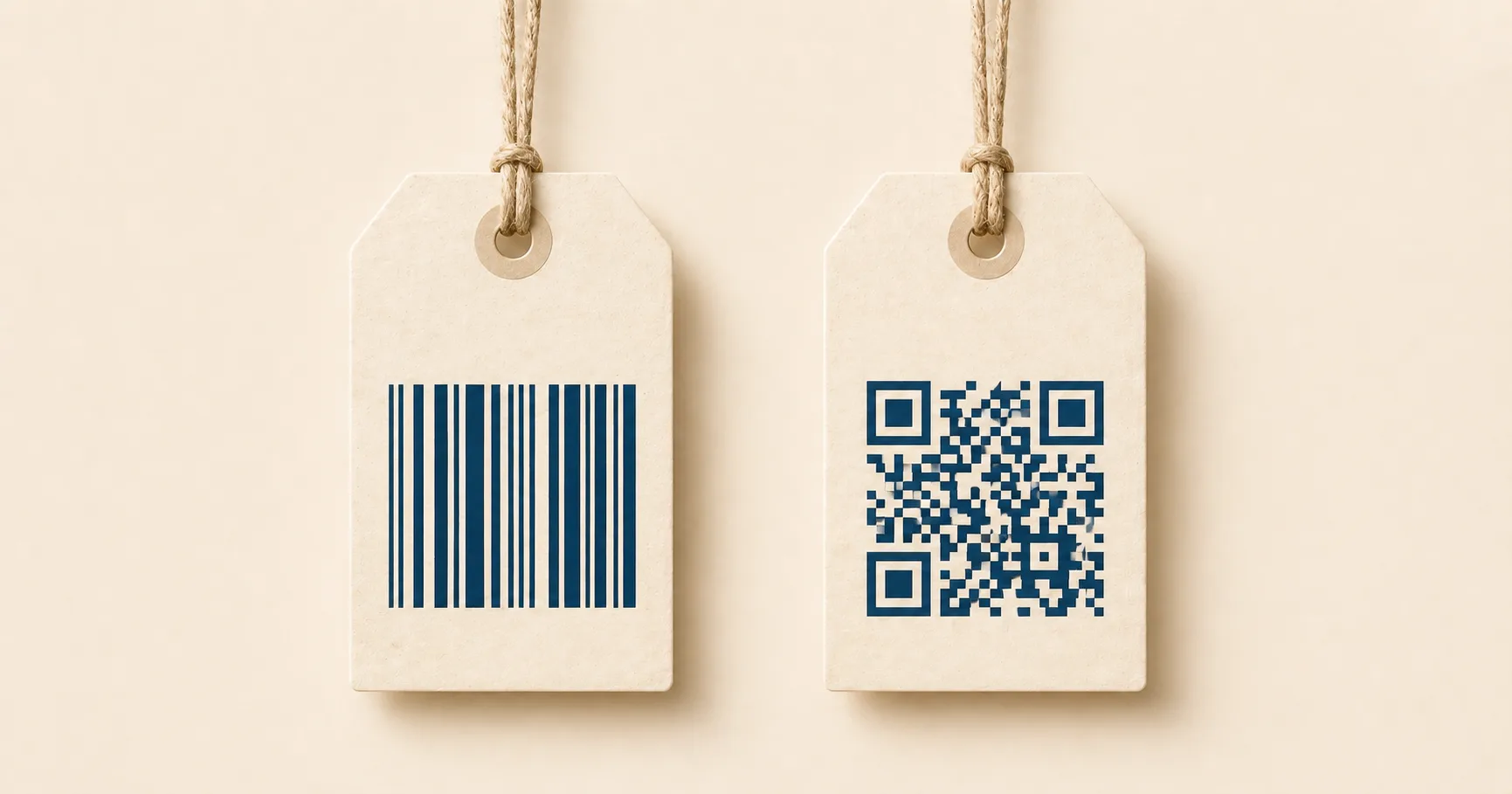
People use “barcode” as a catch-all, but a QR codeA 2D matrix barcode that encodes data in a square grid of black and white modulesA single black or white square in the QR grid. The number of modules per side scales with the QR versionThe size of a QR code, numbered 1 (21×21 modules) through 40 (177×177). Higher versions store more data but require more printed space. Read more →, from 21×21 modules for version 1 up to 177×177 for version 40. Read more →. Read more → and a traditional 1D barcodeA traditional one-dimensional barcode (UPC, EAN, Code 128, Code 39). Read more → like the UPC stripe on a cereal box are built for different jobs. They look related and they share a name in casual conversation, but the underlying mechanics, the gear that reads them, and the workflows they fit are nothing alike.
A useful mental model: a 1D barcode stores data along one dimension as varying line widths, and a QR code stores data in two dimensions as a square grid of modules. That single architectural difference cascades into capacity, scanner compatibility, damage tolerance, and which format you should reach for in a given situation.
This guide breaks down where each format earns its keep and how to pick correctly when both are available.
Key takeaways
- A 1D barcode (UPC/EAN) stores ~13 numeric digits along a single dimension; a 2D QR code stores up to 4,296 alphanumeric characters in a square grid.
- Barcodes are read by laser scanners at retail point-of-sale; QR codes are read by phone cameras anywhere, at any rotation.
- QR codes carry built-in Reed–SolomonThe error-correction algorithm used in QR codes (and on CDs, DVDs, and deep-space probes). Read more → error correctionMathematical redundancy built into every QR code that lets it scan correctly even if part of the matrix is damaged, dirty, smudged, or covered (for example by a logo). Read more → (7–30% recovery). Standard 1D barcodes have minimal redundancy and break on minor damage.
- Use a barcode for retail SKU lookup; use a QR code when the goal is opening a URL, joining Wi-Fi, or any phone-camera-driven action.
- Many products carry both — a barcode for checkout, a QR code for post-purchase engagement.
What a barcode does well
Traditional 1D barcodes (UPC, EAN, Code 128, ITF-14, and others) are optimized for narrow, well-defined jobs:
- Fast scanning at checkout and in warehouses. Laser scanners sweep a line across the bars and decode in milliseconds.
- Compact product identifiers. A SKU, GTIN, or carton number — short numeric or alphanumeric strings that act as database keys.
- Database lookups. The barcode itself doesn’t carry product detail. It points to a row in a system that holds the price, name, weight, and stock level.
Barcodes are not used to encode full URLs or long messages because they have very limited capacity and become physically wider the more characters you stuff in. A 30-character Code 128 barcode is already long enough to be inconvenient on small packaging.
What a QR code does well
QR codes were designed for different needs and the strengths reflect that:
- Phone-camera scanning. No special hardware. Every modern phone has a built-in scanner in the camera app.
- Multi-angle reads. Rotation and perspective don’t matter much. Three finder patternsThe three large squares in the corners (top-left, top-right, bottom-left) of every QR code. Scanners use them to detect a QR in the camera frame, lock onto it, and determine its orientation. Read more → let the decoder figure out orientation in any frame.
- Higher data capacity. Comfortably enough room for URLs, Wi-Fi credentials, contact information, or short messages.
- Damage tolerance. Built-in Reed-Solomon error correction recovers from missing or smudged modules.
The practical use is bridging a physical surface to a digital action: a customer sees something printed, points their phone, and lands somewhere useful. Menu, sign-up form, payment page, support article, Wi-Fi join. For full playbooks by scenario, see the use-case guides.
Capacity
The directional difference is dramatic, even if exact numbers depend on encoding modeHow a QR code packs its payload — numeric (most efficient for digits), alphanumeric (digits + uppercase + a few symbols), byte (8-bit, used for URLs and Unicode), or Kanji (Japanese characters in Shift JIS). Read more → and error correction level:
- 1D barcodes. Typically tens of characters in practical use. UPC-A holds 12 digits. EAN-13 holds 13. Code 128 stretches further but the symbol gets physically longer with each character.
- QR codes. Up to 7,089 numeric digits, 4,296 alphanumeric characters, or 2,953 bytes at maximum capacity. Realistic business payloads sit in the dozens to low hundreds of characters.
A grounded example. A UPC barcode might encode 036000291452, a product number that the cashier’s system uses to look up everything else. A QR code can encode the full destination directly:
https://example.com/spring-sale?utm_source=poster&utm_medium=qrThis is why consumer-facing QR codes work standalone. They carry enough information to trigger an action without a separate database, and without specialized scanning hardware.
Scanner compatibility
The two formats grew up with different reading hardware:
- Barcodes. Designed for laser scanners that sweep a line across the symbol. A retail laser scanner reads a UPC in roughly 100 milliseconds, hundreds of times per minute.
- QR codes. Designed for image-based decoding, which fits phone cameras naturally. The whole pattern is captured at once and processed as an image.
Modern retail imaging scanners read both formats interchangeably, and many phones can read 1D barcodes too. But if you’re publishing for the general public, phone cameras still favor QR. The finder patterns are easy for a camera to lock onto in a busy frame, while a phone trying to read a 1D barcode usually needs a dedicated app and good alignment.
Orientation and perspective
Barcodes scan best when the laser line crosses the bars cleanly perpendicular to the lines. That’s why barcodes on packaging are placed in a consistent orientation along a face the scanner can reach.
QR codes don’t care which way they’re rotated. Three finder patterns establish orientation, and the decoder applies perspective correction to handle codes photographed from an angle. That’s why QR works on posters, signage, and product labels where the user’s phone angle is genuinely unpredictable. A diner taking a picture of a menu wedged between condiment bottles is going to scan at whatever angle works, and a QR code handles it. A 1D barcode wouldn’t.
Damage tolerance
Most 1D barcodes have minimal built-in error correction. A torn corner or a smeared section often kills the read. Some formats (PDF417, GS1 DataBar) include redundancy, but the everyday UPC and EAN do not.
QR codes carry Reed-Solomon error correction, so they keep working when:
- A logo covers part of the data area.
- A corner gets scratched off.
- Print quality varies across a long run.
- A sticker partially peels.
The depth of recovery depends on the error correction level chosen at encode time — between roughly 7% and 30% of damaged modules can be repaired. Detail in QR code error correction explained.
The nuance: error correction handles damage to the data area, but it doesn’t rescue codes that fail computer vision. Missing a quiet zone, low contrast, or print too small for the scan distance — those failures happen before error correction ever runs.
Which to use
The decision usually comes down to two questions: what hardware will scan it, and what’s on the other side?
Reach for a barcode when the scan happens at retail point-of-sale or in inventory management, the payload is a short ID into a backend system, and the environment uses dedicated scanners with standardized placement. If you’re selling a physical product through grocery, drug, or general retail, you almost certainly need a UPC or EAN regardless of anything else you do.
Reach for a QR code when the scan happens on a customer’s phone, the goal is a digital action like opening a URL or joining Wi-Fi, and the placement varies — posters, table tents, packaging, business cards, printed receipts. Most consumer marketing and onboarding uses QR.
Many products carry both. The barcode handles checkout. The QR code drives engagement after purchase, like a register-your-product flow, a how-to video, or a review request. See retail packaging for a deeper playbook.
Quick comparison
| Dimension | Barcode (1D) | QR code (2D) |
|---|---|---|
| Typical payload | Short ID like SKU or UPC | URL, Wi-Fi, contact actions, text |
| Data capacity | Low — tens of characters | High — thousands at max |
| Best scanner | Laser or imaging retail scanner | Phone camera with image decoding |
| Rotation tolerance | Lower | Higher |
| Error correction | Limited or none | Built-in, level-selectable |
| Best for | Inventory and checkout | Marketing, onboarding, signage |
| Cost to publish | Standardized but requires GS1 registration for retail | Free to generate, no registration |
Other 2D codes worth knowing
QR is the dominant 2D format for general use, but it’s not the only one:
- Data Matrix. Common in manufacturing, parts tracking, and medical devices. Smaller printable footprint than QR for the same payload, useful when you need to mark tiny components. Less consumer recognition.
- Aztec. Used on some boarding passes, train tickets, and loyalty cards. Scans well without a large quiet zoneThe unprinted margin of at least four modules' width that must surround every QR code. Read more →, which helps when space is tight.
- PDF417. Stacked linear format on driver’s licenses and shipping labels in the US. Carries more than a 1D barcode but isn’t camera-friendly.
- MaxiCode. Used by UPS for parcel sorting. Optimized for high-speed conveyor scanning rather than phone cameras.
For a general-public audience scanning with phones, QR is almost always the right call. Universal recognition, native camera support, and a deep ecosystem of generators and analytics. If your audience is industrial or your placement is millimeters wide, look at Data Matrix instead.
Sources
- Wikipedia — Barcode — Background on 1D barcodes (UPC, EAN, Code 128) for comparison.
- Wikipedia — QR code — QR code’s encoding capacity and 2D matrix structure.
- GS1 — Barcodes — Global standards body for product-identification barcodes.