
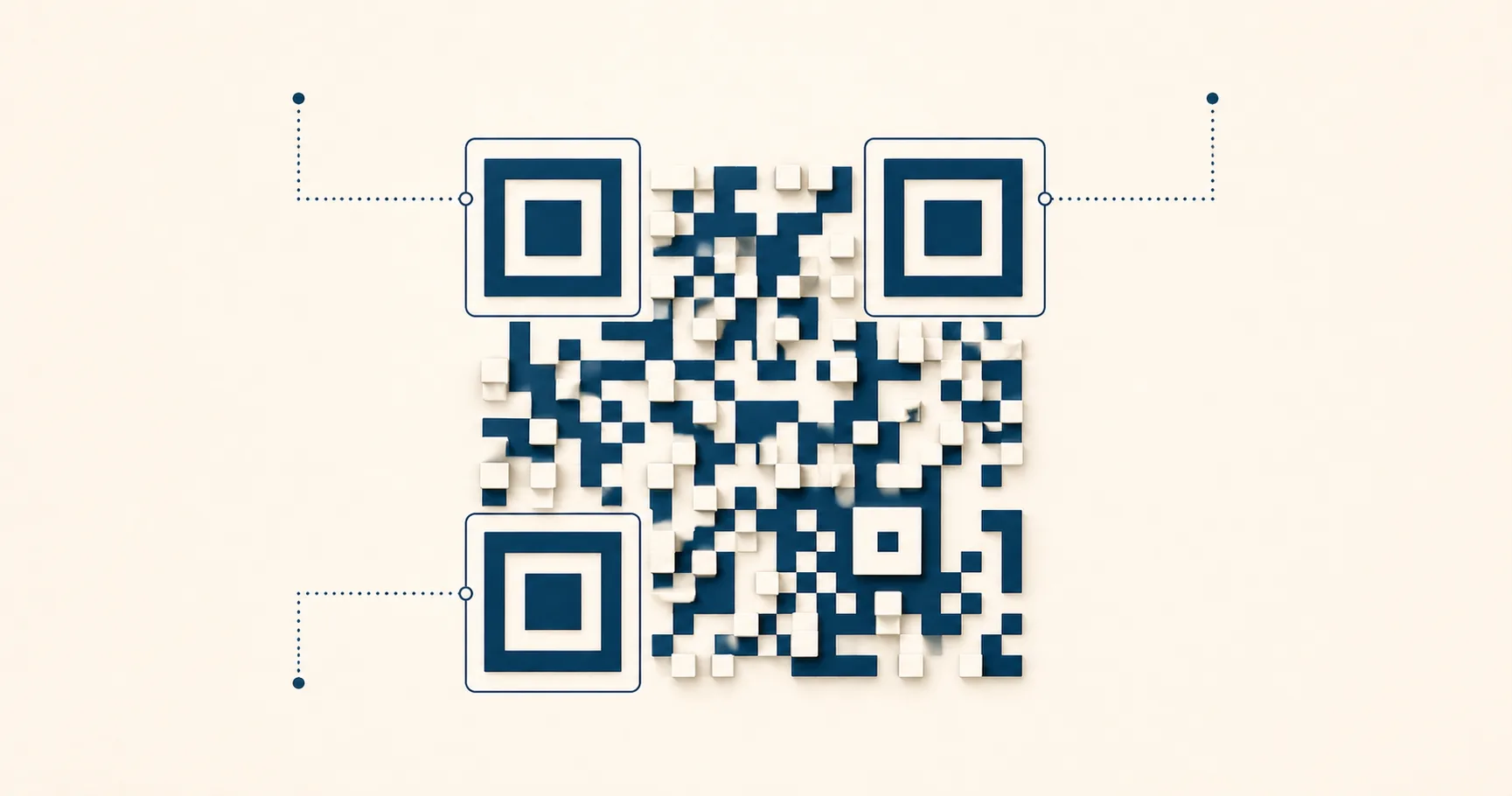
A QR codeA 2D matrix barcode that encodes data in a square grid of black and white modules. Read more → is a two-dimensional barcode that stores data in a square grid of dark and light modulesA single black or white square in the QR grid. The number of modules per side scales with the QR versionThe size of a QR code, numbered 1 (21×21 modules) through 40 (177×177). Higher versions store more data but require more printed space. Read more →, from 21×21 modules for version 1 up to 177×177 for version 40. Read more →; phones decode that data through a multi-step pipeline. Scanning a QR code feels instant, but a lot happens in that fraction of a second. The camera finds a square pattern in a moving image, corrects for the angle you’re holding the phone at, reads thousands of dark and light cells, repairs whatever is missing or smudged, and finally turns the bytes into something the phone can act on, like a URL or a Wi-Fi join request.
Understanding the pipeline is useful because it explains why some codes scan beautifully on a designer’s monitor and fail on a printed menu. Most failures aren’t about encoding. They’re about something earlier in the chain breaking before decoding can even start.
This guide walks through the full flow from camera frame to action, then shows the literal payload strings for each common QR type, then explains where things go wrong in the real world.
Key takeaways
- A QR scan is a two-stage process: computer vision (find the code, square it up, sample the module grid) then data decoding (Reed–SolomonThe error-correction algorithm used in QR codes (and on CDs, DVDs, and deep-space probes). Read more → error correctionMathematical redundancy built into every QR code that lets it scan correctly even if part of the matrix is damaged, dirty, smudged, or covered (for example by a logo). Read more →, payload parsing).
- Most printed-code failures happen in the first stage — too small, too low-contrast, missing quiet zoneThe unprinted margin of at least four modules' width that must surround every QR code. Read more → — before error correction ever runs.
- The four error-correction levelsOne of four settings that controls how much damage a QR code can tolerate: L (about 7%), M (15%), Q (25%), or H (30%). Read more → (L 7%, M 15%, Q 25%, H 30%) determine how much of the pattern can be damaged or covered before scanning fails.
- Common payloads are URL, Wi-Fi (
WIFI:string),tel:,sms:, andmailto:— each has a specific format the phone OS recognizes and acts on. - Stylized codes (gradients, rounded modules, photographic backgrounds) interfere with the scanner’s threshold detection and fail more often in real-world conditions.
How does the scan pipeline work?
When you point a phone at a QR code, the scanner runs through these steps in sequence:
- Capture frames. The camera streams images at 30 to 60 frames per second. Each frame is a candidate.
- Detect candidates. The scanner searches for high-contrast square-like regions that resemble finder patternsThe three large squares in the corners (top-left, top-right, bottom-left) of every QR code. Scanners use them to detect a QR in the camera frame, lock onto it, and determine its orientation. Read more →.
- Confirm QR geometry. It verifies three finder patterns at the right relative positions. If only two appear, or the spacing is off, it skips the frame.
- Correct perspective. It computes a transformation that unwarps the code into a square, even if you’re scanning at an angle.
- Sample the grid. It estimates module size and reads each cell as dark or light.
- Decode format and version. It reads small reserved regions that describe the error correction level, mask patternOne of eight patterns XOR-applied to the data area before encoding finishes. Masking balances the ratio of black to white modules — too uniform a region (like a long bar of one color) confuses scanners. Read more →, and version.
- Apply error correction. It runs Reed-Solomon decoding to repair missing or incorrect modules using redundancy data.
- Parse the payload. It converts the recovered bytes into a recognized type — URL, Wi-Fi string,
mailto:,tel:, plain text. - Present the action. The phone shows a preview (“Open website”) or hands off directly to a system app.
The big idea: a QR scanner does both computer vision (finding and squaring up the code) and data decoding (interpreting the bitstream). A printed code that survives the first job but breaks the second is rare. The reverse — passing decoding in clean lab conditions but failing computer vision under fluorescent lights — is common.
Why damaged codes still scan
QR codes carry redundancy. The pattern doesn’t only store your payload; it also stores parity data calculated with Reed-Solomon error correction. The encoder picks one of four levels:
- L (Low). Recovers up to roughly 7% of damaged modules.
- M (Medium). Up to ~15%.
- Q (Quartile). Up to ~25%.
- H (High). Up to ~30%.
That’s how a code keeps working when:
- A corner gets scratched off a sticker on a delivery box.
- A coffee ring blots part of a menu.
- A logo sits on top of the center.
- The print run had inconsistent ink coverage.
Higher levels of error correction add more parity, which means a denser grid for the same payload. If you embed a logo, bump the level up to Q or H so the redundancy can absorb what the logo covers. For more on tradeoffs, see QR code error correction explained.
Redundancy is not a free pass. If the code is too small, low-contrast, or missing the quiet zone, the scanner gives up before error correction even runs. Error correction repairs decoded data; it doesn’t rescue a code the camera couldn’t lock onto in the first place.
How your data becomes modules
When a generator builds a QR code from your input, it goes through these steps:
- Pick an encoding modeHow a QR code packs its payload — numeric (most efficient for digits), alphanumeric (digits + uppercase + a few symbols), byte (8-bit, used for URLs and Unicode), or Kanji (Japanese characters in Shift JIS). Read more →. Numeric, alphanumeric, byte, or kanji. URLs and most modern payloads use byte mode.
- Convert to bits. The payload becomes a bitstream.
- Add metadata headers. A short prefix declares the mode and the length of the payload.
- Compute error correction. Reed-Solomon parity bytes are calculated and interleaved with the data.
- Place bits into the grid. Bits map to module positions in a defined zigzag pattern around the reserved regions.
- Apply a mask. One of eight masking patterns gets XORed onto the data area to break up large blocks of same-color modules. The encoder picks whichever mask scores best on standardized scan-friendliness rules.
You don’t need to memorize the encoder to publish QR codes, but the mask step matters in practice. It explains why two codes carrying the same URL can look completely different yet scan identically. It also explains why “stylized” codes with rounded modules or heavy gradients can break: they interfere with the scanner’s ability to cleanly classify cells as dark or light, which is exactly what masking was designed to optimize.
Real payload examples
The same QR visual format can carry completely different data. Here’s what gets encoded for each common type, plus the practical notes that matter when you generate one.
URL QR codes
https://example.com/sale?utm_source=poster&utm_medium=qr&utm_campaign=springUse HTTPS — modern phones flag plain HTTP and some browsers warn the user. Keep query strings short and stable. If you need per-location tracking, use a different URL per placement rather than appending more parameters to one bloated string. Generate one with the URL-to-PNG generator or scalable URL-to-SVG version.
Wi-Fi QR codes
WIFI:T:WPA;S:MyGuestNetwork;P:my-guest-password;H:false;;The fields are:
T— encryption type:WPA,WEP, ornopass.S— SSID, the network name.P— the password.H— whether the network is hidden,trueorfalse.
Special characters in the SSID or password (semicolons, colons, commas, backslashes) need escaping with a backslash. Generate one with the Wi-Fi-to-PNG generator and avoid the typo problem. For deployment tips, see QR code Wi-Fi best practices.
Phone tap-to-call
tel:+14155552671Always use full international format with the country code and a leading plus sign. The phone-to-PNG generator handles the formatting.
SMS with pre-filled message
sms:+14155552671?body=Hi%20I%20need%20help%20with%20my%20orderThe body has to be URL-encoded — spaces become %20, newlines become %0A. The SMS-to-PNG generator handles encoding automatically.
Email mailto
mailto:sales@example.com?subject=Quote%20request&body=Hi%20team%2C%20I%20need%20pricing%20for...Same URL-encoding rules as SMS. Useful for “request a quote” buttons on print collateral. Build one with the email-to-PNG generator. For a side-by-side gallery of every common payload type including WhatsApp, vCardA standard text format for contact information (name, email, phone, address, organization) defined by RFC 6350. Read more →, payment, and event check-in formats, see QR code examples.
Plain text
Wi-Fi password: ask staff for the code (do not print passwords in public areas)Plain text is fine for internal operations or back-of-house notes. For public signage it usually creates friction because the user still has to act on the message manually.
Why some codes fail in the real world
Codes that pass tests in the office sometimes fail on actual signage. The cause is rarely the encoder. It’s the environment around the printed code:
- Too small for the scan distance. A code printed at 1.5 cm is fine on a business card and useless on a wall poster six feet from the viewer. Module size needs to be roughly 1/10th of the scan distance for reliable reads.
- No quiet zone. When the code abuts a colored border or body copy, the scanner can’t isolate the pattern.
- Low contrast. Pale gray on cream looks elegant in the brand guide and disappears under glare.
- Glossy reflections. Laminated menus and acrylic signs catch overhead light and wash out modules.
- Motion blur. Anyone scanning while walking past gets blurred frames the camera throws away.
- Oversized logos. A logo covering more than ~20% of the data area exceeds error correction capacity and the decode fails.
- Bad printing. Cheap inkjet printers smear modules. Always test the actual printed output, not the digital file.
A QR code that scans flawlessly on your monitor at arm’s length might still fail on a shop window at night, or on a menu under warm tungsten lighting at a corner table. Test the code where customers will actually use it.
What makes a code scan fast
The codes that scan in under half a second tend to share these properties:
- Large, crisp modules. Generous physical size, sharp edges, no compression artifacts.
- Strong contrast. Pure black on pure white is the gold standard. Colored codes are fine if the color is dark enough.
- Clean quiet zone. Four modules minimum, more if design space allows.
- Minimal distortion. Flat surface beats curved every time.
- Short payload. A lower QR version means fewer, bigger modules. Trim the URL.
This is why the most reliable QR codes look boring. The flashy ones with rounded modules, gradients, and full-bleed backgrounds usually scan just slowly enough that some users give up. For a print-ready checklist, see the print-ready QR code checklist.
For a side-by-side view of one-dimensional and two-dimensional labels, see QR codes versus barcodes. The benefits guide connects the encoding mechanism to practical uses.
Sources
- Wikipedia — QR code (Encoding) — Module structure, finder/timing/alignment patternsSmaller square patterns scattered through QR codes from version 2 onward. They help scanners correct for perspective distortion when the code is photographed at an angle, on curved surfaces, or with a wide-angle lens. Read more →, and encoding modes.
- Denso Wave — How a QR Code is structured — Original technical reference from Denso Wave.
- ISO/IEC 18004:2015 — Formal specification of QR module geometry and decoding procedure.